
Sign up to save your podcasts
Or

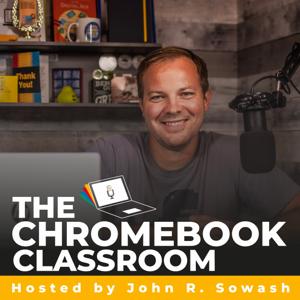

My Chromebook helps me be productive and give me access to everything that I need as an educator. Here are 5 Chromebook productivity tips to help you in the classroom.
Share to Classroom
Emoji Keyboard by Joypixels
Bitmoji
Screencastify
TWurl shortener
BONUS TIP: Connect your Android phone to your Chromebooks
If you have a personal Chromebook and an Android phone, you can connect them together to do some pretty awesome things!
For all of the links and resources mentioned in today's episode, visit Chrmbook.com/s4e1
-----------------------------
Thanks for tuning into the Chromebook Classroom Podcast! If you enjoyed today's episode, I would appreciate your honest rating and review!
You can connect with me, John Sowash, on Facebook, Twitter, or Instagram. I would love to hear your thoughts on the show!
 View all episodes
 By John R. Sowash

4.9
3030 ratings
My Chromebook helps me be productive and give me access to everything that I need as an educator. Here are 5 Chromebook productivity tips to help you in the classroom.
Share to Classroom
Emoji Keyboard by Joypixels
Bitmoji
Screencastify
TWurl shortener
BONUS TIP: Connect your Android phone to your Chromebooks
If you have a personal Chromebook and an Android phone, you can connect them together to do some pretty awesome things!
For all of the links and resources mentioned in today's episode, visit Chrmbook.com/s4e1
-----------------------------
Thanks for tuning into the Chromebook Classroom Podcast! If you enjoyed today's episode, I would appreciate your honest rating and review!
You can connect with me, John Sowash, on Facebook, Twitter, or Instagram. I would love to hear your thoughts on the show!
104 Listeners
1,251 Listeners

58,483 Listeners