The #1 most downloaded podcast app
Podcast App is for the curious
Play a new discovery or your latest favorite in just a few taps. Whether you're just getting started or a seasoned listening veteran, everything you need to get settled in is at your fingertips


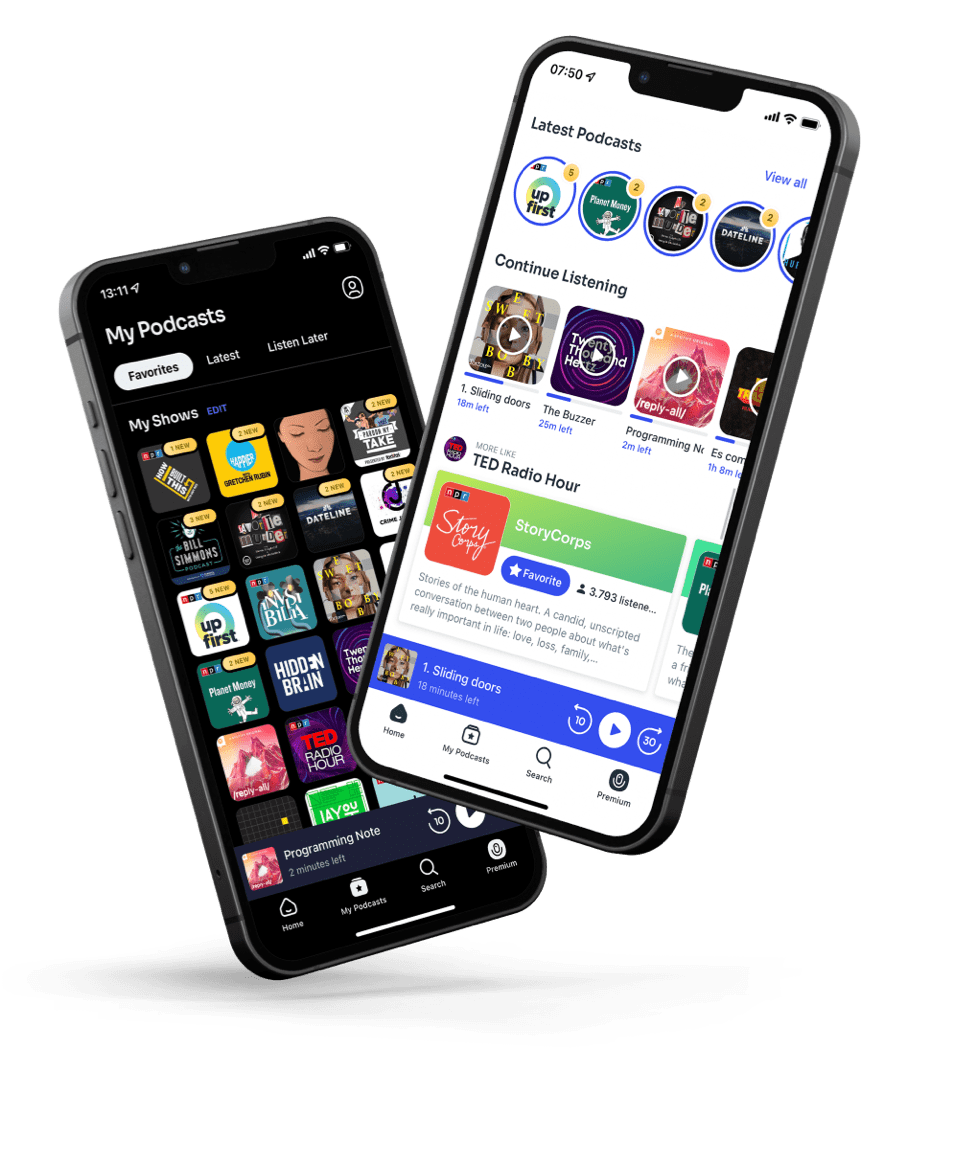
The world of podcasts is waiting
Start feeding all of your interests from news and comedy to true crime, sports and infinitely more



Browse by category



















Keep in touch with your interests
Learn or practice a new language
Learn a new skill
Stay healthy
Learn about anything you can imagine
Listen your way.
Make room for your favorite voices. Listen on iPhone, iPad, or Android, in the car with CarPlay, on Apple Watch, or on the web.
- iPhone
- iPad
- Apple Watch
- CarPlay
- Android
- Web
Apple Watch and CarPlay are supported by the iOS app. Features vary by platform.
Frequently Asked Questions
Discover what you can do with Podcast App.
What is Podcast App?
Podcast App is an independent podcast player that keeps your favorite shows and saved episodes within easy reach. Organize what you want to hear next, catch up on the latest episodes from your favorites, and get back to anything you’ve saved or started in just a few taps. Make your listening experience your own, with search and recommendations ready when you want to find something new.
Is Podcast App free?
Yes, Podcast App is free on both iOS and Android. You can listen to podcasts, keep your favorite shows together, download episodes with Listen Later, and use the sleep timer. The free version also includes listening history for up to five shows. On iOS, you can create and share episode playlists, too.
About the free versionWhat does Podcast App Premium include?
On iOS and Android, Podcast App Premium lets you:
- Remove all visual ads.
- Unlock your full listening history.
- Add private podcasts by URL.
On iOS, Premium also lets you:
- Create and name folders to organize your favorite shows.
- Customize settings for each show, including push notifications and default episode order.
- Use AI Digest: a personalized 5 to 10 minute audio conversation introducing recent episodes you might enjoy.
Ads included within episodes by podcast publishers may still play.
Subscription helpHow can I find podcasts and specific episodes?
You can find shows and episodes in Podcast App in several ways:
- Search across shows and episodes by topic, guest, person, or event.
- Search within a show to find an episode someone recommended, or check whether your favorite host has covered a topic or invited a guest.
- Browse categories such as true crime, news, comedy, and education.
- Get personalized recommendations based on your listening.
What is AI Digest?
AI Digest is a personalized podcast available with Podcast App Premium on iOS. In a 5 to 10 minute conversation, two hosts introduce recent episodes you might enjoy, helping you choose what to listen to next.
Can I download podcasts with Podcast App?
Yes, Podcast App lets you download podcast episodes on iOS and Android through Listen Later. Add episodes to your list while connected to the internet and let the downloads finish before heading out.
Help with downloading episodesCan I listen to podcasts offline?
Yes, Podcast App lets you listen to downloaded episodes without an internet connection on iOS and Android. Download your episodes in advance so they’re ready for your commute, a flight, or anywhere without a signal.
Help with offline listeningCan I create podcast playlists?
Yes, Podcast App on iOS lets you create playlists with episodes from different shows. Put together a playlist for a road trip, your workout, or chores around the house. You can also collect episodes for a deep dive into a topic or keep your favorites together to revisit. To create a playlist, open My Podcasts and go to Playlists.
How to create a playlistCan I share my podcast playlists?
Yes, Podcast App on iOS lets you share your playlists with friends, family, and coworkers. Send someone your favorite interviews, a collection about a shared interest, or a playlist for your next trip together.
Where can I listen to Podcast App?
Podcast App is available on iPhone, iPad, and Android, and you can also listen on the web at podcast.app. The iOS app also supports CarPlay and Apple Watch. Features vary by platform, and iOS and Android accounts are currently separate.
Getting started on your deviceDoes Podcast App work with Apple CarPlay?
Yes, Podcast App for iOS supports Apple CarPlay, so you can listen to your podcasts in a CarPlay-compatible car.
Can I listen to Podcast App on Apple Watch?
Yes, Podcast App supports Apple Watch, including listening without your iPhone nearby.
Where can I get help?
Visit the Podcast App Help Center for guides to downloads, playlists, account settings, subscriptions, and more. If you need a hand, you can also contact our support team there.
Visit the Help CenterOur users stick with us because we are the best app for podcasts
We have one goal in mind: building a world of podcasts for curious people, and providing the tools you need so you can sit back and listen