
Sign up to save your podcasts
Or

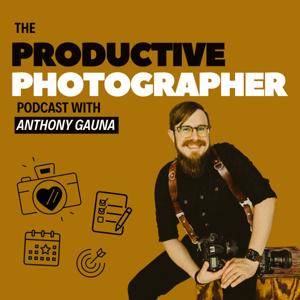

In this episode of The Productive Photographer, I'll be diving deep into my editing process to help you streamline your workflow and save time when editing your photos. We'll start by discussing the benefits of creating a new catalog and how it can make your editing process faster and more efficient. I'll share my personal experience with a Master catalog that contains all of my work dating back to 2011, and reveal how it helps me stay organized and productive. Additionally, I'll talk about how I use AI to cull and edit my photos using Aftershoot. Tune in for valuable tips and tricks to help you take your editing game to the next level.
Links to Resources Mentioned:
My Standing Desk Frame
Daisy Jones & The Six
Backblaze
Carbon Copy Cloner
Aftershoot
Pic-Time: They offer a 30-DAY FREE TRIAL to get you started (no credit card required) and now you can receive an extra month free when you upgrade to any paid plan by using my special code: 7RU4K6
Disclosure: Affiliate Links
About Me:
Hi, I'm Anthony Gauna, a full-time wedding and portrait photographer based in San Antonio, TX. I've been working in the industry since 2012, and over the years, I've developed a passion for helping other photographers achieve their goals by sharing what's working for me.
 View all episodes
 By Anthony Gauna
In this episode of The Productive Photographer, I'll be diving deep into my editing process to help you streamline your workflow and save time when editing your photos. We'll start by discussing the benefits of creating a new catalog and how it can make your editing process faster and more efficient. I'll share my personal experience with a Master catalog that contains all of my work dating back to 2011, and reveal how it helps me stay organized and productive. Additionally, I'll talk about how I use AI to cull and edit my photos using Aftershoot. Tune in for valuable tips and tricks to help you take your editing game to the next level.
Links to Resources Mentioned:
My Standing Desk Frame
Daisy Jones & The Six
Backblaze
Carbon Copy Cloner
Aftershoot
Pic-Time: They offer a 30-DAY FREE TRIAL to get you started (no credit card required) and now you can receive an extra month free when you upgrade to any paid plan by using my special code: 7RU4K6
Disclosure: Affiliate Links
About Me:
Hi, I'm Anthony Gauna, a full-time wedding and portrait photographer based in San Antonio, TX. I've been working in the industry since 2012, and over the years, I've developed a passion for helping other photographers achieve their goals by sharing what's working for me.