
Sign up to save your podcasts
Or


In this episode, I walk through a newer Zoom feature that allows you to trigger reactions using hand gestures — without needing to click anything.
This small but powerful feature can make virtual meetings, workshops, and training sessions more interactive and engaging. Whether you are facilitating or participating, it offers a simple way to respond in real time.
As someone working in learning and development, I am always looking for ways to reduce friction and increase engagement in virtual environments. Features like this support more natural interaction and can help participants feel more involved.
This episode explores:
What the Zoom hand gestures feature is
How to turn it on and use it
What gestures trigger reactions
When this feature is helpful in meetings, training, and facilitation
How it can support engagement in virtual learning environments
A quick and practical tip for anyone using Zoom for meetings, teaching, or workplace training.
“Small features like this can make a big difference in how people engage in virtual spaces.”
Prefer to follow along visually? Watch the step-by-step video version here:
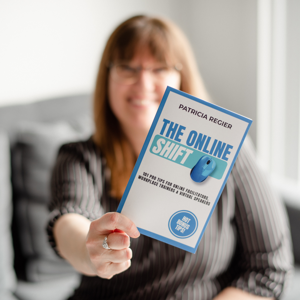
Author: Patricia Regier, MEd, is the Online Expert who has built a career on the belief that training and online learning do not have to be boring. As the Owner of Regier Educational Services and holding a Master of Adult Education, Patricia is known for empowering her audience to feel engaged, courageous, and confident. Her book, The Online Shift, supports both new and experienced professionals in creating engaging and effective learning experiences grounded in practical strategies, research, and real-world application.
 View all episodes
 By RegierEducation
In this episode, I walk through a newer Zoom feature that allows you to trigger reactions using hand gestures — without needing to click anything.
This small but powerful feature can make virtual meetings, workshops, and training sessions more interactive and engaging. Whether you are facilitating or participating, it offers a simple way to respond in real time.
As someone working in learning and development, I am always looking for ways to reduce friction and increase engagement in virtual environments. Features like this support more natural interaction and can help participants feel more involved.
This episode explores:
What the Zoom hand gestures feature is
How to turn it on and use it
What gestures trigger reactions
When this feature is helpful in meetings, training, and facilitation
How it can support engagement in virtual learning environments
A quick and practical tip for anyone using Zoom for meetings, teaching, or workplace training.
“Small features like this can make a big difference in how people engage in virtual spaces.”
Prefer to follow along visually? Watch the step-by-step video version here:
Author: Patricia Regier, MEd, is the Online Expert who has built a career on the belief that training and online learning do not have to be boring. As the Owner of Regier Educational Services and holding a Master of Adult Education, Patricia is known for empowering her audience to feel engaged, courageous, and confident. Her book, The Online Shift, supports both new and experienced professionals in creating engaging and effective learning experiences grounded in practical strategies, research, and real-world application.