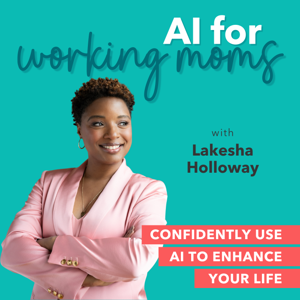
AI for Working Moms - AI Tips, Mom Productivity, Work-Life Harmony, Working Mom Burnout

AI for Working Moms - AI Tips, Mom Productivity, Work-Life Harmony, Working Mom Burnout

By Lakesha Holloway | AI & Consumer Trust StrategistBusinessTechnologyEducationSelf-ImprovementCareers
Download on the App Store

AI for Working Moms - AI Tips, Mom Productivity, Work-Life Harmony, Working Mom Burnout episodes

  • Ask AI Special: One Summary for All My Inboxes

    Your AI email summary keeps breaking, and it's probably not you. I test Claude, ChatGPT, and Manus on one mom's multi-inbox problem and share the fix that works.

    A Playground member asked a question so many of us are living: "I want a daily summary of the important stuff across multiple Gmail accounts, plus my calendar for the day. I've tried a few things and nothing seems to work."

    In this quick Ask AI special, mama, I put Claude, ChatGPT, and Manus to the test on her exact problem. You'll learn why your setup probably broke, which tool handles multiple inboxes right out of the box, and a simple workaround if you want to stay with the AI tool you already use.

    In this episode:

    • 📬 Why "summarize my email" is easy, but "summarize ALL my email" is the hard part
    • ⚠️ The Gmail change from January 2026 that quietly broke many multi-inbox setups
    • 🧪 How Claude, ChatGPT, and Manus each handled the same daily-brief request
    • 🏠 The hub inbox fix: forward your extra Gmail accounts into one and share your calendars to it
    • ✅ How to check an AI summary's reliability before you trust it
    • 🛑 The one boundary to know before connecting work email to any AI tool

    📋 The daily brief prompt (copy and paste):

    Every weekday at 6:30 AM, review email from the last 24 hours. Group it by the account it came from. Show me only what needs a reply, a payment, a signature, or a decision, with the deadline. Then list tomorrow's calendar events with anything I need to prepare. Keep it under one screen. Do not send or delete anything.

    🎯 Your action step this week: Pick one path. Try Manus with two accounts, or forward one extra Gmail into your hub account and run the prompt once by hand before you schedule it.

    🔒 AFTER Framework focus: Reliability. Check your AI's work for the first week before you rely on it.

    Resources mentioned:

    • Manus: connecting multiple Gmail and Google Calendar accounts (June 2026)
    • Gmail ends "Check mail from other accounts" (January 2026)

    Additional resources:

    • 💬 Join the free AI Confidence Playground: facebook.com/groups/aiconfidenceplayground
    • 📝 AI Confidence Quiz → aiconfidenceblueprint.com/workingmomquiz
    • 🧠 Kid's Scorecard Quiz → aiconfidenceblueprint.com/scorecard
    • 🤖 10-Minute Agent Free Workbook → aiconfidenceblueprint.com/10minuteagent
    • 📂 Podcast Resources Hub → aiconfidenceblueprint.com/podcastresources
    • 🛍️ Shop the Store → stan.store/workingmomchampion
    • 💡 Sign-up for → Claude.ai
    • 🫰🏽Explore manus → Manus.im
    • 💬 Need a collaborative way of working in the cloud, from anywhere, on any device? You must get Google Workspace.
    • ⭐ Leave a review on Apple Podcasts. It's the number one way new working moms find this show.
    • 📧 Questions or guest inquiries: [email protected]

    Disclosure: Lakesha is a Claude (Anthropic) partner. All three tools were tested with the same prompt, and results are shared as experienced.

    7 min
  • 74 | Teaching My Kid to Manage AI Like Staff

    Your kid is going to use AI. The only question is whether they’ll boss it or get bossed by it. Banning it just sends it underground; the real job is teaching them to use AI to get smarter, not to skip the thinking. Lakesha shows you how to raise a kid who manages AI like a sharp little manager — turning it into a tutor instead of a ghostwriter, teaching the verify reflex young, and protecting the one thing you can’t give back: their own thinking.

    In this episode:

    • Why banning AI backfires — and what to do instead: don’t ban it, boss it
    • The distinction that changes everything: "do this for me" vs. "help me understand this"
    • The Tutor prompt — teach your kid to make AI explain, not answer
    • Teach the verify reflex young by catching AI being wrong together, on purpose
    • AI does the fetching; your kid does the thinking — protecting the struggle that grows the brain
    • AFTER spotlight: Reliability — the "is that actually true?" habit is lifelong armor

    🔖 COPY-PASTE PROMPT #1 — The Tutor (teach this to your kid)

    "I’m a [grade] student learning [topic]. Don’t give me the answer. Explain it to me simply, with an example, then ask me a question to check if I understand. If I get it wrong, help me see why instead of just telling me the right answer."

    This week’s action: Spend 10 minutes — teach the Tutor prompt, or catch AI being wrong together.

    Resources
    • 💬 AI Confidence Playground → facebook.com/groups/aiconfidenceplayground
    • 📝 AI Confidence Quiz → aiconfidenceblueprint.com/workingmomquiz
    • 🧠 Kid's Scorecard Quiz → aiconfidenceblueprint.com/scorecard
    • 🤖 10-Minute Agent Free Workbook → aiconfidenceblueprint.com/10minuteagent
    • 📂 Podcast Resources Hub → aiconfidenceblueprint.com/podcastresources
    • 🌐 More on Lakesha → lakeshaholloway.com
    • 🛍️ Shop the Store → stan.store/workingmomchampion
    • 💡 Sign-up for → Claude.ai
    • 💬 Need a collaborative way of working in the cloud, from anywhere, on any device? You must get Google Workspace.

    11 min
  • 73 | Who’s to Blame When Your AI Gets It Wrong?

    When your AI makes a mistake and it goes out with your name on it — who’s to blame? You are. "The AI did it" is a defense no boss, client, or teacher will accept. But that’s not bad news — it’s the most empowering thing you’ll learn all season. After a wrong "fact" slipped into a study guide Monique sold, Lakesha shows you how to own your AI’s work without fear: see how it reasons, size your check to the stakes, and recover like a pro when something slips.

    In this episode:

    • The hard truth: if your name is on it, you own it — AI or not
    • Use AI like a professional, not a tourist
    • You can’t own what you can’t see — favor tools that show their work
    • Size your review to the stakes: light glance vs. full verification
    • When it goes wrong: own the error, then upgrade the process
    • AFTER spotlight: Transparency — you cannot answer for a black box

    Copy-paste prompts inside: Show Me Your Work

    This week’s action: Before you send anything AI helped with, ask it to show its sources — and check one.

    Resources
    • 💬 AI Confidence Playground → facebook.com/groups/aiconfidenceplayground
    • 📝 AI Confidence Quiz → aiconfidenceblueprint.com/workingmomquiz
    • 🧠 Kid's Scorecard Quiz → aiconfidenceblueprint.com/scorecard
    • 🤖 10-Minute Agent Free Workbook → aiconfidenceblueprint.com/10minuteagent
    • 📂 Podcast Resources Hub → aiconfidenceblueprint.com/podcastresources
    • 🌐 More on Lakesha → lakeshaholloway.com
    • 🛍️ Shop the Store → stan.store/workingmomchampion
    • 💡 Sign-up for → Claude.ai
    • 💬 Need a collaborative way of working in the cloud, from anywhere, on any device? You must get Google Workspace.

    10 min
  • 72 | Promoted or Replaced? What "AI on Payroll" Means for Your Career

    AI probably won’t replace you — but a person who uses it well might. The real career threat isn’t the machine; it’s being the one who pretends it doesn’t exist. Lakesha reframes the 2 a.m. fear and shows you how to become the exact person this shift promotes: the trusted "translator" between AI and humans, armed with a brag file of real wins and a reputation for using AI well, not just fast.

    In this episode:

    • The reframe: not "will AI replace me?" but "will I use it, or get used around?"
    • You don’t compete with AI — you manage it
    • Become the translator: the promotable human wrapped around the tool
    • Build your AI brag file — turn "I use AI" into documented business impact
    • Why your real edge is trustworthy AI use, not fast AI use
    • AFTER spotlight: Agency — you decide whether AI makes you more valuable or more replaceable

    Copy-paste prompts inside: Find My AI Leverage · Translate the Win

    This week’s action: Use AI to do one job task noticeably better. Log the before/after as your first brag-file entry.

    Resources
    • 💬 AI Confidence Playground → facebook.com/groups/aiconfidenceplayground
    • 📝 AI Confidence Quiz → aiconfidenceblueprint.com/workingmomquiz
    • 🧠 Kid's Scorecard Quiz → aiconfidenceblueprint.com/scorecard
    • 🤖 10-Minute Agent Free Workbook → aiconfidenceblueprint.com/10minuteagent
    • 📂 Podcast Resources Hub → aiconfidenceblueprint.com/podcastresources
    • 🌐 More on Lakesha → lakeshaholloway.com
    • 🛍️ Shop the Store → stan.store/workingmomchampion
    • 💡 Sign-up for → Claude.ai
    • 💬 Need a collaborative way of working in the cloud, from anywhere, on any device? You must get Google Workspace.

    11 min
  • 71 | The AI I Trust With Money...And the One I Don’t

    AI is dangerously good at sounding financially smart. It will explain your 401k, decode a confusing bill, and build a budget in seconds — in the same confident voice it uses when it’s wrong about a number. And with money, a wrong answer isn’t embarrassing, it’s expensive. Lakesha draws the line: the money work AI is genuinely great for, the work you verify, and the work you never hand over — plus the fairness test that keeps a "free" tool from quietly selling you out. (Not financial advice — and neither is your AI.)

    In this episode:

    • The two columns of money work: AI can help you see it; it should never decide it
    • The "whose side is it on?" test — who the tool was built for, and how it profits off you
    • Why you verify every AI number before any money moves
    • The money trust hierarchy: green (hand off), yellow (verify), red (never)
    • Why your AI never needs your account numbers or logins
    • AFTER spotlight: Fairness — with money, check not just if it’s right, but if it’s right for you

    Copy-paste prompts inside: See Your Money Clearly · Whose Side Is It On?

    This week’s action: Use AI for one green-light money task — then write your three permanent red lines.

    Resources
    • 💬 AI Confidence Playground → facebook.com/groups/aiconfidenceplayground
    • 📝 AI Confidence Quiz → aiconfidenceblueprint.com/workingmomquiz
    • 🧠 Kid's Scorecard Quiz → aiconfidenceblueprint.com/scorecard
    • 🤖 10-Minute Agent Free Workbook → aiconfidenceblueprint.com/10minuteagent
    • 📂 Podcast Resources Hub → aiconfidenceblueprint.com/podcastresources
    • 🌐 More on Lakesha → lakeshaholloway.com
    • 🛍️ Shop the Store → stan.store/workingmomchampion
    • 💡 Sign-up for → Claude.ai
    • 💬 Need a collaborative way of working in the cloud, from anywhere, on any device? You must get Google Workspace.

    13 min
  • 70 | The 10-Minute Agent That Runs My Side Income

    A 10-Minute Agent build for your side hustle. The dream of a side income is the extra money; the reality is staying visible online when you’re already out of words for the day. In this episode, Lakesha shows you how to build a standing agent that runs the repetitive engine of your side business — the weekly content that keeps you top-of-mind — in your real voice, in about ten minutes. Following Monique’s tutoring side income, you’ll learn to name your engine, build the agent, and run a weekly content sprint that never posts without you.

    In this episode:

    • Why you hand off the engine (staying visible) — not the business itself
    • Name Your Engine: the prompt that finds the one task draining your side-hustle time
    • The Side-Hustle Content Agent Brief: the 10-minute build, in your voice, that never invents claims
    • The Weekly Content Run: turn one idea into a week of posts + an email in 15 minutes
    • AFTER spotlight: Agency — it drafts, you publish; your name and reputation stay in your hands

    Copy-paste prompts inside: Name Your Engine · The Side-Hustle Content Agent Brief · The Weekly Content Run

    This week’s action: Build the agent, feed it 3 real posts, and draft a week of content from one idea — then post it yourself.

    Resources
    • 💬 AI Confidence Playground → facebook.com/groups/aiconfidenceplayground
    • 📝 AI Confidence Quiz → aiconfidenceblueprint.com/workingmomquiz
    • 🧠 Kid's Scorecard Quiz → aiconfidenceblueprint.com/scorecard
    • 🤖 10-Minute Agent Free Workbook → aiconfidenceblueprint.com/10minuteagent
    • 📂 Podcast Resources Hub → aiconfidenceblueprint.com/podcastresources
    • 🌐 More on Lakesha → lakeshaholloway.com
    • 🛍️ Shop the Store → stan.store/workingmomchampion
    • 💡 Sign-up for → Claude.ai
    • 💬 Need a collaborative way of working in the cloud, from anywhere, on any device? You must get Google Workspace.

    12 min
  • 69 | The Performance Review I Gave My AI

    When did you last check whether your AI tools actually earn their keep? Most of us hire AI onto our team and then never review it — we just keep using it out of habit. Lakesha walks you through the performance review she gave her own AI: the four questions that reveal which tools are stars and which are quietly costing you time, how to make an agent assess its own weak spots, and the keep-coach-cut verdict that keeps your AI working for you.

    In this episode:

    • Why "I’ve always used it" is not the same as "it’s earning its keep"
    • The four review questions: accuracy, time, trust, and fit
    • The Self-Assessment: how to make an agent show you its own weak spots
    • Keep, coach, or cut — and why most underperformers are actually under-managed
    • The rule: a tool you’re constantly correcting is a second job you didn’t apply for
    • AFTER spotlight: Transparency — you cannot manage what you cannot see

    Copy-paste prompts inside: Run My Review · The Self-Assessment

    This week’s action: Review your most-used tool with the four questions. Give it one verdict: keep, coach, or cut.

    Resources
    • 💬 AI Confidence Playground → facebook.com/groups/aiconfidenceplayground
    • 📝 AI Confidence Quiz → aiconfidenceblueprint.com/workingmomquiz
    • 🧠 Kid's Scorecard Quiz → aiconfidenceblueprint.com/scorecard
    • 🤖 10-Minute Agent Free Workbook → aiconfidenceblueprint.com/10minuteagent
    • 📂 Podcast Resources Hub → aiconfidenceblueprint.com/podcastresources
    • 🌐 More on Lakesha → lakeshaholloway.com
    • 🛍️ Shop the Store → stan.store/workingmomchampion
    • 💡 Sign-up for → Claude.ai
    • 💬 Need a collaborative way of working in the cloud, from anywhere, on any device? You must get Google Workspace.

    12 min
  • 68 | Your AI Just Lied To You. Now What?

    Your AI will lie to you — confidently. Not out of malice, but because of how it works: it predicts plausible words, and when it doesn’t know, it bluffs in the same certain voice. After nearly putting a fabricated statistic in front of her leadership team, Lakesha breaks down why AI hallucinates, how to catch it in the moment, and exactly what to do when it happens — so you get the speed of AI without ever staking your name on a lie.

    In this episode:

    • Why AI sounds most confident exactly when it might be wrong — confidence is not accuracy
    • The Verify Reflex: the one line that decides what to fact-check and what to let flow
    • Ask for the receipt — and why you have to click the source, because AI fakes those too
    • Three fast tells you’re being hallucinated at, plus the re-ask that gets a confession
    • The hard line for health, money, legal, and safety — AI is a starting point, never the final word
    • AFTER spotlight: Reliability — AI is fluent, not factual; build verification into how you use it

    Copy-paste prompts inside: Lower the Bluffing · Ask for the Receipt · The Confidence Check

    This week’s action: Catch one. Ask for a source and click it; ask "are you sure?" and watch.

    Resources
    • 💬 AI Confidence Playground → facebook.com/groups/aiconfidenceplayground
    • 📝 AI Confidence Quiz → aiconfidenceblueprint.com/workingmomquiz
    • 🧠 Kid's Scorecard Quiz → aiconfidenceblueprint.com/scorecard
    • 🤖 10-Minute Agent Free Workbook → aiconfidenceblueprint.com/10minuteagent
    • 📂 Podcast Resources Hub → aiconfidenceblueprint.com/podcastresources
    • 🌐 More on Lakesha → lakeshaholloway.com
    • 🛍️ Shop the Store → stan.store/workingmomchampion
    • 💡 Sign-up for → Claude.ai
    • 💬 Need a collaborative way of working in the cloud, from anywhere, on any device? You must get Google Workspace.

    12 min
  • 67 | The 10-Minute Agent That Handles the Permission Slips

    A 10-Minute Agent build. Permission slips, sign-ups, RSVPs, "reply by Friday" — the school pile is a part-time job no working mom applied for, and it hides in email, the parent app, and the bottom of the backpack. In this episode, Lakesha walks you through building a standing "School Assistant" in about ten minutes: one that turns the whole avalanche into a clean list of decisions, tracks every deadline, and never commits you to anything without your say-so. Following Brielle's real week, you'll learn to triage the pile, build the agent, and run a weekly sweep so nothing slips.

    In this episode:

    • Why the school pile is a deadline-holding problem, not a paper problem
    • The School Triage: the prompt that turns eleven scattered asks into one clear decision list
    • The School Agent Brief: the 10-minute build — with the guardrail that keeps it from ever saying yes for you
    • The Weekly Sweep: the Sunday habit that catches the picture-day form due Tuesday
    • AFTER spotlight: Agency — the agent triages and drafts; every commitment stays yours

    Copy-paste prompts inside: The School Triage · The School Agent Brief · The Weekly Sweep

    This week's action: Build the agent, paste in this week's backpack pile — and make every yes-or-no call yourself.

    Resources
    • 💬 AI Confidence Playground → facebook.com/groups/aiconfidenceplayground
    • 📝 AI Confidence Quiz → aiconfidenceblueprint.com/workingmomquiz
    • 🧠 Kid's Scorecard Quiz → aiconfidenceblueprint.com/scorecard
    • 🤖 10-Minute Agent Free Workbook → aiconfidenceblueprint.com/10minuteagent
    • 📂 Podcast Resources Hub → aiconfidenceblueprint.com/podcastresources
    • 🌐 More on Lakesha → lakeshaholloway.com
    • 🛍️ Shop the Store → stan.store/workingmomchampion
    • 💡 Sign-up for → Claude.ai
    • 💬 Need a collaborative way of working in the cloud, from anywhere, on any device? You must get Google Workspace.

    16 min
  • 66 | Should This AI Even Get Hired?

    You wouldn't hand a stranger the keys to your house — so why download an AI tool and hand over your family's data without a single question? Drawing on her enterprise data-privacy background, Lakesha gives you the exact interview to run on any AI tool before it joins your team, turning the AFTER Framework into five literal hiring questions — plus a two-minute privacy-policy decoder and a 10-minute trial that catches tools that lie.

    In this episode:

    • Monique's story: how a "free" AI journaling app was training on her most private thoughts
    • The AI Interview: the AFTER Framework as five hiring questions for any tool
    • The Data Question: the three privacy checks that matter most — and exactly where to find the answers
    • The "Free Isn't Free" rule: if you can't tell how it makes money, you're how it makes money
    • The 10-Minute Trial: a working interview that catches tools that hallucinate
    • The Scorecard: hire, probation, or pass — and why most tools should get a pass
    • AFTER spotlight: Transparency — you cannot trust what you cannot see

    Copy-paste prompts inside: Run the AI Interview · Decode the Privacy Policy

    This week's action: Run the AI Interview on one tool you already use but never vetted. Keep it, probation it, or delete it.

    Resources
    • 💬 AI Confidence Playground → facebook.com/groups/aiconfidenceplayground
    • 📝 AI Confidence Quiz → aiconfidenceblueprint.com/workingmomquiz
    • 🧠 Kid's Scorecard Quiz → aiconfidenceblueprint.com/scorecard
    • 🤖 10-Minute Agent Free Workbook → aiconfidenceblueprint.com/10minuteagent
    • 📂 Podcast Resources Hub → aiconfidenceblueprint.com/podcastresources
    • 🛍️ Shop the Store → stan.store/workingmomchampion
    • 💡 Sign-up for → Claude.ai
    • 💬 Need a collaborative way of working in the cloud, from anywhere, on any device? You must get Google Workspace.

    18 min

About AI for Working Moms - AI Tips, Mom Productivity, Work-Life Harmony, Working Mom Burnout

From the publisher's feed

The Go-to Podcast for Working Moms Who Want to Confidently Use AI and Automation to Enhance Every Area of Life!