
Sign up to save your podcasts
Or


Capabilities? Through the roof?
Usage? Ground floor.
Claude Agent Skills might be one of the most useful features of any front-end LLM.
Yet....it's crickets in terms of chat around it.
For this 'AI at Work on Wednesday' episode, we're breaking it down for beginners and will have you spinning up your own Claude Agent Skills in no time.
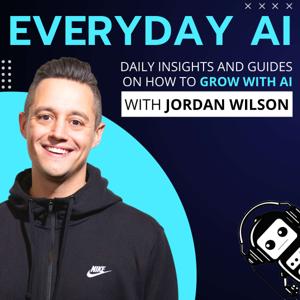
Claude Skills: How to build Custom Agentic Abilities for beginners -- An Everyday AI Chat with Jordan Wilson
Newsletter: Sign up for our free daily newsletter
More on this Episode: Episode Page
Join the discussion:Thoughts on this? Join the convo and connect with other AI leaders on LinkedIn.
Upcoming Episodes: Check out the upcoming Everyday AI Livestream lineup
Website: YourEverydayAI.com
Email The Show: [email protected]
Connect with Jordan on LinkedIn
Topics Covered in This Episode:
Timestamps:
00:00 "Claude Skill Library Unveiled"
06:27 "Claude Skills Explained"
07:29 Custom GPTs and Gems Explained
11:18 Claude Skills vs Projects
17:31 "Refining Skill Triggers Effectively"
20:17 "Beginner Cloud Skills Best Practices"
23:39 "Preferring GPT and Memory Tools"
25:54 "Saving Skill File Properly"
28:09 Creating Skills on Claude
33:43 "Creating AI News Searcher"
35:36 Claude Skills Now Available
37:39 "Optimizing Claude for Knowledge Tasks"
41:05 "Skill Builder Library Access"
Keywords:
Claude skills, Claude agent skills, custom agentic abilities, large language model, agentic workflows, specialized tasks, coding capabilities, file creation, executable code, skills library, skill builder, skill creator, markdown file, skill.md, folder structure, YAML front matter, composable skills, modular instructions, automation, prompt engineering, skill triggers, skill testing, advanced features, API skill versioning, governance and efficiency,
Send Everyday AI and Jordan a text message. (We can't reply back unless you leave contact info)
Vibe coding is dead simple. Head to AI.Studio/build to create your first app.
Vibe coding is dead simple. Head to AI.Studio/build to create your first app.
 View all episodes
 By Everyday AI

4.8
9595 ratings
Capabilities? Through the roof?
Usage? Ground floor.
Claude Agent Skills might be one of the most useful features of any front-end LLM.
Yet....it's crickets in terms of chat around it.
For this 'AI at Work on Wednesday' episode, we're breaking it down for beginners and will have you spinning up your own Claude Agent Skills in no time.
Claude Skills: How to build Custom Agentic Abilities for beginners -- An Everyday AI Chat with Jordan Wilson
Newsletter: Sign up for our free daily newsletter
More on this Episode: Episode Page
Join the discussion:Thoughts on this? Join the convo and connect with other AI leaders on LinkedIn.
Upcoming Episodes: Check out the upcoming Everyday AI Livestream lineup
Website: YourEverydayAI.com
Email The Show: [email protected]
Connect with Jordan on LinkedIn
Topics Covered in This Episode:
Timestamps:
00:00 "Claude Skill Library Unveiled"
06:27 "Claude Skills Explained"
07:29 Custom GPTs and Gems Explained
11:18 Claude Skills vs Projects
17:31 "Refining Skill Triggers Effectively"
20:17 "Beginner Cloud Skills Best Practices"
23:39 "Preferring GPT and Memory Tools"
25:54 "Saving Skill File Properly"
28:09 Creating Skills on Claude
33:43 "Creating AI News Searcher"
35:36 Claude Skills Now Available
37:39 "Optimizing Claude for Knowledge Tasks"
41:05 "Skill Builder Library Access"
Keywords:
Claude skills, Claude agent skills, custom agentic abilities, large language model, agentic workflows, specialized tasks, coding capabilities, file creation, executable code, skills library, skill builder, skill creator, markdown file, skill.md, folder structure, YAML front matter, composable skills, modular instructions, automation, prompt engineering, skill triggers, skill testing, advanced features, API skill versioning, governance and efficiency,
Send Everyday AI and Jordan a text message. (We can't reply back unless you leave contact info)
Vibe coding is dead simple. Head to AI.Studio/build to create your first app.
Vibe coding is dead simple. Head to AI.Studio/build to create your first app.

333 Listeners

154 Listeners

209 Listeners
197 Listeners
151 Listeners

224 Listeners

605 Listeners

273 Listeners
55 Listeners

172 Listeners
48 Listeners

146 Listeners
62 Listeners
63 Listeners

24 Listeners