
Sign up to save your podcasts
Or



Sam Valencia, Jerry Zigmont and Joe Saponare discuss working with Apple technology and clients. Drawn from their combined experience of over 20 years in the Apple Consultants Network, thaey discuss technical support issues both with the technology and working with clients.
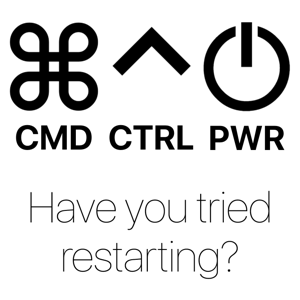
The hosts revisit early Apple and Mac experiences and discuss first keyboard shortcuts, focusing on "Command Control Power" after a photographer client referenced it while troubleshooting a MacBook Pro that died on location from a drained battery. They debate the proper shortcut key order versus Apple's conventions, recall Apple II shortcuts like Control–Open Apple–Reset, and reflect on floppy-drive workflows and multi-disk backups. The conversation shifts to Apple's attempts to break into business hardware, Steve Jobs' impact and management style, and a perceived reversal where hardware fit-and-finish improved while macOS feels buggier, with annual OS releases and settings moving cited as problems. They note Rapid Security Response/Background Security Improvements placement changes, praise Apple Watch and AirPods, share audience photos and Apple memorabilia, and close with gratitude to Apple, colleagues, and listeners.
00:00 Apple 50th Kickoff
00:27 Shortcut Origin Story
01:08 Photo Shoot Panic
02:17 Shortcut Order Debate
03:27 Open Apple Keys
05:16 Save Changes Shutdown
07:33 Floppy Boot Days
09:02 Apple In Business
12:22 Jobs Magic And Myth
14:03 Modern OS Buggy Era
19:27 Settings Search Problem
23:17 Yearly OS Cadence
26:04 Planned Obsolescence Talk
27:46 Software Sells Hardware
28:07 Mac CPU Transitions
29:12 Snow Leopard Lessons
31:37 Intel Era Reality Check
33:11 Security Updates Moved
34:22 Throwback Mac Photos
35:52 Daily Delight Devices
40:12 Old iPhones and iPods
42:29 Apple Employee Card
44:37 Startup Office Memories
46:13 50 Years of Apple
Apple at 50: First Macs, HyperCard, iPod Halo, and Memories from the Early Days - Part 1
The hosts celebrate Apple's 50th anniversary (recorded April 1) and recommend David Pogue's book "Apple at 50," including his Computer History Museum interview. They invite listener stories and discuss first Apple computers (Apple IIe/IIc/II Plus), early BASIC programming habits, and Apple's influence in schools via HyperCard/HyperTalk. Jerry recounts starting on PC compatibles in a tool-and-die business, moving into Macs for music/MIDI and Finale, and shows a 1989 receipt for a Macintosh IIx system costing about $7,000 (roughly $14,730 in 2026 dollars). Listener Dwayne Moss shares memories working at Apple, concerts at sales conferences, seeing Steve Jobs introduce the iPod at Town Hall, and being hired and laid off three times. The group reflects on the iPod's Windows support, the "digital hub" era, early CD burning, Airport cards, Macworld/iPhone displays, Newton hardware, and transitions from PowerPC to Intel to Apple silicon.
00:00 Apple Turns 50
00:40 David Pogue Book Pick
01:59 First Apple Computers
03:56 Learning BASIC Early
06:34 Jerry's First Macs
09:25 Sticker Shock Pricing
11:55 From Punch Cards to AI
13:42 HyperCard Magic
15:38 Listener Story Dwayne
18:30 iPod Halo Effect
20:37 Digital Hub Creativity
24:15 CD Burning Nostalgia
26:31 Iconic iPhone Sounds
27:26 First Business Macs
28:49 Early WiFi Upgrades
30:35 Offline Computing Era
31:45 Macworld iPhone Memories
36:09 Newton Surprise Find
39:12 Early Influences
39:55 Jerry Career Pivot
46:23 Vintage Server Rooms
50:33 G4 to Intel Shift
50:55 Wrap
Joe and Jerry discuss Apple's redesigned online store, noting that Mac configuration choices are now embedded in the URL, making it easier to share exact specs with clients. Jerry describes upgrading from an M3 MacBook Air to an M5 Air via trade-in and 0% financing, then they compare experiences with Migration Assistant failures during remote migrations, including restarts, antivirus removal, and workarounds like migrating via an external drive. They talk about battery-life and thermal concerns on smaller MacBook Pros, using Low Power Mode, and consider how an entry-level "Neo" Mac might expand education or large deployments. Joe warns Apple's Partner Network locator has worse search and may mishandle reviews, recommending saving reviews via Claude-generated HTML. They gripe about post-update "Welcome to Mac" and Apple Intelligence prompts disrupting remote access, share an iPhone brightness mishap, cover RingCentral shared-inbox texting requiring opt-in/terms/privacy compliance, and Jerry previews a job cleaning mouse contamination from a network closet using protective gear.
00:00 Show kickoff Sam missing
00:20 Apple Store URL configs
04:35 Jerry upgrades MacBook Air
05:29 Migration Assistant failures
07:21 Remote setup workflow
13:44 Trade in timing value
14:53 Battery life low power mode
16:29 Thermals 14 inch Pro
18:45 Mac Neo market wildcard
20:48 Partner locator review backup
24:23 Locator search broken
28:39 AI Bugs and Review Backups
30:03 Claude Recreates Review Page
31:34 Welcome Screen Update Rage
33:14 Remote Access Blocked by Prompts
35:22 Stability Over New Features
37:37 iPhone Brightness Disaster
40:19 Shared SMS Inbox with RingCentral
41:44 Business SMS Compliance Hoops
49:34 Hazmat Tech Closet Cleanup
54:41 Patreon and Wrap Up
The hosts discuss unseasonably warm February weather in Boulder, a small wildfire near the Flatiron Mountains, and concerns about drought, low snowpack, and higher summer fire risk. Joe shares a soft launch of psikit.com to promote MeshTastic-based mesh communication devices for emergency preparedness. They then talk about a senior living network project requiring outside cabling certification due to unlabeled, problematic wiring, and how client crises can finally drive needed spending. Joe describes a long-term client's aging Mac mini and 15-year-old Promise RAID enclosures, recent drive failures, and a likely refresh to newer Mac hardware with direct-attached RAID and faster networking while noting how client retirement timelines affect investment and business valuation. They preview ACEs (CCP discount code) and an MDM panel, debate AI's near-term staffing impact, and warn that Synology C2 backups can't be transferred from an MSP to a customer.
Sam Valencia, Jerry Zigmont and Joe Saponare discuss working with Apple technology and clients. Drawn from their combined experience of over 20 years in the Apple Consultants Network, thaey discuss technical support issues both with the technology and working with clients.
When "Cloud-Only" Starts to Crack: Costs, Control, AI Risks, and Hybrid Reality
The hosts discuss an AI-suggested topic: why "cloud-only" thinking is cracking, focusing on broken cost predictability from usage-based pricing, vendor lock-in and loss of control, latency and dependency on internet uptime, and growing compliance and data-residency pressures. They explore how AI increases data exposure risk while also driving demand for integrations like Copilot and Gemini, debate ethical/environmental concerns and whether banning AI would matter, and note AI may reduce support work while increasing competition. They argue hybrid setups are becoming a practical middle ground, enabled by smaller local hardware like Mac minis. They also cover new Apple Magic Mouse and keyboard purchases, announce the UniFi Cloud Gateway Industrial (high-power PoE and SIM slot features), promote ACES 2026 with code CCP, and describe difficulty playing a purchased MP4 on Apple TV due to AirPlay audio dropouts.
00:00 Show Kickoff 00:40 Cloud Costs Rising 04:57 AI Data Exposure 08:34 Ethics And Environment 13:22 Jobs And Competition 15:42 Latency And Outages 18:26 Vendor Control Drift 23:15 Hybrid Middle Ground 24:34 Compliance And Risk 27:20 How We Use AI 31:49 AI Hits Support Work 32:21 Apple AI Troubleshooting Vision 34:16 Staying Valuable Beyond AI 35:29 New Magic Mouse Setup 37:50 Fixing Accidental Gestures 40:45 UCG Industrial Gateway 41:43 Starlink Mini Power Options 45:42 Remote SIM And WiFi 7 47:09 ACEs 2026 And Discount 48:23 MP4 To Apple TV Struggles 51:47 Wrap Up And Thanks
The hosts preview an upcoming Patreon episode about self-hosted, locally run AI for clients who want AI-powered editing without sending sensitive content to cloud services like ChatGPT, Gemini, or Claude. Jerry describes setting up a local AI system for a client to refresh medically based academic writings while keeping privacy, noting most of the solution was free aside from the computer, and contrasts this with internet-connected autonomous AI bots that require credentials and could be influenced by other bots online. The conversation broadens into Patreon topics about business operations, client attrition and return, and discussing sensitive client situations more freely.
They discuss hardware and product preferences, including choosing iPhone models (with repeated recommendations for an iPhone Pro), interest in a MacBook with built-in cellular to avoid carrier hotspot throttling, and debates about MacBook Pro battery life versus MacBook Air. Sam explains he switched work email to Outlook on Mac and iPhone due to Apple Mail reliability issues and to better separate work from personal notifications, while others compare Apple Mail smart mailboxes to Outlook's saved searches and discuss organizing workflows with smart folders and flags.
Sam recounts testing whether an iPad could serve as a second travel workstation for a client who relies on an on-prem Mac server (SMB file sharing and FileMaker Server). They run into clunky SMB workflows in iPad Files/Word, inability to favorite deep SMB paths, OneDrive-first behavior in Word, and a FileMaker version mismatch where an older iPad (limited to iOS 16) can't connect to the newer FileMaker server. They consider shortcuts like web clips but conclude a second MacBook would be simpler.
The episode also covers a bug on iOS/macOS 26 where Microsoft 365 accounts in Apple's native Internet Accounts setup appear authenticated but don't actually work, leading them to use Outlook as a workaround and consider resetting MFA/credentials. They close with a story about extending the usability of a 10-year-old MacBook Pro by installing Firefox ESR, and discuss typical Mac lifespan expectations and guidance for clients on replacement timelines.
00:00 Self‑Hosted AI Teaser: Keeping Client Content Private
02:20 Wild West AI Agents: Credentials, Bot Networks & Security Risks
03:34 On‑Prem vs Cloud (and Why VPN Matters)
05:19 Patreon Plug: Business Ops, Client Attrition & "Juicy Stories"
08:16 iPhone Upgrade Debate: Pro vs Air, Foldables & Pro Cameras
09:04 Dream MacBook Features: Built‑In Cellular, OLED & Battery Life
15:42 Switching Mail Clients: Outlook for Work, Sanity on iPhone
18:28 Email Overload & Smart Mailboxes: Apple Mail vs Outlook Searches
26:56 iPad as a Work Device? Real‑World Client Scenarios
29:02 Why the On‑Prem Mac Server Can't Be Easily Replaced (SMB, Screen Sharing, FileMaker)
29:52 iPad + SMB Shares: VPN Access Works, But Favorites and Navigation Don't
31:38 Editing Word Docs from a Server: Share Sheet Confusion & Save Behavior
32:25 OneDrive Defaults, Hazel Watch-Folder Ideas, and the "Just Use a MacBook Air" Moment
34:21 Shortcut Hack: Using Web Clips to Jump Straight to Deep Server Folders
36:13 The Dealbreaker: Old iPadOS vs New FileMaker Server Compatibility
37:43 Remote Setup via MDM + VPN Profile (and the Keyboard/Mouse Reality Check)
39:11 Multitasking Limits on iPadOS 16: Split View vs Modern Windowed Apps
41:32 Microsoft 365 Login Bug on iOS/macOS 26: No Password Prompt, Account Weirdness
46:04 Workarounds and Client Perception: "Just Use Outlook" (and Why That Stings)
47:53 Wrapping Up: Keeping Old Macs Alive (Firefox ESR) and How Long Apple Silicon Will Last
52:50 Final Thoughts & Sign-Off
From Command to Control: Stories of Digital Dilemmas
The hosts discuss Apple Mail email signatures and discover that when a website URL lacks a prefix, Apple Mail defaults it to an insecure http link, which can trigger junk filtering; they also note cases where a displayed https link still points to http behind the scenes. They compare Apple Mail to Outlook in business environments, mention limitations around advanced signature management, and comment on Apple's minimal transparency in service-status outage explanations. They cover Apple's iOS 12 update extending certificates for services like iMessage, FaceTime, and device activation through January 2027, and then shift to opinions and speculation about Tim Cook's political pandering possibly being tied to tariffs and CEO succession timing. Returning to tech, they explain Apple Pay's security benefits—device-specific numbers and unique transaction codes—especially after a client's credit card was repeatedly compromised, and discuss adding additional browser protection via Malwarebytes Browser Guard and Chrome/Safari extension deployment through MDM (Addigy), including using ChatGPT to generate a configuration profile. They also describe using ChatGPT to edit MailChimp newsletter HTML quickly, and explore AI-assisted app development ideas such as an iOS app that converts call logs into calendar entries, referencing a Steven Robles video about building an app with AI while noting potential security pitfalls like exposed credentials. Lgistics issue involving gear ordered for testing via an Amazon locker at Staples. When attempting pickup, the host discovers the locker has no keypad and relies on the Amazon app and NFC. Despite signing into the client's Amazon account and enabling required app permissions (Bluetooth and device access), the locker cannot be accessed. Amazon customer service suggests the order data may be incomplete due to a third-party seller and issues immediate refunds or credits.
00:00 Welcome In: Time, the Clock Tower, and "Running Out of Time"
00:46 Client Referral Follow-Up: When People Go Radio Silent
01:39 Apple Mail Link Gotcha: Why Your Clean URL Becomes HTTP
04:13 Hidden Signature Code: Displayed HTTPS, Actual HTTP (and Spam Filters)
05:45 Why Apple Should Default to HTTPS (Google Already Does)
08:34 Signature Tools & Workflows: WiseStamp, Outlook, and What Clients Actually Use
10:37 Apple Still Updating Old iOS: Certificate Expiration and 2027 Cutoff
11:40 Tim Cook, Politics, and the CEO Succession Theory
15:06 Bully-Pulpit News Cycle: Waiting for the Next Outrage
16:08 Epstein Files & Accountability: Why Consequences Aren't Landing in the U.S.
18:16 From Past Scandals to Today: How the Bar Moved (Back to Tech)
19:00 Merch & Sponsorship Shoutouts (The Command Control Power Mug)
19:47 Apple Services Outages & the Vague Status Page Problem
21:14 Why Apple Pay Is Safer After a Card Gets Compromised
23:40 Dashlane vs Malwarebytes Browser Guard: Phishing/Scam Blocking Extensions
28:19 Layered Web Protection: Safari Safe Browsing, DNS Filtering, and Extension Risks
31:36 ChatGPT for Real Work: Fixing a Mailchimp Newsletter with HTML
33:06 AI-Assisted App Idea: Turn Call Logs into Calendar Entries (and Vibe Coding)
37:59 Security Caveats + Wrap-Up Quip About AI Summaries
In this episode of Command Control Power, Jerry and Joe discuss recent weather experiences and delve into network topics, including the Unify travel router, the Unify 5G Max Dream Router, and data SIM options. They also share practical tips for streamlining tech tools like Text Expander shortcuts and explore innovative solutions like SPEED for bonding multiple internet connections. Additionally, they touch on topics like simplifying Amazon returns and considerations for international travel, providing humorous anecdotes and prudent advice along the way.
00:00 Introduction and Weather Chat
01:14 Network Talk: Ubiquiti Announcements
01:36 Unify Travel Router: Features and Criticisms
04:54 Dream Router 5G Max: A Versatile Solution
06:28 5G Max and LTE Backup: Deployment Insights
13:26 Affordable Data SIMs for Low-Income Users
18:41 International Travel: EIM Solutions
23:05 Speed.com: Bonding Multiple Connections
28:05 Understanding Data Plans and Router Compatibility
28:56 Currency Exchange for International Travel
33:29 Network Security and Data Protection
37:57 Text Expander Tips and Tricks
43:43 Venmo and ACH Payment Insights
48:11 Amazon Returns and Stock Picks
52:13 Conclusion and Listener Appreciation