
Sign up to save your podcasts
Or

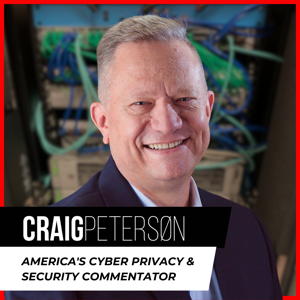


Craig joins Ken and Matt as he does every Wednesday morning. They talked about robocalls and the Super Mario Brothers video game that sells for $100,000. Craig also shared with Ken and Matt his best malware advice.
These and more tech tips, news, and updates visit - CraigPeterson.com
---
Related Articles:
Robocalls And Phone Scams Are All The Rage In 2019
Unopened Copy Of Super Mario Bros Video Game Sells For Record $100k
---
Transcript:
Below is a rush transcript of this segment, it might contain errors.
Airing date: 02/20/2019
Best Malware Advice - What's My Mario Brothers' Worth - Spam Phone Calls
Craig Peterson 0:00
Hey everybody, bOy getting busy this week, I'm putting together all of the content for our course. And this is really exciting. This is, I'm so excited because this is gonna be the best course ever. Anyways, so everybody who signed up for this welcome aboard. Glad to have you here this morning I spoke with Mr. Ken and Matt we went over the this whole problem that we're having with frankly, these robocalls that are coming in. The spam calls the junk calls, what does it mean? What can we do about it? So we talked about that this morning. We also talked about our friends over at Nintendo here and is your game your Super Mario Brothers game worth $100,000 or more? A kind of an interesting question right. If you have one of those sitting around in your in your attic or your basement also I did some tech support help this morning for Ken which is kind of interesting because it ties in exactly with the course I'm doing right now but if you want little tech support help and want to know how to use secure your machines what's the best browsers and stop did that this morning with Ken as well. So here we go with Ken and Matt. Happy Wednesday.
Unknown 1:27
Back again and Craig Peterson is with us now as he always is Wednesdays at this time 7:38 on Wednesday Wednesday Wednesday. Craig, how are you this morning sir?
Unknown 1:37
I am I am I'm doing pretty well this morning. It's been a busy week and now almost winter again.
Unknown 1:45
Before, I have a question to ask you because I you know I was using Firefox and I started using Chrome and I opened this link and all these you know Orbits drops. It says, don't you want to buy an airplane ticket?
Unknown 2:01
Your PC may be infected right now.
Unknown 2:05
So what is the spyware clean your computer program to put on,
Unknown 2:12
or we learned a lot from Wreck It Ralph. And Ralph breaks the internet. And I don't know if you've seen that movie. You
Unknown 2:19
know,
Unknown 2:24
the problem is, there's a little green guys running around trying to get you to click on things. So I think you're real question is, how do I stop those little green guys? Right? Yeah. Okay. Okay. How
Unknown 2:36
do I do my computer? How do I get rid of them? Do I get pest modern pest services?
Unknown 2:43
Yeah, that's kind of what you have to do. The pop up stuff is fairly easy to stop. Famous last words and what you do what I always do, and I do this in, in Firefox, which is a little better I should
Unknown 2:56
go back to Firefox. I don't know why my daughter told me to use Chrome stopping and going back to Yeah,
Unknown 3:03
yeah, it is. Firefox is much much safer with your information just in general, right? They're not out there trying to watch everything you do and sell it all in fact, they're they're very good about making sure they're up to date and blocking things but what's the best malware? That's such a good question and last week I started I had what four different cult courses classes last week for people free ones that I did. And that's one of the top questions and it's a kind of a difficult one to ask. It's kind of like you know, what's the best helmet to wear? Well, it depends and what it depends on is what you're trying to protect against because there's a lot of nastiness out there but here goes the drum roll because if you're running Windows you have a Windows machine then you're looking for the basic protection you can turn on Microsoft software and it's got Windows Defender get that turned on and Windows Firewall get that turned on and you're pretty safe as far as everything in general goes and then there's one more piece of software that I advise everybody to get and put on their machines and that's Malwarebytes. Malware-B-Y-T-E-S. It's very very good that was
Unknown 4:21
what
Unknown 4:23
that's what Matt suggested Malwarebytes
Unknown 4:25
ladies Florio Yes. Yes, exactly. And I got a great tip from Matt last week to with this this of Facebook plugin though. Are you enjoying? It
Unknown 4:37
isn't it's life changing? But
Unknown 4:39
whatever. What's that one?
Unknown 4:41
That's the one where you can filter your Facebook feed and get rid of all i don't
Unknown 4:45
i don't do Facebook. So I don't care. Maybe you would if you could filter? No, I'm not. No.
Unknown 4:50
Yeah, it actually works quite well. Yeah,
Unknown 4:54
Malwarebytes is really, really good. And then, you know, the Facebook stuff, there's a few the little filters, but built into Chrome, you can turn on pop up blocking, and I do that as well. So with Chrome, you go to your settings. And there's got to be there's a great search bar inside of the settings and look for pop up blockers. You can do the same thing on Safari, you can do the same thing on Firefox, it makes life much easier. Now, if you're a business, you can certainly use those basic pieces of software and Apple, if you keep up to date with your patches on Apple. It's even safer from the standard virus and hacker standpoint. And then Microsoft is, but since Windows seven Microsoft to ship with some of the stuff turned on. So there's your basics I really like. And this is what we use for our professional customers. I really like Cisco's, what they call AMP, which is their anti malware protection stack. And it's a bunch of different software. But there's one other thing you guys got to do, right? So I mentioned carry on all of your default stuff right now, at least on turn it off use Malwarebytes, but there's something out there called OpenDNS. And this is a lifesaver. This is probably one of the best things you can do as well. And it's also available for free or really, really, really, really cheap depending on what you're trying to do. And what OpenDNS does is when your computer tries to find where to go online. So you type in google.com, it has to turn that name into an address. So it has to be turned into an internet address, because that's the only way to get around. Right. It's not it's like a sort of Ken's house. So where's Ken's house? Well, now you have to look it up in the phone book. Right Ken? Right. And it's 123 mainstream street in Scarborough, Maine. It's the same sort of a thing. So what happens with OpenDNS, if you're using that is the computer says, Okay, well, where's Google that it's trying to find the address and sort of asks, in this case, if you set it up, right? Ask OpenDNS, OpenDNS, okay, well, he's he's 123 Main Street, and off you go, everything's wonderful.
But if you have some malware, if you have some evil software on your site, or let's say it's trying to drive you to some adware based site or trying to get you to go somewhere you shouldn't have be cooked on something you shouldn't have is going to ask, Hey, how do I get to the Kaminski house over there in Moscow, Russia, OpenDNS is looking at that and say, Whoa, wait a minute, we know those Kaminski guys and they're tied into this unabomber guy and this is a bad place to go. And so it OpenDNS as at that point is it stops you from going there and pops up a little while doesn't pop up. But it comes up a little message on your browser saying that's an evil place to go but it also stops malware that's on your computer so one of the first things this evil software does matter where does is it phones home just like ET and tries to figure out what do you want me to do next to do you want me to infect next. Our evil plan to take over the world. And so it tries to call home so how does it call home it does the same thing it says hey I want to call home and it goes to mask OpenDNS. OpenDNS says I know who you are I'm not letting you call home and we're talking about even on their paid plan one or two bucks a computer a month just stop the bad guys from calling home. It's phenomenal OpenDNS look it up now there's better software than that we tend to use Cisco Umbrella which is the next level up from OpenDNS but there you go I just gave you my best tip ever can they keep faith and and it's Mac and Windows okay so is it just across the board is great
Unknown 8:57
doing it
Unknown 8:58
okay all right so Craig Peterson joins us at this time every Wednesday and he tells us about all the things that can needs to know about his computer I've noticed Craig by the way that on my phone I had installed a like a robo killer app which had been reasonably effective for the past few months in stopping this avalanche This is waterboarding effort of these people to try to just destroy my phone and get like a call every 30 minutes or so but in the last two weeks like I don't know if they're getting around it they got new numbers whatever but now I'm starting to get more of these stupid robo scam thing calls and whatnot again and they're always the same they're always some insurance thing or they always have a warranty to sell me or or whatnot but there's also some people that are actually like literally scamming you and saying that you know you owe money and you got to pay the police department or whatever talk to me about phone scams and 29 in 2019
Unknown 9:55
Yeah, IRS, etcetera etcetera. I've gotten most as well and the FCC just released these results of a new study. And it's a welcome to 2019 guess what half of all cell phone calls give or take this year are projected to be spam calls these these junk calls, or worse their their phishing attack phishing P-H. Not the not the kind with the line and the hook but what they're trying to do is hook you so they call up I got I was on the floor of a conference and I was actually the exhibitor and I got calls from the IRS. And like, repeatedly, you have to send money and how do you pay the IRS? Well, it turns out from this phone call that I have to buy Apple gift cards and send them to the IRS in order to make good on my debt to
Unknown 10:51
it's just crazy. So what do you do? Oh, my gosh. Well, yet you're using Hiya right, Matt? Yes. Okay. Yeah. Hiya, H-I-Y-A is very good at stopping these just in general. But it's gotten so bad because they're, they're using your local area code and prefix when they're calling you. So if a call comes in, and it looks like it's from your neighbor, because it's your neighborhood phone number, you're more likely to answer it, then it's easy to fake and they're continually faking it. And there's no end to this insight. And I hate to say that, so let me tell you what I do. Okay, guys, I've set my iPhone into Do Not Disturb mode. Now, that can be a problem, because there's people who you want to call you. Well,
Unknown 11:43
they want to be disturbed, right? Yes.
Unknown 11:46
Yeah, exactly. So on the iPhone, what's really nice is I can put it in Do Not Disturb mode. And then I can say, if someone's in my contact list, let the call through. So I have a I have thousands of contacts in my phone. And so if any of them call me it goes right through to my phone. But you know, between us nowadays, when you call someone you kind of expect to get voicemail so if it's not someone who knows you really well, and they end up in your voicemail because you have Do Not Disturb turned on and you have habitat of culture contacts through and great, okay, so your wife's college kids calls, etc. going to come right through. But somebody that you haven't spoken to, in 10 years might go to voicemail. I don't think that's a big deal. But that's what I've done. I've got higher running, I ended up buying the paid version, which is pretty good. And then on top of it now, because it's gotten so bad. And the FCC is agreeing with us. We're not crazy, at least not about this Matt, that, hey, this is going to get worse. So take a look at that. On the Android side. There's a bunch of apps that you can put on your phone. Apple doesn't let apps begin to your phone calls away. Android does. So there's a lot of different options in the Android space. But I have found this to be very, very effective.
Unknown 13:15
We are talking to Craig Peterson, he joins us every single Wednesday. Right around this time. I you know, Craig I was kind of I don't know a lot about video by new I remember Mario Brothers and and because I they were kind of cute. And they ran around a lot. Why would Why would a a video game sell for $100,000?
Unknown 13:42
I mean, seriously, What? Why? Why?
Unknown 13:46
Well, it wasn't 100,000 100,000
Unknown 13:55
Yeah, it's
Unknown 13:56
it's interesting because this version of the video games it was sealed. It was unopened. Now just because you have one that might be sealed and unopenedn, it's not probably going to sell $100,000. This was a special version at only sold in New York. And Los Angeles was called sticker sealed so it has a special sticker on it. And it was also certified by this gaming authority of some sort.
Unknown 14:25
So it's a collectors' item is what you're saying?
Unknown 14:27
big time Okay, big time. But you know, a lot of people loved it. It was one of the big first big games frankly out there for the Nintendo 1985 was when of course it was this version of the game was released. There were some that were a little bit earlier than this but that's why it's sold for that so don't go out digging them up from the basement of the attic. The odds are excellent. Your Nintendo game is probably worth at least $5 okay but it's probably not 100,000
Unknown 14:58
that's such a bummer oh
Unknown 15:01
alright
Unknown 15:02
we're up
Unknown 15:03
Craig Peterson our tech guru joins us at this time every Wednesday and this was no exception appreciate it Craig thanks so much for joining us
Unknown 15:11
I'm gonna go to that Malwarebytes place
Unknown 15:15
yeah hey if you guys want access to that training I did last week I did record it it's a few hours worth of it all about security stuff just send me an email just [email protected] and and I'd be glad to make it available to Ken or anybody else who wants to. Just [email protected].
Unknown 15:34
all right there it is. Ladies and gentlemen Craig Peterson the man the myth the legend is with us as usual and we'll talk again next week Craig.
Unknown 15:40
happy wetness day
Unknown 15:43
wetness day indeed. Alright, so coming up at 8:08.
Unknown 15:48
That's part of the reason I do these. These hits here on the radio. It's just so much fun. Sometimes. I have fun with these guys. They're a little bit of play around. Anyways, hope you're going to have a great we talk to you later. I'm going back to the treadmill today. Yeah. Isn't that fun? Go Craig. Start an exercise again. Have a great day. Bye bye.
---
More stories and tech updates at:
www.craigpeterson.com
Don't miss an episode from Craig. Subscribe and give us a rating:
www.craigpeterson.com/itunes
Follow me on Twitter for the latest in tech at:
www.twitter.com/craigpeterson
For questions, call or text:
855-385-5553
Craig joins Ken and Matt as he does every Wednesday morning. They talked about robocalls and the Super Mario Brothers video game that sells for $100,000. Craig also shared with Ken and Matt his best malware advice.
These and more tech tips, news, and updates visit - CraigPeterson.com
---
Related Articles:
Robocalls And Phone Scams Are All The Rage In 2019
Unopened Copy Of Super Mario Bros Video Game Sells For Record $100k
---
Transcript:
Below is a rush transcript of this segment, it might contain errors.
Airing date: 02/20/2019
Best Malware Advice - What's My Mario Brothers' Worth - Spam Phone Calls
Craig Peterson 0:00
Hey everybody, bOy getting busy this week, I'm putting together all of the content for our course. And this is really exciting. This is, I'm so excited because this is gonna be the best course ever. Anyways, so everybody who signed up for this welcome aboard. Glad to have you here this morning I spoke with Mr. Ken and Matt we went over the this whole problem that we're having with frankly, these robocalls that are coming in. The spam calls the junk calls, what does it mean? What can we do about it? So we talked about that this morning. We also talked about our friends over at Nintendo here and is your game your Super Mario Brothers game worth $100,000 or more? A kind of an interesting question right. If you have one of those sitting around in your in your attic or your basement also I did some tech support help this morning for Ken which is kind of interesting because it ties in exactly with the course I'm doing right now but if you want little tech support help and want to know how to use secure your machines what's the best browsers and stop did that this morning with Ken as well. So here we go with Ken and Matt. Happy Wednesday.
Unknown 1:27
Back again and Craig Peterson is with us now as he always is Wednesdays at this time 7:38 on Wednesday Wednesday Wednesday. Craig, how are you this morning sir?
Unknown 1:37
I am I am I'm doing pretty well this morning. It's been a busy week and now almost winter again.
Unknown 1:45
Before, I have a question to ask you because I you know I was using Firefox and I started using Chrome and I opened this link and all these you know Orbits drops. It says, don't you want to buy an airplane ticket?
Unknown 2:01
Your PC may be infected right now.
Unknown 2:05
So what is the spyware clean your computer program to put on,
Unknown 2:12
or we learned a lot from Wreck It Ralph. And Ralph breaks the internet. And I don't know if you've seen that movie. You
Unknown 2:19
know,
Unknown 2:24
the problem is, there's a little green guys running around trying to get you to click on things. So I think you're real question is, how do I stop those little green guys? Right? Yeah. Okay. Okay. How
Unknown 2:36
do I do my computer? How do I get rid of them? Do I get pest modern pest services?
Unknown 2:43
Yeah, that's kind of what you have to do. The pop up stuff is fairly easy to stop. Famous last words and what you do what I always do, and I do this in, in Firefox, which is a little better I should
Unknown 2:56
go back to Firefox. I don't know why my daughter told me to use Chrome stopping and going back to Yeah,
Unknown 3:03
yeah, it is. Firefox is much much safer with your information just in general, right? They're not out there trying to watch everything you do and sell it all in fact, they're they're very good about making sure they're up to date and blocking things but what's the best malware? That's such a good question and last week I started I had what four different cult courses classes last week for people free ones that I did. And that's one of the top questions and it's a kind of a difficult one to ask. It's kind of like you know, what's the best helmet to wear? Well, it depends and what it depends on is what you're trying to protect against because there's a lot of nastiness out there but here goes the drum roll because if you're running Windows you have a Windows machine then you're looking for the basic protection you can turn on Microsoft software and it's got Windows Defender get that turned on and Windows Firewall get that turned on and you're pretty safe as far as everything in general goes and then there's one more piece of software that I advise everybody to get and put on their machines and that's Malwarebytes. Malware-B-Y-T-E-S. It's very very good that was
Unknown 4:21
what
Unknown 4:23
that's what Matt suggested Malwarebytes
Unknown 4:25
ladies Florio Yes. Yes, exactly. And I got a great tip from Matt last week to with this this of Facebook plugin though. Are you enjoying? It
Unknown 4:37
isn't it's life changing? But
Unknown 4:39
whatever. What's that one?
Unknown 4:41
That's the one where you can filter your Facebook feed and get rid of all i don't
Unknown 4:45
i don't do Facebook. So I don't care. Maybe you would if you could filter? No, I'm not. No.
Unknown 4:50
Yeah, it actually works quite well. Yeah,
Unknown 4:54
Malwarebytes is really, really good. And then, you know, the Facebook stuff, there's a few the little filters, but built into Chrome, you can turn on pop up blocking, and I do that as well. So with Chrome, you go to your settings. And there's got to be there's a great search bar inside of the settings and look for pop up blockers. You can do the same thing on Safari, you can do the same thing on Firefox, it makes life much easier. Now, if you're a business, you can certainly use those basic pieces of software and Apple, if you keep up to date with your patches on Apple. It's even safer from the standard virus and hacker standpoint. And then Microsoft is, but since Windows seven Microsoft to ship with some of the stuff turned on. So there's your basics I really like. And this is what we use for our professional customers. I really like Cisco's, what they call AMP, which is their anti malware protection stack. And it's a bunch of different software. But there's one other thing you guys got to do, right? So I mentioned carry on all of your default stuff right now, at least on turn it off use Malwarebytes, but there's something out there called OpenDNS. And this is a lifesaver. This is probably one of the best things you can do as well. And it's also available for free or really, really, really, really cheap depending on what you're trying to do. And what OpenDNS does is when your computer tries to find where to go online. So you type in google.com, it has to turn that name into an address. So it has to be turned into an internet address, because that's the only way to get around. Right. It's not it's like a sort of Ken's house. So where's Ken's house? Well, now you have to look it up in the phone book. Right Ken? Right. And it's 123 mainstream street in Scarborough, Maine. It's the same sort of a thing. So what happens with OpenDNS, if you're using that is the computer says, Okay, well, where's Google that it's trying to find the address and sort of asks, in this case, if you set it up, right? Ask OpenDNS, OpenDNS, okay, well, he's he's 123 Main Street, and off you go, everything's wonderful.
But if you have some malware, if you have some evil software on your site, or let's say it's trying to drive you to some adware based site or trying to get you to go somewhere you shouldn't have be cooked on something you shouldn't have is going to ask, Hey, how do I get to the Kaminski house over there in Moscow, Russia, OpenDNS is looking at that and say, Whoa, wait a minute, we know those Kaminski guys and they're tied into this unabomber guy and this is a bad place to go. And so it OpenDNS as at that point is it stops you from going there and pops up a little while doesn't pop up. But it comes up a little message on your browser saying that's an evil place to go but it also stops malware that's on your computer so one of the first things this evil software does matter where does is it phones home just like ET and tries to figure out what do you want me to do next to do you want me to infect next. Our evil plan to take over the world. And so it tries to call home so how does it call home it does the same thing it says hey I want to call home and it goes to mask OpenDNS. OpenDNS says I know who you are I'm not letting you call home and we're talking about even on their paid plan one or two bucks a computer a month just stop the bad guys from calling home. It's phenomenal OpenDNS look it up now there's better software than that we tend to use Cisco Umbrella which is the next level up from OpenDNS but there you go I just gave you my best tip ever can they keep faith and and it's Mac and Windows okay so is it just across the board is great
Unknown 8:57
doing it
Unknown 8:58
okay all right so Craig Peterson joins us at this time every Wednesday and he tells us about all the things that can needs to know about his computer I've noticed Craig by the way that on my phone I had installed a like a robo killer app which had been reasonably effective for the past few months in stopping this avalanche This is waterboarding effort of these people to try to just destroy my phone and get like a call every 30 minutes or so but in the last two weeks like I don't know if they're getting around it they got new numbers whatever but now I'm starting to get more of these stupid robo scam thing calls and whatnot again and they're always the same they're always some insurance thing or they always have a warranty to sell me or or whatnot but there's also some people that are actually like literally scamming you and saying that you know you owe money and you got to pay the police department or whatever talk to me about phone scams and 29 in 2019
Unknown 9:55
Yeah, IRS, etcetera etcetera. I've gotten most as well and the FCC just released these results of a new study. And it's a welcome to 2019 guess what half of all cell phone calls give or take this year are projected to be spam calls these these junk calls, or worse their their phishing attack phishing P-H. Not the not the kind with the line and the hook but what they're trying to do is hook you so they call up I got I was on the floor of a conference and I was actually the exhibitor and I got calls from the IRS. And like, repeatedly, you have to send money and how do you pay the IRS? Well, it turns out from this phone call that I have to buy Apple gift cards and send them to the IRS in order to make good on my debt to
Unknown 10:51
it's just crazy. So what do you do? Oh, my gosh. Well, yet you're using Hiya right, Matt? Yes. Okay. Yeah. Hiya, H-I-Y-A is very good at stopping these just in general. But it's gotten so bad because they're, they're using your local area code and prefix when they're calling you. So if a call comes in, and it looks like it's from your neighbor, because it's your neighborhood phone number, you're more likely to answer it, then it's easy to fake and they're continually faking it. And there's no end to this insight. And I hate to say that, so let me tell you what I do. Okay, guys, I've set my iPhone into Do Not Disturb mode. Now, that can be a problem, because there's people who you want to call you. Well,
Unknown 11:43
they want to be disturbed, right? Yes.
Unknown 11:46
Yeah, exactly. So on the iPhone, what's really nice is I can put it in Do Not Disturb mode. And then I can say, if someone's in my contact list, let the call through. So I have a I have thousands of contacts in my phone. And so if any of them call me it goes right through to my phone. But you know, between us nowadays, when you call someone you kind of expect to get voicemail so if it's not someone who knows you really well, and they end up in your voicemail because you have Do Not Disturb turned on and you have habitat of culture contacts through and great, okay, so your wife's college kids calls, etc. going to come right through. But somebody that you haven't spoken to, in 10 years might go to voicemail. I don't think that's a big deal. But that's what I've done. I've got higher running, I ended up buying the paid version, which is pretty good. And then on top of it now, because it's gotten so bad. And the FCC is agreeing with us. We're not crazy, at least not about this Matt, that, hey, this is going to get worse. So take a look at that. On the Android side. There's a bunch of apps that you can put on your phone. Apple doesn't let apps begin to your phone calls away. Android does. So there's a lot of different options in the Android space. But I have found this to be very, very effective.
Unknown 13:15
We are talking to Craig Peterson, he joins us every single Wednesday. Right around this time. I you know, Craig I was kind of I don't know a lot about video by new I remember Mario Brothers and and because I they were kind of cute. And they ran around a lot. Why would Why would a a video game sell for $100,000?
Unknown 13:42
I mean, seriously, What? Why? Why?
Unknown 13:46
Well, it wasn't 100,000 100,000
Unknown 13:55
Yeah, it's
Unknown 13:56
it's interesting because this version of the video games it was sealed. It was unopened. Now just because you have one that might be sealed and unopenedn, it's not probably going to sell $100,000. This was a special version at only sold in New York. And Los Angeles was called sticker sealed so it has a special sticker on it. And it was also certified by this gaming authority of some sort.
Unknown 14:25
So it's a collectors' item is what you're saying?
Unknown 14:27
big time Okay, big time. But you know, a lot of people loved it. It was one of the big first big games frankly out there for the Nintendo 1985 was when of course it was this version of the game was released. There were some that were a little bit earlier than this but that's why it's sold for that so don't go out digging them up from the basement of the attic. The odds are excellent. Your Nintendo game is probably worth at least $5 okay but it's probably not 100,000
Unknown 14:58
that's such a bummer oh
Unknown 15:01
alright
Unknown 15:02
we're up
Unknown 15:03
Craig Peterson our tech guru joins us at this time every Wednesday and this was no exception appreciate it Craig thanks so much for joining us
Unknown 15:11
I'm gonna go to that Malwarebytes place
Unknown 15:15
yeah hey if you guys want access to that training I did last week I did record it it's a few hours worth of it all about security stuff just send me an email just [email protected] and and I'd be glad to make it available to Ken or anybody else who wants to. Just [email protected].
Unknown 15:34
all right there it is. Ladies and gentlemen Craig Peterson the man the myth the legend is with us as usual and we'll talk again next week Craig.
Unknown 15:40
happy wetness day
Unknown 15:43
wetness day indeed. Alright, so coming up at 8:08.
Unknown 15:48
That's part of the reason I do these. These hits here on the radio. It's just so much fun. Sometimes. I have fun with these guys. They're a little bit of play around. Anyways, hope you're going to have a great we talk to you later. I'm going back to the treadmill today. Yeah. Isn't that fun? Go Craig. Start an exercise again. Have a great day. Bye bye.
---
More stories and tech updates at:
www.craigpeterson.com
Don't miss an episode from Craig. Subscribe and give us a rating:
www.craigpeterson.com/itunes
Follow me on Twitter for the latest in tech at:
www.twitter.com/craigpeterson
For questions, call or text:
855-385-5553
Craig is on the Jim Polito Show. This morning they talked about Microsoft dragging the Internet Explorer to the trash. They also talked about robocalls and how you can avoid them. And a little friendly teasing about Craig being Canadian.
These and more tech tips, news, and updates visit - CraigPeterson.com
---
Related Articles:
Robocalls And Phone Scams Are All The Rage In 2019
Microsoft: Drag Internet Explorer To The Trash. No, Really
---
Transcript:
Below is a rush transcript of this segment, it might contain errors.
Airing date: 02/19/2019
Microsoft's Surprise Announcement - New FCC Study Doesn't Look Good
Craig Peterson: 0:00
Hey, hello everybody. You might hear my little Roomba going in the studio in the background. I was on with Jim Polito this morning. We talked about a couple of different things. One is what's up with all of these phone calls we're getting? The FCC has some new statistics out talking about what's going to happen here in 2019. And we also had a little bit of fun because, you know, Jim and I were kind of those kind of guys, right. So first of all, he was teasing me more than a little bit about be Canadian now, which is, you know, come on really, really Canadian. And then we also talked about Microsoft and their crazy surprising admission. So all of that and more stick around here we go. And thanks everybody. By the way, who signed up for the master course and who attended the classes last week. I think things went great. So here we go with Jim.
Jim Polito 0:57
He really is one of my favorite segments of the week because we all bask in the genius that is our Tech Talk guru Craig Peterson. And here is the aforementioned bright star. Good morning, Craig.
Craig 1:13
Hey, good morning, Jim. And we had a lot of people here over the last week, get on those little seminars, webinars, training that I had put on for free we had we had about I think it was about 400 people. So that's fantastic. And we went through backups and what to do and how to do it and how to configure the Wi Fi to make it secure. You know just some basic security stuff that everybody needs so i i was tickled pink that that many people were happy to be there. And of course, a resolve free by the it was phenomenal. And then I offered afterwards if they wanted some more help. But anyways, it's it's great to see the interest Jim and we got the bad guys on the run.
Jim 1:59
Yeah, that's great. And folks, at the end of this segment, we're going to tell you how you can get on Craig's list. And again, see how we offer this free webinar. He's not going to try to sell you anything. He's not going to hound you. And he's not going to give your name to other companies so that they can try to sell you something. It is a free service that our Tech Talk guru provides and will tell you how you can get on board. And and while he did this webinar, when there's a big crisis, he's the guy you want giving you the straight story because if he can explain it to me, he can explain it to anybody. So hey, I want to go with something funny to start with. And that I want to get into robo calls. But Microsoft is telling people to drag Internet Explorer into the trash. I mean, I'm surprised that there's still people who haven't done that. But why don't you, why don't you explain? I mean, I mean, I look at Internet Explorer. Now, the way I look at Netscape, does Netscape even exist anymore?
Craig 3:09
Yeah, well, it Yeah, no. Internet Explorer, of course, was the the kind of pivotal, their key product. In fact, it was based on some of the Netscape stuff from way back when, and, and some others, but anyways, it is a piece of trash. There's no two ways about it. I've been telling people to stop using it for forever. And there are so many reasons for it. And one of the big reasons is, it's not supported anymore, which means two things for everybody Jim. What it means that people are not going to get the full internet experiences they want to get. Because frankly, there are people who are designing websites and web apps and things are not testing against Internet Exploder, I mean, Explorer.
Jim 4:14
Did you just say what I thought you just said?
Craig 4:17
I did. Yeah, Internet Exploder. That's kind of our pet name for it. So they're not developing forward, so you don't get the good experience anymore. In fact, if you are a developer, you know that for at least 10 years, you have to develop a website for everything else in the world, Google Chrome, and Firefox, and Opera and Epic and all these different browsers. So that's great. You got one website, and then you have to upload another website for Internet Explorer, which is crazy. So you're not going to be getting the right experience. And it just doesn't have the security updates anymore. So Microsoft's Chris Jackson said he was talking about this uses the perils of using Internet Explorer as your default browser. Now, there are a lot of people who are listening, who might work for medical, you know, like a hospital or something, and they're still stuck in the Exploder world, in those cases, because again, they develop their own software, and the people who are developing it weren't very good and didn't realize maybe I shouldn't say that, because some of them might be listening. They're the best in the world. But they were stuck with Internet Explorer. And you know, in this day and age, you're using Chrome or you're using Firefox or use Epic if you're really concerned about your security out there. Who would have thought that Microsoft and finally admit that you should drag Internet Explorer into the trash?
Jim 5:42
The thing is, now, if you have antivirus software, it will to some extent protect you. But if Microsoft themselves if they're not fixing Explorer, there's only so much you're antivirus software can do, right?
Craig 6:03
Yeah, you're absolutely right about that. Because what we're really talking about here is a huge, huge problem for for people. Microsoft is warning you that you're not going to get the right experience. Many websites don't even work with Internet Explorer anymore. You don't get the advanced. Yeah. And then on top of it, there are vulnerabilities so yeah, you're right about the security side. Jim.
Jim 6:26
All right. We're talking with Craig Peterson, our Tech Talk guru. And at the end of this segment, I'm going to give you, well, he's going to give you a number that you can text my name to, and you'll get a lot of great free information and standard data and text rates apply. But don't worry about it. You get all this great stuff. Okay. robocalls. And phone scams are all the rage in 2019. I can attest to this and we've talked about this before. Bye. I get at least three calls a day from a number in the Brockton exchange. Now let me explain why. When I lived elsewhere, for some reason, when I changed my phone number, and this was a long time ago I got a Brockton exchange. And if you know anything about Brockton is a little bit of a rough town, nothing against everybody in Brockton. But it's a little bit of a rough town. So the first time I call people on my cell phone, generally they see a Brockton exchange and I say, I'm not talking to this guy. I don't know why I got Brockton. But I got that number decades ago and I don't want to give it up. But I get these calls from a Brockton exchange all the time. And I know it's a scam. And it's interesting how they think, well, we'll make it a local call. So Jim will pick it up, when in fact, it's probably what in the Ukraine, I'm getting the phone call from?
Craig 8:04
Yeah, there are a lot of places all around the world, they typically user A team. And what this is, is a spam call, right? So they've got someone who speaks English usually quite well. And they represented their debt collector, or they're from the IRS or they're from your bank. And the list just goes on and on. And the FCC just released a study they put together and the FCC saying that nearly half of all cell phone calls, and nearly half of them are going to be spam.
Jim 8:44
Are you kidding?
Craig 8:46
Half of them. Now, I can say for me, you know, I use that Hiya app, which is really helpful. But for me, I would say it is closer to 90% of my calls, or spam.
Jim 8:54
Danny is saying, Danny, you use the Hiya app.
Danny 8:57
I use the Hiya and it stops a lot of them. But like that one, I have a Framingham exchange number, and I get a Framingham call every day it won't stop that one. It stops a lot of the other ones.
Craig 9:07
Yeah, it should give you a little warning, Danny that says possible.
Danny 9:11
It does. Yeah, and I know exactly who it is. But yeah, some of the other hires, you can just cut it off completely.
Craig 9:16
Yeah, I don't even see them. You and I would have ended up doing, and people might consider this themselves. And I kind of hate to say this, but I, you know, there's a lot of people I know. And I have all the people I know in my contacts includes everybody from LinkedIn, all of my customers and stuff. So I have like 5,000 contacts in my phone. And what I've done is I went into settings on my iPhone, and I put it into Do Not Disturb mode. And then so what happens is, you don't get any calls. You don't get any text. You don't get anything. And then there is an option in Do Not Disturb that says, but allow calls from my contacts.
Jim 10:00
Oh.
Craig 10:02
Yeah. Tricky eh? So now if somebody.
Jim 10:04
Wait, wait, wait, wait, wait. You just said eh. Danny caught it too. Danny looked right at me when you said eh, Craig. You can take you can take the boy out of Canada, but you can't take the Canada out of the boy. Go ahead. Go ahead. Mr. Peterson
Craig 10:25
It's a beauty eh?
Jim 10:28
There it is. There it is. Talking Bob McKenzie.
Craig 10:30
Yeah. Exactly. Oh my gosh, back in the day, Anyways, what I do is I put my phone into Do Not Disturb mode. And then I say allow my contacts to come through. So anybody who's a contact of mine, if they call or text it's going to come right through to me. What that means is, everybody else is going to be blocked by Hiya entirely, like I never even knew they called unless I go into the app. Or they're going to get pushed over into voicemail because my phone isn't going to even alert me that someone's calling. And then I have to call them back which in this day and age how many people actually expect to speak to a person as opposed to voicemail anyways? Yeah, so so that's been my work around and with 50% of calls this year projected to be spam calls, junk calls, scam calls. You know, something people might want to consider
Jim 11:28
And look, is there any risk was one of these apps of me losing an important call. There can't be. Oh, there is
Craig 11:37
There is. There is because it's it. First of all Hiya is based on calls that people are reporting so if someone calls from 555-1212 and the call comes through to somebody and then they report it as a scam call if a couple of more people report that numbers a scam call then Hiya is gonna say okay this is a scam because they don't do any real investigation into it. There's just too many of them and there's hundreds of thousands of numbers now in Hiya. So yes, if you're if you're waiting for that call from your your new great job, you're not going to want to have Hiya turned on and you're not going to want to have your phone on do not disturb mode because they can get blocked and no question about it.
Jim 12:23
Okay. Now, Craig, as we said, if you want to get this information and have access to the genius that is Tech Talk guru Craig Peterson what you do is text my name Jim to this number
Craig 12:38
855-385-5553. That's 855-385-5553.
Jim 12:47
That's right. Standard data and text rates apply. But you'll get great information and like this free webinar that was done over the weekend by Craig Peterson. Great information. Craig. Always a pleasure eh?
Craig 13:04
Hey, take care.
Jim 13:05
Take care. Bye-bye. Yeah. You hoser, right. Craig. Thanks. Craig Peterson, everybody. Our Tech Talk guru. I got to make sure that I send him a card on July 1 Canada Day. Yes, they have Canada Day on July 1 because they wanted to be like us.
Craig 13:24
It was funny. Anyhow, I hope you're enjoying these let me know what you think. I've gotten a lot of great comments from people. You can leave a comment on iTunes that really helps to get the word out. The more people that subscribe to my podcast and leave five star reviews and hopefully you would as well on iTunes. The more people that find out about this podcast so go to iTunes while actually here's the easiest one, http://CraigPeterson.com/iTunes. How's that for easy? http://CraigPeterson.com/iTunes. I'd really appreciate it then it's going to help to get the word out. Take care. Have a great day and we will be back tomorrow.
---
Don't miss any episode from Craig. Visit http://CraigPeterson.com/itunes. Subscribe and give us a rating!
Thanks, everyone, for listening and sharing our podcasts. We're really hitting it out of the park. This will be a great year!
More stories and tech updates at:
www.craigpeterson.com
Don't miss an episode from Craig. Subscribe and give us a rating:
www.craigpeterson.com/itunes
Follow me on Twitter for the latest in tech at:
www.twitter.com/craigpeterson
For questions, call or text:
855-385-5553
Craig is on the Jim Polito Show. This morning they talked about Microsoft dragging the Internet Explorer to the trash. They also talked about robocalls and how you can avoid them. And a little friendly teasing about Craig being Canadian.
These and more tech tips, news, and updates visit - CraigPeterson.com
---
Related Articles:
Robocalls And Phone Scams Are All The Rage In 2019
Microsoft: Drag Internet Explorer To The Trash. No, Really
---
Transcript:
Below is a rush transcript of this segment, it might contain errors.
Airing date: 02/19/2019
Microsoft's Surprise Announcement - New FCC Study Doesn't Look Good
Craig Peterson: 0:00
Hey, hello everybody. You might hear my little Roomba going in the studio in the background. I was on with Jim Polito this morning. We talked about a couple of different things. One is what's up with all of these phone calls we're getting? The FCC has some new statistics out talking about what's going to happen here in 2019. And we also had a little bit of fun because, you know, Jim and I were kind of those kind of guys, right. So first of all, he was teasing me more than a little bit about be Canadian now, which is, you know, come on really, really Canadian. And then we also talked about Microsoft and their crazy surprising admission. So all of that and more stick around here we go. And thanks everybody. By the way, who signed up for the master course and who attended the classes last week. I think things went great. So here we go with Jim.
Jim Polito 0:57
He really is one of my favorite segments of the week because we all bask in the genius that is our Tech Talk guru Craig Peterson. And here is the aforementioned bright star. Good morning, Craig.
Craig 1:13
Hey, good morning, Jim. And we had a lot of people here over the last week, get on those little seminars, webinars, training that I had put on for free we had we had about I think it was about 400 people. So that's fantastic. And we went through backups and what to do and how to do it and how to configure the Wi Fi to make it secure. You know just some basic security stuff that everybody needs so i i was tickled pink that that many people were happy to be there. And of course, a resolve free by the it was phenomenal. And then I offered afterwards if they wanted some more help. But anyways, it's it's great to see the interest Jim and we got the bad guys on the run.
Jim 1:59
Yeah, that's great. And folks, at the end of this segment, we're going to tell you how you can get on Craig's list. And again, see how we offer this free webinar. He's not going to try to sell you anything. He's not going to hound you. And he's not going to give your name to other companies so that they can try to sell you something. It is a free service that our Tech Talk guru provides and will tell you how you can get on board. And and while he did this webinar, when there's a big crisis, he's the guy you want giving you the straight story because if he can explain it to me, he can explain it to anybody. So hey, I want to go with something funny to start with. And that I want to get into robo calls. But Microsoft is telling people to drag Internet Explorer into the trash. I mean, I'm surprised that there's still people who haven't done that. But why don't you, why don't you explain? I mean, I mean, I look at Internet Explorer. Now, the way I look at Netscape, does Netscape even exist anymore?
Craig 3:09
Yeah, well, it Yeah, no. Internet Explorer, of course, was the the kind of pivotal, their key product. In fact, it was based on some of the Netscape stuff from way back when, and, and some others, but anyways, it is a piece of trash. There's no two ways about it. I've been telling people to stop using it for forever. And there are so many reasons for it. And one of the big reasons is, it's not supported anymore, which means two things for everybody Jim. What it means that people are not going to get the full internet experiences they want to get. Because frankly, there are people who are designing websites and web apps and things are not testing against Internet Exploder, I mean, Explorer.
Jim 4:14
Did you just say what I thought you just said?
Craig 4:17
I did. Yeah, Internet Exploder. That's kind of our pet name for it. So they're not developing forward, so you don't get the good experience anymore. In fact, if you are a developer, you know that for at least 10 years, you have to develop a website for everything else in the world, Google Chrome, and Firefox, and Opera and Epic and all these different browsers. So that's great. You got one website, and then you have to upload another website for Internet Explorer, which is crazy. So you're not going to be getting the right experience. And it just doesn't have the security updates anymore. So Microsoft's Chris Jackson said he was talking about this uses the perils of using Internet Explorer as your default browser. Now, there are a lot of people who are listening, who might work for medical, you know, like a hospital or something, and they're still stuck in the Exploder world, in those cases, because again, they develop their own software, and the people who are developing it weren't very good and didn't realize maybe I shouldn't say that, because some of them might be listening. They're the best in the world. But they were stuck with Internet Explorer. And you know, in this day and age, you're using Chrome or you're using Firefox or use Epic if you're really concerned about your security out there. Who would have thought that Microsoft and finally admit that you should drag Internet Explorer into the trash?
Jim 5:42
The thing is, now, if you have antivirus software, it will to some extent protect you. But if Microsoft themselves if they're not fixing Explorer, there's only so much you're antivirus software can do, right?
Craig 6:03
Yeah, you're absolutely right about that. Because what we're really talking about here is a huge, huge problem for for people. Microsoft is warning you that you're not going to get the right experience. Many websites don't even work with Internet Explorer anymore. You don't get the advanced. Yeah. And then on top of it, there are vulnerabilities so yeah, you're right about the security side. Jim.
Jim 6:26
All right. We're talking with Craig Peterson, our Tech Talk guru. And at the end of this segment, I'm going to give you, well, he's going to give you a number that you can text my name to, and you'll get a lot of great free information and standard data and text rates apply. But don't worry about it. You get all this great stuff. Okay. robocalls. And phone scams are all the rage in 2019. I can attest to this and we've talked about this before. Bye. I get at least three calls a day from a number in the Brockton exchange. Now let me explain why. When I lived elsewhere, for some reason, when I changed my phone number, and this was a long time ago I got a Brockton exchange. And if you know anything about Brockton is a little bit of a rough town, nothing against everybody in Brockton. But it's a little bit of a rough town. So the first time I call people on my cell phone, generally they see a Brockton exchange and I say, I'm not talking to this guy. I don't know why I got Brockton. But I got that number decades ago and I don't want to give it up. But I get these calls from a Brockton exchange all the time. And I know it's a scam. And it's interesting how they think, well, we'll make it a local call. So Jim will pick it up, when in fact, it's probably what in the Ukraine, I'm getting the phone call from?
Craig 8:04
Yeah, there are a lot of places all around the world, they typically user A team. And what this is, is a spam call, right? So they've got someone who speaks English usually quite well. And they represented their debt collector, or they're from the IRS or they're from your bank. And the list just goes on and on. And the FCC just released a study they put together and the FCC saying that nearly half of all cell phone calls, and nearly half of them are going to be spam.
Jim 8:44
Are you kidding?
Craig 8:46
Half of them. Now, I can say for me, you know, I use that Hiya app, which is really helpful. But for me, I would say it is closer to 90% of my calls, or spam.
Jim 8:54
Danny is saying, Danny, you use the Hiya app.
Danny 8:57
I use the Hiya and it stops a lot of them. But like that one, I have a Framingham exchange number, and I get a Framingham call every day it won't stop that one. It stops a lot of the other ones.
Craig 9:07
Yeah, it should give you a little warning, Danny that says possible.
Danny 9:11
It does. Yeah, and I know exactly who it is. But yeah, some of the other hires, you can just cut it off completely.
Craig 9:16
Yeah, I don't even see them. You and I would have ended up doing, and people might consider this themselves. And I kind of hate to say this, but I, you know, there's a lot of people I know. And I have all the people I know in my contacts includes everybody from LinkedIn, all of my customers and stuff. So I have like 5,000 contacts in my phone. And what I've done is I went into settings on my iPhone, and I put it into Do Not Disturb mode. And then so what happens is, you don't get any calls. You don't get any text. You don't get anything. And then there is an option in Do Not Disturb that says, but allow calls from my contacts.
Jim 10:00
Oh.
Craig 10:02
Yeah. Tricky eh? So now if somebody.
Jim 10:04
Wait, wait, wait, wait, wait. You just said eh. Danny caught it too. Danny looked right at me when you said eh, Craig. You can take you can take the boy out of Canada, but you can't take the Canada out of the boy. Go ahead. Go ahead. Mr. Peterson
Craig 10:25
It's a beauty eh?
Jim 10:28
There it is. There it is. Talking Bob McKenzie.
Craig 10:30
Yeah. Exactly. Oh my gosh, back in the day, Anyways, what I do is I put my phone into Do Not Disturb mode. And then I say allow my contacts to come through. So anybody who's a contact of mine, if they call or text it's going to come right through to me. What that means is, everybody else is going to be blocked by Hiya entirely, like I never even knew they called unless I go into the app. Or they're going to get pushed over into voicemail because my phone isn't going to even alert me that someone's calling. And then I have to call them back which in this day and age how many people actually expect to speak to a person as opposed to voicemail anyways? Yeah, so so that's been my work around and with 50% of calls this year projected to be spam calls, junk calls, scam calls. You know, something people might want to consider
Jim 11:28
And look, is there any risk was one of these apps of me losing an important call. There can't be. Oh, there is
Craig 11:37
There is. There is because it's it. First of all Hiya is based on calls that people are reporting so if someone calls from 555-1212 and the call comes through to somebody and then they report it as a scam call if a couple of more people report that numbers a scam call then Hiya is gonna say okay this is a scam because they don't do any real investigation into it. There's just too many of them and there's hundreds of thousands of numbers now in Hiya. So yes, if you're if you're waiting for that call from your your new great job, you're not going to want to have Hiya turned on and you're not going to want to have your phone on do not disturb mode because they can get blocked and no question about it.
Jim 12:23
Okay. Now, Craig, as we said, if you want to get this information and have access to the genius that is Tech Talk guru Craig Peterson what you do is text my name Jim to this number
Craig 12:38
855-385-5553. That's 855-385-5553.
Jim 12:47
That's right. Standard data and text rates apply. But you'll get great information and like this free webinar that was done over the weekend by Craig Peterson. Great information. Craig. Always a pleasure eh?
Craig 13:04
Hey, take care.
Jim 13:05
Take care. Bye-bye. Yeah. You hoser, right. Craig. Thanks. Craig Peterson, everybody. Our Tech Talk guru. I got to make sure that I send him a card on July 1 Canada Day. Yes, they have Canada Day on July 1 because they wanted to be like us.
Craig 13:24
It was funny. Anyhow, I hope you're enjoying these let me know what you think. I've gotten a lot of great comments from people. You can leave a comment on iTunes that really helps to get the word out. The more people that subscribe to my podcast and leave five star reviews and hopefully you would as well on iTunes. The more people that find out about this podcast so go to iTunes while actually here's the easiest one, http://CraigPeterson.com/iTunes. How's that for easy? http://CraigPeterson.com/iTunes. I'd really appreciate it then it's going to help to get the word out. Take care. Have a great day and we will be back tomorrow.
---
Don't miss any episode from Craig. Visit http://CraigPeterson.com/itunes. Subscribe and give us a rating!
Thanks, everyone, for listening and sharing our podcasts. We're really hitting it out of the park. This will be a great year!
More stories and tech updates at:
www.craigpeterson.com
Don't miss an episode from Craig. Subscribe and give us a rating:
www.craigpeterson.com/itunes
Follow me on Twitter for the latest in tech at:
www.twitter.com/craigpeterson
For questions, call or text:
855-385-5553
Craig goes through some of the free training he offered this week on setting up and securing Wi-Fi, Firewalls, and Back-ups. He has some video training on each of these on his website but they will be coming down soon. So, go check them out.
During the next four weeks, he will be offering a master class on DIY Security. If that is something that interests you -- you might want to sign up.
These and more tech tips, news, and updates visit - CraigPeterson.com
---
Transcript:
Below is a rush transcript of this segment, it might contain errors.
Airing date: 02/16/2019
Expert Cybersecurity Secrets - Introduction
Craig Peterson: 0:00
Hi everybody, Craig Peterson here. This is almost Week 1000. That's that is a lot of weeks of radio shows. And today we are going to be talking about security and securing your business and your home computers. Now, this is a really important show today because it coincides with a week worth of training video, straight training, hours of training that I produced this week. We did a live session on Thursday as well with Q and A's and I have it all up through tomorrow for you to watch. We're covering some of the top toughest things that you need to do. Explain the technology. I started with Wi-Fi and what you should be doing. How to secure your networks to keep the bad guys out. How to secure yourself when you're on the road.
I went on to firewalls, and when you should and should not use the built-in firewalls, on your computer systems. And then on Wednesday, I got into more detail. As we delved into really something I think a lot of people overlook, and that's backups. Did you know, more than 70% of the time, businesses cannot restore their data from backup even when they have a backup because it fails? So on Wednesday, I went through the 3-2-1 strategy of backups. Grandpa, father, and son on top of the 3-2-1 and explained how to do it. And then on Thursday, I went into more depth and went through three more topics. This is a lot of training and it's absolutely free. Now it is going away tomorrow. Okay.
And the reason I'm doing that is twofold. One, these topics change security is constantly changing, you know, from my weekly newsletters that security is a huge deal and constantly evolving. So part of what I talked about this week is how to automate it. How to make it so that everything is automatically updated, automatically upgraded because it, because of the changes, you've got to do that as well as how the most professional tools out there allow you to tie your computer network into the one that I use over a billion endpoints that are being constantly monitored and have humans behind it to find if there's any problems. So that then allows you to be within one hour of the latest attacks, the latest vectors that are out there. All of that is changing constantly. So that's the first reason I'm taking it down tomorrow.
And then the second reason is, if I don't give you guys an incentive, I've learned this right? 1000 weeks of shows. We're talking about decades, right? So I've learned that unless you set a deadline, things don't happen. And that happens with me too, right? When Well, how do you get something done? You set a deadline, right? If it wasn't for the last minute, nothing would get done. So, you need to go out there right now. That's what this is about. That's why I spend time every week on the radio explaining what's happening, why it's happening. And this week, I've got another one here. This is from the HIPAA journal. This is a ransomware attack on a podiatric office. Bobby, Bobby Yee and he has 24,000 patients. The protected health information is all locked up at the medical records encrypted.
They tried to do restores, and then you do pay the ransoms. That's something else we cover and you know, I work with the FBI, infra guard. I do the webinars for the Infragard program. And I help the people that protect our nation's infrastructure keep their data safe. So you're getting a lot of experience behind this and it's going to be absolutely huge for you.
So I'm going to pull a little piece out of one of this week's programs and play it here for you. You can still get this today if you go to my website http://CraigPeterson.com. You'll see it right there on the top of the homepage and you can watch these videos this training and you can watch the replays and you can get a lot of the benefit. Of course, you're not comfortable asking questions live, but because you're a radio show listener, you can ask me questions anytime. 855-385-5553
But this training will go down, okay. It is not going to be remaining up on my website. And there's a lot of good reasons for that. I really need you guys to do this because that's the only way that you're going to be able to keep your businesses safe. So let's get right into this. Here's a little bit of the training from this week.
Hi, everybody. Before we go further here in the training, I want to tell you a little bit about my backstory. How did I get to the point I'm at today? Well, it's not the 1990s anymore. The 1990s is when I got first hit with malware and almost lost my company. And the bottom line is you can't be complacent anymore because you can't stay in front of the hackers. You know, you might use some of the right tools today, but tomorrow you will not be using the right tools because the continually changing that's part of what I didn't realize because cybersecurity is one of the areas of business that you don't want to attract attention to. And one of the areas of business that, frankly, you have to have automated, and they have to have in place that's going to make sure that none of your data stolen, and I think you're going to have to agree that keeping your business safe isn't always as simple as people sometimes make it seem. And that's where I was back in the 90s.
Keeping your business secure comes with real challenges. You've got to go on Google and YouTube research; what the hackers are doing, then you have to research on how to deal with it out of the millions of possibilities. You have to narrow it down to something manageable, affordable, something you can do yourself; then you have to lay it all out which machines need which software? Do you need to change out or upgrade your firewall, your routers, your switches or other computers? You've got to go and buy the right software. You've got to install it on all the machines. You've got to configure it correctly so that it's going to work for you. Then once all of this is in place, and all of the research is done, you're going to have to maintain it by doing updates and upgrades, sometimes daily.
Then there's the fake updates, the ones that pop up and you can't decide if it's real or not. Right now, there's a huge fake a scam out there that says, hey, you've got to upgrade your Flash player. I'm sure you've seen that. So once you've got everything up and running up to date, you're going to have to monitor it. Are there logs you should be monitoring? What are these logs even mean? Is your computer slow because of a hack underway? Or is it just because of the latest version of the software that blew up on you? It all becomes so complex that you really can't do it anymore. Well, you can't figure it all out. You can't design that you can't lay it out. You can't install it; you can't monitor it. But there are some solutions. That's why. In this video, I'm going to demystify the process of securing your computers and your Wi-Fi. It's going to save you a lot of time, money and frustration. It's also going to keep you safer.
So in this first video, I'm going to share a framework that I developed after years of trial and error. It's called the expert cybersecurity framework. And it's a framework that's going to serve as a tremendous resource to you to eliminate the guesswork and frustration out of trying to secure your systems and provide you with expert advice if you run into problems. Listeners on my radio show know that I'll answer questions almost any time and I do that daily.
Now maybe you've already been hacked. Or perhaps you're hoping to understand better the basics of cyber security and what you need to do to help secure your business from the hackers, but maybe you need a little bit more help to make the right choices. Either way, you're in the right place because, after this first video, you'll be able to confidently secure your wireless data. Yeah, Wi-Fi can be secure. I developed the Cybersecurity Framework because I saw so many businesses who were struggling business people who were wearing 100 hats trying to get everything done and then lost everything because of a breach. Businesses who couldn't afford high-end consultants to solve the problems that small and medium businesses face every day in cybersecurity. For example, I saw a distributor who was starting to make it big in the food and beverage distribution market. They had a couple of dozen computers, but they only had antivirus software and a firewall and router that was provided by their cable internet company. They struggled every time because they kept getting hit by the latest virus or malware. Then I also saw a $10 million a year manufacturer trying to up-level their cybersecurity. They were struggling because they didn't have any professional cybersecurity resources that they could rely on. And cybersecurity software and hardware decisions were being made by somebody in purchasing. They didn't have a solid roadmap to follow. And when they got hacked, they had to shut down all operations, manufacturing, sales, distribution, and support for weeks. It cost them millions.
Do either one of those stories sound familiar to you? You know, I could go on, but I knew that people needed clarity because in full transparency that was my story too before outlining the expert cybersecurity framework and the specifics for each step. You might be wondering how I got into all of this and figured it out. Let me tell you so you can understand a little bit more about where it's all coming from.
Back in September 1991, it had finally become legal to do business on the internet. And so I did. I'd been helping develop the networking protocols for more than a decade. And I wanted to help get businesses online. So I did, we got busy building websites there. And 91 through 93, we were setting up email servers, we even built a lottery system with a daily million dollar drawing. Some of these companies are of course, or companies that you would recognize some of these websites are still alive today in their fifth, sixth, seventh, eighth generations. We didn't have the time to worry about yet another security problem, so we stuck with the basics. After all, who would come after us we were just a small company building websites.
Then, along came Robert Tappan Morris. His father worked for the NSA, the National Security Agency, and he'd been writing code for the government to use to probe the internet. So Junior decided that he'd steal his father's NSA code and use it himself. I got nailed, and there was no one there to help me. This was the early-mid 90s. I spent days trying to figure out what had happened. I had anti-virus software. My machines weren't that far out of date; I'd applied patches from time to time. Does that sound like something that you've done? Right? It's typical, right?
I just wasn't technical when it came to malware back then. I decided that I had to invest in myself and my business. I had to learn about cybersecurity fast, and I had to clean up the mess that
Junior had left behind for me. I had to save my business. Once I got our cybersecurity under control, I started seeing massive growth in my business. With my attention now fully focused on growing my business building and maintaining the websites, I was able to quadruple my staff and income over the next few years. Finally, I could focus and get back to work. But it took getting cybersecurity under control before I could spend some serious time on my business once again.
So today I'm running cybersecurity webinars for the FBI Infragard program. I'm a keynote speaker. I do breakout sessions at conferences I've spoken for Ink Magazine more than once for their CEO symposiums I've helped more than 5000 businesses ranging from fortune 100 companies all the way on down to mom and pop operation.
Today I'm a sought after cybersecurity expert with more than 25 years of experience and almost daily media appearances. And I don't stay up late at night any more worried about some hackers stealing my business and destroying what I worked a lifetime to build. But the story doesn't stop with me. Everything I'm about to share with you is the exact plan I follow to secure my systems as well as that of my client. I'm going to reveal to you expert cybersecurity secret that I've never revealed before. And it's the plan that led me to experience more than 20 years of hack-free, virus-free, ransomware-free business. More importantly, this means I'm free to work on my business without constantly looking over my shoulders or wondering what I'm going to have to remove next. And that's what I want for you. You will be watching this video if you weren't concerned about cybersecurity, that's why I make things easy for you. So here we go.
So that's a little bit of the training of my intro as to what I am doing, how I got to where I am at to today where obviously I've been studying and working on cybersecurity now for over 25 years. I guess that's a long time and I you know, I, as I told you, this is all free training. There are hours of it. It's not one of these hard-sell type things by any stretch because there's no offer at all until the very, very end, so I think you will enjoy it. I've had tremendous feedback. I'm just shocked and amazed and grateful to everybody who reached out to tell me what they got out of it. How good it was and how much I appreciate it. So again, you'll find it at http://CraigPeterson.com. It is up through tomorrow. So go there. Now there are hours of this stuff about how to secure your business, how to secure your home computers, how to be secure when you're on the road, what do all of these terms mean? How do you use them? So whether you're just a small business, kind of starting out trying to do more than just use that antivirus software thing came with your computer and hey, I get it right. Most people that's all they use. And frankly, that's all they know about. And these antivirus companies don't care about you. They just want to sell yet another copy of the software and hope you never call them with any problems. So I'm trying to help you get beyond these problems, and they-they are very real, and you're in this spot because they put you there.
So I get it. So if you're just somebody new starting, you're going to learn a lot. And if you're somebody who has an IT guy or gal who is trying to take care of things, but man, are they underwater, they just don't. There's too much to do. They need a little help, maybe a little bit more training, they are going to find some real gems in this training. So sign them up for it, send them an email with the link say, hey, check this out. Follow up on this because we're going through some of the best things I've ever put together, frankly, and these are my top tips, and I walk you right through it hand in hand, showing you exactly what to do. I've got screenshots and explanations of everything. It is phenomenal stuff. So that happened Monday, Tuesday, Wednesday, Thursday this week. And if you meant to sign up and follow along, it's not too late today. It will be too late tomorrow, so make sure you check it out right here on http://CraigPeterson.com.
So let's talk about a couple of breaches. I've been doing kind of breach podcast lately as well. And I mentioned at the beginning of the show today, this ransomware attack on a podiatric, I guess, podiatric offices I've heard it pronounced both ways. And they had 24,000 records with personal health information, protected health information. This is common if you're a medical practice at all. Having 24,000 Records is nothing, and this is an attack that took place and their medical records were encrypted. Now under the HIPAA regulations you I, think it's only two hours that you can your computers can be down because part of the reason for that is what if you're patient ends up in the emergency room, needs extreme care and you can't look up the records, right? It's a very, very big deal. And the law says you have to have those records available. So getting them attacked and encrypted by ransomware means that first of all, you can't access those records. So the patient is going to be upset. And frankly, patients have died because of this before.
So it's a big deal for doctors to have people's full names, addresses, contact, phone numbers, their sex or birth date, social security number, health insurance information to have that all stolen. It's also a big deal to have all that data encrypted. Think about a regular business to have it all encrypted because now you've lost your sales records, you've lost your customer information, you've lost your orders, everything and as I mentioned earlier, nine, or excuse me, a little more than 70% of businesses cannot restore their backups. Because when they try, the restore fails. And I see that all the time. So that's one of the things that I cover this week. How to do effective backups so that you can be sure that your backup itself isn't encrypted, because I've seen that before as well. So that was what we covered on Tuesday.
Now we had hackers who also got into a wireless network and were able to monitor what was going on. And once they're in the wireless network, they had access to the server because the server for the businesses on the same network as the wireless they hadn't segmented their network and they hadn't locked down there Wi-Fi and there are ways to do that as well. And we use in fact logins for Wi-Fi, that are restricted to specific machines. We use that in businesses that have financial information that might not want to have it out and what business doesn't have that? So they got in, they can get at their bank record and were able to transfer the funds out of the bank. You know, it only takes 90 seconds once they have access to your bank account to get that money out of the country. And some of these hacker groups are so sophisticated. They've set up their banks in their home country. So 90 seconds later, the money is wired out of your bank to their bank, literally their bank in the foreign country. Do you think their banks are going to cooperate with trying to get that wired money back? Of course, they don't. And how did they do that? Well, they did that via Wi-Fi, a Wi-Fi breach and that's what we covered on Monday is how to prevent Wi-Fi breaches.
The other Wi-Fi problem that we repeatedly see nowadays is we see piggyback on Wi-Fi wi. So you are, for instance, at an airport and you're using the VPN. And that VPN is connected to the office, and now they're piggybacking on your VPN to get to the office. And now the malware that was on the laptop at your house that you took home is now effectively in the business network because of the VPN and then spread and spread ransomware throughout the business. That's what we covered on Wednesday. What are the most effective ways to stop ransomware? And we explained firewalls and how they can stop the spreading. How Microsoft ships with firewalls, as does apple. But is it turned on? Is it configured right? Well, half the time, the answer's no. The other half the time the answers kinda. Okay, so that's what we covered on Wednesday, we went into a lot of details on that.
And then on Thursday, we went into the seven top things you can do to prevent ransomware and not have them hit you as well as data breaches. So it has been a very busy week, and the reason I'm talking about this so much as I really want you to secure your network can you don't have to use me. You don't have to hire my company. It really doesn't matter because you can do this yourself. And that's exactly what I'm doing in this training. I'm showing you step by step what to do. So you don't have to go online. Get millions of Google results. Get hundreds of thousands of YouTube results is you're searching to find out what's the best anti virus? What's the asked for ransomware or what's the best for spyware? What's the best for worms? What's the best for on and on and on.
It's all there. And I'm serious. This is I I'm sorry to beat a maybe a dead horse here. But there's still a lot of people that haven't taken advantage of this. And that might be you. So the way to do that goes right now to http://CraigPeterson.com. It's right at the top of my homepage.
Now, if you're a home user, I've had a lot of people ask questions. Is this right for me? And the answer is yes, it is because the same types of concepts that apply in a business most of those also apply to homes as well and home users. So you can check that out as well. As a home user, I don't care. This isn't to try and sell you, and you're not going to all of a sudden get a page that requires you to pay money. This is free. Believe it. And I know one radio now there are so many sponsored radio shows. So, many radios show that are trying to just plain old sell you something. I'm trying to help. It's real.
So check it out at http://CraigPeterson.com. I have helped over 5000 businesses. Now. It's probably in the neighborhood of 5500. I think it with securing their networks, getting them on the internet, making sure they have the right kind of presence. And they're all the way as you heard from the replay of one of these videos from this week. I've helped everybody from a small office, a home office all the way up through fortune 100 actually fortune 50 companies. So I know that this is going to be valuable because it's what I use with them. It's what I've used myself, and it's multiple layers of security. That's what you have to have. Just having an anti-virus package or having a via firewall isn't going to do any good.
Just using the router and firewall that comes with your internet connection is nowhere near good enough right there. There's a lot to know and a lot to understand. And if you have any questions, listen, people, I'm here for you. I am. And I have so many testimonials from people saying that it's true. I you know, I should start recording some of them. But if you have any questions, there are two ways to reach me easily. And I'll help you anytime, anyway I can. I'll even do a little research for you online. If there's something that's specific to you. But you know what, 95% of the time it's not just you. Everybody has similar problems, but you can reach me via text. This goes right to me and my team 855-385-5553. So get out of paper and pen or get out your phone and write this down.
Email, you can just email [email protected]. If you want to invite me to speak at one of your events. I can do that. I charge for keynotes obviously, but I am trying to help out when it comes to all of these local companies that might need a little bit of a little bit of encouragement. Various groups. I speak to all of the time. Spoken many times everything from Rotary Clubs through a high tech council. I'm glad to help you out and glad to speak.
Again, 855-385-5553 that goes to me and my team and you can send me any question you want. And I'm more than glad to help out I have been there I have suffered before, and I'm more than glad to help you out 855-385-5553 and [email protected]. Make sure you watch these videos are going down tomorrow. I don't have them on YouTube. You're not going to find them anywhere. 855-385-5553 and http://CraigPeterson.com. Hey, have a great week. Fingers crossed. You don't get hacked this week, and I'll be back next week as well. Take care. Bye-bye.
---
Related articles:
Robocalls And Phone Scams Are All The Rage In 2019
Microsoft: Drag Internet Explorer To The Trash. No, Really
Unopened Copy Of Super Mario Bros Video Game Sells For Record $100k
Cut The Cable — Great Deal On Streaming “Stick”
Dad Fell For A “Tech Support” Scam
Two In Three Organizations Not Convinced They Can Avoid A Breach
Ransomware Gang Infects Customers Of It Support Firms
Amazon Filed A Patent Application For Tech That Could Link You To Your Identity And Job
---
More stories and tech updates at:
www.craigpeterson.com
Don't miss an episode from Craig. Subscribe and give us a rating:
www.craigpeterson.com/itunes
Follow me on Twitter for the latest in tech at:
www.twitter.com/craigpeterson
For questions, call or text:
855-385-5553
Craig goes through some of the free training he offered this week on setting up and securing Wi-Fi, Firewalls, and Back-ups. He has some video training on each of these on his website but they will be coming down soon. So, go check them out.
During the next four weeks, he will be offering a master class on DIY Security. If that is something that interests you -- you might want to sign up.
These and more tech tips, news, and updates visit - CraigPeterson.com
---
Transcript:
Below is a rush transcript of this segment, it might contain errors.
Airing date: 02/16/2019
Expert Cybersecurity Secrets - Introduction
Craig Peterson: 0:00
Hi everybody, Craig Peterson here. This is almost Week 1000. That's that is a lot of weeks of radio shows. And today we are going to be talking about security and securing your business and your home computers. Now, this is a really important show today because it coincides with a week worth of training video, straight training, hours of training that I produced this week. We did a live session on Thursday as well with Q and A's and I have it all up through tomorrow for you to watch. We're covering some of the top toughest things that you need to do. Explain the technology. I started with Wi-Fi and what you should be doing. How to secure your networks to keep the bad guys out. How to secure yourself when you're on the road.
I went on to firewalls, and when you should and should not use the built-in firewalls, on your computer systems. And then on Wednesday, I got into more detail. As we delved into really something I think a lot of people overlook, and that's backups. Did you know, more than 70% of the time, businesses cannot restore their data from backup even when they have a backup because it fails? So on Wednesday, I went through the 3-2-1 strategy of backups. Grandpa, father, and son on top of the 3-2-1 and explained how to do it. And then on Thursday, I went into more depth and went through three more topics. This is a lot of training and it's absolutely free. Now it is going away tomorrow. Okay.
And the reason I'm doing that is twofold. One, these topics change security is constantly changing, you know, from my weekly newsletters that security is a huge deal and constantly evolving. So part of what I talked about this week is how to automate it. How to make it so that everything is automatically updated, automatically upgraded because it, because of the changes, you've got to do that as well as how the most professional tools out there allow you to tie your computer network into the one that I use over a billion endpoints that are being constantly monitored and have humans behind it to find if there's any problems. So that then allows you to be within one hour of the latest attacks, the latest vectors that are out there. All of that is changing constantly. So that's the first reason I'm taking it down tomorrow.
And then the second reason is, if I don't give you guys an incentive, I've learned this right? 1000 weeks of shows. We're talking about decades, right? So I've learned that unless you set a deadline, things don't happen. And that happens with me too, right? When Well, how do you get something done? You set a deadline, right? If it wasn't for the last minute, nothing would get done. So, you need to go out there right now. That's what this is about. That's why I spend time every week on the radio explaining what's happening, why it's happening. And this week, I've got another one here. This is from the HIPAA journal. This is a ransomware attack on a podiatric office. Bobby, Bobby Yee and he has 24,000 patients. The protected health information is all locked up at the medical records encrypted.
They tried to do restores, and then you do pay the ransoms. That's something else we cover and you know, I work with the FBI, infra guard. I do the webinars for the Infragard program. And I help the people that protect our nation's infrastructure keep their data safe. So you're getting a lot of experience behind this and it's going to be absolutely huge for you.
So I'm going to pull a little piece out of one of this week's programs and play it here for you. You can still get this today if you go to my website http://CraigPeterson.com. You'll see it right there on the top of the homepage and you can watch these videos this training and you can watch the replays and you can get a lot of the benefit. Of course, you're not comfortable asking questions live, but because you're a radio show listener, you can ask me questions anytime. 855-385-5553
But this training will go down, okay. It is not going to be remaining up on my website. And there's a lot of good reasons for that. I really need you guys to do this because that's the only way that you're going to be able to keep your businesses safe. So let's get right into this. Here's a little bit of the training from this week.
Hi, everybody. Before we go further here in the training, I want to tell you a little bit about my backstory. How did I get to the point I'm at today? Well, it's not the 1990s anymore. The 1990s is when I got first hit with malware and almost lost my company. And the bottom line is you can't be complacent anymore because you can't stay in front of the hackers. You know, you might use some of the right tools today, but tomorrow you will not be using the right tools because the continually changing that's part of what I didn't realize because cybersecurity is one of the areas of business that you don't want to attract attention to. And one of the areas of business that, frankly, you have to have automated, and they have to have in place that's going to make sure that none of your data stolen, and I think you're going to have to agree that keeping your business safe isn't always as simple as people sometimes make it seem. And that's where I was back in the 90s.
Keeping your business secure comes with real challenges. You've got to go on Google and YouTube research; what the hackers are doing, then you have to research on how to deal with it out of the millions of possibilities. You have to narrow it down to something manageable, affordable, something you can do yourself; then you have to lay it all out which machines need which software? Do you need to change out or upgrade your firewall, your routers, your switches or other computers? You've got to go and buy the right software. You've got to install it on all the machines. You've got to configure it correctly so that it's going to work for you. Then once all of this is in place, and all of the research is done, you're going to have to maintain it by doing updates and upgrades, sometimes daily.
Then there's the fake updates, the ones that pop up and you can't decide if it's real or not. Right now, there's a huge fake a scam out there that says, hey, you've got to upgrade your Flash player. I'm sure you've seen that. So once you've got everything up and running up to date, you're going to have to monitor it. Are there logs you should be monitoring? What are these logs even mean? Is your computer slow because of a hack underway? Or is it just because of the latest version of the software that blew up on you? It all becomes so complex that you really can't do it anymore. Well, you can't figure it all out. You can't design that you can't lay it out. You can't install it; you can't monitor it. But there are some solutions. That's why. In this video, I'm going to demystify the process of securing your computers and your Wi-Fi. It's going to save you a lot of time, money and frustration. It's also going to keep you safer.
So in this first video, I'm going to share a framework that I developed after years of trial and error. It's called the expert cybersecurity framework. And it's a framework that's going to serve as a tremendous resource to you to eliminate the guesswork and frustration out of trying to secure your systems and provide you with expert advice if you run into problems. Listeners on my radio show know that I'll answer questions almost any time and I do that daily.
Now maybe you've already been hacked. Or perhaps you're hoping to understand better the basics of cyber security and what you need to do to help secure your business from the hackers, but maybe you need a little bit more help to make the right choices. Either way, you're in the right place because, after this first video, you'll be able to confidently secure your wireless data. Yeah, Wi-Fi can be secure. I developed the Cybersecurity Framework because I saw so many businesses who were struggling business people who were wearing 100 hats trying to get everything done and then lost everything because of a breach. Businesses who couldn't afford high-end consultants to solve the problems that small and medium businesses face every day in cybersecurity. For example, I saw a distributor who was starting to make it big in the food and beverage distribution market. They had a couple of dozen computers, but they only had antivirus software and a firewall and router that was provided by their cable internet company. They struggled every time because they kept getting hit by the latest virus or malware. Then I also saw a $10 million a year manufacturer trying to up-level their cybersecurity. They were struggling because they didn't have any professional cybersecurity resources that they could rely on. And cybersecurity software and hardware decisions were being made by somebody in purchasing. They didn't have a solid roadmap to follow. And when they got hacked, they had to shut down all operations, manufacturing, sales, distribution, and support for weeks. It cost them millions.
Do either one of those stories sound familiar to you? You know, I could go on, but I knew that people needed clarity because in full transparency that was my story too before outlining the expert cybersecurity framework and the specifics for each step. You might be wondering how I got into all of this and figured it out. Let me tell you so you can understand a little bit more about where it's all coming from.
Back in September 1991, it had finally become legal to do business on the internet. And so I did. I'd been helping develop the networking protocols for more than a decade. And I wanted to help get businesses online. So I did, we got busy building websites there. And 91 through 93, we were setting up email servers, we even built a lottery system with a daily million dollar drawing. Some of these companies are of course, or companies that you would recognize some of these websites are still alive today in their fifth, sixth, seventh, eighth generations. We didn't have the time to worry about yet another security problem, so we stuck with the basics. After all, who would come after us we were just a small company building websites.
Then, along came Robert Tappan Morris. His father worked for the NSA, the National Security Agency, and he'd been writing code for the government to use to probe the internet. So Junior decided that he'd steal his father's NSA code and use it himself. I got nailed, and there was no one there to help me. This was the early-mid 90s. I spent days trying to figure out what had happened. I had anti-virus software. My machines weren't that far out of date; I'd applied patches from time to time. Does that sound like something that you've done? Right? It's typical, right?
I just wasn't technical when it came to malware back then. I decided that I had to invest in myself and my business. I had to learn about cybersecurity fast, and I had to clean up the mess that
Junior had left behind for me. I had to save my business. Once I got our cybersecurity under control, I started seeing massive growth in my business. With my attention now fully focused on growing my business building and maintaining the websites, I was able to quadruple my staff and income over the next few years. Finally, I could focus and get back to work. But it took getting cybersecurity under control before I could spend some serious time on my business once again.
So today I'm running cybersecurity webinars for the FBI Infragard program. I'm a keynote speaker. I do breakout sessions at conferences I've spoken for Ink Magazine more than once for their CEO symposiums I've helped more than 5000 businesses ranging from fortune 100 companies all the way on down to mom and pop operation.
Today I'm a sought after cybersecurity expert with more than 25 years of experience and almost daily media appearances. And I don't stay up late at night any more worried about some hackers stealing my business and destroying what I worked a lifetime to build. But the story doesn't stop with me. Everything I'm about to share with you is the exact plan I follow to secure my systems as well as that of my client. I'm going to reveal to you expert cybersecurity secret that I've never revealed before. And it's the plan that led me to experience more than 20 years of hack-free, virus-free, ransomware-free business. More importantly, this means I'm free to work on my business without constantly looking over my shoulders or wondering what I'm going to have to remove next. And that's what I want for you. You will be watching this video if you weren't concerned about cybersecurity, that's why I make things easy for you. So here we go.
So that's a little bit of the training of my intro as to what I am doing, how I got to where I am at to today where obviously I've been studying and working on cybersecurity now for over 25 years. I guess that's a long time and I you know, I, as I told you, this is all free training. There are hours of it. It's not one of these hard-sell type things by any stretch because there's no offer at all until the very, very end, so I think you will enjoy it. I've had tremendous feedback. I'm just shocked and amazed and grateful to everybody who reached out to tell me what they got out of it. How good it was and how much I appreciate it. So again, you'll find it at http://CraigPeterson.com. It is up through tomorrow. So go there. Now there are hours of this stuff about how to secure your business, how to secure your home computers, how to be secure when you're on the road, what do all of these terms mean? How do you use them? So whether you're just a small business, kind of starting out trying to do more than just use that antivirus software thing came with your computer and hey, I get it right. Most people that's all they use. And frankly, that's all they know about. And these antivirus companies don't care about you. They just want to sell yet another copy of the software and hope you never call them with any problems. So I'm trying to help you get beyond these problems, and they-they are very real, and you're in this spot because they put you there.
So I get it. So if you're just somebody new starting, you're going to learn a lot. And if you're somebody who has an IT guy or gal who is trying to take care of things, but man, are they underwater, they just don't. There's too much to do. They need a little help, maybe a little bit more training, they are going to find some real gems in this training. So sign them up for it, send them an email with the link say, hey, check this out. Follow up on this because we're going through some of the best things I've ever put together, frankly, and these are my top tips, and I walk you right through it hand in hand, showing you exactly what to do. I've got screenshots and explanations of everything. It is phenomenal stuff. So that happened Monday, Tuesday, Wednesday, Thursday this week. And if you meant to sign up and follow along, it's not too late today. It will be too late tomorrow, so make sure you check it out right here on http://CraigPeterson.com.
So let's talk about a couple of breaches. I've been doing kind of breach podcast lately as well. And I mentioned at the beginning of the show today, this ransomware attack on a podiatric, I guess, podiatric offices I've heard it pronounced both ways. And they had 24,000 records with personal health information, protected health information. This is common if you're a medical practice at all. Having 24,000 Records is nothing, and this is an attack that took place and their medical records were encrypted. Now under the HIPAA regulations you I, think it's only two hours that you can your computers can be down because part of the reason for that is what if you're patient ends up in the emergency room, needs extreme care and you can't look up the records, right? It's a very, very big deal. And the law says you have to have those records available. So getting them attacked and encrypted by ransomware means that first of all, you can't access those records. So the patient is going to be upset. And frankly, patients have died because of this before.
So it's a big deal for doctors to have people's full names, addresses, contact, phone numbers, their sex or birth date, social security number, health insurance information to have that all stolen. It's also a big deal to have all that data encrypted. Think about a regular business to have it all encrypted because now you've lost your sales records, you've lost your customer information, you've lost your orders, everything and as I mentioned earlier, nine, or excuse me, a little more than 70% of businesses cannot restore their backups. Because when they try, the restore fails. And I see that all the time. So that's one of the things that I cover this week. How to do effective backups so that you can be sure that your backup itself isn't encrypted, because I've seen that before as well. So that was what we covered on Tuesday.
Now we had hackers who also got into a wireless network and were able to monitor what was going on. And once they're in the wireless network, they had access to the server because the server for the businesses on the same network as the wireless they hadn't segmented their network and they hadn't locked down there Wi-Fi and there are ways to do that as well. And we use in fact logins for Wi-Fi, that are restricted to specific machines. We use that in businesses that have financial information that might not want to have it out and what business doesn't have that? So they got in, they can get at their bank record and were able to transfer the funds out of the bank. You know, it only takes 90 seconds once they have access to your bank account to get that money out of the country. And some of these hacker groups are so sophisticated. They've set up their banks in their home country. So 90 seconds later, the money is wired out of your bank to their bank, literally their bank in the foreign country. Do you think their banks are going to cooperate with trying to get that wired money back? Of course, they don't. And how did they do that? Well, they did that via Wi-Fi, a Wi-Fi breach and that's what we covered on Monday is how to prevent Wi-Fi breaches.
The other Wi-Fi problem that we repeatedly see nowadays is we see piggyback on Wi-Fi wi. So you are, for instance, at an airport and you're using the VPN. And that VPN is connected to the office, and now they're piggybacking on your VPN to get to the office. And now the malware that was on the laptop at your house that you took home is now effectively in the business network because of the VPN and then spread and spread ransomware throughout the business. That's what we covered on Wednesday. What are the most effective ways to stop ransomware? And we explained firewalls and how they can stop the spreading. How Microsoft ships with firewalls, as does apple. But is it turned on? Is it configured right? Well, half the time, the answer's no. The other half the time the answers kinda. Okay, so that's what we covered on Wednesday, we went into a lot of details on that.
And then on Thursday, we went into the seven top things you can do to prevent ransomware and not have them hit you as well as data breaches. So it has been a very busy week, and the reason I'm talking about this so much as I really want you to secure your network can you don't have to use me. You don't have to hire my company. It really doesn't matter because you can do this yourself. And that's exactly what I'm doing in this training. I'm showing you step by step what to do. So you don't have to go online. Get millions of Google results. Get hundreds of thousands of YouTube results is you're searching to find out what's the best anti virus? What's the asked for ransomware or what's the best for spyware? What's the best for worms? What's the best for on and on and on.
It's all there. And I'm serious. This is I I'm sorry to beat a maybe a dead horse here. But there's still a lot of people that haven't taken advantage of this. And that might be you. So the way to do that goes right now to http://CraigPeterson.com. It's right at the top of my homepage.
Now, if you're a home user, I've had a lot of people ask questions. Is this right for me? And the answer is yes, it is because the same types of concepts that apply in a business most of those also apply to homes as well and home users. So you can check that out as well. As a home user, I don't care. This isn't to try and sell you, and you're not going to all of a sudden get a page that requires you to pay money. This is free. Believe it. And I know one radio now there are so many sponsored radio shows. So, many radios show that are trying to just plain old sell you something. I'm trying to help. It's real.
So check it out at http://CraigPeterson.com. I have helped over 5000 businesses. Now. It's probably in the neighborhood of 5500. I think it with securing their networks, getting them on the internet, making sure they have the right kind of presence. And they're all the way as you heard from the replay of one of these videos from this week. I've helped everybody from a small office, a home office all the way up through fortune 100 actually fortune 50 companies. So I know that this is going to be valuable because it's what I use with them. It's what I've used myself, and it's multiple layers of security. That's what you have to have. Just having an anti-virus package or having a via firewall isn't going to do any good.
Just using the router and firewall that comes with your internet connection is nowhere near good enough right there. There's a lot to know and a lot to understand. And if you have any questions, listen, people, I'm here for you. I am. And I have so many testimonials from people saying that it's true. I you know, I should start recording some of them. But if you have any questions, there are two ways to reach me easily. And I'll help you anytime, anyway I can. I'll even do a little research for you online. If there's something that's specific to you. But you know what, 95% of the time it's not just you. Everybody has similar problems, but you can reach me via text. This goes right to me and my team 855-385-5553. So get out of paper and pen or get out your phone and write this down.
Email, you can just email [email protected]. If you want to invite me to speak at one of your events. I can do that. I charge for keynotes obviously, but I am trying to help out when it comes to all of these local companies that might need a little bit of a little bit of encouragement. Various groups. I speak to all of the time. Spoken many times everything from Rotary Clubs through a high tech council. I'm glad to help you out and glad to speak.
Again, 855-385-5553 that goes to me and my team and you can send me any question you want. And I'm more than glad to help out I have been there I have suffered before, and I'm more than glad to help you out 855-385-5553 and [email protected]. Make sure you watch these videos are going down tomorrow. I don't have them on YouTube. You're not going to find them anywhere. 855-385-5553 and http://CraigPeterson.com. Hey, have a great week. Fingers crossed. You don't get hacked this week, and I'll be back next week as well. Take care. Bye-bye.
---
Related articles:
Robocalls And Phone Scams Are All The Rage In 2019
Microsoft: Drag Internet Explorer To The Trash. No, Really
Unopened Copy Of Super Mario Bros Video Game Sells For Record $100k
Cut The Cable — Great Deal On Streaming “Stick”
Dad Fell For A “Tech Support” Scam
Two In Three Organizations Not Convinced They Can Avoid A Breach
Ransomware Gang Infects Customers Of It Support Firms
Amazon Filed A Patent Application For Tech That Could Link You To Your Identity And Job
---
More stories and tech updates at:
www.craigpeterson.com
Don't miss an episode from Craig. Subscribe and give us a rating:
www.craigpeterson.com/itunes
Follow me on Twitter for the latest in tech at:
www.twitter.com/craigpeterson
For questions, call or text:
855-385-5553
It's another It's a Security Thing Thursday. Craig talked about how the bad guys can hack through using Wi Fi as they did to Five Guys burgers.
These and more tech tips, news, and updates visit - CraigPeterson.com
---
Related Articles
---
Below is a rush transcript of this segment, it might contain errors.
Airing date: 02/14/2019
Wi Fi Hack Five Guys Burgers
Craig Peterson 0:00
Hey, good morning everybody. It is a cyber security week. So it's a perfect week to have yet another cyber security thing. And that's what we're going to do right now. Talk about one of the things that has happened recently out there in the world that's really caused some cyber security anxiety. And we're going to start by talking a little bit about something that happened to Five Guys. Now, do you like Five Guys? I think, you know, they're my favorite burger place by far. There's no question about that night. I think that they understand burgers, but according to the California Attorney General's office, they received a letter from Five Guys which by the way you have to do if you have a breach and you have any customers in California. So if you have a breach and you're in New Hampshire as a business and you have one customer in California,
you should check the law here because in sometimes it's a hundred customers. Sometimes it's more or less. Varies from state to state. Isn't that fun?
But they informed them that the name, date of birth, social security number, address, higher date, termination date, and 401k contribution information had been stolen and it was affecting their employees. Now, they didn't say exactly how many employees were affected, but the company gave them a complimentary one year membership to Experian's identity works service. Yeah, Experian. I love them too. So keep that in mind. In this case, it said that it did happen because of one employee and that's all it takes. An investigation into the matter determined that an employee's inbox contained messages or attachments that had all that information in it. So have you ever sent for instance W2 information via email to someone else in the company? 1099 information, HR information via email? Well apparently the bad guys hacked their way into this email. Now, there's a lot of ways that they could have done it. One of them is via Wi Fi, and monitoring the Wi Fi. So let's say an employee is over at an airport, they're traveling, they connect to the airports Wi Fi system and they now access their email. There's a good chance a bad guy could be monitoring, could be fooling the email system and gaining access. I don't know that this is what happened to Five Guys that might be but when that happens, they have access to your email which means any of this type of private identifiable information could be stolen as well as bank account numbers etc etc.
So keep that in mind and also this week I talked all about Wi Fi and how to secure and how to use it when you're on the road that was on Monday. I have a special video up that you can access but you have to go to http://CraigPeterson.com and these videos these training videos it's all about the training I got hours that I did and posted this week all about the training you will find at http://CraigPeterson.com. But you only have a couple of days left before that training is taken down because I really want to motivate motivate you guys you got to get off of your collective butts and get it done. And those people who already watched the training and let me know how much you appreciate it. Hey, I appreciate the great feedback.
So http://CraigPeterson.com. Don't let you or your business get nailed by one of these Wi Fi vulnerabilities and I've got all the training for you all for free so you don't have any excuses anymore. Take care. Talk to you tomorrow.
---
More stories and tech updates at:
www.craigpeterson.com
Don't miss an episode from Craig. Subscribe and give us a rating:
www.craigpeterson.com/itunes
Message Input:
Message #techtalk
Follow me on Twitter for the latest in tech at:
www.twitter.com/craigpeterson
For questions, call or text:
855-385-5553
It's another It's a Security Thing Thursday. Craig talked about how the bad guys can hack through using Wi Fi as they did to Five Guys burgers.
These and more tech tips, news, and updates visit - CraigPeterson.com
---
Related Articles
---
Below is a rush transcript of this segment, it might contain errors.
Airing date: 02/14/2019
Wi Fi Hack Five Guys Burgers
Craig Peterson 0:00
Hey, good morning everybody. It is a cyber security week. So it's a perfect week to have yet another cyber security thing. And that's what we're going to do right now. Talk about one of the things that has happened recently out there in the world that's really caused some cyber security anxiety. And we're going to start by talking a little bit about something that happened to Five Guys. Now, do you like Five Guys? I think, you know, they're my favorite burger place by far. There's no question about that night. I think that they understand burgers, but according to the California Attorney General's office, they received a letter from Five Guys which by the way you have to do if you have a breach and you have any customers in California. So if you have a breach and you're in New Hampshire as a business and you have one customer in California,
you should check the law here because in sometimes it's a hundred customers. Sometimes it's more or less. Varies from state to state. Isn't that fun?
But they informed them that the name, date of birth, social security number, address, higher date, termination date, and 401k contribution information had been stolen and it was affecting their employees. Now, they didn't say exactly how many employees were affected, but the company gave them a complimentary one year membership to Experian's identity works service. Yeah, Experian. I love them too. So keep that in mind. In this case, it said that it did happen because of one employee and that's all it takes. An investigation into the matter determined that an employee's inbox contained messages or attachments that had all that information in it. So have you ever sent for instance W2 information via email to someone else in the company? 1099 information, HR information via email? Well apparently the bad guys hacked their way into this email. Now, there's a lot of ways that they could have done it. One of them is via Wi Fi, and monitoring the Wi Fi. So let's say an employee is over at an airport, they're traveling, they connect to the airports Wi Fi system and they now access their email. There's a good chance a bad guy could be monitoring, could be fooling the email system and gaining access. I don't know that this is what happened to Five Guys that might be but when that happens, they have access to your email which means any of this type of private identifiable information could be stolen as well as bank account numbers etc etc.
So keep that in mind and also this week I talked all about Wi Fi and how to secure and how to use it when you're on the road that was on Monday. I have a special video up that you can access but you have to go to http://CraigPeterson.com and these videos these training videos it's all about the training I got hours that I did and posted this week all about the training you will find at http://CraigPeterson.com. But you only have a couple of days left before that training is taken down because I really want to motivate motivate you guys you got to get off of your collective butts and get it done. And those people who already watched the training and let me know how much you appreciate it. Hey, I appreciate the great feedback.
So http://CraigPeterson.com. Don't let you or your business get nailed by one of these Wi Fi vulnerabilities and I've got all the training for you all for free so you don't have any excuses anymore. Take care. Talk to you tomorrow.
---
More stories and tech updates at:
www.craigpeterson.com
Don't miss an episode from Craig. Subscribe and give us a rating:
www.craigpeterson.com/itunes
Message Input:
Message #techtalk
Follow me on Twitter for the latest in tech at:
www.twitter.com/craigpeterson
For questions, call or text:
855-385-5553
Craig is on with Ken and Matt on WGAN Morning News. They talked about hackers hacking the Nest devices and the Russians infiltrating US utilities. They also talked about how you can check if your password has been compromised using the Chrome extension Password Checkup and the website Have I Been Pawned.
These and more tech tips, news, and updates visit - CraigPeterson.com
---
Related Articles:
Hackers Hijacked A Family’s Smart Home, Spammed Nuclear Missile Alerts
Chrome Can Tell You If Your Passwords Have Been Compromised
Report Highlights The Crazy Lengths Hackers Took To Infiltrate Us Utilities
How Hackers And Scammers Break Into Icloud-Locked Iphones
---
Transcript:
Below is a rush transcript of this segment, it might contain errors.
Airing date: 02/13/2019
Nest Cameras Being Hacked
Craig Peterson 0:00
Hi everybody, Craig Peterson here. I had a chance this morning to talk a little bit more about what I talked with Jim Polito about this a bit yesterday. But we talked a little bit more about the hackers and what's happening with them breaking into iPhones, we've got hackers who are breaking into Nest devices. Hey, if you've got any of their stuff, some of their security cameras, etc. You're going to want to hear what's happening. So that's what we covered this morning. And I'm getting a great response to these courses that I've put up. I mean, phenomenal. Really, I'm not I'm not making this up people. So if you missed them, make sure you check them because they are up today. All three of the initial training on security. It's no sales at all. This is entirely trying to help you out with securing your business network. You know it does apply to individuals as well. So you'll find all of that at http://CraigPeterson.com/concierge. You'll also find it on my homepage you can sign up for the Thursday webinar as well there http://CraigPeterson.com. All right here we go with Ken and Matt.
Unknown 1:29
7:38, WGAN Morning News Wednesday morning. The day after the storm. Day after the storm. Time now to talk to Craig Peterson, our tech guru. He joins us at this time every Wednesday to go over the world of technology. Craig Peterson, how are you sir this morning?
Unknown 1:43
Hey that's me. Doing well.
Unknown 1:44
Are you having bad weather over there?
Unknown 1:46
You know we had a lot of snow and sleet to and I haven't really been out yet this morning to see if we got the rain afterwards. But yeah, there you know the birds are in and the bees haven't come out of their hive so I know it's not the best morning.
Unknown 2:00
Okay, so let's talk about some tech stuff. Um, so I have a lot of passwords, and I always worry about the being compromised. Can chrome help me out on this? I do use Chrome.
Unknown 2:10
Yeah, Chrome is one of the better browsers out there are a lot of people have been concerned when it comes to Chrome and security, and how much is Google trying to, you know, monitor what I'm doing, etc, etc. And although Google does want your information and obviously does sell some of the information, it's interesting that they are trying to keep you safe. And I think most of our listeners would like to know about, you know, some of the details behind there but we won't get into that today but into what you're talking about here Ken, I think is really important. There's a couple of different websites out there that have been kind of collecting over time. Some of the breaches you know we mentioned there's a 750 million record file that was released a couple of weeks ago that contain people's credentials. And since then, there have been some other bigger ones. about one and a half billion people's information is out there on the web. Now, we're talking about the dark web here when I'm when I mentioned the web.
So what a bad guy does so that you understand how this works is they have a username, they have a password. Now, if they break into a new website, and the website is hopefully fairly secure least the passwords are encrypted, they'll steal the password database, and then they'll run through all of these hundreds of millions of records and try every known password. So it's important for you to not use a password that anybody else has used before. And that's what Google has done here now. There's a new Chrome extension that's called Password Checkup that you can install on your Chrome browser. And then what happens is if you go to a website, and you use credentials on that website that are known to be breached, and the database that Google's uses over 2 billion records of breached passwords and usernames, so if it's a known breach, password or username, it will alert you right then in there, which is really great. So it's called Password Checkup.
But I want to mention one other thing because Ken you mentioned you're concerned about passwords and security and that's a website called Have I Been Pawned and this is from an Australian guy out there who put it together and it will tell you much the same information as Google but it'll also if you put in your email address, it will also tell you if your email address shows up anywhere on the dark web in one of these hacks. So what I'll do is everybody that's on my SMS list. I'll text out a link directly to both of those today when we hang up so that everybody has it. You can just click on the link go to the website you can download the Password Checkup plugin you can download the Have I've Been Pawned, well not download it, but you can go to the Have I Been Pawned website and I'll send you direct link.
So if you want those, text me and do it right now, so you don't forget. Get out a piece of paper and a pencil. It's 855-385-5553 and I'll send you direct links via text when we hang up. 855-385-5553 but I think this is really good news for people who use Chrome and who want a little bit more security it's really good stuff Ken.
Unknown 6:00
We're talking to Craig Peterson, our tech guru who joins us now as he usually does on Wednesdays, to go over the world of technology. Craig mentioned text messages. I remember a while back a lot of people in Hawaii, he got a advanced warning via text message of nuclear holocaust. And apparently this is now happening again, this may be smaller numbers of people, or what have you. Are people going to be hacking into my phone to basically tell me of the coming apocalypse?
Unknown 6:27
Well, this is an interesting problem, because in Hawaii, when it happened was somebody messed up in the in the state and it came out as kind of a federal alert and people probably remember that the nuclear missiles were flying from North Korea and were going to strike any minute and people kind of freaked out. Well, there are of course now smart devices. And Matt, you mentioned that you've got some of these Echo devices like I do, right. And Ken do you have any of those in your home as well?
Unknown 7:00
Yes, I renamed it computer. Computer, what's the temperature outside and it goes by the way, sometimes it just lights up on its own which worries me a little bit.
Unknown 7:12
What color does the light up?
Unknown 7:14
Sometimes blue, sometimes yellow.
Unknown 7:15
Okay, well the blue is because probably it thinks it heard you say the name. Yeah, say the name. And yeah, so that's probably what that is. But here's what's happening. More and more devices in our homes have built into them Alexa or Google Home or some of these other technologies and they are hackable. Now the Alexa, you know, these little Echo devices, not so much the Google Home the Apple HomePod, not so much. But in this case there. There's a story that came out this week and it was about the Nest security camera. Now interestingly enough Nest has been in the news quite a bit recently for major security problems, including allowing anybody that work that Nest to look at any video stream that is ever been recorded by any Nest camera, right.
It's kind of scary when you think about it, because I kind of liked the technology behind Nest. And what the heck are they doing giving everyone access to every security video ever. They've kind of tighten that up a little bit. But in this case, somebody hacked their Nest security cameras and they gone online and this poor family in California started getting this alert that a nuclear war and broken out missiles were headed for multiple US cities and this family California wasn't alone we know about another family this one in Texas where their Nest system was hacked and used to threaten to kidnap the baby's family. In Canada the reporting it as well that some people have been hiring hackers to break into Nest and Wink and and even tried to break into some of the Amazon devices belonging to another family.
But it's it's a little bit of a scary world so if your Nest or other device starts warning you about global nuclear war it's probably not true. But little warning systems that are on your phone and do you guys get a warning for instance about this storm that was coming?
Unknown 9:27
yeah exactly why do weather.com I got Well that's all you got a weather okay well there are alert systems in place just like the one in Hawaii it's a warned about the nuclear missiles but there are alerts systems in place that will send you things about emergency situations in the area. Some states have amber alerts to go out automatically to completely different system so we're not talking about those devices being hacked at this point it looks like Nest has the most vulnerabilities.
Unknown 9:58
We're talking to our tech guru Craig Peterson who joins us every Wednesday at 7:38. http://CraigPeterson.com. If you want to go easy as box anytime you want. So you know we're waiting for Robert Muller's report which we could get in the next year or two. However, you know there are some some evidence of Russian hackers infiltrating our utilities. What's the scoop with that?
Unknown 10:25
I love Russians. I watch the Americans. One of my favorite TV shows.
Unknown 10:32
That was a great TV show. I hated the ending of that.
Unknown 10:37
I'm on season four so.
Unknown 10:39
Although it's probably the most realistic ending they could come up with. To be honest with you, though. I mean.
Unknown 10:45
Oh shut up both of you.
Unknown 10:48
I can't hear you. Yeah, there. There are a number of hack attacks going on right now. The Russians are seriously considering using the internet as a first attack vector against the United States, they're also saying, Hey, we're gonna use it as defensive mechanism. We'll see what ends up happening. But there is a ton of hacking going on. And that's kind of the bottom line about all of this stuff. They are breaking into some of our phones. iCoud locked phones, you remember when people were stealing iPhones back in the early days, just grabbing them at coffee shops, right? And it got to the point that Apple did something about it, which is if you have Find My iPhone turned on on your iPhone, which everybody should do, turn that on. If your phone is stolen or your iPad is stolen, there is almost no way to recover that phone. Apple can unlock it, but that's it. Nobody else can. And so what's happening is the bad guys are coming up to people holding them a nice point or guiding point and saying unlock your phone and turn off Find My iPhone.
So the bad guys get a little bit smarter about it so that they can then resell that phone out on the black market or use it as they might want to. There's some rumors about the ability to still break into the newer iPhone 10. And you know, life goes on, right. But it's interesting to see some of the bad guys now on the streets trying to break into iPhones. But so you do it the old fashioned way. They're mugging people.
Unknown 12:32
Indeed. All right. Craig Peterson, our tech guru joins us on Wednesdays at this time to go over the world of technology. Craig, thank you, sir. And we will talk to you again next week.
Unknown 12:44
Gentlemen, take care. Thanks.
---
More stories and tech updates at:
www.craigpeterson.com
Don't miss an episode from Craig. Subscribe and give us a rating:
www.craigpeterson.com/itunes
Follow me on Twitter for the latest in tech at:
www.twitter.com/craigpeterson
For questions, call or text:
855-385-5553
Craig is on with Ken and Matt on WGAN Morning News. They talked about hackers hacking the Nest devices and the Russians infiltrating US utilities. They also talked about how you can check if your password has been compromised using the Chrome extension Password Checkup and the website Have I Been Pawned.
These and more tech tips, news, and updates visit - CraigPeterson.com
---
Related Articles:
Hackers Hijacked A Family’s Smart Home, Spammed Nuclear Missile Alerts
Chrome Can Tell You If Your Passwords Have Been Compromised
Report Highlights The Crazy Lengths Hackers Took To Infiltrate Us Utilities
How Hackers And Scammers Break Into Icloud-Locked Iphones
---
Transcript:
Below is a rush transcript of this segment, it might contain errors.
Airing date: 02/13/2019
Nest Cameras Being Hacked
Craig Peterson 0:00
Hi everybody, Craig Peterson here. I had a chance this morning to talk a little bit more about what I talked with Jim Polito about this a bit yesterday. But we talked a little bit more about the hackers and what's happening with them breaking into iPhones, we've got hackers who are breaking into Nest devices. Hey, if you've got any of their stuff, some of their security cameras, etc. You're going to want to hear what's happening. So that's what we covered this morning. And I'm getting a great response to these courses that I've put up. I mean, phenomenal. Really, I'm not I'm not making this up people. So if you missed them, make sure you check them because they are up today. All three of the initial training on security. It's no sales at all. This is entirely trying to help you out with securing your business network. You know it does apply to individuals as well. So you'll find all of that at http://CraigPeterson.com/concierge. You'll also find it on my homepage you can sign up for the Thursday webinar as well there http://CraigPeterson.com. All right here we go with Ken and Matt.
Unknown 1:29
7:38, WGAN Morning News Wednesday morning. The day after the storm. Day after the storm. Time now to talk to Craig Peterson, our tech guru. He joins us at this time every Wednesday to go over the world of technology. Craig Peterson, how are you sir this morning?
Unknown 1:43
Hey that's me. Doing well.
Unknown 1:44
Are you having bad weather over there?
Unknown 1:46
You know we had a lot of snow and sleet to and I haven't really been out yet this morning to see if we got the rain afterwards. But yeah, there you know the birds are in and the bees haven't come out of their hive so I know it's not the best morning.
Unknown 2:00
Okay, so let's talk about some tech stuff. Um, so I have a lot of passwords, and I always worry about the being compromised. Can chrome help me out on this? I do use Chrome.
Unknown 2:10
Yeah, Chrome is one of the better browsers out there are a lot of people have been concerned when it comes to Chrome and security, and how much is Google trying to, you know, monitor what I'm doing, etc, etc. And although Google does want your information and obviously does sell some of the information, it's interesting that they are trying to keep you safe. And I think most of our listeners would like to know about, you know, some of the details behind there but we won't get into that today but into what you're talking about here Ken, I think is really important. There's a couple of different websites out there that have been kind of collecting over time. Some of the breaches you know we mentioned there's a 750 million record file that was released a couple of weeks ago that contain people's credentials. And since then, there have been some other bigger ones. about one and a half billion people's information is out there on the web. Now, we're talking about the dark web here when I'm when I mentioned the web.
So what a bad guy does so that you understand how this works is they have a username, they have a password. Now, if they break into a new website, and the website is hopefully fairly secure least the passwords are encrypted, they'll steal the password database, and then they'll run through all of these hundreds of millions of records and try every known password. So it's important for you to not use a password that anybody else has used before. And that's what Google has done here now. There's a new Chrome extension that's called Password Checkup that you can install on your Chrome browser. And then what happens is if you go to a website, and you use credentials on that website that are known to be breached, and the database that Google's uses over 2 billion records of breached passwords and usernames, so if it's a known breach, password or username, it will alert you right then in there, which is really great. So it's called Password Checkup.
But I want to mention one other thing because Ken you mentioned you're concerned about passwords and security and that's a website called Have I Been Pawned and this is from an Australian guy out there who put it together and it will tell you much the same information as Google but it'll also if you put in your email address, it will also tell you if your email address shows up anywhere on the dark web in one of these hacks. So what I'll do is everybody that's on my SMS list. I'll text out a link directly to both of those today when we hang up so that everybody has it. You can just click on the link go to the website you can download the Password Checkup plugin you can download the Have I've Been Pawned, well not download it, but you can go to the Have I Been Pawned website and I'll send you direct link.
So if you want those, text me and do it right now, so you don't forget. Get out a piece of paper and a pencil. It's 855-385-5553 and I'll send you direct links via text when we hang up. 855-385-5553 but I think this is really good news for people who use Chrome and who want a little bit more security it's really good stuff Ken.
Unknown 6:00
We're talking to Craig Peterson, our tech guru who joins us now as he usually does on Wednesdays, to go over the world of technology. Craig mentioned text messages. I remember a while back a lot of people in Hawaii, he got a advanced warning via text message of nuclear holocaust. And apparently this is now happening again, this may be smaller numbers of people, or what have you. Are people going to be hacking into my phone to basically tell me of the coming apocalypse?
Unknown 6:27
Well, this is an interesting problem, because in Hawaii, when it happened was somebody messed up in the in the state and it came out as kind of a federal alert and people probably remember that the nuclear missiles were flying from North Korea and were going to strike any minute and people kind of freaked out. Well, there are of course now smart devices. And Matt, you mentioned that you've got some of these Echo devices like I do, right. And Ken do you have any of those in your home as well?
Unknown 7:00
Yes, I renamed it computer. Computer, what's the temperature outside and it goes by the way, sometimes it just lights up on its own which worries me a little bit.
Unknown 7:12
What color does the light up?
Unknown 7:14
Sometimes blue, sometimes yellow.
Unknown 7:15
Okay, well the blue is because probably it thinks it heard you say the name. Yeah, say the name. And yeah, so that's probably what that is. But here's what's happening. More and more devices in our homes have built into them Alexa or Google Home or some of these other technologies and they are hackable. Now the Alexa, you know, these little Echo devices, not so much the Google Home the Apple HomePod, not so much. But in this case there. There's a story that came out this week and it was about the Nest security camera. Now interestingly enough Nest has been in the news quite a bit recently for major security problems, including allowing anybody that work that Nest to look at any video stream that is ever been recorded by any Nest camera, right.
It's kind of scary when you think about it, because I kind of liked the technology behind Nest. And what the heck are they doing giving everyone access to every security video ever. They've kind of tighten that up a little bit. But in this case, somebody hacked their Nest security cameras and they gone online and this poor family in California started getting this alert that a nuclear war and broken out missiles were headed for multiple US cities and this family California wasn't alone we know about another family this one in Texas where their Nest system was hacked and used to threaten to kidnap the baby's family. In Canada the reporting it as well that some people have been hiring hackers to break into Nest and Wink and and even tried to break into some of the Amazon devices belonging to another family.
But it's it's a little bit of a scary world so if your Nest or other device starts warning you about global nuclear war it's probably not true. But little warning systems that are on your phone and do you guys get a warning for instance about this storm that was coming?
Unknown 9:27
yeah exactly why do weather.com I got Well that's all you got a weather okay well there are alert systems in place just like the one in Hawaii it's a warned about the nuclear missiles but there are alerts systems in place that will send you things about emergency situations in the area. Some states have amber alerts to go out automatically to completely different system so we're not talking about those devices being hacked at this point it looks like Nest has the most vulnerabilities.
Unknown 9:58
We're talking to our tech guru Craig Peterson who joins us every Wednesday at 7:38. http://CraigPeterson.com. If you want to go easy as box anytime you want. So you know we're waiting for Robert Muller's report which we could get in the next year or two. However, you know there are some some evidence of Russian hackers infiltrating our utilities. What's the scoop with that?
Unknown 10:25
I love Russians. I watch the Americans. One of my favorite TV shows.
Unknown 10:32
That was a great TV show. I hated the ending of that.
Unknown 10:37
I'm on season four so.
Unknown 10:39
Although it's probably the most realistic ending they could come up with. To be honest with you, though. I mean.
Unknown 10:45
Oh shut up both of you.
Unknown 10:48
I can't hear you. Yeah, there. There are a number of hack attacks going on right now. The Russians are seriously considering using the internet as a first attack vector against the United States, they're also saying, Hey, we're gonna use it as defensive mechanism. We'll see what ends up happening. But there is a ton of hacking going on. And that's kind of the bottom line about all of this stuff. They are breaking into some of our phones. iCoud locked phones, you remember when people were stealing iPhones back in the early days, just grabbing them at coffee shops, right? And it got to the point that Apple did something about it, which is if you have Find My iPhone turned on on your iPhone, which everybody should do, turn that on. If your phone is stolen or your iPad is stolen, there is almost no way to recover that phone. Apple can unlock it, but that's it. Nobody else can. And so what's happening is the bad guys are coming up to people holding them a nice point or guiding point and saying unlock your phone and turn off Find My iPhone.
So the bad guys get a little bit smarter about it so that they can then resell that phone out on the black market or use it as they might want to. There's some rumors about the ability to still break into the newer iPhone 10. And you know, life goes on, right. But it's interesting to see some of the bad guys now on the streets trying to break into iPhones. But so you do it the old fashioned way. They're mugging people.
Unknown 12:32
Indeed. All right. Craig Peterson, our tech guru joins us on Wednesdays at this time to go over the world of technology. Craig, thank you, sir. And we will talk to you again next week.
Unknown 12:44
Gentlemen, take care. Thanks.
---
More stories and tech updates at:
www.craigpeterson.com
Don't miss an episode from Craig. Subscribe and give us a rating:
www.craigpeterson.com/itunes
Follow me on Twitter for the latest in tech at:
www.twitter.com/craigpeterson
For questions, call or text:
855-385-5553
From the publisher's feed