
Sign up to save your podcasts
Or

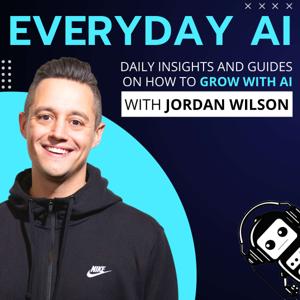

Remember RAG? 🤔
When companies would spend multiple six or seven figures (and sometimes a year or more) trying to connect their enterprise data to LLMs?
Now there's an easier way.
ChatGPT connectors.
In a few seconds, you can get like 80% of RAG's power for like free 99.
Yet... so few people actually use them.
Let's change that and put AI to Work this Wednesday.
ChatGPT Connectors: What they are and why you NEED to rely on them daily -- An Everyday AI Chat with Jordan Wilson
Newsletter: Sign up for our free daily newsletter
More on this Episode: Episode Page
Join the discussion on LinkedIn: Thoughts on this? Join the convo on today's LinkedIn stream and connect with other AI leaders
Upcoming Episodes: Check out the upcoming Everyday AI Livestream lineup
Website: YourEverydayAI.com
Email The Show: [email protected]
Connect with Jordan on LinkedIn
Topics Covered in This Episode:
Timestamps:
00:00 "AI Weekly Workflow Overview"
04:31 "ChatGPT Data Connectors Explained"
09:05 Efficient App Connectors Overview
10:12 "Enhancing Outputs with Language Models"
13:14 "Gmail and Google Calendar Sync"
18:36 "Setting Up AI Connectors Protocol"
21:57 "GPT-5: Versatile Data Integration"
24:05 "Optimize Connector Usage"
27:37 Organizing and Formatting Information
32:03 "Agentic Model Streamlines Document Tasks"
34:05 "Optimizing HubSpot with GPT Connector"
39:08 AI-Powered Task Automation Benefits
41:16 "Maximize AI with ChatGPT Connectors"
43:04 "Maximize AI with Data Connectors"
Keywords:
ChatGPT connectors, ChatGPT connector, connectors for ChatGPT, AI connectors, custom connectors, model context protocol, MCP, secure bridges, business data integration, ChatGPT integration, data sources, Google
Send Everyday AI and Jordan a text message. (We can't reply back unless you leave contact info)
Vibe coding is dead simple. Head to AI.Studio/build to create your first app.
Vibe coding is dead simple. Head to AI.Studio/build to create your first app.
Vibe coding is dead simple. Head to AI.Studio/build to create your first app.
 View all episodes
 By Everyday AI

4.8
9595 ratings
Remember RAG? 🤔
When companies would spend multiple six or seven figures (and sometimes a year or more) trying to connect their enterprise data to LLMs?
Now there's an easier way.
ChatGPT connectors.
In a few seconds, you can get like 80% of RAG's power for like free 99.
Yet... so few people actually use them.
Let's change that and put AI to Work this Wednesday.
ChatGPT Connectors: What they are and why you NEED to rely on them daily -- An Everyday AI Chat with Jordan Wilson
Newsletter: Sign up for our free daily newsletter
More on this Episode: Episode Page
Join the discussion on LinkedIn: Thoughts on this? Join the convo on today's LinkedIn stream and connect with other AI leaders
Upcoming Episodes: Check out the upcoming Everyday AI Livestream lineup
Website: YourEverydayAI.com
Email The Show: [email protected]
Connect with Jordan on LinkedIn
Topics Covered in This Episode:
Timestamps:
00:00 "AI Weekly Workflow Overview"
04:31 "ChatGPT Data Connectors Explained"
09:05 Efficient App Connectors Overview
10:12 "Enhancing Outputs with Language Models"
13:14 "Gmail and Google Calendar Sync"
18:36 "Setting Up AI Connectors Protocol"
21:57 "GPT-5: Versatile Data Integration"
24:05 "Optimize Connector Usage"
27:37 Organizing and Formatting Information
32:03 "Agentic Model Streamlines Document Tasks"
34:05 "Optimizing HubSpot with GPT Connector"
39:08 AI-Powered Task Automation Benefits
41:16 "Maximize AI with ChatGPT Connectors"
43:04 "Maximize AI with Data Connectors"
Keywords:
ChatGPT connectors, ChatGPT connector, connectors for ChatGPT, AI connectors, custom connectors, model context protocol, MCP, secure bridges, business data integration, ChatGPT integration, data sources, Google
Send Everyday AI and Jordan a text message. (We can't reply back unless you leave contact info)
Vibe coding is dead simple. Head to AI.Studio/build to create your first app.
Vibe coding is dead simple. Head to AI.Studio/build to create your first app.
Vibe coding is dead simple. Head to AI.Studio/build to create your first app.

333 Listeners

153 Listeners

211 Listeners
197 Listeners
152 Listeners

225 Listeners

607 Listeners

273 Listeners
55 Listeners

172 Listeners
48 Listeners

146 Listeners
62 Listeners
63 Listeners

24 Listeners