
Sign up to save your podcasts
Or


Blink and you’ve missed a few dozen Microsoft AI updates.
And obviously agentic browser updates in Edge.
If you missed Microsoft’s Copilot Sessions Fall Update, then you might be stuck scratching your head trying to decipher AI updates like that one street sign that no one understands.
Don’t worry. We did the homework for you.
Join us as we break down Microsoft’s most important announcements — yes, including new agentic browser features for Edge — in an easy-to-understand episode.
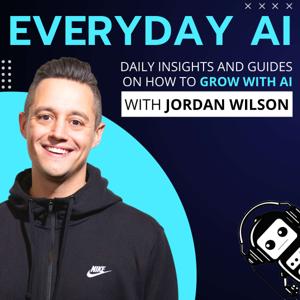
Microsoft’s surprise AI updates: 5 categories of new AI tools and features — An Everyday AI chat with Jordan Wilson
Newsletter: Sign up for our free daily newsletter
More on this Episode: Episode Page
Join the discussion: Thoughts on this? Join the convo and connect with other AI leaders on LinkedIn.
Upcoming Episodes: Check out the upcoming Everyday AI Livestream lineup
Website: YourEverydayAI.com
Email The Show: [email protected]
Connect with Jordan on LinkedIn
Topics Covered in This Episode:
Timestamps:
00:00 Everyday AI for Business Growth
04:48 Microsoft’s AI Strategy: Following Leaders
09:21 Shared AI Sessions Revolutionize Collaboration
13:29 Copilot's Work-Focused Utility
14:22 Chat Referencing and Context Resumption
18:59 Microsoft Copilot Updates Explained
23:45 Copilot Settings and AI Actions
25:48 Copilot: Auto-Organized Topic Journeys
30:00 Hey Copilot: Hands-Free Productivity
32:41 Copilot Home: AI-Driven Productivity
34:40 Copilot Fall Release Review
Keywords:
Microsoft AI updates, Copilot, Copilot Fall Release, Microsoft Edge, agentic browsing, AI features, Copilot mode, AI tools, Mico, Clippy AI, animated avatar, Copilot groups, group chat AI, collaborative AI chat, persistent long term memory, AI memory features, conversational forget controls, real talk mode, AI personalization, AI context window, connectors, Google integration, On
Send Everyday AI and Jordan a text message. (We can't reply back unless you leave contact info)
Vibe coding is dead simple. Head to AI.Studio/build to create your first app.
Vibe coding is dead simple. Head to AI.Studio/build to create your first app.
 View all episodes
 By Everyday AI

4.8
9595 ratings
Blink and you’ve missed a few dozen Microsoft AI updates.
And obviously agentic browser updates in Edge.
If you missed Microsoft’s Copilot Sessions Fall Update, then you might be stuck scratching your head trying to decipher AI updates like that one street sign that no one understands.
Don’t worry. We did the homework for you.
Join us as we break down Microsoft’s most important announcements — yes, including new agentic browser features for Edge — in an easy-to-understand episode.
Microsoft’s surprise AI updates: 5 categories of new AI tools and features — An Everyday AI chat with Jordan Wilson
Newsletter: Sign up for our free daily newsletter
More on this Episode: Episode Page
Join the discussion: Thoughts on this? Join the convo and connect with other AI leaders on LinkedIn.
Upcoming Episodes: Check out the upcoming Everyday AI Livestream lineup
Website: YourEverydayAI.com
Email The Show: [email protected]
Connect with Jordan on LinkedIn
Topics Covered in This Episode:
Timestamps:
00:00 Everyday AI for Business Growth
04:48 Microsoft’s AI Strategy: Following Leaders
09:21 Shared AI Sessions Revolutionize Collaboration
13:29 Copilot's Work-Focused Utility
14:22 Chat Referencing and Context Resumption
18:59 Microsoft Copilot Updates Explained
23:45 Copilot Settings and AI Actions
25:48 Copilot: Auto-Organized Topic Journeys
30:00 Hey Copilot: Hands-Free Productivity
32:41 Copilot Home: AI-Driven Productivity
34:40 Copilot Fall Release Review
Keywords:
Microsoft AI updates, Copilot, Copilot Fall Release, Microsoft Edge, agentic browsing, AI features, Copilot mode, AI tools, Mico, Clippy AI, animated avatar, Copilot groups, group chat AI, collaborative AI chat, persistent long term memory, AI memory features, conversational forget controls, real talk mode, AI personalization, AI context window, connectors, Google integration, On
Send Everyday AI and Jordan a text message. (We can't reply back unless you leave contact info)
Vibe coding is dead simple. Head to AI.Studio/build to create your first app.
Vibe coding is dead simple. Head to AI.Studio/build to create your first app.

333 Listeners

153 Listeners

211 Listeners
197 Listeners
152 Listeners

225 Listeners

607 Listeners

273 Listeners
55 Listeners
172 Listeners
48 Listeners

146 Listeners
62 Listeners
63 Listeners
24 Listeners