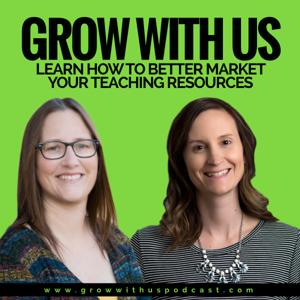
Grow with Angie and April: A Podcast for Teacherpreneurs

Grow with Angie and April: A Podcast for Teacherpreneurs

By Angela Yorgey and April SmithBusiness
Download on the App Store

Grow with Angie and April: A Podcast for Teacherpreneurs episodes

  • Goal Setting Tips with Guest Kayse Morris from Teaching on Less
    Goal setting is an important part of being a successful teacherpreneur. Today we are going to dive into some goal setting strategies. We are continuing the conversation in our Mastermind group. Head over there to share what works for you and hear what others are saying: www.growwithusmastermind.com. Summer is right around the corner? Do you […]
    29 min
  • Easily Create Email Opt-ins with Guest Sarah from Biz Template Babe
    We've talked in the past about engaging your email opt-in list. Today we are going to dive into how to build your list. We are continuing the conversation in our Mastermind group. Head over there to share your two cents and hear what others are saying: www.growwithusmastermind.com.
    This definitely isn't the first time that we've mentioned email lists on the Grow with Us Podcast. We've talked in the past about email sequencing, which you can find in the following episodes:
    Setting Up Angie's Email Sequence - Episode 5
    What We Send to Our Email Lists - Episode 6
    Email List Building with Guest Jennifer Findley - Episode 15
    On this episode, we are going to dive head first into email opt-ins. We had Sarah from Biz Template Babe on the podcast and discussed everything from what you should include in your opt-in to how to create templates to make it even easier. You need to be able to get people on your email list in order to have the rest of it matter.
    For email, both Angie & April use ConvertKit. If you'd like to sign up using our link, it costs you nothing and we get a small commission. We offer all that use our links some exclusive videos to help you get started and set up on ConvertKit.
    For pretty opt-ins, we both LOVE Thrive Leads. Click here to check them out and use our affiliate link.
    Who is Sarah and What is Biz Template Babe?
    I recently came across a Facebook ad that mentioned templates for email opt-ins. It definitely caught my attention. Creating opt-ins can be incredibly time consuming and the idea of a template to help me out was enough to make me click the ad. The ad was from Sarah at Biz Template Babe. I ended up buying her templates. Now Angie and I both use them and want to let all of you know about them.
    Like most entrepreneurs, Sarah did a few things before arriving at her current business. She started out doing interior design and eventually moved into blogging a few years back. As she worked on building her own blog and business, she saw how long it was taking her to create things like sales pages, landing pages, Facebook ads, and other content. Even with the experience she had doing graphic design work from her time as an interior designer, it was still overwhelming and time-consuming.
    She noticed that there were a lot of pros online that had templates they used within their business, but she didn't really see much on the creative side as far as layouts and design. When she did this in her own business she found that she was saving 50-60% of the time that she previously spent doing this kind of work. That's when the idea came to her that she could create these templates to help other businesses as well.
    It's a lot like what we do as TpTers. We originally created resources that helped us in our classrooms and then found we could help other teachers by selling them as well.
    Canva templates
    The templates that Sarah creates and sells are created in Canva. She found that many small business owners don't have the graphic design software to use. If you aren't familiar with Canva, it's an online g
    54 min
  • Building Your Facebook Ad Audiences
    Facebook is a powerful way to reach your audience. However, you have to know how to find your audience. Join us in our Mastermind Group as we share some of the audiences that we use and the goals we have for testing our new audiences.
    If we're all being honest, as TpTers running Facebook ads can be a little frustrating because we are limited in what we can do. We can't run conversion ads and we can't see all the data that we'd like to see. However, there are still plenty of ways that we can be successful with Facebook ads. The key is creating the right audiences.
    We aren't claiming to be Facebook experts here, but we're going to share with you what we have found has worked the best for us along with what we look for when creating new audiences for our Facebook marketing efforts.
    A few terms to know
    Before we jump into our tips we want to address a few terms we're going to use.  This might be stuff that you already know but  I want to clear up a few key terms we are going to talk about just in case anyone is unfamiliar with them.
    Cold audience = People that don't know who you are and have never heard your name.
    Warm audience = People that have heard of you and maybe even interacted with your store or social media accounts.
    Look-alike audience = An audience you create to match a warm or hot audience that you already have. The advantage of this is it creates a cold audience that has a better chance of being interested in what you have to offer.
    What to do before focusing on ads
    Before focusing on getting people to come to your store make sure your store is ready for an audience. Make sure you have really good descriptions along with quality photos.
    How much should we be spending on ads?
    Before we jump into the actual dollar amounts of what to spend on an ad I want to address the way you think about this budget. When your budget is tight it can be hard to think about spending $20 on a Facebook ad. But, instead of thinking this as just an expense you need to think about it as an investment. If you spend $20 but end up making $40 then you're not losing any money. You might not get that money back until the following money, but running ads is an effective way to increase your reach and grow your business.
    When I first started running ads, I was doing it for small resources and I would set the budget for the same price as the resource. That way as long as I could sell one product I had made back the money I spent on the ad. Doing this allowed me to start testing out different ad components and audiences to see what worked and what didn't. Over time, I started to increase my budget a little at a time as I became more confident that I'll get more sales from the ads and audiences.
    You also want to remember that it's not just about getting people to your store to buy that one resource you're advertising. Your ads are helping introduce you to a new audience. That means even if they don't buy the resource the first time, or if you only break even on your ad, that new audience could continue to come to your store, sign up for your email list, or continue interacting with you in other ways. They may keep buying more resources in the future because they were able to find you from that one ad.
    By the numbers
    When it comes to cost-per-click the number I try to stick to really depends on the audience that I'm targeting. Overall, for a cold audience both April and I try to stay to no more than 15 cents per click. However, if I'm targeting the people that are on my email list, I'm willing to spend a little more because I know they are a warm audience.
    Now, it's also important to know that the amount per click can depend on the day of the week also. For example, on Saturday the price might go up to 25 cents per click but then drop again during the weekdays.
    How to tell if you're
    38 min
  • Protecting Your Digital Resources & Other Legal Questions
    The legal side of running a business can be confusing. As TpT sellers there are a lot of questions about what we should be doing and shouldn't be doing that come up in our Mastermind Group. We are addressing those today and if you want to continue the conversation at www.growwithusmastermind.com.
    We know the legal side of running your business is a heavy and serious topic. But, we also know it's so important to help you grow your business that we address these types of topics. So, we brought a guest on our podcast to help answer all our TpT seller legal questions.
    Brittany Ratelle is an attorney who helps creative entrepreneurs build more confident businesses. She provides 1:1 custom legal services and digital products/education to help creative entrepreneurs get a handle on the business side of their growing empires. She believes in the power of cute office supplies AND good contracts and hosts a weekly podcast, Law & Wit: Creative Counsel for Entrepreneurs, with business tips and inspiring founder stories. Brittany lives with her husband and four kiddos in her beautiful hometown of Coeur d'Alene, Idaho and loves to rock out in her minivan, knit, sew, ski, and issue empty threats to her sewing machine.
    What we love about Brittany is that her whole focus is creative entrepreneurs and because of that she gets the unique situations of TpT sellers and bloggers. So many times it seems like it's impossible to find professionals in the legal and financial world that really "get"what it is that we do, but she's definitely one of them.
    Are there DIY Legal Templates I can use?
    April actually found Brittany because on her website she has an incredible library of DIY legal templates in her store. As an attorney she knows exactly what business owners need. But, she also knows that many that are starting out in the creative entrepreneur world don't have the budget to run out and pay an attorney to draft up every document, contract, and legal website wording that they need to have.
    Her templates are created to help for those that can't afford that one-on-one service. The templates are made to be do-it-yourself and are super easy to fill out. It doesn't take a lot of your time and won't leave you feeling confused. And, they are GDPR compliant, so you don't need to worry about that hype either.
    How do I handle customer testimonials?
    Using customer testimonials isn't as simple as slapping a quote, image, and link of someone up on your website. You want to make sure you have their permission to do so. The last thing you want is someone that loved your products or service to feel caught off guard because they saw themselves on your website unexpectedly.
    Right now, April is gathering testimonials herself and using one of Brittany's templates. This way she'll know that everyone has signed off and she can move forward. To make it easy, she's uploading the template in HelloSign so it's easy to send electronicall
    1 hr 14 min
  • Growing a Following with Chatbots
    We recently asked our Mastermind group what they wanted to know about using chatbots. The questions that came in were all over the board from basic to really complex. So, we did our best to address them during episode 25. If you aren't already in our group, we invite you to join us at www.growwithusmastermind.com. 
    Let's start at the very beginning. A chatbot is basically when you have the computer program, or bot, set up to interact with your customers and followers. The bot is programmed to give certain responses based on what the person it's interacting with says. You will see this on a lot of websites when the chat box pops up. But, you'll also see it when you go on a Facebook page for a major company and the Messenger box pops up right away.
    A chatbot will interact with you to answer your questions the best that it can. And, you can eventually make it to a real person, but many times the bot has the answers that you're looking for. For example, you can program it to say things like "How may I help you?" or "What are you interested in today?". Using a bot like this is really complex, so Angie and I aren't currently using ours like that. Instead, we are going to share how you can use it similar to an email list.
    The chatbot we recommend
    Angie and I both use Manychat as our bot option. We don't have an affiliate link to this and we don't benefit from passing the name along to you, but we do highly recommend it. The basic unpaid version allows you to set up chat using Facebook Messenger. But, it also has an area where people can opt-in to your chat list. This allows you to automatically communicate with the followers that have joined. Essentially, we're using it get people to opt in just like we would an email list.
    This is really beneficial because we've noticed they have much higher open rates than what our emails are getting. But, we also offer them through the chatbot the chance to sign up for our email list. It's super easy to do, but you do have to have the paid version in order to do that. It's a nice option because it allows you to keep communicating with them regardless of how Facebook changes its rules in the future. But, even if you don't want to go with the paid version you can still benefit from using the bot.
    Manychat Features
    From what I can tell, Manychat is one of the most widely used bots. There are a lot of features to it. I watched a lot of YouTube videos when I first signed up for it to learn how to use it. This helped me be able to show Angie how to do it. Once I showed her the first time it was really easy for her to do on her own the next time.
    So, as I mentioned earlier, the paid version is completely worth it because it allows you to build your email list. But, feel free to start with the free version. Manychat connects with your business Facebook page. Then, any messages you send from Manychat will come from your business page. Any subscribers you get are going to be subscribed through the same page.
    Audience tab
    The Audience tab allows you to see everyone that has subscribed to your list. Make sure you pay attention to the "Live Chat" section. I missed this when I was first getting started. The live chat is used when someone replies to an automated message or bot and you don't have an automated message set up as a response. This allows you to pick up the conversation. It works similar to your email inbox.
    Growth tools
    Pretty much everything email services like Convertkit (affiliate link) do, Manychat can do too. You can segment your Manychat subscribers, tag them, add them, and create automations.
    Growth tools are essential
    36 min
  • The Answers to Your Financial Questions
    We recently asked our Mastermind Group what questions they had about finances as TpT sellers. We received lots of questions about both personal and business finances. If you aren't already in our group we encourage you to join in the conversation at www.growwithusmastermind.com.
    Today we brought a special guest on our podcast to talk about something that isn't discussed much among TpT sellers—finances. Josh Bannerman is a Certified Financial Planner at Bannerman Wealth and he is the co-host of the Stacking Benjamins podcast. He has 20 years of experience. And, he works with over 120 families in 30 different states. We were super excited to have him as a guest.
    Josh did an amazing job of answering our questions. We are going to do our best to sum up his answers, but if you want to learn more about handling your finances we urge you to listen to the full podcast.
    As current or former teachers our retirement planning has always been handled for us by the school district. When it comes to the money you make from your TpT business, it's all on you. That can leave a lot of questions.
    What retirement planning advice would you give someone that's still teaching and currently has a pension?
    Josh shared that this really boils down to what your end goal is for your TpT income stream. You need to think through if this is something you're doing to improve your lifestyle today or if you also want it for help improving your retirement, saving for your kids' college funds or something else. That answer largely determines what you do with your money after you earn it and pay taxes on it.
    While you don't have much say about what happens with your pension plan, it's a different world when you're running your own business, even if it's just a side hobby. You can save for retirement through SEP IRAs, simple IRAs, 401ks, or you can even set up your own pension plan. It all depends on how much money you have to use for retirement on top of what you're already doing. You can contact online brokerage companies such as Schwab or Fidelity. It only takes a few minutes to do and your tax professional can tell you how much you can invest based on what your previous yearly income was.
    If you are just getting started with earning money in your business, Josh recommends that you use some of the money for retirement planning and keeping some for lifestyle improvement.
    What retirement planning financial advice would you give those that are completely on their own and no longer employed by a school?
    Planning for retirement is a lot easier when your employer is automatically withholding a portion of your income for you. Now that you are working for yourself you need to set it up the same way. If you don't automatically have money going into savings and retirement lifestyle inflation is going to creep up on you and stake all your money.
    Have you ever noticed that the more money that comes in the more money you think you need to come in? This is normal for most people. You think if you can just get to $X each month everything will be easier. But, then you get to that amount and get used to spending the extra and find yourself in the same place again.
    So, when you leave the classroom, set up those automatic systems on your own. You can work with a tax planner or investment firm to get it set up. You are now in charge of your own retirement so you need to be proactive about it.
    Do you suggest we take our money out of the 403b?
    The 403(b) is nothing more than just a shell, it's a line item. What you have inside of that shell could be good or it could be awful. It all depends on the choices that your district had and the decisions they made when getting it set up.
    Some plans won't allow you to take the money out or move it until you reach a certain age. If that's so, or if you feel that you have a good setup with the 403(b) plan then it's important to remem

    54 min
  • Best Practices to Grow Your Audience with Instagram
    Today we are going to jump into how to use Instagram to connect with your audience and best practices to build your brand through the platform. If you want to continue the conversation join us at our Facebook Mastermind group www.growwithusmastermind.com and let us know what's worked for you and what questions you have. If you haven’t already, join our group to find the support and accountability you need to grow your TpT business. 
    April and I were really excited to have Jacqueline Ortiz from The Little Ladybug Shop come on the podcast to share with us her Instagram tips and trick.s Jacqueline's had a lot of success growing her brand and followers through the platform.
    A little of Jacqueline's Instagram story
    Jacqueline started doing TpT back in 2015. At that time her focus was on Pinterest and FaceBook. However, she started to notice a shift for bloggers and sellers starting to use Instagram. She's found that a lot of teachers are now using the platform a lot like Pinterest. It's a faster way to scroll through and find resources you're interested in and new teachers to follow.
    So, in 2017 she started to really focus on Instagram. She started to grow her following and find other teachers to collaborate with. Today she has a little over 20K follower and her platform is the 3rd largest traffic source for her store and one of the top sources for her blog.
    From our podcast conversation, here are the best practices to use to grow your TpT store and following on Instagram.
    Use hashtags
    Using hashtags is a great way to help teachers find you that aren't already following you. One thing that a lot of people don't realize is that you can also use hashtags on your Instagram Stories. If people search these hashtags they can find your stories as well as your regular posts. 
    When you look at your insights for your stories you're able to see how many people found your story from searching with those hashtags. 
    Engage with your audience
    Instagram is just like any other platform if you want to grow your following you need to engage with your audience. One of the best ways to do this is to know when your audience is online. 
    Jacqueline, April, and I have all found that the time when the most amount of our followers are online is in the evening. Because of that, our posts perform better when we post them during the evening. If we post earlier in the day there just isn't as much engagement with the posts. 
    You also want to make sure that you are responding to any comments that are left on your post. 
    Be consistent
    It seems like it comes up time and time again, but consistency truly is key. Jacqueline shared that she tries to post to her feed at least four times a week. The more consistent you are the more people will see your posts. But, if you disappear for a while, when you come back and start posting again you won't get the same reach that you were getting when you were being consistent. 
    There are some tools that you can use to stay help you stay consistent. They can also help you post at those crucial times of day when your followers are on the platform.  Tailwind has some great tools to help you if you are using that resource.
    If you don't use Tailwind, you can do what I do. You can actually create draft posts directly on Instagram. Earlier in the day, I will start to create my post but before hitting to publish I will hit the back button. It asks me if I want to save the post as a draft. Then, I set a timer on my phone to go off each evening. When the time goes off all I have to do it go in and hit publish. 
    Protect your time
    A
    36 min
  • Exploring the New and Lesser Known Pinterest Features
    Today we are going to dive into Pinterest features that are either newer or ones that many people don't seem to know about.  We'd love to hear in our Facebook Mastermind group www.growwithusmastermind.com what's been working for you and what hasn't on Pinterest. There has been lots of chatter recently about some of these features. If you haven’t already, join our group to find the support and accountability you need to grow your TpT business. 
    But, before we jump into out talk on Pinterest we have some exciting news to share—we're going to presenting at the TpT conference this summer in Austin, Texas! We will be offering a workshop at two different times on the final day of the conference where we will be doing a 30-day blogging challenge. We are going to focus on helping you get organized and ready to go with your blog. So, look for us in July! Now on to Pinterest...
    Pinterest features for your TpT business
    Today, we're getting into a lot of Pinterest features that are either fairly new or ones that just don't get a lot of attention.
    DISCLAIMER: We haven't personally used every single one of these options. We have tested some, but there's always more testing that could be done. We're giving you our opinions, but it's important that you do testing for your TpT business to see what works best for you. 
    Promoted pins
    Last year we did a podcast episode on the One-Tap Ads when they first came out. During that conversation, we shared our initial thoughts along with some tips about making sure your pin showed all the details. Now, six months later, we have some updates.
    We've found that the things they were telling us in the beginning, weren't necessarily true. When we did exactly what our Pinterest advisor shared we found that either no one was seeing our ads or the wrong people were seeing them. Either way, it's not what you want.
    Here are two things we've found that haven't worked for us:
    Limiting our keywords too much - On the advice that we heard about keywords last year, we tried cutting down on the number that we used. I tried keeping it closer to 15 and it was still running on my maximum budget. This wasn't effective. When we boosted our keywords back up to 20-30 per pin we started to see more traction again.
    Allowing Pinterest to Expand our keywords - There is an option to allow Pinterest to expand on your keywords for you. Angie shared some eye-opening information with me on this one. When she allowed Pinterest to expand her words they included things that weren't really the best fit. So, she was paying to show up in places where people weren't really looking for what she had to offer. She was better off doing the research herself and not allowing Pinterest to add keywords for her.
    One tip that Angie shares when it comes to keywords is that you should be going back and revieiwing which keywords are performing well for you. If you have keywords that aren't converting than delete them to get the biggest bang for your buck.
    Long pins
    We've been warned that Pinterest wants pins to use a 2:3 ratio. In our tests, we've found that our long pins are still performing very well, even better than the new pins we created at the specified ratio for the same products.
    Now, we can't be 100% sure that these long pins aren't performing better becaue they have already been run and had activity on them, or if it's the longer size that draws more attention. But, I did notice that on mobile feed my long pins are getting cut off at the bottom. It appears they are still longer than the 2:3 ratio, but it's cutting off some of the important infor
    45 min
  • Yearlong Planning and Organization with Guest Kristin Rivera
    We are a few weeks into 2019 and it's that time of year when everyone's focused on goal setting and planning (or trying to make sure they're still sticking to their goals)! Last month we talked in our mastermind Facebook group www.growwithusmastermind.com about everyone's goals for the year. Planning and getting organized is the key to achieving those goals. If you haven't already, join our group to find the support and accountability you need to get it done. 
    Angie and I are coming in strong to 2019! We both ended up taking pretty much the entire month of December off from our TpT businesses. Some of it was intentional and some was due to all the illness that floats around this time of year. But, regardless of the reason, it gave us the break we needed to clear our heads, do some goal setting, and create plans for the new year.
    Sharing our goals
    This year I have several goals. I'm working to switch from working full-time to working part-time. That doesn't mean I want to scale back my business, just the time I'm spending on it. My goal is to take every Friday off and to stop working by 3:30 pm each day. This will allow me to devote my time to my family once they arrive home.
    When it comes to my business I have the following goals:
    Organize business and tax documents
    Be consistent on my blog and social media
    Focus on one big project instead of a bunch of tiny ones
    Angie shared that her goals for the year are to blog and email consistently, spend two to three hours a day working at her treadmill desk, and stop working each day when her kids and husband come home.
    In our Facebook group discussion, almost everyone mentioned a goal that was related to blogging. Angie and I decided our goals were to focus on consistency instead of setting a goal like 'posting 1x a week'. We want to set ourselves up to succeed this year. If you are just starting out blogging I encourage you to listen to our blogging series we did (Part 1, Part 2, Part 3).
    Let's get planning!
    We were super excited to have Kristin Rivera from One Stop Teacher Shop as a guest on the podcast this week. She is the most organized person that I know. She's a planning expert and great at organizing in advance to have more time available. And, I absolutely love her planner (there are print and digital versions) which you can check out at One Stop Planner Shop.
    Kristin joined us to share her process for year-long planning.
    Why you want to create a year-long plan
    Have you ever sat down to a computer to start working and just didn't know where to start? Or, you bounced around from one idea to the next and found that you worked all day and accomplished nothing? That's why you need a year-long plan!
    Kristin started planning like this because she knew she needed to be more productive and that when there was a plan she was able to get more done and have more time for her family.
    Having a plan saves you time by helping you know what to work on. It's easy to be busy but when you have a plan you get a lot more accomplished. It helps you work on things that matter. I discovered this for myself when I took off the month of December. There were lots of little tasks that I was busy doing last year that I didn't do in December and my business kept running. It showed me this year I could choose a few of them to focus on and let the o
    38 min
  • Promoting New Resources and Resource Lines
    2019 is quickly coming which has us thinking about product lines for the new year. So, April and I decided to chat about the strategies that we use for promoting our new products and product lines. We both worked on trying new things this year and have had great results. Here are our favorite, and most successful, strategies:
    You want to build hype before you release products
    April and I both admit that we used to stay quiet about the products we were working on. We were worried if we mentioned it someone else would swoop in and steal the idea. But, I'll be honest—getting your audience excited about what you're going to be releasing can really help.
    In the past, it would take 6 months to a year for our new products to really start gaining traffic. But, it's because we were just posting them to our TpT sites and leaving it at that. It's good to get traffic eventually, but that's not what you want when you've spent time on a product line. Some of the things that I released this year were year-long resources that took me a year to work on. I wanted them to do well right off the bat. That means uploading the resource and hoping for the best wasn't going to cut it.
    Survey your audience
    April has experienced a lot of success with surveying her audience before creating resources. There are a few ways that she's done this. The first is by sending a survey to her email list. For example, she created a 5 question survey and asked what standards her audience was interested in. When she got the results back she started making resources for the top 3 replies.
    By surveying her audience she knows that she's creating resources that her audience wants to buy. It also helps with the opposite. In one survey she had a list of ideas that she was thinking of creating and asked what people were interested in. A few of the ideas didn't get any votes. If she would have created them, there wouldn't have been interest in them and it would have been a waste of her time.
    Here are a few examples of questions that she has asked:
    Which of these options would you prefer...
    Digital vs. print
    What standards do you want to see included?
    You can use Survey Monkey to create a free survey to start getting ideas from your audience. Once you have the product or product line ready to go you can email them with the link. You already know they're interested in it because they told you in the first place.
    Do you need to entice your audience to respond to a survey?
    April has done a drawing for a gift card as a way to entice people to complete the survey but found that it wasn't necessary. When she polls her audience on what they are looking for they want to give their opinions because it means that products will be created that they are interested in. This is motivation enough.
    Discounting products
    Another strategy that we like is offering a discount on products for a limited time. For example, you offer 1/2 off for the first 48 hours. If you let all your followers know about the discount it's a great way to get a jump start on traffic to your new resource.
    I also like this strategy because it helps to get some quick sales and feedback. Then when people show up to your site there are reviews from people that have already purchased it and love it.
    Another way to benefit from this strategy is to include a link for people to join your email list if they like the product so they can be notified when the next one comes out. April used this idea and around 10% of the people joined her list, which was around 500 people. She made around 30 products in this resource line. Each time she released one she was able to notify this list and they bought the products.
    Provide a sneak peek
    Another strategy that I like to use is providing a sneak peek of the product by posting it on Instagram before releasing it. Then, I have a special opt-in so if they're interested in t
    42 min

About Grow with Angie and April: A Podcast for Teacherpreneurs

From the publisher's feed

Join us biweekly as we open up our collaborative conversations with each other. During these sessions, we'll discuss selling on Teachers Pay Teachers, marketing techniques, and ways to save time/stay…