
Sign up to save your podcasts
Or

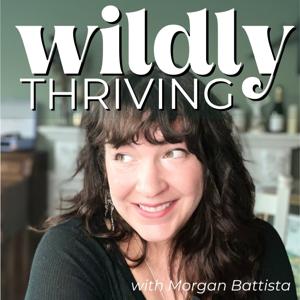

After trying EVERY productivity app out there—Trello, Asana, Evernote—you name it, I’ve found the holy grail of business organization: Notion. 🙌 In this video, I’m giving you a full behind-the-scenes tour of how I use Notion to plan my business, organize content, track goals, and keep everything in one place. If you’re tired of feeling overwhelmed by scattered ideas and notebooks, this tutorial will show you how to simplify your workflow.
💡 What You’ll Learn:
How to create a Notion dashboard for your business
How I plan content using Content HQ
How to use Notion templates to streamline your work
Tips for creating databases, calendars, and more
📝 Try Notion (affiliate link): https://morganbattista.com/notion
📥 Free Resource: Download the Wild Growth Brand Guide (Notion version included): https://morganbattista.com/wildgrowth
🔗 Get Content HQ: https://morganbattista.com/content-hq-sp/
Don’t forget to like, comment, and subscribe for more productivity and content strategy hacks!
🔗 Free Resource: Download the Wild Growth Brand Planner to map out your funnel: https://morganbattista.com/wildgrowth
💡 Work With Me: Need help creating your funnel? Book a free call: https://morganbattista.com/call
📚 Learn More: Check out my Dream Money course for advanced funnel strategies: https://morganbattista.com/dreammoney
Find me on Social Media:
📸 Instagram: https://www.instagram.com/morganbmarketing
⏰ TikTok: @morganbmarketing https://www.tiktok.com/@morganbmarketing
📌 Pinterest: https://www.pinterest.com/morganbmarketing/
🧵 Threads: https://www.threads.net/@morganbmarketing
🔗Support this channel by using my affiliate links:
Notion: https://morganbattista.com/notion
Kajabi https://morganbattista.com/kajabi
Siteground: https://morganbattista.com/siteground
Elementor: https://morganbattista.com/elementor
Manychat: https://morganbattista.com/manychat
 View all episodes
 By Morgan Battista | Pleasant View Media
5
22 ratings
After trying EVERY productivity app out there—Trello, Asana, Evernote—you name it, I’ve found the holy grail of business organization: Notion. 🙌 In this video, I’m giving you a full behind-the-scenes tour of how I use Notion to plan my business, organize content, track goals, and keep everything in one place. If you’re tired of feeling overwhelmed by scattered ideas and notebooks, this tutorial will show you how to simplify your workflow.
💡 What You’ll Learn:
How to create a Notion dashboard for your business
How I plan content using Content HQ
How to use Notion templates to streamline your work
Tips for creating databases, calendars, and more
📝 Try Notion (affiliate link): https://morganbattista.com/notion
📥 Free Resource: Download the Wild Growth Brand Guide (Notion version included): https://morganbattista.com/wildgrowth
🔗 Get Content HQ: https://morganbattista.com/content-hq-sp/
Don’t forget to like, comment, and subscribe for more productivity and content strategy hacks!
🔗 Free Resource: Download the Wild Growth Brand Planner to map out your funnel: https://morganbattista.com/wildgrowth
💡 Work With Me: Need help creating your funnel? Book a free call: https://morganbattista.com/call
📚 Learn More: Check out my Dream Money course for advanced funnel strategies: https://morganbattista.com/dreammoney
Find me on Social Media:
📸 Instagram: https://www.instagram.com/morganbmarketing
⏰ TikTok: @morganbmarketing https://www.tiktok.com/@morganbmarketing
📌 Pinterest: https://www.pinterest.com/morganbmarketing/
🧵 Threads: https://www.threads.net/@morganbmarketing
🔗Support this channel by using my affiliate links:
Notion: https://morganbattista.com/notion
Kajabi https://morganbattista.com/kajabi
Siteground: https://morganbattista.com/siteground
Elementor: https://morganbattista.com/elementor
Manychat: https://morganbattista.com/manychat
2,785 Listeners