
Sign up to save your podcasts
Or

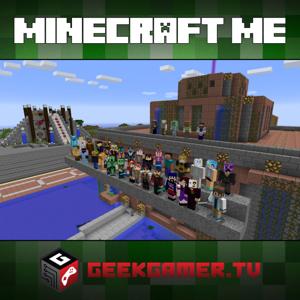

Ever wanted to learn how to make your own Hunger Games in Minecraft for your friends and family? This is a very full show to make you a Games Master in NO TIME! We also take your questions and have a few news stories for you as well!
RSS Feeds: HD Video Feed | SD Video Feed | MP3 Feed | iTunes HD | iTunes SD | iTunes MP3
Show notes and episode page here: http://ggtv.me/mm104
Hosts: Chase Nunes, Joseph Falbey
Minecraft can be found at: http://www.minecraft.net
Get a FREE Audio Book of your choosing! Goto: audiblepodcast.com/minecraftme
Special Thanks to Audio Engineering Sponsor: PreSonus
Take a minute and support us! Click here for details!
How are we doing?
Please take 5 minutes and take our network survey!
—–
News of the Week:
1.7.3 Pre-Release
GeekGamerTV to CES 2014
Instructions for creating your own Hunger Games!
Setting up Survivor Games on a Bukkit/Spigot Minecraft Server:
Setup a Bukkit or Spigot server. Install your standard plugins and WorldEdit.
Install the Survivor Games plugin from http://dev.bukkit.org/bukkit-plugins/survival-games/ into the plugins directory. Start the server, stop it once it’s loaded.
Open the SurvivalGames plugin folder, edit the config.yml file to suit your needs. (Options have pretty good documentation in-line explaining what they do.)
Start the server. Make sure it’s got enough memory, I’d recommend at least 4GB.
Join the server you’ve started, create an area for the player lobby, and make sure you know where you want to create your game arena.
Place chests throughout the arena, no need to load them with anything, they’ll be randomly filled based on settings from the chests.yml config file.
I recommend bordering the area with a sphere or some other containment system, since players can leave the arena space if they want to.
Using the wand from Worldedit (//wand to create it), select corners where you want your arena to be. Use Worldedit’s //expand command to expand the selection area up and down, preferably from sky to bedrock.
Run the command /sg createarena to create the arena. It will automatically number the areans, though you can provide a name instead “/sg createarena
Choose a wall in the player lobby to be the area info area, and cover it with surface signs, select all of the signs using the Worldedit wand, and run the /sg addwall (replacing with the arena’s ID or name).
Near the wall in the arena lobby, run the /sg setlobbyspawn command, this is where players will spawn when they die in the arena.
Go back into the arena, and using the “/sg setspawn next” command, create your players spawns in the arena. Make sure you create enough for all of the players you want to be able to support in the arena.
It’s a good idea to spread them out a bit so that all of your players aren’t bunched up too much
Once you’ve created your arena spawns, your Survival Games arena is ready for play!
Joining and Starting a Survivor Games match:
To join a match as a player, just right-click on the far left sign in the lobby wall.
Depending on settings, once enough players are in the arena, the match will auto-start. If permissions allow it, at any time, players can also vote to start the match early using “/sg vote”.
Players in the arena who want to disconnect or leave the match early can run the “/sg leave” command, and they’ll be teleported to the lobby spawn.
Someone with permissions to do so, can also force-start the match using the “/sg start ” command.
Once the match has started, no more players can join the match in progress, but will get put into a queue for the next match.
The lobby sign wall will update throughout the match to show the list of initial players, along with how many are still alive and how many have died.
At the end of the match, all participating players will get a notice saying who won the match.
E-Mail Links:
Pocketcasts for Android
–
GeekGamer.TV Updates via E-Mail: Subscribe to GeekGamer.TV by Email
Like our Facebook Fan Page, Join our Facebook Group, Steam Gaming Group and also follow us on Twitter!
Connect with us!
–
 View all episodes
 By GeekGamer.TV

4.5
909909 ratings
Ever wanted to learn how to make your own Hunger Games in Minecraft for your friends and family? This is a very full show to make you a Games Master in NO TIME! We also take your questions and have a few news stories for you as well!
RSS Feeds: HD Video Feed | SD Video Feed | MP3 Feed | iTunes HD | iTunes SD | iTunes MP3
Show notes and episode page here: http://ggtv.me/mm104
Hosts: Chase Nunes, Joseph Falbey
Minecraft can be found at: http://www.minecraft.net
Get a FREE Audio Book of your choosing! Goto: audiblepodcast.com/minecraftme
Special Thanks to Audio Engineering Sponsor: PreSonus
Take a minute and support us! Click here for details!
How are we doing?
Please take 5 minutes and take our network survey!
—–
News of the Week:
1.7.3 Pre-Release
GeekGamerTV to CES 2014
Instructions for creating your own Hunger Games!
Setting up Survivor Games on a Bukkit/Spigot Minecraft Server:
Setup a Bukkit or Spigot server. Install your standard plugins and WorldEdit.
Install the Survivor Games plugin from http://dev.bukkit.org/bukkit-plugins/survival-games/ into the plugins directory. Start the server, stop it once it’s loaded.
Open the SurvivalGames plugin folder, edit the config.yml file to suit your needs. (Options have pretty good documentation in-line explaining what they do.)
Start the server. Make sure it’s got enough memory, I’d recommend at least 4GB.
Join the server you’ve started, create an area for the player lobby, and make sure you know where you want to create your game arena.
Place chests throughout the arena, no need to load them with anything, they’ll be randomly filled based on settings from the chests.yml config file.
I recommend bordering the area with a sphere or some other containment system, since players can leave the arena space if they want to.
Using the wand from Worldedit (//wand to create it), select corners where you want your arena to be. Use Worldedit’s //expand command to expand the selection area up and down, preferably from sky to bedrock.
Run the command /sg createarena to create the arena. It will automatically number the areans, though you can provide a name instead “/sg createarena
Choose a wall in the player lobby to be the area info area, and cover it with surface signs, select all of the signs using the Worldedit wand, and run the /sg addwall (replacing with the arena’s ID or name).
Near the wall in the arena lobby, run the /sg setlobbyspawn command, this is where players will spawn when they die in the arena.
Go back into the arena, and using the “/sg setspawn next” command, create your players spawns in the arena. Make sure you create enough for all of the players you want to be able to support in the arena.
It’s a good idea to spread them out a bit so that all of your players aren’t bunched up too much
Once you’ve created your arena spawns, your Survival Games arena is ready for play!
Joining and Starting a Survivor Games match:
To join a match as a player, just right-click on the far left sign in the lobby wall.
Depending on settings, once enough players are in the arena, the match will auto-start. If permissions allow it, at any time, players can also vote to start the match early using “/sg vote”.
Players in the arena who want to disconnect or leave the match early can run the “/sg leave” command, and they’ll be teleported to the lobby spawn.
Someone with permissions to do so, can also force-start the match using the “/sg start ” command.
Once the match has started, no more players can join the match in progress, but will get put into a queue for the next match.
The lobby sign wall will update throughout the match to show the list of initial players, along with how many are still alive and how many have died.
At the end of the match, all participating players will get a notice saying who won the match.
E-Mail Links:
Pocketcasts for Android
–
GeekGamer.TV Updates via E-Mail: Subscribe to GeekGamer.TV by Email
Like our Facebook Fan Page, Join our Facebook Group, Steam Gaming Group and also follow us on Twitter!
Connect with us!
–

421 Listeners

1,532 Listeners

175 Listeners

66 Listeners

46 Listeners

6 Listeners

19 Listeners

421 Listeners

172 Listeners
4 Listeners

16 Listeners

20 Listeners
4 Listeners

0 Listeners

44 Listeners