
Sign up to save your podcasts
Or

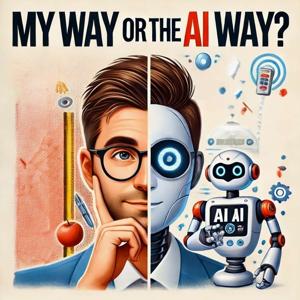


Have you always wanted to write a book, but felt overwhelmed by the process?
In this episode, I break down exactly how I wrote and published a business book in six weeks using AI, step by step. Not by letting AI “write the book for me”, but by using AI in three very specific roles that make the process faster, clearer, and far less intimidating.
I show you how to use AI as:
A book coach – to help you plan, structure, and clarify what your book is really about
A ghostwriter – to interview you, extract your ideas and stories, and turn them into a first draft in your own voice
An editor – to critique, refine, and improve the writing without losing authenticity
This approach keeps you in control of the ideas, while AI does the heavy lifting around structure, momentum, and polish.
You will learn:
How to plan a non-fiction book using AI as a thinking partner
How to train AI to write in your tone of voice
How to use AI interviews to turn spoken ideas into written chapters
How to use one AI model to assess the work of a different one and improve it
How to format a book for print and ebook
How to self-publish a book on Amazon using KDP
How to turn a book into a credibility and authority asset
I also share the real workflow I used, the mistakes I made, and what surprised me along the way. Writing a book no longer needs to take years, or feel like an impossible project.
If you are a founder, consultant, marketer, or business owner who has always thought “one day I’ll write a book”, this video is designed to show you a practical way to finally make that happen.
Chapters
00:00 Introduction - Have you considered writing a book?
02:15 Step 1 - Writing a book plan
11:18 Step 2: Training AI to Sound Like You
18:11 Step 3: Drafting the Manuscript
18:59 Bonus tip: Create a re-usable prompt
23:39 Step 4: Editing and polishing the manuscript
28:46 Step 5: Formatting and Laying Out The Book
30:50 Step 6: Publishing your book
34:23 Conclusion and recommended next steps
Tools mentioned
ChatGPT
Claude
Amazon Kindle Direct Publishing (KDP)
Microsoft Word
If you found this useful, subscribe for more real-world examples of how AI can be used as a practical tool in business, writing, and creative work.
Questions or comments? Drop them below and I will jump in.
P.S. To Get A Copy Of My Book - My Way Or The AI Way (it's available on Amazon)
https://www.amazon.com/dp/B0GF9HNN2S
Should your business pay for Microsoft Copilot… or switch to ChatGPT Business?
Most Microsoft business users don’t realise there’s a hidden version of Copilot already included in their licence. In this episode, AI consultant and author Inbal Rodnay breaks it all down: what Copilot can do, how it compares to ChatGPT, the real cost differences, and how to choose the right AI tool for your team.
If you’re a business owner, manager, or IT leader trying to decide between Microsoft Copilot vs ChatGPT, this is the clearest explanation you’ll find.
In this episode we cover:
The difference between Microsoft Copilot, Copilot for Microsoft 365, and Copilot Chat
What ChatGPT Business actually offers compared to ChatGPT Plus
The pros and cons of each tool for small and mid-sized businesses
A major Copilot feature 90% of Microsoft users don’t know about
When it makes sense to pay for Copilot 365
When ChatGPT Business might still be the better option
Security, privacy and data-governance considerations
The impact of GPT-5 inside Copilot and ChatGPT
Why Copilot adoption has suddenly improved in 2025–2026
A Power User’s personal workflow using Copilot, ChatGPT, Claude, Gemini, Perplexity Coment and Notion AI.
If your business already uses Microsoft 365, this episode could save you a lot of money.
Before you buy AI licences for your staff, watch this.
About My Guest – Inbal Rodnay
Inbal is an AI implementation specialist, keynote speaker and author of “AI Magic: Six Steps to AI Mastery in Your Firm.” She has won several awards including FinTech Leader of The Year 2025 and Most Innovative Women in Technology 2025, Silver Medalist.
Inbal advises professional services firms, SMEs and leadership teams on safe and effective AI adoption.
Connect with Inbal:
https://www.inbal.com.au/
https://www.linkedin.com/in/inbalrodnay/
Connect with Scott
https://www.linkedin.com/in/davisonscott/
Chapters
00:00 Introduction
01:54 Microsoft Co-Pilot versus Chat GPT Business - which to choose?
02:39 Understanding ChatGPT Business
05:41 Understanding Microsoft Co-Pilot
06:09 The hidden secret most people don't know about Co-Pilot
08:25 Comparing Costs of Chat GPT and Co-Pilot
11:57 Use Cases for paid version of Microsoft Copilot
15:16 Mobile and Desktop Applications of Copilot
17:43 Integrating Co-Pilot with Microsoft Services
19:10 ChatGPT Business vs. Co-Pilot: Making the Right Choice
21:38 Why Microsoft Co-Pilot is now a no-brainer for 2026
22:59 The Competitive Landscape: Google vs. Microsoft vs. OpenAI
26:43 Navigating Multiple AI Tools: A Power User's Perspective
30:25 Choosing the Right AI Tool for Your Business Needs
34:12 Summary and last thoughts
Wikipedia is one of the top sources used by AI tools like ChatGPT and Google’s AI Overviews, and it still shapes what shows up when you search for a brand, a person, or a business online.
In this episode, I speak with Bill Beutler, founder of Beutler Ink and one of the world’s leading Wikipedia experts. Bill has been a volunteer editor since 2006 and runs the Notability Company, a PR firm built around Wikipedia’s strict sourcing standards.
Together, we unpack how Wikipedia actually works, how it influences AI models, and what business owners and individuals should know if they want to build a legitimate presence on the platform.
If you’ve ever wondered how Wikipedia pages get created, what “notability” really means, or why AI relies so heavily on Wikipedia… this is the episode for you.
What we cover
How Wikipedia is edited, moderated and kept accurate
Why Wikipedia still matters in the AI era
How AI models use Wikipedia as a trusted training source
What “notability” really means (and how to qualify)
Mistakes businesses make when trying to edit or create pages
Ethical ways to build a Wikipedia presence
How to fix errors on your company page the right way
Why media coverage, not marketing, determines eligibility
Chapters
00:00 Introduction to Wikipedia
02:14 The Mechanics of Wikipedia
04:17 AI's Impact on Wikipedia
06:24 Editing Wikipedia: The Human Element
08:54 Navigating Wikipedia's Guidelines
11:47 Notability and Eligibility for Wikipedia Pages
14:29 Building Media Coverage for Notability
17:15 Mistakes to Avoid on Wikipedia
19:49 Conclusion and Resources for Wikipedia Engagement
🔗 Resources Mentioned
Beutler Ink: https://beutlerink.com
The Notability Company: https://thenotability.co
Wiki Resource Library (guides + how-tos): https://beutlerink.com/wiki-resources
WikiProject AI Cleanup: (useful for understanding AI-generated edits)
Why This Matters
Wikipedia is still one of the most influential knowledge sources in the world.
Even as AI changes how we search, Wikipedia remains a foundational database of trusted information used by:
ChatGPT
Perplexity
Gemini
Bing
And countless AI-powered search tools
For businesses and personal brands, understanding how Wikipedia works is becoming a crucial part of modern reputation management.
If you are curious about AI agents and how they actually work in a real business, this is the episode to watch.
In this conversation I speak with Gabriele Sanguigno, CEO of Toothfairy AI. They have been building AI agents for six years, well before ChatGPT made the idea mainstream, and they work with businesses of all sizes who want to automate real tasks with agentic AI.
In this interview we cover what an autonomous agent is, how it differs from a chatbot, why so many AI agent projects fail, and what smart businesses are doing differently. We also talk about the mindset shift leaders need to make, the hybrid workforce, the skills required to manage agents, and the emerging opportunities for small businesses who want to go AI first.
If you are a business owner, consultant, marketer or leader who is thinking about using AI to create leverage, reduce repetitive work and scale your team without increasing headcount, this episode will give you a clear and realistic starting point.
Watch this before you build any AI agents of your own.
What you will learn
Resources
Chapters
00:00 Introduction to Tooth Fairy AI and Gabrielle Sanguino
01:40 Gabriele's Background and the Evolution of Tooth Fairy AI
04:16 Understanding Autonomous Agents vs. Traditional AI
07:33 Different options for implementing AI Agents and Workflows
11:52 Customizable AI Agents and Their Applications
13:41 The two most common uses of AI Agents amongst business users
18:17 Emerging Trends: Agentic Tooling and Multi-Step Automation
21:47 The Hybrid Workforce: AI in Small Businesses
24:19 Mindset Shifts for Adopting AI Agents
26:02 Cognitive Amplification and Realistic Expectations
28:32 Understanding AI Implementation Costs
30:42 The Role of Technical Expertise in AI Adoption
34:28 The Future of Business with AI
38:26 Productivity Gains and Employee Well-being
Learn how I built my first AI agent using ChatGPT and n8n. In this episode, I break down what AI agents are, how they work, and how you can start automating your business step by step.
If you’ve ever wondered how AI agents actually work, or how to build one yourself, this episode breaks it all down step by step.
I’ll walk you through how I built my first AI agent using n8n and ChatGPT, what I learned along the way, and how you can start using AI agents and automations inside your own business.
We’ll cover what AI agents are, how they differ from traditional automations, the tools available, and real examples of where small businesses can save time and money by automating repetitive tasks.
Whether you’re an entrepreneur, marketer, or business owner looking to work smarter, this episode will give you a clear, practical foundation to start experimenting with AI agents — no coding required.
What's included
Chapters00:00 Introduction to AI Agents
00:48 The Landscape of AI Agent Builders and Automation Tools
03:27 Agent vs Automation – The Three Levels
04:50 The Anatomy of an AI Agent
06:33 Where Could Businesses Be Using AI Agents?
08:02 Building a Simple AI Agent with N8n – Here’s What I Learned
15:23 Overview of N8n Integrations, Templates and Workflows
17:06 Design Principles and Best Practices for Building AI Agents
18:17 Looking Ahead – Where Are Things Heading with AI Agents?
21:10 Summary – Where to Use AI Agents in Your Business
#AIAgents #n8N #Automations
Most businesses avoid documenting their Standard Operating Procedures (SOPs)… until it hurts. In this episode, I show a 10-minute AI workflow to turn a quick screen recording + commentary into a clear, agent-ready SOP. You’ll see what worked (NotebookLM) and what didn’t (my first ChatGPT upload), plus the exact prompt + guardrails I use so AI sticks to your source and doesn’t invent steps.
You’ll learn
The fast record → transcribe → generate SOP method
Why SOPs = strategic advantage for the 2026 AI agent wave
My ChatGPT vs NotebookLM test (wins + fails and the workaround)
How to write guardrails (“use only the video/transcript”) to stop AI adding steps
Adding acceptance checks & flowcharts so someone (or an agent) can follow it
Future-proofing: document intent + steps, and keep passwords out of SOPs
Chapters
00:00 The Importance of SOPs in Business
01:00 What is an SOP and why are they important?
02:41 What business processes require an SOP?
03:21 How to create an SOP document using AI'
05:44 Demonstration of my SOP for podcast publishing
15:46 Future-Proofing Your SOPs
16:48 Summary and outro
Here is the refined prompt I used
ROLE: You are an expert process documentation specialist.
CONTEXT: Attached is a screen recording/transcript of “[PROCESS NAME] at [COMPANY].
TASK: Create a clear, self-contained SOP that a new person can follow and an AI agent can learn from.
STYLE: Concise, action verbs, scannable bullets.
IMPORTANT: Use only the information contained in the video recording and/or transcript. Do not include any steps or information not explicitly in the video. Instead, Flag missing info as OPEN QUESTIONS.
BEFORE YOU TAKE ACTION: Do you have any questions?
If this helped, subscribe for weekly, practical AI for business owners. Share this with someone who keeps “meaning to” document processes.
Got a question or a win?
Drop it in the comments—I read them.
#SOP #AI
Want to get smarter every single day, without hours of study?
In this episode, I share 6 practical AI hacks that make learning effortless through micro-learning.
From identifying random things with your phone camera, to simplifying complex topics, to using AI as your personal tour guide or language tutor, these everyday tricks can help you rediscover your curiosity and learn faster, anywhere, anytime.
I’ll show you how I use ChatGPT and other AI tools to:
Turn confusing concepts into simple diagrams and analogies
Summarize entire books in minutes
Learn languages on the go
Get fun facts and history lessons in real time
It’s about making learning fun again—just 1% smarter every day.
If you’ve ever wished you had a teacher in your pocket, this episode is for you.
👉 Don’t forget to subscribe for more AI tips, tools, and real-world hacks.
👉 Share in the comments how YOU use AI to learn something new every day.
Chapters
00:00 Rediscovering Curiosity Through AI with Micro-learning
00:55 Micro Learning: Small Steps to Knowledge
01:40 Example 1: Identifying random things with the camera
02:58 Example 2: Simplifying and explaining complex concepts
05:32 Example 3: Book Summaries with AI
07:29 Example 4: Language tips when travelling
08:19 Example 5: A virtual tour guide for historical context
08:55 Fun Daily Facts
10:57 Summary of Micro-learning with AI
12:22 Embracing Curiosity and Lifelong Learning
Are AI tools ready to become your personal tutor? In this video, I put ChatGPT 5’s new Study Mode head-to-head with Google’s Notebook LM to see which one is the ultimate AI study companion.
Whether you’re a student cramming for an exam, a professional looking to upskill, or just a curious mind who loves learning, this comparison will show you exactly what each tool can (and can’t) do.
I’ll walk you through real-world use cases, from summarising textbooks and creating flashcards to testing knowledge, quizzing interactively, and even learning a new language with AI. By the end, you’ll know which tool is better for YOUR study style and why this could be the beginning of an AI revolution in education.
What You'll Learn:
How ChatGPT Study and Learn Mode works (and where to find it)
My experience using it to prepare for a certification exam
How Notebook LM compares for summarising, flashcards, quizzes & study notes
The verdict: which AI tool wins in different scenarios
Surprising ways ChatGPT can act as your language tutor
Why AI might change education forever
Chapters
00:00 Introduction to ChatGPT 5 and Study Mode
03:10 Use Case 1: Study for an exam with ChatGPT Study Mode
12:14 Use Case 2: Studying for an exam with Google Notebook LM
21:34 The verdict - which tool is better?
22:15 Use Case 3: Using ChatGPT Study Mode to learn a language
28:13 Other Use Cases for ChatGPT Study Mode
30:18 Conclusion - the AI Revolution for education is here
👉 Don’t forget to subscribe for weekly episodes of My Way or the AI Way, where I explore how AI can transform business, learning, and everyday life.
💬 Have you tried ChatGPT Study Mode or Notebook LM yet? Drop a comment below and let me know which one you prefer!
The AI Tsunami is upon us, so it’s time to grab a surfboard and learn to surf.
In this short, practical episode, I share the 7 mindset shifts I’m using as a business leader to move from overwhelm to action. If you’re a CEO, founder or senior exec wondering how to adopt a growth mindset for AI, without getting lost in tools, this is your playbook.
We cover why it’s not too late to start, the surf analogy, why AI is a team member, not just software, the co‑pilot ≠ autopilot rule, pointing AI at your highest‑value work, and how to disrupt yourself before someone else does.
If this helps, follow the channel and drop a comment below.
What you’ll learn
How to reframe AI from fear → focus using the dichotomy of control
Why late movers can still leapfrog by starting now (with a simple 10‑day practice)
The “learn to surf” approach: rapid experiments over theory
How to onboard AI like a smart junior (role, context, examples, success criteria)
The co‑pilot principle: use AI to level up quality, not cut corners
Targeting AI at strategy, decisions, synthesis (your highest‑value tasks)
A simple question to disrupt yourself and future‑proof the business
Resources & quotes mentioned
Serenity Prayer (attributed to Reinhold Niebuhr)
Epictetus - “Some things are in our control and others not.”
Phil Edwards - “The best surfer out there is the one having the most fun.”
Gary Keller & Jay Papasan, The ONE Thing — focusing question
Jeff Woods, The AI‑Driven Leader - “What do I need to do, and how can AI help?”
Daniel Priestley (paraphrase): “Imagine the business that would put you out of business and build it.”
Chapters
00:00 The AI Tsunami: Embracing Change
00:30 Mindset Tools for Thriving in AI
01:03 Mindset 1 - Controlling What You Can Control
02:33 Mindset 2 - It's Not Too Late to Start
05:49 Mindset 3 - Learn to Surf
06:40 Mindset 4 - Think of AI as a 'team member' not a piece of software
08:24 Mindset 5 - Use AI to be better (not lazy)
09:50 Mindset 6 - Use AI for your highest value task
11:18 Mindset 7 - Be Your Own Disrupter
12:38 Summary and recap
ChatGPT has been around since November 2022, and it now has over 700 million active users. But most people are only scratching the surface of what it can actually do.
In this episode I take you on a quick-fire tour of 15 ChatGPT features that every user should know. Whether you’re brand new or you’ve been using ChatGPT for a while, this episode will give you practical tips, hidden tricks, and advanced features that can help you move from beginner → intermediate → pro.
I’ll show you how I actually use these features day-to-day in my own business and personal life, with screen-shares, examples, and personal anecdotes along the way.
Chapters
00:00 Introduction to ChatGPT and Its Popularity
01:19 Key Features of ChatGPT for Users
01:30 Beginner Tips
01:42 1. Download the mobile app
02:18 2. Protect your privacy
03:25 3. Enter Custom Instructions to personalize ChatGPT
05:35 4. Manage Memories
08:15 5. Temporary Chat
09:15 The Basics
09:23 6. The three ways to communicate with Chat GPT
10:57 Advanced Audio Mode and Interaction
13:01 7. Ways to share content with Chat GPT
15:46 Intermediate Features
16:01 8. Projects and project specific memory feature
20:35 9. Custom GPTs
22:41 Exploring Advanced Features of ChatGPT
22:56 10. Canvas feature
24:48 11. Deep Research - one of my favourite features
28:09 12. Image Creation
29:08 13. Writing Code with Chat GPT
29:33 14. Study Mode
30:34 15. Agent Mode - new feature
32:12 Summary and reader comments
If you’ve ever wondered:
What’s the difference between projects and custom GPTs?
How can I make ChatGPT remember me without oversharing?
What advanced features like Deep Research, Canvas, and Agent Mode can really do?
…this episode is for you.
What You’ll Learn
How to set up ChatGPT properly before you even start
Tips to protect your privacy and customise ChatGPT’s personality
The “intern analogy” that changes the way you think about training AI
When to use Temporary Chat vs. Memory
The three different ways to interact: typing, dictation, and advanced voice mode
Let's connect
If you found this helpful, hit subscribe and let me know in the comments which feature you’re going to try first. I read every comment and your feedback helps me shape future episodes.
And if there’s a particular AI tool, workflow, or use case you’d like me to cover, drop it below, I’d love to hear from you.
From the publisher's feed