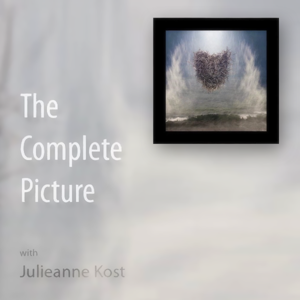
The Complete Picture with Julieanne Kost

The Complete Picture with Julieanne Kost

By Adobe TVEducation
Download on the App Store

The Complete Picture with Julieanne Kost episodes

  • Cyclical - The Creative Process
    In this episode of The Complete Picture, Julieanne reveals her Lightroom to Photoshop workflow used to create the still life “Cyclical”.
    For more helpful Adobe tutorials, visit Adobe TV,
    25 min
  • Exporting Images from Lightroom 4
    In this Episode of The Complete Picture, Julieanne demonstrates the advantage of setting up presets in Lightroom to simultaneously export images to multiple file types, sizes, compression settings etc. You might find even find this method more powerful than Photoshop’s Image Processor!
    For more helpful Adobe tutorials, visit Adobe TV,
    4 min
  • Transforming Layers Over Time in Photoshop CS6
    Did you know that you can not only reposition but also transform images over time? In this Episode of The Complete Picture, Julieanne demonstrates how easy it is using the power of Smart Objects in Photoshop CS6.
    For more helpful Adobe tutorials, visit Adobe TV,
    4 min
  • Toning Black and White Photographs in Lightroom 4
    In this episode of The Complete Picture Julieanne explains the best way to add a color tone to an image using the Split Tone and Tone Curve panels and shows how to save presets to increase your productivity.  Download the presets discussed in the video here.
    herehttp://blogs.adobe.com/jkost/2012/10/video-tutorial-toning-black-and-white-photographs
    Note: although this video was recorded in Lightroom, the same techniques are available in Adobe Camera Raw in Photoshop CS6.
    For more helpful Adobe tutorials, visit Adobe TV,

    12 min
  • Using the Lens Blur Filter on an image Sequence in Photoshop CS6
    Even with the fantastic new Blur Gallery in Photoshop CS6, the Lens Blur filter is an essential tool  when a high degree of control is needed to selectively (and realistically) blur an image. In this video tutorial, Julieanne uses the Lens Blur filter with a depth map to to create a series of images that appear as if they were captured with a tilt-shift lens. Julieanne also demonstrates how to quickly apply this filter to multiple images using actions and batch processing.
    For more helpful Adobe tutorials, visit Adobe TV,
    16 min

About The Complete Picture with Julieanne Kost

From the publisher's feed

Join Julieanne Kost, Digital Imaging Evangelist at Adobe Systems. In each episode, you'll obtain valuable insights and in-depth information on a variety of topics covering both Photoshop and…