
Sign up to save your podcasts
Or

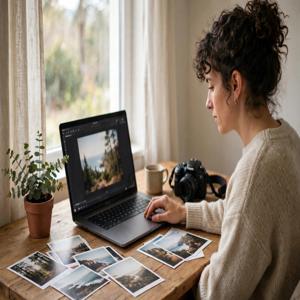


You have a photo that almost works. The product looks good, but the kitchen counter is cluttered. Your portrait captures the right expression, but the lighting feels flat. A family photograph holds a favorite memory beneath scratches and fading.
An AI picture editor gives you a practical way to fix those problems. Upload an image, describe the change, and review a new version. Start with a real task: what should your picture communicate, and which detail is getting in the way?
For Online Sellers: Give Your Product a Clearer Setting
Imagine you sell handmade candles and photograph each new scent beside a window. The light works, but books, cables, and packaging keep appearing behind the jars. An AI picture editor can explore a cleaner background from the photo you already have. Try: "Replace the background with a warm ivory studio setting and a soft natural shadow. Keep the candle jar, label, wax color, and proportions unchanged."
For Content Creators: Keep Attention on Your Subject
You photograph a weekend coffee stop for your next post. Your expression and the café light are right, but a bright bin near the doorway pulls attention away. Try: "Remove the bright bin beside the doorway and fill the area naturally. Keep my face, clothing, coffee cup, and the café furniture unchanged."
For Freelancers: Refresh a Portrait You Already Like
You need a profile picture for a portfolio or a speaking engagement, and you already have a portrait with a relaxed expression, but the room behind you feels distracting. Try: "Replace the background with a soft light-gray studio wall. Brighten the face gently while preserving facial features, hair, clothing, and natural skin texture."
For Families: Make an Old Photograph Easier to Enjoy
You find a scanned photograph of your grandparents outside their first home. Scratches cross the sky, and the print has faded. Try: "Reduce scratches and fading, improve overall clarity, and preserve the people's facial features, clothing, and original composition. Keep the photograph's natural appearance."
What These AI Picture Editor Scenarios Have in Common
Each example starts with a different audience, yet the benefit always connects to a specific task: cleaner settings for sellers, fewer distractions for creators, a better portrait for freelancers, and a clearer old photograph for families.
A Practical Workflow for Your Next Picture
Choose the clearest original you have and decide on one main improvement. Separate what should change from what must stay recognizable.
To put that brief into practice, the online ai picture editor brings photo uploads, text instructions, and result review into a browser workflow. Its homepage offers background changes, object removal, photo enhancement, restoration, and creative styles. You can begin with free trial credits without registering and download results without a watermark.
Write your first prompt with three parts: the subject, the requested change, and the details to preserve. "Improve this photo" leaves many choices open. "Brighten the room with soft daylight while preserving the furniture, wall colors, and window view" provides clearer direction.
Start with the Photo You Already Have
Your next useful visual may already be on your phone or laptop. It might need a simpler backdrop, one removed distraction, gentler lighting, or a careful restoration. Choose a photograph with a clear purpose, describe a focused edit, and let the result guide your next decision.
From the publisher's feed
Practical conversations about making everyday photos better — simple edits, honest advice, and real examples. Hosted by Ryan Mitchell.