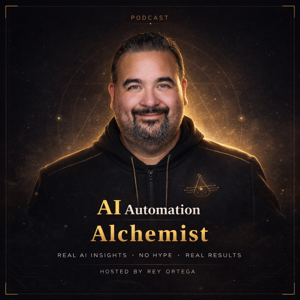
In this episode, Rey Ortega interviews Rob Wright, a member of Waffle, a company that leverages artificial intelligence for small businesses. They discuss the challenges and opportunities in the AI industry, the distinction between AI and automation, and the impact of AI on various business functions. The conversation covers a wide range of topics related to AI, token usage, and the impact of AI on small businesses. It delves into the challenges and opportunities of AI adoption, as well as the complexities of token usage and pricing models. The discussion also explores the role of AI in small business growth and the need for a deeper understanding of AI's capabilities and limitations.
Takeaways
- AI and automation are not synonymous; using AI does not guarantee a competitive advantage.
- The Dunning-Kruger effect highlights the challenge of accurately assessing one's own skills and knowledge in the AI industry. Token usage and pricing models are critical considerations for businesses leveraging AI.
- AI adoption in small businesses presents both challenges and opportunities.
- Understanding the capabilities and limitations of AI is essential for leveraging it effectively in business growth.
sound bites
"AI and automation are not the same thing"
"Show your expertise, not just use AI tools"
"Leverage AI to level up small businesses"
resources
GoWaffle - https://gowaffle.com
OpenClaw - https://github.com/openclaw
Perplexity - https://perplexity.ai
Claude AI - https://www.anthropic.com
Cursor - https://cursor.com
guest links
LinkedIn - https://linkedin.com/in/rob-wright
Website - https://gowaffle.com
Chapters
00:00 Introduction to AI and Waffle
02:14 The Evolution of Waffle and AI Integration
04:45 Understanding AI vs Automation
10:08 The Dunning-Kruger Effect in AI Consulting
11:46 Evaluating AI Expertise and Influencers
18:58 Context Windows and AI Performance
21:12 Swarm Agents in AI Development
23:36 OpenClaw and Its Impact on AI Tools
27:45 Integrating AI Skills for Business Automation
30:14 Challenges with Token Usage in AI Tools
34:59 Pricing Models and Token Economics
39:59 Navigating the Wild West of AI Adoption
48:31 The Future of AI in Business Strategy
51:37 NEWCHAPTER