Computers With Ease

Computers With Ease

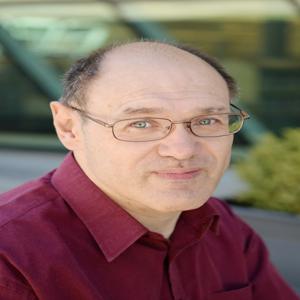
By Darrell HyattTechnologyEducationHow To
Download on the App Store

Computers With Ease episodes

  • Learn & Do
    Hello and welcome to the computers with ease podcast where we talk about all things related audio and video.
    Hello everyone today I wanted to talk about something a little bit different. Our work environment over the last several months has changed and until recently we haven’t been able to go back to work in the traditional office sense that we had been use to up until the whole the Covid 19 pandemic started.
    It recently got me thinking about how things have changed even for someone like me who is used to working from home. One of the things that I notice is that we spend much more time alone with the social distancing, and so on I work in my own small office for example. And my wife has her office in another part of the house, so even though were close by we are technically in different areas of the house.
    One of the other things that I notice is that our Internet usage has gone up because you’re looking at more stuff on the Internet, whether it’s watching YouTube videos, Netflix, Prime video, whatever it happens to be. I notice our Internet use has gone up.
    Another thing is how do you keep busy because being at home? Many people find that there’s more and more distractions and so it’s how do you develop the discipline to continue working.
    Now one of the things that I did during this at home time was I took the time to start doing a lot of research on going paperless. I have begun to be more and more disheartened with writing on paper, and then trying to file the pieces of paper and then it’s a matter of remembering where did I file that when I needed it.
    So I started looking into not only going paperless, but using my iPad as an option for doing the things that I would normally do using paper, and so in doing that research I learned what software programs were available to me and I did a test of each one and that led me to the need for new skills, in that I had to learn how to use each of these programs to be able to evaluate which one would work best for me.
    So that was a learning process which I found at times somewhat frustrating, but I have now started to move completely away from using paper for the majority of my notetaking , thought process, idea generation material. It’s a matter of not only finding a solution but working with the solution long enough to make sure that it fits your needs.
    It also means that your workflow and your processes may have to change to accommodate the new tools that you’re now using instead of the ones that you’ve been used to for however long.
    Having said all this, I have a question or two for you that I would very much like to hear your answers to.
    Number 1 How has your workflow changed, and what have you changed in your workflow itself ?
    The second question I have for you is in this switch with your workflow and your tools, what new insights have you gained through this process?
    I would love to hear your comments or questions please feel free to email me at info@computers withease.com and if you like to stay up to date with this podcast., please feel free to subscribe to my email list. I look forward to speaking with you.
     
    The post Learn & Do appeared first on Computers with Ease » Podcast Feed.
    The post Learn & Do appeared first on Computers with Ease » Podcast Feed.
    7 min
  • Rodecaster Pro cover
    Hello and welcome to the computers with ease podcast where we talk about all things related to audio and video.
    Hello and welcome to the computers with these pumpkins, where we talk about all things related to audio and video hello everyone, I want to do just a short podcast here on an item that I had purchased to use in conjunction with my Rodecaster Pro that I’m finding very useful that I thought other individuals with the same piece of equipment would like to know about.
    I’ve had my Rodecaster for almost a year now and one of the things that I have wanted to find was some sort of cover to put over that piece of equipment to protect it from things such as dust, dirt, and so on, falling in to the fader controls, etc.
    Recently I found a place called digital deck covers and they make covers for the Rodecaster Pro in a variety of materials and colours and so on, and I went ahead and purchased one, and I got it several days ago and it’s very well-made, very simple but very effective and I found it exceptionally useful because I can cover up the Rodecaster when I’m not using it.
    I don’t have to worry about things such as dust and dirt. We also have several cats in the house and they like to walk all over my desk and sometimes they end up walking over the Rodecaster, so having a cover on top means that I won’t get things like cat hair on it and will make the product last longer and hopefully work better over the long term. If you would be interested in something like this, go ahead and check out digitaldeckcovers.com. I will put a link to it in the show notes and the thank you very much for listening.
    I’d love to hear your comments and questions, email me at [email protected]. If you’d like to be notified when I release a new podcast episode sign up for my email list. I look forward to hearing from you.
     
    The post Rodecaster Pro cover appeared first on Computers with Ease » Podcast Feed.
    The post Rodecaster Pro cover appeared first on Computers with Ease » Podcast Feed.
    5 min
  • Covid 19 – from a creators viewpoint
    Hello and welcome to the computers with ease podcast where we talk about all things related to audio and video.
    Good afternoon everyone, today I wanted to do something a little different. I want to talk about what’s going on with the Covid 19 situation and I want to talk about it from the perspective of a creator. Since I do a podcast and there’s many of us that do as well as others that create in many different ways.
    Speaking for me, I found that I thought initially that oh boy. This would be nice to have some quiet time without all the distractions and be able to get some things done. One of which was work on my website and several other things.
    And I also thought I would be able to put out more podcasts in a short period of time because their wouldn’t be as many distractions and etc. etc. etc. but that has certainly not been the case for me anyway. I found the exact opposite.
    There’s been more distractions, instead of less with all the important news and so on That has been part of this Covid 19 situation, It’s just been a total mind draining experience, both mentally and physically. And I don’t say that to insinuate that myself and others are not interested in what’s going on. It’s just that is so much coming at us all so fast that our minds and our bodies just can’t keep up.
    I don’t have the energy to do both, listen to what’s going on about the situation and create content at the same time. One of my biggest difficulties is trying to remain calm and positive. You know, it’s just a matter of I can’t keep up, and by the end of the day I’m so mentally burned out that I have to say to myself, I’ll try and do better tomorrow.
    So one of the things I wanted to say to everyone else out there who’s the creator and as well for those who are not necessarily, but are busy with all the other things that are part of life at this time. Be kind to yourself, don’t be too hard on yourself, give yourself and everyone else around you and those close to you. You care about. Give them a break. Take time to do the small things that will energize yourself and keep you going for the next day and the day after that, because when I think about everything’s going on one day at a time is the only way that I can handle all of this major stuff, and there’s no point being hard on our self and trying to think a week, a month ahead because it just going to overwhelm us all.
    So once again be kind to yourself. Do something nice for you, and your families and your friends as often as you can, and we will all get through it and be better for it. When we are through it. Thank you very much for listening.
    I’d love to hear your comments and questions, email me at [email protected]. If you’d like to be notified when I release a new podcast episode sign up for my email list. I look forward to hearing from you.
     
    The post Covid 19 – from a creators viewpoint appeared first on Computers with Ease » Podcast Feed.
    The post Covid 19 – from a creators viewpoint appeared first on Computers with Ease » Podcast Feed.
    7 min
  • Rodecaster pro noise gate
    Hello and welcome to the computers with ease podcast where we talk about all things related to audio and video.
    I’ve been using the Rodecaster Pro for a while now, and recently they brought out a firmware update version 2.1 beta. I’ve been using it and one of the features that I really like, now that I’ve had more time to work with it is the noise gate.
    Before this update we were unable to make adjustments to any of the settings, and even though they were reasonable and worked well, having the ability to make adjustments has made a big difference for me, particularly with the noise gate.
    Because I always found that once I was done recording and transferred it to my computer there was always a noise in the background that I had to eliminate in post production and sometimes that took several attempts to get that cleaned up without distorting the rest of my podcast.
    Now I’m finding with the ability to make the adjustments to the noise gate I’m more able to tailor the noise gate and what it eliminates for me and I can tailor to my individual room here where I record my podcasts so I really have found it beneficial. It does take some experimentation and some tweaking to the settings to get it to work properly.
    But I recommend just adjusting your settings and then doing a plain recording with a little bit of empty room tone at the beginning and then doing say five or ten seconds of speech and then having more empty room tone at the end. Having the empty room tone at the beginning and the end will help to show you what sort of noise there is in your room, and then you’ll be able to make better adjustments as you go on the noise gate. Then each time you make an adjustment to the noise gate go ahead and do another short sample recording and then that way you can compare and decide what which is the best noise gate setting for your particular situation. I hope this tip has been helpful and thank you very much for listening.
    I’d love to hear your comments and questions, email me at [email protected]. If you’d like to be notified when I release a new podcast episode sign up for my email list. I look forward to hearing from you.
     
    The post Rodecaster pro noise gate appeared first on Computers with Ease » Podcast Feed.
    The post Rodecaster pro noise gate appeared first on Computers with Ease » Podcast Feed.
    5 min
  • Rodecaster update 2.1 beta – my thoughts
    Hello and welcome to the computers with ease podcast where we talk about all things related audio and video.
    Hello everyone, I wanted to do another podcast since I hadn’t done for one for a while due to everything’s been going on and recently I found out about the beta release of the update the software for the Rode caster pro.
    I wanted to talk about some of the changes that they made to it that those of us that use it may well be interested in as well as anyone who is considering purchasing it. One of the first things that I noticed was they had given us the ability to change the meters on the main display with numbers that are related to the decibel settings, that you’re used to seeing on other audio equipment.
    It makes it much easier for us to get an actual reading on our levels and it’s not so much guesswork as it were, it’s much more accurate and reliable makes it easier for us when were working in post production.
    One of the other big changes they have made that is going to be a game changer for people like myself is we now have access to the settings for the different items such as the compressor, the aphex, the reverb and all the other options that we have in terms the tools we can now adjust those within the road caster and within the app software as well.
    So this makes the device much more like an actual mixer where you’ve got control over the settings and this means in my case certainly, I can adjust the settings based on my room where I do my podcast and it gives me much more flexibility, and I’m very grateful for this upgrade and change.
    Now when it comes to the companion app, they have also made changes here. One of the changes that made is you can now go to what they’re calling a small size on the companion app. It shrinks the actual app in size so that if your screen is somewhat small and you have other things on your computer screen same time, you can now resize the companion up to a smaller size to give you more working space on your screen, so that’s a nice little change.
    The other change that they’ve made is you’ve now got something called the effects editor, which is you can adjust all the items that I mentioned earlier, such as the aphex, noise gate and so on. You can actually adjust in the companion app as well as the Rode caster, and wherever you adjust them, they will be kept and passed over to the either the road caster if you adjust it from the app or vice versa. So you only have to make the changes in one place and not in both.
    Another change that I find really helpful is now you have the option when you do a file transfer through the transfer mode from your Rodecaster on your computer, you can save the file, either as a WAV file or as an MP3 file which means that you don’t have to do a conversion, later on into a different format.
    Since, for example I upload my files as MP3s, I can automatically save them as an MP3 from the Rodecaster and I don’t have to switch them over later before I uploaded so on. That saves me an extra step in postproduction.
    Finally the other change that I want to mention is now on the sound pads you can do an overdub so that you can have two items mixed together on one sound pad. So for example, you can have a sound and then you could overdub some speech if you wanted. For example, like an introduction to your podcast or whatever you wanted and trigger it with one sound pad. These changes should make the road caster much more flexible and easier for us to use.
    If you have any comments or questions please feel free to email me at info@computers withease.com and if you like to stay up to date with this podcast. please feel free to subscribe to my email list. I look forward to speaking with you.
     
    The post Rodecaster update 2.1 beta – my thoughts appeared first on Computers with Ease » Podcast Feed.
    The post Rodecaster update 2.1 beta – my thoughts appeared first on Compute[...]

    8 min
  • Rodecaster update 2.1 beta – my thoughts
    Hello and welcome to the computers with ease podcast where we talk about all things related audio and video.
    Hello everyone, I wanted to do another podcast since I hadn’t done for one for a while due to everything’s been going on and recently I found out about the beta release of the update the software for the Rode caster pro.
    I wanted to talk about some of the changes that they made to it that those of us that use it may well be interested in as well as anyone who is considering purchasing it. One of the first things that I noticed was they had given us the ability to change the meters on the main display with numbers that are related to the decibel settings, that you’re used to seeing on other audio equipment.
    It makes it much easier for us to get an actual reading on our levels and it’s not so much guesswork as it were, it’s much more accurate and reliable makes it easier for us when were working in post production.
    One of the other big changes they have made that is going to be a game changer for people like myself is we now have access to the settings for the different items such as the compressor, the aphex, the reverb and all the other options that we have in terms the tools we can now adjust those within the road caster and within the app software as well.
    So this makes the device much more like an actual mixer where you’ve got control over the settings and this means in my case certainly, I can adjust the settings based on my room where I do my podcast and it gives me much more flexibility, and I’m very grateful for this upgrade and change.
    Now when it comes to the companion app, they have also made changes here. One of the changes that made is you can now go to what they’re calling a small size on the companion app. It shrinks the actual app in size so that if your screen is somewhat small and you have other things on your computer screen same time, you can now resize the companion up to a smaller size to give you more working space on your screen, so that’s a nice little change.
    The other change that they’ve made is you’ve now got something called the effects editor, which is you can adjust all the items that I mentioned earlier, such as the aphex, noise gate and so on. You can actually adjust in the companion app as well as the Rode caster, and wherever you adjust them, they will be kept and passed over to the either the road caster if you adjust it from the app or vice versa. So you only have to make the changes in one place and not in both.
    Another change that I find really helpful is now you have the option when you do a file transfer through the transfer mode from your Rodecaster on your computer, you can save the file, either as a WAV file or as an MP3 file which means that you don’t have to do a conversion, later on into a different format.
    Since, for example I upload my files as MP3s, I can automatically save them as an MP3 from the Rodecaster and I don’t have to switch them over later before I uploaded so on. That saves me an extra step in postproduction.
    Finally the other change that I want to mention is now on the sound pads you can do an overdub so that you can have two items mixed together on one sound pad. So for example, you can have a sound and then you could overdub some speech if you wanted. For example, like an introduction to your podcast or whatever you wanted and trigger it with one sound pad. These changes should make the road caster much more flexible and easier for us to use.
    If you have any comments or questions please feel free to email me at info@computers withease.com and if you like to stay up to date with this podcast. please feel free to subscribe to my email list. I look forward to speaking with you.
     
    The post Rodecaster update 2.1 beta – my thoughts appeared first on Computers with Ease » Podcast Feed.
    The post Rodecaster update 2.1 beta – my thoughts appeared first on Compute[...]
    8 min
  • Mid January already
    Hello and welcome to the computers with ease podcast where we talk about all things related audio and video.
    Today I thought I would talk about something a little different. It’s the middle of January now it’s back to work for all of us, and no doubt you have a whole bunch of work waiting for you.
    One of the other things that I know that I did over the holidays was look at some of my goals for 2020 and now that were already halfway through the first month of the year. I’m finding myself going, how am I doing in achieving the goals that I’ve set and my meeting the timelines that I had initially thought the work would get done by?
    Already at this point I’m realizing that some of my timelines were somewhat unrealistic. I had so many ideas about putting out a podcast every week and being more regular with that and at this point, it hasn’t happened yet. So my progress has not been as consistent and as fast as I would like it.
    How is your progress going on your goals? Have you had to make any changes or adjustments to not only your goals, but the timelines that you set for achieving your goals are you on track?
    Certainly, I’m not on track with where I would like to be. I’ve definitely had to make some adjustments and altering the scheduling and order of some of the things that I’m working on again to do with the podcasts and my website and so on. And I certainly don’t think I’m the only one who is feeling the time crunch and anxiety of I’m not meeting my projections at this point and were early on in 2020.
    As I sit here today doing this podcast, I remember that no matter what when you look at this type of thing, there’s two things that I remember and that hopefully everyone else will find useful as well. The first is be kind to yourself as you evaluate where you are with the work that you’re doing. The second thing is stay focused on your goals and what’s important to you.
    The most important part of this is achieving your goals. You may not get there in the timeframe that you had initially planned, or get there the way you thought you would. But the important thing is that you achieve your goals or that you’re well on your way to achieving them, and can see how you are going to achieve them. I hope this is been helpful for you and the thank you very much for listening.
    If you have any comments or questions please feel free to email me at info@computers withease.com and if you like to stay up to date with this podcast., please feel free to subscribe to my email list. I look forward to speaking with you.
     
    The post Mid January already appeared first on Computers with Ease » Podcast Feed.
    The post Mid January already appeared first on Computers with Ease » Podcast Feed.
    6 min
  • 2020 is here
    Hello and welcome to the computers with ease podcast where we talk about all things related audio and video.
    Happy new year everyone. Welcome to 2020, that seems unusual to say and what that means is another year has come and gone and I must say 2019 had both good things and bad for myself and my family. Some of it. I’m happy about and other things make me very sad. But that’s the way some years go.
    Some of the good things that I wanted to mention were the fact that I got some new equipment this year, I got a Rodecaster Pro and I got a new computer so both of those things are going to help me in my business to help all of you do better as well.
    Now that the new year has started it’s a good time to reflect on 2019. If you haven’t already done so, depending on how and when you do your planning for the new year.
    One of the questions that I would like to ask everyone is what did you like about 2019? What goals did you reach? and what things did you not like about 2019?
    Now looking ahead to this year that has just started what are your goals what things do you want to achieve during this year? Think with an open mind, and with no limits as to what you can do.
    One of the things that I want to try and do this year is launch an audio training program. When you think about your goals that you would like to achieve for 2020 what do you need to help you reach your goals? Is it classes, is it training of some type. Is it connecting with more potential clients.
    What sort of things do you need and what are the things that you need to do to reach your goals for this year?
    I’m going through the thought process of answering all of these questions myself at this time. So let me know in the comments what your answers to those questions are, and I hope that 2020 is an exceptional year for everyone.
    If you have any comments or questions please feel free to email me at info@computers withease.com and if you’d like to stay up-to-date with my podcasts. Please feel free to subscribe to my email list. I look forward to speaking with you.
    The post 2020 is here appeared first on Computers with Ease » Podcast Feed.
    The post 2020 is here appeared first on Computers with Ease » Podcast Feed.
    5 min

About Computers With Ease

From the publisher's feed

The computers with ease podcast talks about topics related to making audio/video and computers easier to use.