
Sign up to save your podcasts
Or



To be clear, we recommend that most people do not sign in to Windows 11 with a local account as you will have a better–and safer–overall experience using a Microsoft account. But more sophisticated users who know what they're doing can use a local account securely. And doing so can eliminate some of the bad behaviors we see in Windows 11, in particular the silent, forced usage of OneDrive Folder backup.
If you prefer using a local account, this episode can help you do so using the more secure possible configuration.
Host: Paul Thurrott
Want access to the video version and exclusive features? Become a member of Club TWiT today! https://twit.tv/clubtwit
Club TWiT members can discuss this episode and leave feedback in the Club TWiT Discord.
This week, Paul takes us through the advanced Windows 11 customization tool PowerToys.
Host: Paul Thurrott
Want access to the video version and exclusive features? Become a member of Club TWiT today! https://twit.tv/clubtwit
Club TWiT members can discuss this episode and leave feedback in the Club TWiT Discord.
Windows 11 24H2 provides the same basic multitasking features that you're familiar with from previous Windows versions. But each has been visually updated, and there is some useful new functionality as well.
Host: Paul Thurrott
Want access to the video version and exclusive features? Become a member of Club TWiT today! https://twit.tv/clubtwit
Club TWiT members can discuss this episode and leave feedback in the Club TWiT Discord.
After you upgrade to or install Windows 11 or have signed in to a new Windows 11 PC for the first time, you should ensure that everything is working properly and prepare your PC for the work ahead. This week, Paul provides a list of several post-install tasks to perform as soon as you finish the Windows Setup Out-of-Box Experience (OOBE) and arrive at the Windows 11 Desktop for the first time.
Host: Paul Thurrott
Want access to the video version and exclusive features? Become a member of Club TWiT today! https://twit.tv/clubtwit
Club TWiT members can discuss this episode and leave feedback in the Club TWiT Discord.
Deprecated features are features that meet two criteria: Microsoft is no longer updating the feature, and that feature is earmarked for removal in a future version of Windows. This week, Paul runs down some of the deprecated apps in Windows 11 since the 24H2 patch.
Host: Paul Thurrott
Want access to the video version and exclusive features? Become a member of Club TWiT today! https://twit.tv/clubtwit
Club TWiT members can discuss this episode and leave feedback in the Club TWiT Discord.
This week, Paul shows us how to setup Windows 11 if you're looking to install it but have unsupported hardware, or just want to bypass some of the annoyances of installing Windows 11 on to a new PC.
Host: Paul Thurrott
Want access to the video version and exclusive features? Become a member of Club TWiT today! https://twit.tv/clubtwit
Club TWiT members can discuss this episode and leave feedback in the Club TWiT Discord.
The Windows 11 Out of Box Experience (OOBE) is part of Windows 11 Setup, and it's the first thing you will see when you purchase a new Windows 11-based PC and turn it on for the first time. The Windows 11 OOBE is similar to that from Windows 10, but it has been visually refreshed to match the Windows 11 look and feel. And it has been updated several times since the initial release of Windows 11. What you see here will vary a bit from PC to PC, but here's a quick rundown of the most common interfaces.
Host: Paul Thurrott
Want access to the video version and exclusive features? Become a member of Club TWiT today! https://twit.tv/clubtwit
Club TWiT members can discuss this episode and leave feedback in the Club TWiT Discord.
This week, we tell you more about Windows 11 hotkeys and Paul shares some of the keyboard shortcuts he uses most.
Host: Paul Thurrott
Want access to the video version and exclusive features? Become a member of Club TWiT today! https://twit.tv/clubtwit
Club TWiT members can discuss this episode and leave feedback in the Club TWiT Discord.
Using keyboard shortcuts is a key way to be more efficient while using Windows, and this is true on a number of levels, some of which aren't immediately obvious. With Windows 11, most of the core keyboard shortcuts you know and love transition over, but there are some changes, and some new shortcuts too.
Host: Paul Thurrott
Want access to the video version and exclusive features? Become a member of Club TWiT today! https://twit.tv/clubtwit
Club TWiT members can discuss this episode and leave feedback in the Club TWiT Discord.
There are multiple ways to recover from Windows failures. This Week, Paul shows off some of the different ways you can recover Windows 11 from failure.
Host: Paul Thurrott
Want access to the video version and exclusive features? Become a member of Club TWiT today! https://twit.tv/clubtwit
Club TWiT members can discuss this episode and leave feedback in the Club TWiT Discord.
From the publisher's feed
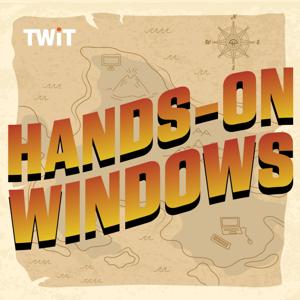
Hands-On Windows, featuring Paul Thurrott, will help you adapt to the changes made in Windows 11. From visual tweaks to performance boosts Hands-On Windows will show you how to get the most out of your Windows 11 PC.
You can join Club TWiT for $10 per month and get ad-free audio and video feeds for all our shows plus everything else the club offers...or get just this podcast ad-free for $5 per month.
New episodes every Thursday.
9,616 Listeners

3,061 Listeners
1,965 Listeners

2,010 Listeners

2,017 Listeners

888 Listeners

781 Listeners
3,715 Listeners
148 Listeners

1,389 Listeners

83 Listeners

416 Listeners

32 Listeners

39 Listeners

15,917 Listeners