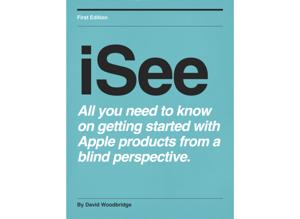
iSee - Using various technologies from a blind persons perspective.

iSee - Using various technologies from a blind persons perspective.

By David WoodbridgeTechnology
Download on the App Store

iSee - Using various technologies from a blind persons perspective. episodes

  • Demo of pairing two Beats Pill 2.0 portable speakers together
    As a follow-up to my December 7 2015 demo of a Beats Pill 2.0 portable speaker, as I stated then, I would do a demo of pairing two Beats Pill 2.0 speakers when I purchased two.  Now I have and this demo shows you how to firstly pair them together so that they play the same sound and with the 2nd pairing for each speaker playing left right channel.  Pairing the two speakers together is done via NFC which you will find the NFC tag at the back left hand side of the speakers (slightly raised logo).Process for pairing two speakers is:1. Turn on both speakers (mine both paired themselves to my iPhone with only the 2nd one being actually paired),2. The first speaker, hold Play/Pause in to put it back in pairing mode,3. First speaker touch NFC tag (back left hand side) with 2nd speaker,4. First time you touch NFC Tags together: single beep play both speakers together, and second touch two beeps for left right channel play, and finally,5. Can keep touching the NFC tags together if you wish to go between these modes if you wish.You can turn one speaker off and keep using a single speaker if you want.I have been using the first pairing mode for listening to cricket with each Beats Pill being in different parts of the house, and the left right speaker mode for listening to music in the same room with the speakers positioned for left and right channel/speaker listening.
    7 min
  • Demo of the Time Buzz app for Apple watch to get the time using Haptic feedback.
    The TimeBuzz app makes it possible to feel the current time through vibrations of the Taptic Engine on the Apple Watch. The app is designed especially for visually impaired people. With this app you can discretely get to know the current time without the need for the time to be pronounced. The app itself is completely VoiceOver accessible.
    If you open the app on the Apple Watch you will see a large button with the text 'Tap to buzz the time'. When you tap this button the app will start buzzing the current time. It will translate the time into a pattern of long and short vibrations whereby it will first buzz the hours and then the minutes. In between every sequence of vibrations there will be a short pause to be able to separate the hours and minutes from each other. You will feel a distinctive vibrating buzz when opening the app and when you start the buzzing of the current time so that you know when you opened the TimeBuzz app or tapped the button on the screen.
    The Big Ben buzz pattern
    With this pattern a short vibration (that feels like a short tick) indicates a 1 and a double vibration indicates a o.
    The hours are always in the range from 0 to 12, even in the morning or afternoon/evening. So three o'clock in the afternoon is indicated by 3 short vibrations and not 15.
    The minutes are separated into tens and single digits. 24 minutes is indicated by 2 short vibrations, a short pause and then followed by 4 short vibrations.
    Dom Tower buzz pattern
    This pattern is similar to the Big Ben pattern but it shortens 5 single vibration into 1 longer vibration. This allows for the hours and minutes to be buzzed quicker. For example an 8 is shorted to 1 longer vibration and 3 shorter vibrations.
    Notre-Dame buzz pattern
    With this pattern the tens and single digits of the minutes are not buzzed separately but as one number. As with the Dom Tower pattern, a value of 5 is shortened to a longer vibration.
    Time Square buzz pattern
    With this pattern both the hours and minutes are separated in tens and the remainder are buzzed separately. A value of five or a multiple of that are shortened to one longer buzz. For example 16 is buzzed as 1 short vibration, a pause, followed by 1 longer vibration and 1 short vibration.
    All of these patterns can either be changed via the Apple watch or on the iPhone.
    In this demo, I take you through getting the app, brief run through of the iOs app, installing the app on to the Apple watch, more in-depth look at both apps, a run through of the buzz patterns, using the Time Buzz as a complication on the clock face, developer tips for using the app discreetly without VoiceOver, and where to get more contact information.Overall tip for Apple watch usage: turn mute on, set wake on wrist raise to resume, and toggle VoiceOver off.Go to http://www.timebuzz.nl for more information, and the developer tips on using the app on the Apple watch.

    46 min
  • Blindfold Air Hockey demo from Kid Friendly Software
    Blindfold Air Hockey is an fully accessible audio game that's similar to the arcade game Air Hockey.In Blindfold Air Hockey, you have a mallet or paddle, and there's a puck on the playing table. To start the game, hit the puck swiping your finger. The puck heads towards your opponent's goal, where he knocks it back to you, bouncing off of the walls as it gets closer to your goal. You block his shot, and fire the puck back at his goal. You need 4 goals to win the game.Using head phones or ear buds, you hear the puck heading towards you, and you control your mallet by moving your finger left and right. When the puck is close enough, you'll hear a ding sound, and you can swipe the puck aim at your opponent's goal.Blindfold Air Hockey comes with a tutorial level, and 16 different opponents - varying from beginner to expert.  Blindfold Air Hockey was suggested by several blind gamers who enjoyed Blindfold Breakout and Blindfold Bowling.The game comes with coins; you need one coin to play. To get more coins, you can listen to advertising videos, or purchase coins as an in-app upgrade.
    9 min
  • Demo of the Beats Pill 2.0 Bluetooth speaker: physical description and demo.
    In this demo, I give you a physical description of the Beats Pill 2.0 bluetooth speaker, play different samples of music/spoken word to demo the audio, use the speaker as an answer phone, connect the Beats pill to my Mac as a powered speaker via a 3.5mm audio cable, connect another speaker (portable Jambox) to the Beats Pill via another audio cable, use both speakers together with the Beats Pill back in BT mode with iPhone, and give a quick side by side music sample at the end from the beats Pill and the Jambox.
    19 min
  • Demo of using the Blue Sparks Digital Microphone on iPhone and Mac using VoiceOver
    In this demo I take you through a physical description of the Sparks microphone, what you get in the box (lightening/USB cable, shock cradle stand, carry pouch and manual), using the Sparks with Simple Rec app on the iPhone (with a reminder that VoiceOver will becoming through the monitoring lead on the cable so you'll need to plug in head phones), and using the Sparks on my Mac running Amadeus pro.
    8 min
  • Apple tv 4th generation demo: a go through of some apps using VoiceOver
    In this demo of the Apple tv 4th generation, I go through a number of apps using VoiceOver including: My radio free, Clock tv, Weather, ABC News (US not Australia), Mashable, AirFeed, Netflix, Youtube (seem to be corrupted when I tried to use it), Carrot Weather, TWiT tv, Healing Free, Voice Healing, White Noise Pro, Assistant, TED, Ten Play, Plex, and News Room.
    I also list my boys games.
    37 min
  • Quick demo of using Apple pay on my iPhone and Apple watch to celebrate the launch of Apple pay in Australia for Nov 19 2015.
    The following demo of using Appel pay was at the Appel store.
    Apple pay in Australia became available on November 19 2015.
    At the moment in Australia, The American Express card itself is supported with contactless pay terminals..
    To set up Apple pay:
    I used the wallet app to add/scan in via the camera my American Express card,: only assistance required was to input in the security number on the back.
    Via the Apple watch app, added the credit card to the watch.
    Purchases: on my iPhone purchasing an iPad pro and on my Apple watch purchasing Beats Wireless  head phones: alas, it was only for a demo smile.
    Apple pay steps ipHone:
    Put iPhone next to terminal,
    Hear American Express card number ending in xxx voiced by VoiceOver,
    Use touch id finger print on Home button, and
    Hear chime, and transaction complete.
    Apple steps Apple watch:
    Press Friends button quickly on Apple watch,
    turn wrist over so that Apple watch face closer to the terminal,
    Hear chime,  and transaction complete.
    3 min

About iSee - Using various technologies from a blind persons perspective.

From the publisher's feed

Interesting tech stuff that I find useful