
Sign up to save your podcasts
Or



Based on Podcast App listening data
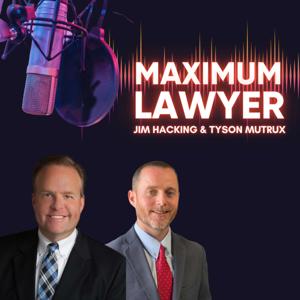
Are you wanting to learn a few more law firm business tips? In this podcast episode, Jim and Tyson discuss what they have learned from each other about running a law firm. They talk about lessons learned and things both have implemented over their working relationship.
Jim speaks to the things he has learned from Tyson. One thing is the importance of incremental improvement. Many people feel they need to create the perfect formula or system to get things done. The reality is that improving a little bit each day or slowly working towards a goal little by little will truly get you far. Another thing Jim has learned is to systematize aspects of a firm for maximum efficiency. It is important to identify and invest in systems that will take your firm to the next level and make it the best it can be. This comes with streamlining processes or working with different technologies to make the client intake system better.
Jim continues with learning how to stop the “BS”, which is another thing that Tyson has inspired him to do. Many people struggle with doing what they know they need to do or do what they know is right. It could be fear of rejection or the fear of getting people mad. The reality is nothing will get done unless you do what needs to be done, regardless of who gets upset or if it fails.
Tyson shares how Jim is able to address and embrace the pain he has endured. Jim shares how Tyson is able to address, own and control the painful experiences of the past. A lot of people are not able to do this as it takes a certain level of awareness and strength to use it to one’s advantage. But, to use it as fuel and motivation when working with clients is very rewarding and makes you a better lawyer. Tyson also shares that he has learned the importance of taking a stance and position on things from Jim. Many people struggle with taking a strong stance on something they believe in. Tyson talks about how Jim does this very well in his marketing strategies to convey his message to potential clients. Doing this is not about making sure everyone likes you but about showing those that need your help that you are behind them.
Not caring about other people’s opinion is another thing that Tyson shares that he learned from Jim. This is another issue that people tend to do and it can cause people to minimize their growth and success. The truth is even if you don't believe it inside, saying it out loud can bring a sense of power to you that can then lead you to believing it. With this, it is important to surround yourself with people that matter and will support you through your career.
Take a listen to learn a few things from Jim and Tyson.
2:02 Focus on making small improvements each day
5:49 Embrace the pain in life
8:15 Dedication to creating and implementing systems
13:22 Exploration of the value of taking a position and not being afraid to be divisive
🎥 Watch the full video on YouTube here. https://youtu.be/hRsONq-JJL8
Watch the YouTube version of this episode HERE
Are you looking for a unique way to market your law firm? In this episode of the Maximum Lawyer Podcast, Tyson discusses the growing use of voice search assistants like Siri, Google Assistant, and Alexa, and its impact on marketing strategies.
What makes voice search assistants so popular is the conversational piece that exists. It feels like you are having a conversation with someone. Tyson talks about how people are asking more detailed questions. For example, no one is just searching “personal injury law”. People are searching “Where is the closest personal injury lawyer to me” or “What is the best rated personal injury lawyer in my city”.
For these voice search assistants to show your business when someone is searching, it is important to ensure your contact information is up to date. This is because if someone asks Siri or Alexa for the closest personal injury firm in their city, it will pump out all the ones within their range and the information that is already online. If your address is wrong or your phone number is not updated, these assistants will not provide potential clients with the right information. This truly puts you at a disadvantage. Optimize Google My Business to ensure potential clients are seeing you through voice assistants.
Take a listen!
00:24 The growing usage of voice search assistants like Siri and Google Assistant.
3:20 The importance of optimizing for local search as voice searches are often local.
Resources:
Watch the YouTube version of this episode HERE
Are you an attorney who needs a new elevator pitch? In this episode, host Tyson introduces the "What Why How" method, a strategy for articulating one's professional role and purpose that can elevate a law practice.
This method can be used as an elevator pitch or if you are wanting to express what your firm does to clients. It is a 4 step process that is designed to articulate what you do, why it matters how it is done and who you serve. There are 4 questions to ask yourself: Why do I do it/Why is it helpful? How do I accomplish it? What is my niche/practice area? What kind of lawyer am I?
This can be taken to another level by adding some storytelling to give the method some life. This allows for more relatability and passion. As a lawyer there are many stories of struggle and strife that clients go through to get their lives back in order. For personal injury lawyers like Tyson, many clients suffer financial loss and mental stress. Weaving in stories of clients who need help and expressing how you are going to help them are great ways to showcase what you do.
Take a listen!
1:03 The “what, why, how method”
2:15 Method example
3:57 Adding storytelling to the method
Resources:
Are you thinking about focusing on email marketing for your firm? In this episode of the Maximum Lawyer Podcast, Jim provides practical tips for effective email marketing within a law firm.
In order to do email marketing, you need to be dedicated and committed. This is because email marketing usually entails sending planned mass emails to people depending on what is in your marketing plan. Sending sporadic, random emails to people will not be as effective, so it is important to sit down and plan how email marketing is going to look for your firm. Another aspect of email marketing is building a dedicated email list of people who are already subscribed or have connected with your firm.
Jim outlines the difference between leading and lagging indicators. Leading indicators are what you can control and what you can do to get more subscribers or clients. For example, if you are wanting to dedicate your time to email marketing, focus on sending out dedicated content. Make a plan to send out 3 emails to your email list each week for a year. Lagging indicators are things that you can’t control. This can be losing subscribers or clients as you are dedicating yourself to sending out 3 emails a week.
Planning content ahead is crucial to ensure you do not fall behind. It is important to plan for email launches weeks in advance to ensure everything in your email is covered. Writing an email the day it is to be launched is one of the worst things you can do when email marketing. Make a plan ahead of time!
Jim also talks about the importance of having a call to action for those who are reading your emails. This provides people with things to do. An example can be inviting people to join a Facebook group or to sign up for an upcoming webinar. This connects those on your email list with other platforms and brings more subscribers or watchers to those platforms.
Another important aspect of email marketing is using branded and unbranded emails. Branded emails will have your logo and name of your firm, while unbranded will not. There are reasons to use both which can make email marketing effective. It is good to use branded emails for the sporadic, blow horn emails. Unbranded emails are more effective as they are short, personal and usually ask for a reply. You can even respond to these replies using a template, especially if you are getting the same response from different people.
List segmentation is another great aspect of email marketing. Using email providers like Mailchimp allow you to segment your emails based on a topic. For example, if you get a bunch of people asking about citizenship or the process of getting citizenship, you can segment your list to where you can send these people all types of information only on citizenship. As a lawyer, this will allow you to help solve a specific problem.
Listen in to learn more on how to do effective email marketing.
1:10 The importance of making a decision to do email marketing
10:41 The significance of including a call to action at the bottom of an email
11:37 The effectiveness of unbranded emails that are short and personal
🎥 Watch the full video on YouTube here.
Resources:
Are you a lawyer who doesn't have LinkedIn? In this podcast episode, Jim and Tyson talk with Jason Cheung, a LinkedIn expert who assists lawyers in improving their online presence. They discuss the significance of LinkedIn for legal professionals.
LinkedIn is one of the only platforms that provide exposure to corporate professionals. It provides people with the chance to know who is in their industry and can make that connection for professional development and career growth. Jason provides his approach to using LinkedIn. He uses a storytelling angle that can be beneficial for lawyers. He uses the example of describing a problem a client had and the processes he used to solve that problem. Potential clients want to see how you have helped others which will provide them with comfort that you will do the same. It will also provide partners or other firms with the chance to understand how you work.
Jason shares how to convert LinkedIn posts to actual clients. He talks about the importance of including a call to action in posts. Most people do not want to just cold call a lawyer or email them, but if you add that little message at the end inviting people to reach out, it makes it easier on the client. Another way is to reply to comments from viewers and followers. Ask someone about the problem they're having, which might end up in your direct messages where there is a bit of a back and forth prior to having a client intake call.
For lawyers who use LinkedIn, it is important to engage with people who like your posts. These individuals may not follow you, but there is a benefit in sending them a friend request to connect and adding a message of “Thanks for liking my post, I look forward to connecting”. This allows the individual to know that you are responsive and active and that they can have a chat down the line if they feel you can be of help.
Listen in to learn more!
Jim Hack: Use the 6 minute rule. This rule is when you find yourself done with a project and you have 6 minutes left, start on another project. If you have less than 6 minutes, use it to goof around on your phone.
Jason’s Tip: Is to always make the assumption that people who don't know you would love to talk to you. 90% of the time people do want to engage. You have nothing to lose with this tactic and it is a great way to expand your network quickly.
Tyson’s Tip: Call your parents more because they are getting older and time goes by quickly. The same goes with colleagues. Connect with your colleagues more and check in on them.
5:32 Jason shares his approach to creating LinkedIn posts
11:20 Tips on how to convert LinkedIn posts into actual clients
21:35 Jason provides information about his LinkedIn marketing practice
Connect with Jason:
🎥 Watch the full video on YouTube here.
Are you looking for tips on how to use your phone more efficiently? In this episode, Tyson discusses various tips and tricks for iPhone users and shares advice on how to use different features.
One feature Tyson talks about is text replacement, which allows you to set up shortcuts for phrases you use frequently. This is great for those that use their phones a lot, especially for work. The pathway to do this is Settings, then General and then Keyboard/Text. Another great feature that many people deal with is silencing unknown and spam callers. We all get those spam calls that just cause frustration. The pathway is Settings, then Phone and then Turn On Silence Callers.
Tyson shares an interesting trick that allows people to create different ringtones and vibrations for different callers. The pathway is to go to the individual contact, then select edit ringtone. This can be done for each person. Another trick for all the headphone users is Siri announcing messages through your headphones. This is really handy if you work with headphones in and don't want to glance down at your phone every time a message comes through. The pathway is Siri and search Announce Messages
There are ways to connect your phone with your computer to work better. There is a feature called handoff that allows you to start something on one device and finish it on another. For example, if you are typing an email on your phone but then you get distracted, you can use the feature to finish it on your laptop. You simply turn on the handoff feature in your settings.
Listen in to learn more!
1:13 Setting up shortcuts for frequently used phrases on iPhone
2:04 Avoiding spam calls by enabling the "Silence Unknown Callers" setting in iPhone
2:57 Using the back tap feature to execute different actions
🎥 Watch the full video on YouTube here.
Resources:
Do you need a tip to help with organization while completing a project? In this episode, Tyson discusses the use of Kanban boards for task management and improving productivity.
Kanban boards are a great way to improve productivity in your firm. Kanban boards are divided into columns, with each representing a stage in your workflow. It shows the start to finish of a project. It is a great way to visualize how your work is getting done. It is perfect for visual learners and working with a solid team. There are many variations of a Kanban board. They can be used in an app or even put up on a wall in your office for everyone to see and add to. A really great way to utilize a Kanban board is to have 4 columns: to do, in progress, review and complete. This way people can move sticky notes from one column to another, depending on where that task is along the cycle of a project.
Kanban boards can also be used for your personal life. If you have a busy life, where personal and business tend to mesh together, you can build a physical one on your wall at home. Add all the different tasks you need to get done: walk the dog, cook dinner, help kids with homework, read a chapter of a book, workout. etc. The list is truly endless. This will allow you to visually see what you need to get done and when.
Kanban boards provide a birds eye view of all ongoing tasks. You can easily see what is happening now and what will happen later on. It also helps to promote better work habits with your teams. Honestly, who doesn't want to have a giant board of sticky notes that everyone is moving around as things get done!
Listen in to learn how to better communicate with your team and enhance productivity.
2:08 Tyson explains the concept of a Kanban board.
9:44 Tyson discusses different ways Kanban boards can be used.
11:28 Kanban boards provide a bird's eye view of ongoing tasks.
🎥 Watch the full video on YouTube here.
Resources:
Are you struggling with knowing how to build a business from the ground up? In this episode, Jessica Gonifas shares her insights on building a successful law firm. She provides some tips on how to gain the confidence needed to run a business.
In order to run a business, you need to have a good understanding of your firm’s numbers and where your firm sits financially. Jessica shares some questions to ask when you get your books in order. Ask yourself: Where is the revenue coming from? So what are the types of cases you take and how much profit are making from these cases. Another question is where is your money going? How much is going towards salaries, softwares, training, etc. The last question is what is the firm’s profit margin? With this, it is important to partner with an accountant that understands law firms who can help determine this margin.
When starting out as a new firm owner, it is important to understand what your personal and work goals are as well as the time you are willing to commit. For personal goals, consider how much money you want to take out of the firm and how much your family needs on an annual basis to keep afloat. In relation to work goals, understand what your purpose is at work. Are you reviewing technical work, doing technical work or going out and getting clients? The time you dedicate to your firm is so important because it will determine how much you make. Decide how many hours a week you want to work.
Jessica emphasizes the importance of having a big picture goal. What do you want your firm to look like in 5 years? What steps will you take to get there? In doing this, think about what you need to do as an owner and what your staff need to do as they help you run the business. Think about all the things you want to accomplish (ie. a certain number of cases, a new intake system, a new tech tool for the firm, etc.) and outline exactly how to get there. It might be good to break them down into quarterly objectives, that way it is spread out over 4 periods and you can take time throughout the year to plan.
Listen in to learn more!
1:12 The importance of financial structure and asking key questions
4:16 What about personal goals, work responsibilities and time commitment?
8:16 The importance of setting big picture goals
🎥 Watch the full video on YouTube here.
Connect with Jessica:
Do you need help in maximizing productivity as a lawyer? In this podcast episode, Jim and Tyson talk to solopreneur Lauren Lester, who runs her own estate and family law firm, Lester Law. She shares her journey into law as a second career.
Lauren shares a few tips attorneys can use to maximize productivity. For new attorneys, it is important to identify where inefficiencies lie in the repetitive tasks. Because you are doing things over and over, it makes sense to see what is not working or how to develop a system to do that thing better so it becomes easier and faster for you. For Lauren, she uses technology as leverage to make these tasks more efficient. For those that are too busy to develop systems, it might be best to focus on the one task that either takes the longest to do or is extremely important and build something around it.
Another tip Lauren shares is how to manage a busy personal life with an equally busy business. It is really important to schedule time for yourself when you have a busy life. One thing to do is protect your time. For example, Lauren shares how a client really wanted to meet with her the following morning at 9am, but she already booked an hour 1 gym session. She responded back saying the earliest time available was 11am. Clients do not need to know your work schedule. Doing this will allow for a more structured day where you can fit in time for personal care.
A lot of attorneys struggle with the billable hour, which is charging clients a fee by the hour. You will always hear people say “They charge by the hour” or “I pay $200 for a client call with my lawyer”. For attorneys, it is important to have value based pricing. In this profession, most have worked in the industry for a long time and have a lot of experience and expertise, but do not bill clients based on that. A shift in mindset towards billing based on the value you bring to a client is needed to succeed.
In this day and age, there has been a shift in having a better work life balance. No one wants to work 80 hour weeks, feel burned out and not enjoy the money they make. Lauren provides advice on how older attorneys can work with the younger generation to learn this. The value of an employee is not the time they spend sitting at a desk, but hitting benchmarks in a time that works for them. For example, an employee may be able to accomplish a task in an hour as opposed to spending their whole work day doing it. That person should not be punished because they did their job quicker. As long as the objective for the business is being met, who cares how fast it took them to complete it.
Take a listen to learn more!
8:17 Tips for solo attorneys or attorneys starting out to maximize productivity
10:49 Tips for managing personal and business life
15:45 Discussion of the challenges attorneys face with the billable hour
18:33 Advice on how law firm owners can work with the younger generation
Jim's Hack: Read or listen to $100M Leads: How to Get Strangers to Want to Buy Your Stuff Alex Hormozi https://amzn.to/4998nkv
Lauren’s Tip: Tech tool called Text Expander, which allows you to create little snippets of things you are constantly writing. Whether it be closing out an email with a signature phrase or acronyms that you need to spell out, the tool allows you to get emails out faster.
Tyson Tip: Use Teleprompter when creating videos, which allows you to copy and paste text into it and then adjust the speed.
🎥 Watch the full video on YouTube here.
Connect with Lauren:
Do you want to learn how to become a keyboard wizard? In this episode, Tyson shares an important tip lawyers can use in their practice, which involves using a keyboard.
Lawyers are very busy people and usually don't have a lot of time. There are keyboard shortcuts that attorneys can use that will make work more efficient, especially if you do repetitive tasks.
Some of these shortcuts include functions like:
There are some advanced functions that Tyson shares. If you want to quickly lock your screen, you press Command + Q for a PC. If you want to open your emoji keyboard on your screen, it's Control + Command + Space for Mac. For a PC, it is “Windows.Windows;” Another interesting function is looking up a definition. For a Mac, click Command + Control + D, all while hovering above the word you want to look up. For PC, it is Alt + Click.
All of these shortcuts take practice to learn and master. Sooner or later, you will be able to use them to streamline your workflows.
Listen in to learn how to master using your keyboard!
1:10 Why keyboard shortcuts are important for efficiency
4:49 Basic keyboard shortcuts for common actions
10:11 How to quickly lock the screen on a Mac or PC using keyboard shortcuts
11:03 How to quickly show the desktop on a Mac or PC
🎥 Watch the full video on YouTube here.
Resources: