
Sign up to save your podcasts
Or



Episode Summary: A behind-the-scenes look at the website — the exact domain, hosting, theme, and plugin tools used to run Mike Murphy Co., plus whether a podcast really needs its own dedicated site.
What You'll Learn
Bluehost
Ask Mike Anything: One Website or Two?
Question (from Blab.im listeners): Is a dedicated website needed for a podcast, separate from a personal/business page?
Answer: For most cases, keep it simple and use one website for everything. The only exception is when a podcast is so unrelated to the main website that combining them would confuse visitors — otherwise, keeping everything under one roof is easier for both host and audience.
Web Tools Used for Mike Murphy Co.
1. Domain Names
GoDaddy is the registrar of choice.
Bonus tips: the Honey Chrome extension saves money automatically. For checking social media handle availability, NameCheckr is extremely handy — it checks nearly every social platform at once for a given username. For finding the perfect domain name, LeanDomainSearch is a great resource — type in a desired name, and it shows availability plus tons of available alternatives.
2. Web Server
Bluehost, or HostGator.
3. Websites
WordPress.org or Squarespace.
4. Themes
The Divi theme by Elegant Themes. Child theme: the Child Theme Configurator WordPress plugin.
5. Tools & Plugins
WordPress plugin favorites: Monarch (social media plugin), Bloom (email plugin), Click to Tweet, Blubrry PowerPress, and Pretty Link Lite.
Music: "Life of Riley" & "Wallpaper" (incompetech.com).
Show Notes & Links
Read the complete show notes and resources on mikemurphy.ai.
Support the show
Subscribe To Weekly Newsletter:
AI Unplugged
Connect With Me
🌐 Website
📧 Newsletter
🎥 YouTube
🐦 X
💼 LinkedIn
Comments, Questions & Feedback:
[email protected]
Episode Summary: What email marketing actually is, why it remains one of the most important parts of running an online business, and the tools used to build a real newsletter list.
What You'll Learn
Ask Mike Anything: Is Email Dead?
Today's question comes from a special listener — the retired head of the NFL Management Council, right in the middle of the 1982 and 1987 NFL strikes: Jack Donlan. Resource mentioned: Slack.
1. What Is Email Marketing?
Simply brands communicating with clients or an audience via email — the most common form for small brands and one-man bands being the email newsletter.
A little history lesson: the CAN-SPAM Act was signed into law in 2003 after widespread complaints about spam. If someone wants to unsubscribe from a list, make it easy for them — period. Resource to unsubscribe in bulk: Unroll.Me.
2. Benefits of Email Marketing
Books mentioned: Tribes by Seth Godin, and Jab, Jab, Jab, Right Hook by Gary Vaynerchuk.
3. Building an Email List
Building an email list and communicating through it is one of the most important parts of running an online business. The goal isn't accumulating as many people as possible — it's building relationships with people who like, trust, and want to keep learning from you. List size doesn't matter as much as quality, long-term connections. Every subscriber should be valued, and the list treated with genuine respect, delivering as much value as possible.
Resources mentioned: Bloom by Elegant Themes and LeadPages.
4. Tools Used
Email newsletter: Mailchimp. WordPress/website plugin: Bloom by Elegant Themes — free with Divi. Alternatives mentioned: AWeber (popular, but not the favorite) and ConvertKit by Nathan Berry, which Pat Flynn has reviewed positively.
Music: "Life of Riley" & "Wallpaper" (incompetech.com).
Show Notes & Links
Slack CAN-SPAM Act of 2003 (Wikipedia) Unroll.Me Tribes by Seth Godin Jab, Jab, Jab, Right Hook by Gary Vaynerchuk Bloom by Elegant Themes LeadPages Mailchimp AWeber ConvertKit
Read the complete show notes and resources on mikemurphy.ai.
Support the show
Subscribe To Weekly Newsletter:
AI Unplugged
Connect With Me
🌐 Website
📧 Newsletter
🎥 YouTube
🐦 X
💼 LinkedIn
Comments, Questions & Feedback:
[email protected]
Episode Summary: The full 5-step, start-to-finish workflow used to produce one episode of this podcast — planning, scripting, production, show notes, and newsletter — with real time estimates for each.
What You'll Learn
The 5-Step Workflow
Step 1: Planning & Pre-Production (2 hours)
Internet research, "serving hours" (answering and asking questions on social media), listening and learning, and figuring out what people actually need help with. Resources: Pocket for web clippings, Evernote, and Transpose.
Step 2: Scripting (4 hours)
Benefits of scripting: keeps delivery on point with fewer "umms," speeds up recording, self-educates and sharpens teaching ability, speeds up show notes writing, and grows a content library that pays off later. Resource: Scrivener, the writing app used and recommended for every script.
Step 3: Production (1.5 hours)
Steps: recording & editing, exporting the final mix as MP3, ID3 tagging, uploading to Libsyn (the media server used at the time).
Pre-record checklist:
Recording & editing (1.5 hours): Adobe Audition CC is the tool of choice, though GarageBand or Audacity work well too. Tagging (5 minutes): ID3 Editor. Upload (10 minutes): export as MP3 and upload to Libsyn.
Step 4: Show Notes & Blog (1.5 hours)
Covers show notes, the blog post, artwork, and Buffer social media scheduling.
Show notes. A summary of the episode, including links and referen…
Read the complete show notes and resources on mikemurphy.ai.
Support the show
Subscribe To Weekly Newsletter:
AI Unplugged
Connect With Me
🌐 Website
📧 Newsletter
🎥 YouTube
🐦 X
💼 LinkedIn
Comments, Questions & Feedback:
[email protected]
Episode Summary: Live broadcasting tools for podcasters — Periscope and Blab.im compared, plus the tripod, mounting, and audio gear that actually makes a difference for live streaming.
What You'll Learn
Ask Mike Anything: An iPhone Tripod for Video
Guest: Dr. Vivian Carrasco. Podcast: Turning Inward. Website: VivianCarrasco.com.
Question: What tripod is recommended for making videos with an iPhone?
Answer: the JOBY GorillaPod and the JOBY GripTight iPhone holder.
To see a true master of the GorillaPod at work, check out Casey Neistat and other daily vloggers — nobody uses one better. Warning: watching Casey Neistat videos can be highly addictive.
Periscope
What's needed to start a Scope? Just an iOS or Android device — iPhone or iPad.
Audio tip: the Rode SmartLav+ Lavalier Microphone paired with the Rode SC6 TRRS Input & Headphone Output splitter.
Blab.im
Music: "Life of Riley" & "Wallpaper" (incompetech.com).
Show Notes & Links
Turning Inward (Dr. Vivian Carrasco) VivianCarrasco.com JOBY GorillaPod JOBY GripTight Casey Neistat: GorillaPod in Action (YouTube) Casey Neistat Videos (YouTube) Rode SmartLav+ Lavalier Microphone Rode SC6 TRRS Input & Headphone Output
Read the complete show notes and resources on mikemurphy.ai.
Support the show
Subscribe To Weekly Newsletter:
AI Unplugged
Connect With Me
🌐 Website
📧 Newsletter
🎥 YouTube
🐦 X
💼 LinkedIn
Comments, Questions & Feedback:
[email protected]
Episode Summary: 10 social media strategies in active use — why "go where your audience is" beats trying to be everywhere, and the exact platforms, pages, and handles used to build an audience.
What You'll Learn
Ask Mike Anything: Featured Guest
Cara Lumen's podcast: Reflections of a Deeper Song. Cara Lumen's website: Passionately on Purpose.
10 Social Media Strategies
Music: "Life of Riley" & "Wallpaper" (incompetech.com).
Show Notes & Links
Read the complete show notes and resources on mikemurphy.ai.
Support the show
Subscribe To Weekly Newsletter:
AI Unplugged
Connect With Me
🌐 Website
📧 Newsletter
🎥 YouTube
🐦 X
💼 LinkedIn
Comments, Questions & Feedback:
[email protected]
Episode Summary: All about microphones for podcasters and online creators — dynamic vs. condenser, USB vs. XLR, and a full popular-microphone shopping list organized by category.
What You'll Learn
Types of Microphones
Dynamic microphones are the standard in broadcasting and radio, and tend to be gain-hungry. Condenser microphones tend to be very sensitive to room noise and other unwanted sounds like breaths and lip smacking, and typically require phantom power.
Connection Types
USB microphones attach directly to a computer — simple, easy, and usually recommended for beginners since they work right out of the box. XLR microphones are the pro connector, found on most higher-end mics. XLR requires either an audio interface (a Focusrite Scarlett 6i6-class interface, for example) or a mixing board.
Popular Podcast Microphones
Dynamic mics:
Condenser mics:
USB mics:
iOS mics:
Resources
To purchase gear directly, visit the Mike Murphy Amazon Shop.
Music: "Life of Riley" & "Wallpaper" (incompetech.com).
Show Notes & Links
Read the complete show notes and resources on mikemurphy.ai.
Support the show
Subscribe To Weekly Newsletter:
AI Unplugged
Connect With Me
🌐 Website
📧 Newsletter
🎥 YouTube
🐦 X
💼 LinkedIn
Comments, Questions & Feedback:
[email protected]
Episode Summary: 11 real ways a one-man band or podcaster can make money online — from teaching and sponsorships to affiliate marketing, e-commerce, and freelancing.
What You'll Learn
10 Ways to Make Money Online
1. Tutorial Sites
Make classes and tutorials, then sell them through online education platforms. Pros: these sites handle technology, hosting, some promotion, and financial transactions — payment comes as a percentage of sales. Cons: Skillshare means splitting profits, and Udemy often discounts a class heavily.
Popular sites: Skillshare, Udemy, Teachable (formerly Fedora).
Classes taught on Skillshare/Udemy (the first internet dollar ever earned!): Photoshop: The Art of the Headswap and WordPress Cheatsheet for Entrepreneurs.
2. Self-Hosted Courses
Classes and courses sold directly through your own platform or website.
Pros: 100% of the profit. Cons: 100% of the responsibility — launch, creation, technology, promotion, all on you.
Platforms for self-hosted courses: LearnDash, Teachery, Thinkific, Zippy Courses, WP Courseware.
3. Podcast Sponsorships
Advertisers have recognized podcasting's popularity and want in. Sponsorships take time to land — like everything else, more downloads means more sponsor interest, and having a clear niche helps attract them. John Lee Dumas of EOFire has reportedly made around $100K/month in sponsorships by guaranteeing over 1 million listens per month, publishing 7 days a week — not too shabby. See his Ultimate Guide to Podcast Sponsorships for the full breakdown.
4. Affiliate Marketing
Affiliate marketing for products and gear is a great revenue generator, and the plan for covering monthly costs of running this site and podcast. It's simply advertising products with a small kickback on any resulting sale — the buyer pays nothing extra compared to purchasing directly from Amazon or elsewhere.
Affiliate links in action can be seen on the resources page, and there's also a dedicated Amazon st…
Read the complete show notes and resources on mikemurphy.ai.
Support the show
Subscribe To Weekly Newsletter:
AI Unplugged
Connect With Me
🌐 Website
📧 Newsletter
🎥 YouTube
🐦 X
💼 LinkedIn
Comments, Questions & Feedback:
[email protected]
Episode Summary: The top 10 podcasts in regular rotation right now, plus a bonus round of 5 more — a mix of business, creativity, tech, and photography shows worth subscribing to.
What You'll Learn
Top 10 Podcasts
Bonus Round
Show Notes & Links
Entrepreneurs on Fire The $100 MBA The Gary Vee Audio Experience SeanWes Podcast (archived) The Unmistakable Creative The School of Greatness Mixergy The Fizzle Show The Side Hustle Show Creator Scale (DIY Video Guy) TWiT (This Week in Tech) MacMost Now Photoshop User TV (archived) The Grid Photofocus
Read the complete show notes and resources on mikemurphy.ai.
Support the show
Subscribe To Weekly Newsletter:
AI Unplugged
Connect With Me
🌐 Website
📧 Newsletter
🎥 YouTube
🐦 X
💼 LinkedIn
Comments, Questions & Feedback:
[email protected]
Episode Summary: The full start-to-finish process for launching a podcast — planning, assets, production, hosting, RSS feed setup, directory submission, and promotion — the exact steps used to launch this show.
What You'll Learn
The Podcast Launch: Start to Finish
Steps to launching a podcast:
1. Planning
Start date: pick one to give yourself a real goal. At least 4-6 weeks is recommended, more if an interview format is planned. Mike Murphy Unplugged launched in one month — a couple more weeks would have helped. Everyone knows their own pace best, but picking a start date is what actually gets things moving.
Show planning (very important): What is the show about? What value gets delivered to listeners — knowledge, humor, insight? What's the format — solo, interview, co-host? What's the frequency — daily, weekly, monthly? Be consistent. What's the approximate length — 10 minutes, 30 minutes, an hour? Be consistent. Who is the audience? This one's big, and it's genuinely okay not to know exactly at first.
Tip: when recording, imagine speaking to one person, not an entire audience — it changes the tone for the better.
2. Graphics & Assets
Website: every podcast needs a home. Divi by Elegant Themes is the best WordPress theme used to date, and highly recommended.
Podcast cover art: genuinely important, and worth outsourcing if needed — Fiverr is one option among many designers who specialize in podcast cover art.
Music: Incompetech, AudioJungle, AudioBlocks.
Sound effects and voiceover intros: Fiverr again.
Tip: don't get stuck gathering assets — done is better than perfect.
3. Production
Write a script — developing a repeatable template, like a story, helps a lot. Scrivener is the writing tool of choice.
Record the podcast. Adobe Audition is the tool used here; other popular editors include GarageBand, Reaper, Pro Tools, and Audacity.
Edit, add music and sound effects, export as an MP3 file.
Tag it. ID3 Editor handles this — the metadata embedded in an MP3 file. To see it in action, open iTunes, right-click any song, and selec…
Read the complete show notes and resources on mikemurphy.ai.
Support the show
Subscribe To Weekly Newsletter:
AI Unplugged
Connect With Me
🌐 Website
📧 Newsletter
🎥 YouTube
🐦 X
💼 LinkedIn
Comments, Questions & Feedback:
[email protected]
Episode Summary: Every web and business tool used to run Mike Murphy Co. — hosting, email, organization, accounting, freelancing platforms, stock resources, and where the ongoing education happens.
What You'll Learn
Hosting & Website
Bluehost — the best hosting company, with equally good customer service. Divi by Elegant Themes — words can't do justice to how great this theme framework is. X-Theme by Theme.co — the favorite WordPress theme before discovering Divi, and still great.
Email & Communication
Mailchimp — the preferred email service for newsletters. Slack — eliminates internal email entirely.
Organization & Productivity
Dropbox — no explanation needed, an absolute must-have. Google Apps for Business — if you do one thing for your business, install this. Buffer — genuinely one of the favorite tools in the stack. Baron Fig — notebooks that make working feel more creative and organized. Evernote — still working on making this a habit. Trello — the favorite organizer, keeps track of everything. Asana — another great project management tool. Calendly — a cool scheduling tool that integrates with Google Calendar. List.ly — make and share lists with the world. Workflowy — awesome for long lists, even if underused.
Writing
Scrivener — working toward making this the default writer. Byword — a great markup writing tool. Medium — for writing and publishing articles.
Security
1Password — a genuine game-changer; being locked out of everything without it is unimaginable now.
Accounting
FreshBooks — beautiful invoicing and much more. Xero — makes accounting genuinely enjoyable.
Freelancing & Outsourcing
Fiverr — great for small jobs. PeoplePerHour and Freelancer are also worth knowing.
Read the complete show notes and resources on mikemurphy.ai.
Support the show
Subscribe To Weekly Newsletter:
AI Unplugged
Connect With Me
🌐 Website
📧 Newsletter
🎥 YouTube
🐦 X
💼 LinkedIn
Comments, Questions & Feedback:
[email protected]
From the publisher's feed
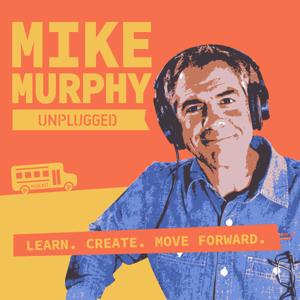
Mike Murphy Unplugged is a podcast for one-man bands and content creators who want to move forward in business and in life. Learn how to use AI, how to create online content for a living, and how…