
Sign up to save your podcasts
Or



Episode Summary: A fundamentals episode on pixels, resolution, and aspect ratio — the building blocks for correctly sizing and preparing photos and videos for the web.
What You'll Learn
Understanding how photos and videos get prepared for online content makes it a lot easier to focus on the actual creating.
Pixels
Digital photos and videos are made up of individual pixel units. When an image looks clean and sharp, the pixels are invisible; when it looks blurry or blocky, it's "pixelated" — the pixels themselves are visible. The "p" in 1080p and the "px" in 1920px × 1080px both refer to pixels. Smaller, more tightly packed pixels mean higher quality — and a larger file size. Tip: it's always better to size an image down than to try enlarging a small one.
Resolution and PPI
"High-res" and "low-res" describe resolution — the density of pixels packed into an image. Those terms don't apply to video; video uses standard-def, high-def, or 4K instead.
Pro tip: export at the lowest file size that still looks good, and nudge quality up only when it visibly degrades. Big, high-res images may look great, but they slow page load and frustrate visitors — trial and error settles the right balance over time. For web images in Adobe Lightroom, setting the "Long Edge" to 2048px at quality 80 is a solid starting point.
Relation to podcasting: episodes don't get exported at maximum quality either — the file size would balloon and take longer to download and more space on a phone, so the same balance applies to audio.
Video: Aspect Ratio
Aspect ratio is simply the relationship between a video or photo's width and height — proportions, not size. The most common online video ratio is 16:9 (width:height) — the standard for horizontal YouTube video and most iPhone recordings, often called 1080p or HD.
The one number worth memorizing: 1920×1080 pixels at a 16:9 aspect ratio covers roughly 90% of video production needs. Video thumbnails follow the same 1920×1080 template at 72 DPI.
Aspect ratio calculators are genuin…
Read the complete show notes and resources on mikemurphy.ai.
Support the show
Subscribe To Weekly Newsletter:
AI Unplugged
Connect With Me
🌐 Website
📧 Newsletter
🎥 YouTube
🐦 X
💼 LinkedIn
Comments, Questions & Feedback:
[email protected]
Episode Summary: 12 concrete steps to simplify personal, digital, and business life — reducing stress, sharpening focus, and clearing the clutter that gets in the way of actually creating.
What You'll Learn
Tip #1, before the list even starts: when launching an online business, buy only what's genuinely needed — don't over-invest in gear, branding, or logos before there's real momentum, because direction almost always shifts early on. Too much video production gear got purchased before any videos were even being made, and the direction changed anyway. Less is more.
12 Steps to Simplifying Business & Life
Digital
Business & Financials
Consolidate productivity and to-do tools. Bouncing between Notes, Todoist, Asana, and Evernote often creates more friction than it solves — the fix was settling on the iPhone's default Notes and Reminders apps plus G…
Read the complete show notes and resources on mikemurphy.ai.
Support the show
Subscribe To Weekly Newsletter:
AI Unplugged
Connect With Me
🌐 Website
📧 Newsletter
🎥 YouTube
🐦 X
💼 LinkedIn
Comments, Questions & Feedback:
[email protected]
Episode Summary: A full walkthrough of how to calculate a real freelance hourly rate — the tools used, the exact 6-step formula, a worked example landing on $93/hour, and a quick primer on P&L statements.
What You'll Learn
Today's goal: take the first real steps toward figuring out a bottom-line freelance rate — the number that covers expenses and hits an annual income target.
Personal note: pricing and charging clients is genuinely hard, especially in creative freelancing where no two jobs are alike and time estimation is inherently fuzzy. Rates, like everything else, take time, practice, and trial and error to dial in. The most critical first step is simply knowing your numbers — what you spend, and what you need to make to survive and eventually thrive.
Tools Used
FreshBooks for invoicing and expenses, G Suite & Google Sheets for tracking, the Mint app for personal finance, and the CreativeLive freelance rate calculator as a reference.
How to Calculate Your Freelance Rate
Worked Example
Billable hours:
Total working hours: 40 hrs/week × 52 weeks = 2,080 hours Minus 3 weeks vacation (15 weekdays × 8 hrs) = −120 hours Minus 5 sick days × 8 hrs = −40 hours Minus 7 holidays × 8 hrs = −56 hours Subtotal: 1,864 working hours Minus 25% for non-billable time (admin, marketing, n…
Read the complete show notes and resources on mikemurphy.ai.
Support the show
Subscribe To Weekly Newsletter:
AI Unplugged
Connect With Me
🌐 Website
📧 Newsletter
🎥 YouTube
🐦 X
💼 LinkedIn
Comments, Questions & Feedback:
[email protected]
Episode Summary: How freelance proposals and estimates actually get written — the tools, the discovery questions, the template structure, and the red flags worth walking away from.
What You'll Learn
Covered in this episode: the proposal-writing process, tools used, key terms, the questions asked of every client, the proposal template structure, and a few tips and warning signs. Future topics: pricing, contracts, and invoices.
Key Terms
The Freelancer Proposal
Writing a strong proposal is a skill built over time and repetition, like everything else in freelancing.
3 questions, modified from Gary Vaynerchuk:
Keys to a good proposal: ask good questions, listen for both the obvious and underlying signals, then offer a solution grounded in being the right person for the job — one that's clear about what hiring you actually costs.
Phase 1: Discovery Process / Q&A
Step 1 — gather contact info and create a master folder. Tools: Google Forms, Google Drive.
Step 2 — set up a 30-60 minute call or in-person meeting. The goal is connection: understanding the what and why of the project, listening carefully, and asking plenty of questions. Tools: Skype, Calendly, Google Calendar. Take good notes.
Red flag warning: trust your gut. If a prospective client only wants a price and won't provide the information needed to prepare a real proposal, it's okay to say thank you and walk away — scary when mon…
Read the complete show notes and resources on mikemurphy.ai.
Support the show
Subscribe To Weekly Newsletter:
AI Unplugged
Connect With Me
🌐 Website
📧 Newsletter
🎥 YouTube
🐦 X
💼 LinkedIn
Comments, Questions & Feedback:
[email protected]
Episode Summary: The 2017 Podcast Health Report — a brief history of podcasting, findings from the year's major industry research, and 5 real reasons a small business or brand should consider starting one.
What You'll Learn
The Origin of Podcasting
A portmanteau blends multiple words (or their sounds) into a new one — motel (motorists + hotel), smog (smoke + fog), emoticon (emotion + icon), spork (spoon + fork), turducken (turkey + duck + chicken). "Podcast" itself blends Apple's iPod with "broadcast," coined by BBC journalist Ben Hammersley in 2004.
Definition: a digital audio file made available online for download to a computer or mobile device, with new episodes delivered automatically to subscribers via RSS. Podcasts started in the early 2000s and really caught on in 2005 once Apple added podcasting support to iTunes.
Podcasting vs. terrestrial radio: two key differences. First, podcasting is on-demand — listeners choose when and what to listen to, and RSS lets them subscribe for automatic new-episode notifications. Second, podcasts can serve narrow niches in a way broad-audience terrestrial radio never could.
2017 industry reports: two major market research reports were published in spring 2017 — Edison Research and Bridge Ratings.
Bridge Ratings Report: 3 Problems to Solve
Technology already helping: CES showcased tech addressing all three — voice-activated devices like Amazon Alexa and Google Home, plus Bluetooth, were expected to give podcasting a real boost.
The Numbers
Why people don't like podcasts (per Bridge Ratings): they don't know how to find or use them, they lack the time or patience, or the content felt too boring, long, or rambling.
Why people do like them: a podcast exists for nearly any niche, they're listenable while multitasking (exercising, commuting), they're free, they're educational, and they connect listeners with people who share their interests.
Edison Research Findings
Monthly listenership grew from 21% to 24%. The core audience skews 18–54, slightly more male, more educated, and more affluent than average. Most listeni…
Read the complete show notes and resources on mikemurphy.ai.
Support the show
Subscribe To Weekly Newsletter:
AI Unplugged
Connect With Me
🌐 Website
📧 Newsletter
🎥 YouTube
🐦 X
💼 LinkedIn
Comments, Questions & Feedback:
[email protected]
Episode Summary: A complete 10-step client workflow — how client information gets organized, meetings get scheduled, projects get tracked, and invoices get paid, start to finish.
What You'll Learn
The business: Mike Murphy LLC is a creative freelance and consulting business for local and online businesses — video, podcast, and written content, plus teaching others how to create their own. In short: helping people figure things out. Workflow goal: simplicity and access from any device.
Resources Mentioned
The 10-Step Client Workflow
Step 1 — gather contact information. Everything goes into Gmail contacts, with as many notes as possible since notes are searchable and help recall client details later. Tips: pull contact info from email signatures, check a client's website contact page for social channels and business address, keep a complete signature on outgoing email, and use intake forms (Google Forms or Wufoo) to gather everything needed to start a project, logos and assets included.
Step 2 — Gmail labels. Every new client email gets a label nested under "Clients."
Step 3 — Google Drive. Similar to Dropbox — each client gets their own folder.
Step 4 — Google Calendar. Every appointment, meeting, deadline, commitment, trip, and important date goes on the calendar, with reminders set for 1 day and 30 minutes before.
Step 5 — Apple Reminders. The instant something goes on the calendar or comes to mind, Siri gets asked to set a reminder.
Step 6 — Calendly. Sent to clients as a scheduling link — they pick from open time slots, and Calendly syncs with Google Calendar to avoid double-booking automatically.
Step 7 — FreshBooks. Time tracking, est…
Read the complete show notes and resources on mikemurphy.ai.
Support the show
Subscribe To Weekly Newsletter:
AI Unplugged
Connect With Me
🌐 Website
📧 Newsletter
🎥 YouTube
🐦 X
💼 LinkedIn
Comments, Questions & Feedback:
[email protected]
Episode Summary: Vlogging 101 — what a vlog actually is, the vloggers worth watching for inspiration, the real business benefits, and exactly what gear and software it takes to start one.
What You'll Learn
What Is a Vlog?
A blog is a regularly updated site or page, often informal and written by an individual or small group. A vlog is the video equivalent — regularly posted, conversational stories told through video instead of text.
Mark Zuckerberg predicted Facebook would be over 90% video content within 5 years — a strong signal for where content was heading. Vlogs are a genuine marketing tool in the broader content toolkit, alongside the other two pillars covered in Episode 81: The Content Whiteboard Show — audio (podcasting) and writing (blog, Medium, LinkedIn Pulse).
Vlogs, Defined
A vlogger creates vlogs; vlogging is the act of making one. General characteristics: personal and documentary in nature, current and dynamic, built around a behind-the-scenes/day-in-the-life storytelling style, uploaded on a frequent and consistent schedule, and built around a community that follows the journey. It's genuinely hard work and requires real skill — not for everyone.
Why watch vlogs at all? Entertainment, creative inspiration, and learning — and only from vloggers whose skill and style earn real interest.
Vloggers Worth Watching
Casey Neistat, Gary Vaynerchuk, Mr. Ben Brown, Fun For Louis, and Sara Dietschy — not a personal style match, but a genuine respect for her Adobe and video skills and hustle.
Benefits of Vlogging
Brand exposure, repurposable content, community and audience building, stronger relationships and networks, client attraction, sales and lead generation. People are often more curious about how something works than the finished product itself — vlogging leans directly into that. It can also open up brand sponsorships, and it builds self-awareness, confidence, creativity, and authority over time — all essential ingredients for a strong personal brand.
How to Start a Vlog
Start with a rough plan and a clear sense of what the content actually is — behind-the-scenes of a business or operation is a solid starting point. 5–10 minutes is a reasonable episode length.
Ask first: why do you want a vlog? More clients, more brand exposure, more podcast listeners, more newsletter signups? Does it sound genuinely fun and creati…
Read the complete show notes and resources on mikemurphy.ai.
Support the show
Subscribe To Weekly Newsletter:
AI Unplugged
Connect With Me
🌐 Website
📧 Newsletter
🎥 YouTube
🐦 X
💼 LinkedIn
Comments, Questions & Feedback:
[email protected]
Episode Summary: Music Licensing 101 — the legal terms every podcaster and video creator needs to know, plus a curated list of paid and free resources for finding usable music.
What You'll Learn
Common Legal Music Terms
Organizational tip: when a track requires attribution, save a text file with the credit link right alongside the audio file in the same folder.
Download tip: choose .wav (uncompressed) over .mp3 (compressed) whenever the option exists — noticeably higher quality.
Paid Music Resources
Bonus resources:
Marmoset Music — $99/song, one of the best curation tools around TuneFruit — $30–65/song Triple Scoop Music — $60/song, great for photographers Jamendo — $5–50 Filmstro — Premiere plugin, $25/month, DIY mixing
Read the complete show notes and resources on mikemurphy.ai.
Support the show
Subscribe To Weekly Newsletter:
AI Unplugged
Connect With Me
🌐 Website
📧 Newsletter
🎥 YouTube
🐦 X
💼 LinkedIn
Comments, Questions & Feedback:
[email protected]
Episode Summary: A behind-the-scenes look at how Mike's daily Quick Tip tutorial videos come together — topic sourcing, screencasting software, export sizing for every platform, and the full sharing workflow.
What You'll Learn
What are Quick Tip videos? Daily tip videos about podcasting and content creation, posted to Instagram and YouTube.
Step 1: Pick a Topic
A running list of tutorial ideas lives on a whiteboard, plus in Trello and Workflowy. Need more? Check email and DMs for real questions people are already asking, browse social media discussions, or dig into Twitter Advanced Search, Reddit, and Quora.
Step 2: Recording & Editing
Screencasting software records the computer screen, iOS devices, or webcam. Recording tip: shoot at full resolution — a 2880×1800 Retina display gives plenty of room to scale down to 1920×1080 without any quality loss.
Tools used to record: Camtasia 3/9, ScreenFlow, and QuickTime (free on Mac). Tools used to edit: Camtasia.
Step 3: Exporting & Formatting
Terminology worth knowing: P = pixels, HD = High Definition, frame rate (30fps or 24fps), 16:9 = wide aspect ratio, 1:1 = square aspect ratio, MP4 = video file extension, H.264 = the standard web video codec.
Recommended export sizes:
Step 4: Sharing Online
Folder structure: Assets (graphics/photos), Thumbnails (YouTube covers), Audio (music), Project Files (Camtasia/ScreenFlow), Renders (final videos).
The routine: AirDrop the square video to iPhone, write the outline in the Notes app (synced via text), upload the square (1080×1080) version to Instagram with a description and the hashtag shortcut, then share to Twitter and Facebook directly from Instagram. Upload the wide (1920×1080) version to YouTube with a description, and copy the embed link into a Medium post.
Read the complete show notes and resources on mikemurphy.ai.
Support the show
Subscribe To Weekly Newsletter:
AI Unplugged
Connect With Me
🌐 Website
📧 Newsletter
🎥 YouTube
🐦 X
💼 LinkedIn
Comments, Questions & Feedback:
[email protected]
Episode Summary: Part 2 of the personal brand series — the 5 concrete strategies and tactics behind building the Mike Murphy brand, from self-awareness work to visual identity to monetization.
What You'll Learn
A behind-the-scenes look at the exact approach and strategy behind building the Mike Murphy personal brand — the goal being a business built around learning technology, creating content, and teaching and inspiring others to move forward in business and life.
Recap: Part 1's 5 Core Principles
Episode 82 covered: start ASAP, practice and develop your skills, create content and build a body of work, be productive and hone business skills, and teach or share what you know.
Pre-Show Tips
Do you. Learn from and be inspired by others whose message resonates, but comparison and envy over someone else's success are traps to avoid entirely.
Create your content. Everything's been done before in some form — that's fine. Someone else's successful class or business doesn't diminish the value of making your own version, made your own way.
Strategy 1: Self-Awareness
Understanding strengths and weaknesses well enough to do more of what works and less of what doesn't. Knowing what makes you unique, and how others actually perceive you, shapes the content itself — the words used, the tone set.
3 ways to build self-awareness:
Strategy 2: Branding & Artwork
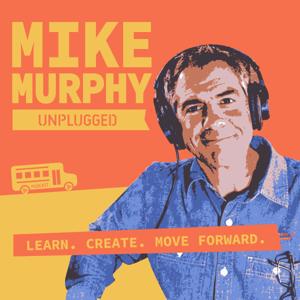
Visual branding — colors, fonts, artwork — should be a genuine reflection of personality and style, not a polished, generic look. The brand leans into orange and yellow retro colors, a face, a podcast school bus, and the tagline "Learn. Create. Move Forward." — scrappy and a little different on purpose, not refined.
Tip: pick a font and color palette and commit to it. A Fiverr designer can build a solid palette for around $5 — worth trying a few different designers to find the right fit.
Resources: Adobe Color, Coolors.
Strategy 3: Content Creation & Marketing
The brand centers on being a content creator across video, audio, and writing, and an expert in the…
Read the complete show notes and resources on mikemurphy.ai.
Support the show
Subscribe To Weekly Newsletter:
AI Unplugged
Connect With Me
🌐 Website
📧 Newsletter
🎥 YouTube
🐦 X
💼 LinkedIn
Comments, Questions & Feedback:
[email protected]
From the publisher's feed
Mike Murphy Unplugged is a podcast for one-man bands and content creators who want to move forward in business and in life. Learn how to use AI, how to create online content for a living, and how…