Blind Level Tech

Blind Level Tech

Download on the App Store

Blind Level Tech episodes

  • Why Chromebooks are Preferred for Aging Adults
    Summary
    Lucy Kuchta, founder of Quinsight, joins the Blind Level Tech podcast to discuss her work in helping older adults embrace technology. She shares her experience in implementing technology programs for age 60+ adults, such as Connect with Tech and Empower with Technology. Lucy emphasizes the importance of hands-on training and tailoring the curriculum to individual needs. The biggest challenge for seniors is getting comfortable with technology and using it every day. The use of Chromebooks is preferred due to their user-friendly interface and affordability. Leading-edge technologies, such as Bluetooth-enabled hearing aids, can be more difficult for seniors to embrace due to the setup process. Lucy expresses the desire to scale her business and explore virtual reality as a means of providing one-on-one training remotely. The conversation covers topics such as remote tech support, scams, and the importance of protecting older adults from online threats. The hosts discuss the challenges of providing remote tech support and offer tips for avoiding scams. They emphasize the need to be cautious when sharing financial information and to fact-check any suspicious emails or calls. The conversation concludes with a discussion about the Sandwich of the Week segment and upcoming events.
    Takeaways
    Hands-on training and tailored curriculum are crucial for helping older adults embrace technology.
    Getting comfortable with technology and using it every day is the biggest challenge for seniors.
    Chromebooks are preferred due to their user-friendly interface and affordability.
    Leading-edge technologies can be more difficult for seniors to embrace due to the setup process.
    Exploring virtual reality as a means of providing remote one-on-one training could help scale technology programs for seniors. Remote tech support can be challenging, but tools like Zoom can help bridge the gap.
    It's important to be cautious when sharing financial information and to fact-check suspicious emails or calls.
    Protecting older adults from scams and online threats is crucial.
    The Sandwich of the Week segment and upcoming events provide additional resources and entertainment.
    Chapters
    00:00 Introduction and Background
    02:57 Implementing Technology Programs for Age 60+ Adults
    10:03 The Challenge of Getting Comfortable with Technology
    14:59 Why Chromebooks are Preferred
    22:00 Scaling Technology Programs for Seniors
    23:45 Navigating Remote Tech Support and Challenges
    24:50 Protecting Against Scams and Online Threats
    26:04 The Importance of Fact-Checking and Financial Caution
    27:27 Sandwich of the Week and Upcoming Events
    Thank you for checking out this episode of BLT. If you have any questions for Evan and Kelvin let us know by calling the show at (720) 712-8856. Have a great week and we'll see you next time.

    43 min
  • BLT Bite: Changing Alexa's Voice
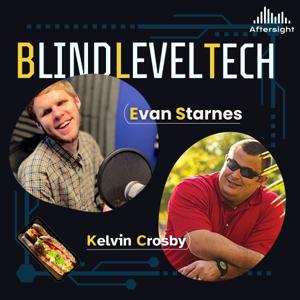
    Blind Level Tech, or BLT, is a fun new show dedicated to the use of technology for those who are blind and have visual impairments. We will walk you through the latest and greatest tech from Apple to Microsoft and TVs to kitchen appliances. We will even throw in some good ole dad and tech jokes for good measure. Being blind is hard enough. Your tech experience should not be.
    ★ Support this podcast ★
    3 min
  • BLT Bite: Changing Alexa's Voice
    Blind Level Tech, or BLT, is a fun new show dedicated to the use of technology for those who are blind and have visual impairments. We will walk you through the latest and greatest tech from Apple to Microsoft and TVs to kitchen appliances. We will even throw in some good ole dad and tech jokes for good measure. Being blind is hard enough. Your tech experience should not be.
    3 min
  • The Importance of Accessibility in Art
    Summary
    In this episode of Blind Level Tech, Evan and Kelvin interview Ted Tahquechi, a visually impaired artist and photographer. Ted shares his journey from working in the video game industry to becoming a travel photographer and creating tactile 3D prints. He discusses his process of using Photoshop to extract textures from his photographs and 3D printing them to create tactile art. Ted also talks about the importance of accessibility in art and his upcoming exhibitions. The hosts also share their favorite tech products and sandwiches of the week.
    Takeaways
    Ted Tahquechi shares his journey from working in the video game industry to becoming a visually impaired artist and photographer.
    He discusses his process of using Photoshop to extract textures from his photographs and 3D printing them to create tactile art.
    Ted emphasizes the importance of accessibility in art and his efforts to make his work inclusive for people with visual impairments.
    The hosts share their favorite tech products and sandwiches of the week.
    Chapters
    00:00 Introduction and Guest Introduction
    04:09 Transition to Travel and Photography
    08:09 Exploring Tactile Art with 3D Printing
    14:04 Choosing the Right 3D Printer and Filament
    24:45 Making Art Accessible with Tactile QR Codes
    28:25 Favorite Tech Products
    31:50 Closing Remarks and Contact Information
    Thank you for listening to this episode of BLT. If you have questions for Evan or Kelvin give us a call at (720) 712-8856 or email us at [email protected]. We can't wait to hear from you!
    ★ Support this podcast ★
    34 min
  • The Importance of Accessibility in Art
    Summary
    In this episode of Blind Level Tech, Evan and Kelvin interview Ted Tahquechi, a visually impaired artist and photographer. Ted shares his journey from working in the video game industry to becoming a travel photographer and creating tactile 3D prints. He discusses his process of using Photoshop to extract textures from his photographs and 3D printing them to create tactile art. Ted also talks about the importance of accessibility in art and his upcoming exhibitions. The hosts also share their favorite tech products and sandwiches of the week.
    Takeaways
    Ted Tahquechi shares his journey from working in the video game industry to becoming a visually impaired artist and photographer.
    He discusses his process of using Photoshop to extract textures from his photographs and 3D printing them to create tactile art.
    Ted emphasizes the importance of accessibility in art and his efforts to make his work inclusive for people with visual impairments.
    The hosts share their favorite tech products and sandwiches of the week.
    Chapters
    00:00 Introduction and Guest Introduction
    04:09 Transition to Travel and Photography
    08:09 Exploring Tactile Art with 3D Printing
    14:04 Choosing the Right 3D Printer and Filament
    24:45 Making Art Accessible with Tactile QR Codes
    28:25 Favorite Tech Products
    31:50 Closing Remarks and Contact Information
    Thank you for listening to this episode of BLT. If you have questions for Evan or Kelvin give us a call at (720) 712-8856 or email us at [email protected]. We can't wait to hear from you!
    34 min
  • MyAI updates
    Summary
    In this conversation, Evan and Kelvin discuss their experiences using the Aira service and the new Access AI feature. They talk about how Aira has helped them in various aspects of their lives, such as navigating new environments, running a business, and even taking pictures for websites. They also discuss the potential of Access AI and how it could be improved in the future. The conversation ends with a lighthearted discussion about their sandwich choices of the week and an announcement about an upcoming hike organized by AfterSight Audio Trekkers.
    Takeaways
    Aira is a valuable service that can assist blind and visually impaired individuals in various aspects of their lives, such as navigating new environments and running a business.
    Access AI is a new feature of Aira that allows users to take pictures and receive quick descriptions of the captured images.
    The speed and accuracy of Access AI set it apart from other AI description apps.
    Future improvements to Access AI could include real-time processing, integration with GPS and battery data, and the ability to communicate with the AI through voice commands.
    A lighthearted discussion about sandwich choices adds humor to the conversation.
    AfterSight Audio Trekkers is organizing a hike in July, and interested individuals can register on the AfterSight website.
    Chapters
    00:00 Introduction and Greetings
    04:04 Using Aira to Navigate and Run a Business
    12:48 Introducing Access AI: Quick Image Descriptions
    24:47 Sandwich Choices of the Week
    29:15 Announcement: AfterSight Audio Trekkers Hike
    Thank you for listening to this episode of BLT. If you have any questions, please give us a call at (720) 712-8856.
    ★ Support this podcast ★
    30 min
  • MyAI updates
    Summary
    In this conversation, Evan and Kelvin discuss their experiences using the Aira service and the new Access AI feature. They talk about how Aira has helped them in various aspects of their lives, such as navigating new environments, running a business, and even taking pictures for websites. They also discuss the potential of Access AI and how it could be improved in the future. The conversation ends with a lighthearted discussion about their sandwich choices of the week and an announcement about an upcoming hike organized by AfterSight Audio Trekkers.
    Takeaways
    Aira is a valuable service that can assist blind and visually impaired individuals in various aspects of their lives, such as navigating new environments and running a business.
    Access AI is a new feature of Aira that allows users to take pictures and receive quick descriptions of the captured images.
    The speed and accuracy of Access AI set it apart from other AI description apps.
    Future improvements to Access AI could include real-time processing, integration with GPS and battery data, and the ability to communicate with the AI through voice commands.
    A lighthearted discussion about sandwich choices adds humor to the conversation.
    AfterSight Audio Trekkers is organizing a hike in July, and interested individuals can register on the AfterSight website.
    Chapters
    00:00 Introduction and Greetings
    04:04 Using Aira to Navigate and Run a Business
    12:48 Introducing Access AI: Quick Image Descriptions
    24:47 Sandwich Choices of the Week
    29:15 Announcement: AfterSight Audio Trekkers Hike
    Thank you for listening to this episode of BLT. If you have any questions, please give us a call at (720) 712-8856.
    30 min
  • BLT Bites: Time Management with Siri
    Blind Level Tech, or BLT, is a fun new show dedicated to the use of technology for those who are blind or low-vision. We will walk you through the latest and greatest tech from Apple to Microsoft and TVs to kitchen appliances. We will even throw in some good ole dad and tech jokes for good measure. Being blind is hard enough. Your tech experience should not be.
    ★ Support this podcast ★
    4 min

About Blind Level Tech

From the publisher's feed

Where accessibility meets innovation. Hosted by Liam Erven, Blind Level Tech explores the latest in assistive technology, accessible design, and everyday tools that empower the blind and low-vision community. Each episode dives into real stories, expert insights, and practical solutions—from screen readers and AI tools to mobility tech and inclusive apps. Whether you’re blind, low vision, a professional in the accessibility space, or simply curious about how technology is reshaping lives, this show offers fresh perspectives and actionable takeaways.

More shows like Blind Level Tech

No Entries by Aftersight

No Entries

1 Listeners

High Country News by Aftersight

High Country News

2 Listeners

The Christian Science Monitor by Aftersight

The Christian Science Monitor

3 Listeners

Opera News by Aftersight

Opera News

1 Listeners

Colorado Kitchen Stories by Aftersight

Colorado Kitchen Stories

1 Listeners

Denver Urban Spectrum by Aftersight

Denver Urban Spectrum

3 Listeners

Prairie Times by Aftersight

Prairie Times

1 Listeners

No Entries by Aftersight

No Entries

1 Listeners

50 Plus Marketplace FrontRange by Aftersight

50 Plus Marketplace FrontRange

1 Listeners

No Entries by Aftersight

No Entries

1 Listeners

National Geographic en Español by Aftersight

National Geographic en Español

15 Listeners

No Entries by Aftersight

No Entries

1 Listeners

No Entries by Aftersight

No Entries

1 Listeners

Commerce City Connected by Aftersight

Commerce City Connected

0 Listeners

Navigating Life with Vision Loss by Aftersight

Navigating Life with Vision Loss

5 Listeners

No Entries by Aftersight

No Entries

0 Listeners

No Entries by Aftersight

No Entries

0 Listeners

No Entries by Aftersight

No Entries

0 Listeners

Volunteer Spotlight by Aftersight

Volunteer Spotlight

0 Listeners