Blind Level Tech

Blind Level Tech

Download on the App Store

Blind Level Tech episodes

  • Turning on Alexa Request Sounds
    Having trouble with your Alexa device? Would you like to know how to turn on the sounds for your Alexa? Well, this week Evan shows you how to do just that. Enjoy and if there is a tech tip that you would like help with send us a message at (720) 712-8856
    2 min
  • Finding the Best Operating System for Individual Needs
    Summary
    In part two of the operating system deep dive, the hosts discuss mobile operating systems, focusing on iOS and Android. They highlight the accessibility features of iOS, including VoiceOver, zoom, and screen recognition, and recommend it for blind users. They also discuss the benefits of the Apple ecosystem and the availability of accessible apps and games. However, they mention that there are some bugs that Apple takes time to fix. They also discuss the limitations of Android for hearing aid users and the delayed availability of certain apps. Overall, they recommend iOS for its comprehensive accessibility features and industry standard status. The conversation explores the accessibility features and user experience of Android devices, particularly for individuals with visual impairments. The hosts discuss the challenges and improvements in accessibility, including the use of screen readers and remote control options. They highlight the benefits of using Google Pixel phones for better accessibility support. The conversation also touches on the availability of apps and games on Android compared to iOS, as well as the importance of trying out different operating systems to find the best fit.
    Chapters
    00:00 The Accessibility Features of iOS
    18:19 The Benefits and Limitations of the Apple Ecosystem
    20:51 Bugs in iOS and Delayed Availability of Apps on Android
    20:51 Issues in Accessibility
    22:18 Remote Control Options
    23:50 Trying TalkBack on Android
    25:47 App and Game Availability
    28:02 Benefits of Google Pixel
    36:16 Finding the Best Operating System
    Thank you for checking out this episode of BLT. If you have any questions, as always, give us a call at (720) 712-8856, or you can email us at [email protected]. Have a great week and we'll see you on the mountain.
    ★ Support this podcast ★
    38 min
  • Finding the Best Operating System for Individual Needs
    Summary
    In part two of the operating system deep dive, the hosts discuss mobile operating systems, focusing on iOS and Android. They highlight the accessibility features of iOS, including VoiceOver, zoom, and screen recognition, and recommend it for blind users. They also discuss the benefits of the Apple ecosystem and the availability of accessible apps and games. However, they mention that there are some bugs that Apple takes time to fix. They also discuss the limitations of Android for hearing aid users and the delayed availability of certain apps. Overall, they recommend iOS for its comprehensive accessibility features and industry standard status. The conversation explores the accessibility features and user experience of Android devices, particularly for individuals with visual impairments. The hosts discuss the challenges and improvements in accessibility, including the use of screen readers and remote control options. They highlight the benefits of using Google Pixel phones for better accessibility support. The conversation also touches on the availability of apps and games on Android compared to iOS, as well as the importance of trying out different operating systems to find the best fit.
    Chapters
    00:00 The Accessibility Features of iOS
    18:19 The Benefits and Limitations of the Apple Ecosystem
    20:51 Bugs in iOS and Delayed Availability of Apps on Android
    20:51 Issues in Accessibility
    22:18 Remote Control Options
    23:50 Trying TalkBack on Android
    25:47 App and Game Availability
    28:02 Benefits of Google Pixel
    36:16 Finding the Best Operating System
    Thank you for checking out this episode of BLT. If you have any questions, as always, give us a call at (720) 712-8856, or you can email us at [email protected]. Have a great week and we'll see you on the mountain.
    38 min
  • Pros and Cons of Windows, Mac, Chrome OS, and Linux
    Summary
    In this conversation, Evan and Kelvin discuss the accessibility features and tools available on different operating systems, including Windows, Mac, Chrome OS, and Linux. They compare the pros and cons of each system and highlight the unique features and challenges of using them. They also touch on the availability of assistive technology and the importance of considering individual needs and preferences when choosing an operating system.
    Thank you for listening to BLT. If you have any questions for Evan or Kelvin contact us at (720) 712-8856.
    Don't forget to register for the hike. www.aftersight.org/hike
    Chapters
    00:00 Introduction and Weekend Updates
    08:36 Introduction to Operating Systems
    09:24 Exploring the Accessibility Features of Windows
    13:08 Screen Readers and Magnification Tools for Windows
    16:25 The Cost of Assistive Technologies for Windows
    19:25 Hardware Options for Windows: Pre-built vs Custom-built
    21:04 Internet Safety and Windows Defender
    22:15 Introduction to Accessibility Features on Different Operating Systems
    25:23 Accessibility Tools on Mac
    29:05 Advantages of Mac for Accessibility
    30:23 Considerations for Choosing an Operating System
    31:37 Exploring Chrome OS for Accessibility
    36:08 Introduction to Linux and Raspberry Pi
    37:57 Accessibility Features and Screen Readers on Linux
    41:44 Program Availability and Tools on Linux
    45:53 Trying Out Linux in a Virtual Machine
    46:29 Sandwich of the Week
    ★ Support this podcast ★

    48 min
  • Pros and Cons of Windows, Mac, Chrome OS, and Linux
    Summary
    In this conversation, Evan and Kelvin discuss the accessibility features and tools available on different operating systems, including Windows, Mac, Chrome OS, and Linux. They compare the pros and cons of each system and highlight the unique features and challenges of using them. They also touch on the availability of assistive technology and the importance of considering individual needs and preferences when choosing an operating system.
    Thank you for listening to BLT. If you have any questions for Evan or Kelvin contact us at (720) 712-8856.
    Don't forget to register for the hike. www.aftersight.org/hike
    Chapters
    00:00 Introduction and Weekend Updates
    08:36 Introduction to Operating Systems
    09:24 Exploring the Accessibility Features of Windows
    13:08 Screen Readers and Magnification Tools for Windows
    16:25 The Cost of Assistive Technologies for Windows
    19:25 Hardware Options for Windows: Pre-built vs Custom-built
    21:04 Internet Safety and Windows Defender
    22:15 Introduction to Accessibility Features on Different Operating Systems
    25:23 Accessibility Tools on Mac
    29:05 Advantages of Mac for Accessibility
    30:23 Considerations for Choosing an Operating System
    31:37 Exploring Chrome OS for Accessibility
    36:08 Introduction to Linux and Raspberry Pi
    37:57 Accessibility Features and Screen Readers on Linux
    41:44 Program Availability and Tools on Linux
    45:53 Trying Out Linux in a Virtual Machine
    46:29 Sandwich of the Week
    48 min
  • Changes and Updates with Seeing AI
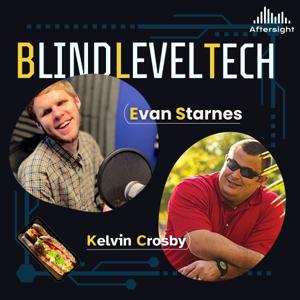
    In this episode of Blind Level Tech, Evan and Kelvin discuss the significant updates to the Seeing AI app. They talk about the app's capabilities, including light recognition, image recognition, product recognition, and the World tab for LiDAR-capable phones. They also mention the release of Seeing AI on Android and compare it to Google Lookout. Evan and Kelvin emphasize the importance of exploring and experimenting with assistive technology apps to find what works best for each individual.
    ★ Support this podcast ★
    30 min
  • Changes and Updates with Seeing AI
    In this episode of Blind Level Tech, Evan and Kelvin discuss the significant updates to the Seeing AI app. They talk about the app's capabilities, including light recognition, image recognition, product recognition, and the World tab for LiDAR-capable phones. They also mention the release of Seeing AI on Android and compare it to Google Lookout. Evan and Kelvin emphasize the importance of exploring and experimenting with assistive technology apps to find what works best for each individual.
    30 min
  • BLT Bites: Three useful Alexa Skills
    This week, we're back at it with Alexa, and we show you three unique Alexa skills that add a little character to your Alexa speaker. Alexa has thousands of interesting skills, from skills that turn your speaker into a talking clock to ones that help you find your phone, and everything in between.
    ★ Support this podcast ★
    6 min

About Blind Level Tech

From the publisher's feed

Where accessibility meets innovation. Hosted by Liam Erven, Blind Level Tech explores the latest in assistive technology, accessible design, and everyday tools that empower the blind and low-vision community. Each episode dives into real stories, expert insights, and practical solutions—from screen readers and AI tools to mobility tech and inclusive apps. Whether you’re blind, low vision, a professional in the accessibility space, or simply curious about how technology is reshaping lives, this show offers fresh perspectives and actionable takeaways.

More shows like Blind Level Tech

No Entries by Aftersight

No Entries

1 Listeners

High Country News by Aftersight

High Country News

2 Listeners

The Christian Science Monitor by Aftersight

The Christian Science Monitor

3 Listeners

Opera News by Aftersight

Opera News

1 Listeners

Colorado Kitchen Stories by Aftersight

Colorado Kitchen Stories

1 Listeners

Denver Urban Spectrum by Aftersight

Denver Urban Spectrum

3 Listeners

Prairie Times by Aftersight

Prairie Times

1 Listeners

No Entries by Aftersight

No Entries

1 Listeners

50 Plus Marketplace FrontRange by Aftersight

50 Plus Marketplace FrontRange

1 Listeners

No Entries by Aftersight

No Entries

1 Listeners

National Geographic en Español by Aftersight

National Geographic en Español

15 Listeners

No Entries by Aftersight

No Entries

1 Listeners

No Entries by Aftersight

No Entries

1 Listeners

Commerce City Connected by Aftersight

Commerce City Connected

0 Listeners

Navigating Life with Vision Loss by Aftersight

Navigating Life with Vision Loss

5 Listeners

No Entries by Aftersight

No Entries

0 Listeners

No Entries by Aftersight

No Entries

0 Listeners

No Entries by Aftersight

No Entries

0 Listeners

Volunteer Spotlight by Aftersight

Volunteer Spotlight

0 Listeners