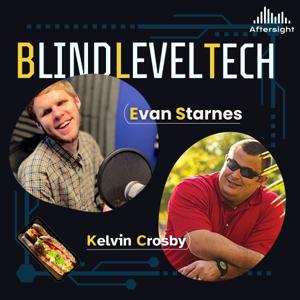
Blind Level Tech

Blind Level Tech

Download on the App Store

Blind Level Tech episodes

  • Accessible Microphones and What You Should and Shouldn't Get
    Summary
    In this episode of Blind Level Tech, the hosts discuss microphones for podcasting and voiceover recording. They start by talking about the mics they are currently using, including the Audio-Technica AT2020 condenser microphone and the CAD GXL2200. They explain the difference between condenser and dynamic microphones and the best use cases for each. They also discuss built-in microphones in devices like laptops and phones, noting that while they can be convenient, they often lack in audio quality. The hosts then explore different types of microphones in various price ranges, including USB mics, XLR mics, and headset mics. They provide recommendations for affordable microphones and caution against using headset mics for professional audio work. They also mention the Blue Yeti microphone as a versatile option with multiple polar patterns. They cover popular options like the Blue Yeti and the Shure MV7, as well as higher-end models like the AKG C414. They also mention the importance of considering the sound profile, polar patterns, and durability when choosing a microphone. The conversation concludes with a discussion about their favorite sandwiches.
    Takeaways
    Condenser microphones are good for picking up audio from the room, while dynamic microphones are better for dialogue and close-up recording.
    Built-in microphones in devices like laptops and phones often lack in audio quality and are not recommended for professional audio work.
    Affordable microphones in the $20 to $60 price range can significantly upgrade audio quality, with options like Logitech, Zeal Sound, and CAD microphones.
    Headset mics are convenient but may pick up vibrations from the head and produce unpleasant audio quality. They are not recommended for voiceovers.
    The Blue Yeti microphone is a versatile option with multiple polar patterns and a built-in sound card for monitoring and adjusting audio levels.
    Proper microphone placement and technique are important for achieving good audio quality. There are many microphones available for podcasting and voiceover work in the $100 to $250 price range.
    The Shure MV7 is a popular choice among podcasters and offers both XLR and USB options.
    Other options in this price range include the Blue Yeti, Audio-Technica, and Sennheiser microphones.
    Higher-end microphones like the Lewitt Ray and AKG C414 offer advanced features and exceptional sound quality.
    Consider factors like sound profile, polar patterns, and durability when choosing a microphone.
    Rode microphones are also worth considering for their range of podcasting options.
    Don't forget to toast your burger buns for extra deliciousness!
    Chapters
    00:00 Choosing the Right Microphone
    10:14 Understanding Microphone Types
    13:00 Built-in Microphones in Devices
    18:32 Affordable Microphones
    20:09 Headset Mics for Voiceovers
    23:10 Middle of the Road Mics
    25:07 Microphone Placement and Technique
    25:37 Introduction to Microphones for Podcasting
    26:10 The Shure MV7: A Popular Choice
    27:07 Exploring Other Microphone Options
    28:30 Considerations for Choosing a Microphone
    31:07 The Shure MV7 Plus and Other Options
    32:24 Advanced Features: Lewitt Ray and AKG C414
    35:38 Rode Microphones for Podcasting
    38:21 Sandwich of the Week: Pulled Pork Sliders and Burgers
    39:05 Sandwich of the Week: Sonic Double Cheeseburger
    39:45 Sandwich of the Week: Elk Burger
    40:26 Announcement: Shine Music Fest
    41:38 Conclusion and Farewell
    Thank you for listening to this episode of Blind Level Tech. If you have any questions for Evan or Kelvin please visit us at [email protected] or give us a call at 720-712-8856..
    ★ Support this podcast ★

    42 min
  • Accessible Microphones and What You Should and Shouldn't Get
    Summary
    In this episode of Blind Level Tech, the hosts discuss microphones for podcasting and voiceover recording. They start by talking about the mics they are currently using, including the Audio-Technica AT2020 condenser microphone and the CAD GXL2200. They explain the difference between condenser and dynamic microphones and the best use cases for each. They also discuss built-in microphones in devices like laptops and phones, noting that while they can be convenient, they often lack in audio quality. The hosts then explore different types of microphones in various price ranges, including USB mics, XLR mics, and headset mics. They provide recommendations for affordable microphones and caution against using headset mics for professional audio work. They also mention the Blue Yeti microphone as a versatile option with multiple polar patterns. They cover popular options like the Blue Yeti and the Shure MV7, as well as higher-end models like the AKG C414. They also mention the importance of considering the sound profile, polar patterns, and durability when choosing a microphone. The conversation concludes with a discussion about their favorite sandwiches.
    Takeaways
    Condenser microphones are good for picking up audio from the room, while dynamic microphones are better for dialogue and close-up recording.
    Built-in microphones in devices like laptops and phones often lack in audio quality and are not recommended for professional audio work.
    Affordable microphones in the $20 to $60 price range can significantly upgrade audio quality, with options like Logitech, Zeal Sound, and CAD microphones.
    Headset mics are convenient but may pick up vibrations from the head and produce unpleasant audio quality. They are not recommended for voiceovers.
    The Blue Yeti microphone is a versatile option with multiple polar patterns and a built-in sound card for monitoring and adjusting audio levels.
    Proper microphone placement and technique are important for achieving good audio quality. There are many microphones available for podcasting and voiceover work in the $100 to $250 price range.
    The Shure MV7 is a popular choice among podcasters and offers both XLR and USB options.
    Other options in this price range include the Blue Yeti, Audio-Technica, and Sennheiser microphones.
    Higher-end microphones like the Lewitt Ray and AKG C414 offer advanced features and exceptional sound quality.
    Consider factors like sound profile, polar patterns, and durability when choosing a microphone.
    Rode microphones are also worth considering for their range of podcasting options.
    Don't forget to toast your burger buns for extra deliciousness!
    Chapters
    00:00 Choosing the Right Microphone
    10:14 Understanding Microphone Types
    13:00 Built-in Microphones in Devices
    18:32 Affordable Microphones
    20:09 Headset Mics for Voiceovers
    23:10 Middle of the Road Mics
    25:07 Microphone Placement and Technique
    25:37 Introduction to Microphones for Podcasting
    26:10 The Shure MV7: A Popular Choice
    27:07 Exploring Other Microphone Options
    28:30 Considerations for Choosing a Microphone
    31:07 The Shure MV7 Plus and Other Options
    32:24 Advanced Features: Lewitt Ray and AKG C414
    35:38 Rode Microphones for Podcasting
    38:21 Sandwich of the Week: Pulled Pork Sliders and Burgers
    39:05 Sandwich of the Week: Sonic Double Cheeseburger
    39:45 Sandwich of the Week: Elk Burger
    40:26 Announcement: Shine Music Fest
    41:38 Conclusion and Farewell
    Thank you for listening to this episode of Blind Level Tech. If you have any questions for Evan or Kelvin please visit us at [email protected] or give us a call at 720-712-8856..
    41 min
  • BLT Bite: a demo of the Adobe Speach Enhancer
    On this week’s BLT Bite, we take a listen to the Adobe Speech Enhancer.
    This tool allows you to upload an audio file of almost any quality, and it seamlessly enhances it to make it sound like it was recorded in a professional studio.
    Check out the Adobe Enhancer at podcast.adobi.com/enhance
    ★ Support this podcast ★
    6 min
  • BLT Bite: a demo of the Adobe Speach Enhancer
    On this week’s BLT Bite, we take a listen to the Adobe Speech Enhancer.
    This tool allows you to upload an audio file of almost any quality, and it seamlessly enhances it to make it sound like it was recorded in a professional studio.
    Check out the Adobe Enhancer at podcast.adobi.com/enhance
    6 min
  • Technology and Schooling
    Summary
    In this conversation, Evan and Kelvin discuss technology and accommodations for visually impaired students in K-12 and college. They highlight the importance of advocating for accommodations and familiarizing oneself with disability support services. They also discuss the challenges of obtaining textbooks and recommend getting book lists early. Overall, they emphasize the need for preparation and self-advocacy in order to succeed in school. The conversation explores the accessibility of textbooks and navigating in-person and online classes for students with visual impairments. It emphasizes the importance of having legal copies of accessible textbooks and the need to advocate for accessibility in online platforms. The hosts share their experiences with finding classes and accommodations, including using guide dogs and working with disability services. They discuss the challenges of taking tests and the importance of advocating for accessible testing options. The conversation concludes with a discussion on the future of accessibility in education.
    Takeaways
    Advocacy is crucial for visually impaired students to obtain necessary accommodations in school.
    Knowing the disability support services at your school and how they work is important for accessing accommodations.
    Transitioning from high school to college can be challenging, and it is important to be prepared and familiar with the support services available.
    Obtaining accessible textbooks can be a challenge, and it is recommended to get book lists early and communicate with professors and disability services.
    Preparation and self-advocacy are key to success in school for visually impaired students. Having legal copies of accessible textbooks is important to comply with copyright law.
    Building a good relationship with disability services can lead to better accommodations.
    Training guide dogs to navigate campus can help with finding classes.
    Advocacy is necessary to ensure accessibility in online platforms and testing options.
    The future of accessibility in education should involve easily accessible textbooks and online platforms.
    Chapters
    00:00 Introduction and Personal Updates
    06:39 Navigating Technology and Accommodations for Visually Impaired Students
    11:45 The Importance of Advocacy in Obtaining Accommodations
    15:12 Transitioning from High School to College: Challenges and Preparation
    19:40 Challenges of Obtaining Accessible Textbooks
    21:39 Preparation and Self-Advocacy for Success in School
    25:38 Finding Classes and Accommodations
    27:34 Navigating Campus with Guide Dogs
    30:17 Advocating for Accessibility in Online Platforms
    42:10 The Future of Accessibility in Education
    Thank you for listening to this episode of BLT. If you have nay questions, please let us know by giving us a phone call at (720) 712-8856, or you can email us at [email protected]. Have a great week.
    ★ Support this podcast ★

    45 min
  • Technology and Schooling
    Summary
    In this conversation, Evan and Kelvin discuss technology and accommodations for visually impaired students in K-12 and college. They highlight the importance of advocating for accommodations and familiarizing oneself with disability support services. They also discuss the challenges of obtaining textbooks and recommend getting book lists early. Overall, they emphasize the need for preparation and self-advocacy in order to succeed in school. The conversation explores the accessibility of textbooks and navigating in-person and online classes for students with visual impairments. It emphasizes the importance of having legal copies of accessible textbooks and the need to advocate for accessibility in online platforms. The hosts share their experiences with finding classes and accommodations, including using guide dogs and working with disability services. They discuss the challenges of taking tests and the importance of advocating for accessible testing options. The conversation concludes with a discussion on the future of accessibility in education.
    Takeaways
    Advocacy is crucial for visually impaired students to obtain necessary accommodations in school.
    Knowing the disability support services at your school and how they work is important for accessing accommodations.
    Transitioning from high school to college can be challenging, and it is important to be prepared and familiar with the support services available.
    Obtaining accessible textbooks can be a challenge, and it is recommended to get book lists early and communicate with professors and disability services.
    Preparation and self-advocacy are key to success in school for visually impaired students. Having legal copies of accessible textbooks is important to comply with copyright law.
    Building a good relationship with disability services can lead to better accommodations.
    Training guide dogs to navigate campus can help with finding classes.
    Advocacy is necessary to ensure accessibility in online platforms and testing options.
    The future of accessibility in education should involve easily accessible textbooks and online platforms.
    Chapters
    00:00 Introduction and Personal Updates
    06:39 Navigating Technology and Accommodations for Visually Impaired Students
    11:45 The Importance of Advocacy in Obtaining Accommodations
    15:12 Transitioning from High School to College: Challenges and Preparation
    19:40 Challenges of Obtaining Accessible Textbooks
    21:39 Preparation and Self-Advocacy for Success in School
    25:38 Finding Classes and Accommodations
    27:34 Navigating Campus with Guide Dogs
    30:17 Advocating for Accessibility in Online Platforms
    42:10 The Future of Accessibility in Education
    Thank you for listening to this episode of BLT. If you have nay questions, please let us know by giving us a phone call at (720) 712-8856, or you can email us at [email protected]. Have a great week.
    45 min
  • From Basics to Breakthroughs: Tech Training for Veterans with Emily Joustra
    Summary
    In this episode of Blind Level Tech, Evan and Kelvin are joined by Emily Joustra, an assistive technology therapist from the Veterans Association. They discuss how Emily works with veterans with vision loss to assess their technology needs and provide training. Emily emphasizes the importance of individualized training based on the client's preferred learning style. They also discuss the different screen readers available, with VoiceOver being the most commonly used. The hosts share their favorite sandwiches of the week and encourage listeners to find joy in overcoming challenges.
    Takeaways
    Individualized training is important for clients with vision loss to meet their specific technology needs.
    VoiceOver is the most commonly used screen reader, but other options like JAWS and NVDA are also available.
    Learning new technology can be achieved in a short amount of time with determination and practice.
    Finding joy in overcoming challenges can help improve the overall experience of using assistive technology.
    Chapters
    00:00 Introduction and Tech Picks
    03:08 Guest Introduction and Tech Pick
    05:59 Working with Veterans with Vision Loss
    08:30 Preference for Apple Products
    11:43 Trying Out New Devices and Screen Readers
    14:09 Determining When to Step Away from Training
    16:47 Working with Retired Clients
    20:19 Wrap Up and Sandwich of the Week
    23:00 Key Takeaways and Encouragement
    25:34 Upcoming Audio Trekkers Hike
    Thank you for listening to this episode of Blind Level Tech if you have any questions for Evan or Kelvin please give us a call at 720-712-8856 or you can email us at [email protected]. Have a fantastic week and we'll see you on the hike.
    ★ Support this podcast ★
    27 min
  • From Basics to Breakthroughs: Tech Training for Veterans with Emily Joustra
    Summary
    In this episode of Blind Level Tech, Evan and Kelvin are joined by Emily Joustra, an assistive technology therapist from the Veterans Association. They discuss how Emily works with veterans with vision loss to assess their technology needs and provide training. Emily emphasizes the importance of individualized training based on the client's preferred learning style. They also discuss the different screen readers available, with VoiceOver being the most commonly used. The hosts share their favorite sandwiches of the week and encourage listeners to find joy in overcoming challenges.
    Takeaways
    Individualized training is important for clients with vision loss to meet their specific technology needs.
    VoiceOver is the most commonly used screen reader, but other options like JAWS and NVDA are also available.
    Learning new technology can be achieved in a short amount of time with determination and practice.
    Finding joy in overcoming challenges can help improve the overall experience of using assistive technology.
    Chapters
    00:00 Introduction and Tech Picks
    03:08 Guest Introduction and Tech Pick
    05:59 Working with Veterans with Vision Loss
    08:30 Preference for Apple Products
    11:43 Trying Out New Devices and Screen Readers
    14:09 Determining When to Step Away from Training
    16:47 Working with Retired Clients
    20:19 Wrap Up and Sandwich of the Week
    23:00 Key Takeaways and Encouragement
    25:34 Upcoming Audio Trekkers Hike
    Thank you for listening to this episode of Blind Level Tech if you have any questions for Evan or Kelvin please give us a call at 720-712-8856 or you can email us at [email protected]. Have a fantastic week and we'll see you on the hike.
    27 min
  • Turning on Alexa Request Sounds
    Having trouble with your Alexa device? Would you like to know how to turn on the sounds for your Alexa? Well, this week Evan shows you how to do just that. Enjoy and if there is a tech tip that you would like help with send us a message at (720) 712-8856
    ★ Support this podcast ★
    2 min

About Blind Level Tech

From the publisher's feed

Where accessibility meets innovation. Hosted by Liam Erven, Blind Level Tech explores the latest in assistive technology, accessible design, and everyday tools that empower the blind and low-vision community. Each episode dives into real stories, expert insights, and practical solutions—from screen readers and AI tools to mobility tech and inclusive apps. Whether you’re blind, low vision, a professional in the accessibility space, or simply curious about how technology is reshaping lives, this show offers fresh perspectives and actionable takeaways.

More shows like Blind Level Tech

No Entries by Aftersight

No Entries

1 Listeners

High Country News by Aftersight

High Country News

2 Listeners

The Christian Science Monitor by Aftersight

The Christian Science Monitor

3 Listeners

Opera News by Aftersight

Opera News

1 Listeners

Colorado Kitchen Stories by Aftersight

Colorado Kitchen Stories

1 Listeners

Denver Urban Spectrum by Aftersight

Denver Urban Spectrum

3 Listeners

Prairie Times by Aftersight

Prairie Times

1 Listeners

No Entries by Aftersight

No Entries

1 Listeners

50 Plus Marketplace FrontRange by Aftersight

50 Plus Marketplace FrontRange

1 Listeners

No Entries by Aftersight

No Entries

1 Listeners

National Geographic en Español by Aftersight

National Geographic en Español

15 Listeners

No Entries by Aftersight

No Entries

1 Listeners

No Entries by Aftersight

No Entries

1 Listeners

Commerce City Connected by Aftersight

Commerce City Connected

0 Listeners

Navigating Life with Vision Loss by Aftersight

Navigating Life with Vision Loss

5 Listeners

No Entries by Aftersight

No Entries

0 Listeners

No Entries by Aftersight

No Entries

0 Listeners

No Entries by Aftersight

No Entries

0 Listeners

Volunteer Spotlight by Aftersight

Volunteer Spotlight

0 Listeners