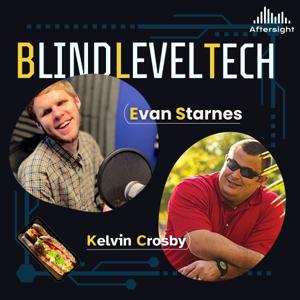
Blind Level Tech

Blind Level Tech

Download on the App Store

Blind Level Tech episodes

  • BLT Bites: Be My AI Comes To Windows
    Summary
    The Be My Eyes app for Windows allows users to take pictures and have an AI model describe them. The app is available in the Microsoft Store and requires a Microsoft account. Users can sign in with their Be My Eyes account or create a new one. The app includes features such as describing the screen, taking pictures using the built-in camera, uploading existing photos, and copying images to the clipboard for description. The app also has customizable keyboard shortcuts and a settings tab. Overall, the Be My Eyes app for Windows provides a convenient way for visually impaired individuals to access visual information.
    Takeaways
    The Be My Eyes app for Windows allows visually impaired individuals to access visual information through an AI model.
    The app includes features such as describing the screen, taking pictures, uploading existing photos, and copying images for description.
    Users can customize keyboard shortcuts and access settings for the app.
    The app requires a Microsoft account and is available in the Microsoft Store.
    chapters
    00:00 Introduction to Be My Eyes App
    01:01 Installing and Signing In
    02:23 Screen Description and Picture Taking
    03:50 Customizing Keyboard Shortcuts and Settings
    ★ Support this podcast ★
    10 min
  • BLT Bites: Be My AI Comes To Windows
    Summary
    The Be My Eyes app for Windows allows users to take pictures and have an AI model describe them. The app is available in the Microsoft Store and requires a Microsoft account. Users can sign in with their Be My Eyes account or create a new one. The app includes features such as describing the screen, taking pictures using the built-in camera, uploading existing photos, and copying images to the clipboard for description. The app also has customizable keyboard shortcuts and a settings tab. Overall, the Be My Eyes app for Windows provides a convenient way for visually impaired individuals to access visual information.
    Takeaways
    The Be My Eyes app for Windows allows visually impaired individuals to access visual information through an AI model.
    The app includes features such as describing the screen, taking pictures, uploading existing photos, and copying images for description.
    Users can customize keyboard shortcuts and access settings for the app.
    The app requires a Microsoft account and is available in the Microsoft Store.
    chapters
    00:00 Introduction to Be My Eyes App
    01:01 Installing and Signing In
    02:23 Screen Description and Picture Taking
    03:50 Customizing Keyboard Shortcuts and Settings
    10 min
  • BLT Bite: PiccyBot
    Blind Level Tech, or BLT, is a fun new show dedicated to the use of technology for those who are blind and have visual impairments. We will walk you through the latest and greatest tech from Apple to Microsoft and TVs to kitchen appliances. We will even throw in some good ole dad and tech jokes for good measure. Being blind is hard enough. Your tech experience should not be.
    ★ Support this podcast ★
    10 min
  • BLT Bite: PiccyBot
    Blind Level Tech, or BLT, is a fun new show dedicated to the use of technology for those who are blind and have visual impairments. We will walk you through the latest and greatest tech from Apple to Microsoft and TVs to kitchen appliances. We will even throw in some good ole dad and tech jokes for good measure. Being blind is hard enough. Your tech experience should not be.
    10 min
  • PiccyBot: Not Just an Image Description Application
    Summary
    In this episode, the hosts interview Martijn Van Der Spek, the developer of the app PiccyBot, an AI-based image description app. They discuss the different AI models used in the app, such as Gemini, GPT-3.5, RECA, GPT-4.0, and GROK2, and how each model has its own strengths and weaknesses. They also talk about the advantages of using open-source models like LAMA for privacy. The hosts explore the possibility of merging multiple models to create a supermodel and the potential risks of using AI for image description. They also mention the personality switch feature in PiccyBot that allows users to customize the description style. PiccyBot is an app that uses AI to provide descriptions of images and videos for blind and visually impaired users. It stands out from other similar apps because it offers multiple models and personalities, and it is currently the only app that provides video descriptions. The app is available on both iOS and Android platforms, and it offers a free version with limited features and ads, as well as a paid version with additional capabilities. The developer is hoping to secure grant funding to further improve and expand the app. PiccyBot has the potential to be integrated into other devices and applications, such as a smart cane.
    Chapters
    00:00 Introduction and Personal Updates
    03:04 Tech Piece of the Week: I Fix It Kit and Zoom P4 Podcast Mixer
    07:07 The Power of Different AI Models in Image Recognition
    13:14 Exploring the Strengths and Niches of AI Models
    16:43 Privacy and Control: The Benefits of Open-Source AI Models
    18:31 Creating a Supermodel: Merging AI Models for Better Image Description
    20:30 Customizing Image Descriptions with Pickybot's Personality Switch
    21:01 Introduction to PiccyBot and its Description Features
    22:31 Customization and Fun with PiccyBot's Personalities
    23:20 The Importance of Video Descriptions
    24:52 The Benefits of Upgrading to the Paid Version
    25:19 PiccyBot's Pricing Model
    26:12 Seeking Grant Funding for PiccyBot's Development
    28:07 Cross-Platform Availability and Development Process
    29:30 Future Plans for PiccyBot and User Feedback
    31:57 Opportunity for Public Voting in Google Gemini AI Competition
    32:32 Promoting PiccyBot and Support for the App
    35:14 Sandwich of the Week: Subby Tuna, Croissant with Boa, and Buffalo Chicken Slider
    37:44 Where to Find PiccyBot and Connect with the Developer
    39:31 Final Thoughts and Encouragement
    Thank you for listening to this episode of BLT if you have questions you know what to do. (720) 712-8856 or email at [email protected]
    ★ Support this podcast ★

    40 min
  • PiccyBot: Not Just an Image Description Application
    Summary
    In this episode, the hosts interview Martijn Van Der Spek, the developer of the app PiccyBot, an AI-based image description app. They discuss the different AI models used in the app, such as Gemini, GPT-3.5, RECA, GPT-4.0, and GROK2, and how each model has its own strengths and weaknesses. They also talk about the advantages of using open-source models like LAMA for privacy. The hosts explore the possibility of merging multiple models to create a supermodel and the potential risks of using AI for image description. They also mention the personality switch feature in PiccyBot that allows users to customize the description style. PiccyBot is an app that uses AI to provide descriptions of images and videos for blind and visually impaired users. It stands out from other similar apps because it offers multiple models and personalities, and it is currently the only app that provides video descriptions. The app is available on both iOS and Android platforms, and it offers a free version with limited features and ads, as well as a paid version with additional capabilities. The developer is hoping to secure grant funding to further improve and expand the app. PiccyBot has the potential to be integrated into other devices and applications, such as a smart cane.
    Chapters
    00:00 Introduction and Personal Updates
    03:04 Tech Piece of the Week: I Fix It Kit and Zoom P4 Podcast Mixer
    07:07 The Power of Different AI Models in Image Recognition
    13:14 Exploring the Strengths and Niches of AI Models
    16:43 Privacy and Control: The Benefits of Open-Source AI Models
    18:31 Creating a Supermodel: Merging AI Models for Better Image Description
    20:30 Customizing Image Descriptions with Pickybot's Personality Switch
    21:01 Introduction to PiccyBot and its Description Features
    22:31 Customization and Fun with PiccyBot's Personalities
    23:20 The Importance of Video Descriptions
    24:52 The Benefits of Upgrading to the Paid Version
    25:19 PiccyBot's Pricing Model
    26:12 Seeking Grant Funding for PiccyBot's Development
    28:07 Cross-Platform Availability and Development Process
    29:30 Future Plans for PiccyBot and User Feedback
    31:57 Opportunity for Public Voting in Google Gemini AI Competition
    32:32 Promoting PiccyBot and Support for the App
    35:14 Sandwich of the Week: Subby Tuna, Croissant with Boa, and Buffalo Chicken Slider
    37:44 Where to Find PiccyBot and Connect with the Developer
    39:31 Final Thoughts and Encouragement
    Thank you for listening to this episode of BLT if you have questions you know what to do. (720) 712-8856 or email at [email protected]
    39 min
  • Marty Sobo: Unmute Yourself
    Summary
    In this conversation, the hosts and guest discuss various topics related to technology and personal experiences. They start by sharing their recent hiking experience and the inspiring story of a blind hiker. Then, they move on to discuss tech recommendations, including microphones and packing cubes. The conversation shifts to Marty's journey in the music industry and his work with Apple. They also touch on the topic of Apple's new M1 processors and the right to repair. Marty shares his experience adapting to vision loss and learning to use assistive technology like VoiceOver. The conversation covers topics such as multitasking with multiple audio sources, the creation of ACB Community, the growth of the Unmute podcast, and challenges faced by beginners in using technology. The main takeaways include the importance of simplifying technology for beginners, the value of patience in waiting for a better outcome, and the need for intuitive and user-friendly interfaces. The conversation is divided into two chapters: 'ACB Community and Unmute Podcast' and 'Challenges Faced by Beginners in Using Technology'.
    Chapters
    00:00 Inspiring Stories from a Recent Hiking Trip
    03:31 Tech Recommendations: Microphones and Packing Cubes
    09:03 Journey in the Music Industry and Work with Apple
    12:55 Apple's M1 Processors and the Right to Repair
    17:21 Adapting to Vision Loss and Learning Assistive Technology
    23:12 ACB Community and Unmute Podcast
    31:09 Challenges Faced by Beginners in Using Technology
    Thank you for listening to this episode of Blind Level Tech. As always if you have questions, reach out to us at [email protected] or give us a call at (720) 712-8856. Have a great week.
    ★ Support this podcast ★

    45 min
  • Marty Sobo: Unmute Yourself
    Summary
    In this conversation, the hosts and guest discuss various topics related to technology and personal experiences. They start by sharing their recent hiking experience and the inspiring story of a blind hiker. Then, they move on to discuss tech recommendations, including microphones and packing cubes. The conversation shifts to Marty's journey in the music industry and his work with Apple. They also touch on the topic of Apple's new M1 processors and the right to repair. Marty shares his experience adapting to vision loss and learning to use assistive technology like VoiceOver. The conversation covers topics such as multitasking with multiple audio sources, the creation of ACB Community, the growth of the Unmute podcast, and challenges faced by beginners in using technology. The main takeaways include the importance of simplifying technology for beginners, the value of patience in waiting for a better outcome, and the need for intuitive and user-friendly interfaces. The conversation is divided into two chapters: 'ACB Community and Unmute Podcast' and 'Challenges Faced by Beginners in Using Technology'.
    Chapters
    00:00 Inspiring Stories from a Recent Hiking Trip
    03:31 Tech Recommendations: Microphones and Packing Cubes
    09:03 Journey in the Music Industry and Work with Apple
    12:55 Apple's M1 Processors and the Right to Repair
    17:21 Adapting to Vision Loss and Learning Assistive Technology
    23:12 ACB Community and Unmute Podcast
    31:09 Challenges Faced by Beginners in Using Technology
    Thank you for listening to this episode of Blind Level Tech. As always if you have questions, reach out to us at [email protected] or give us a call at (720) 712-8856. Have a great week.
    45 min

About Blind Level Tech

From the publisher's feed

Where accessibility meets innovation. Hosted by Liam Erven, Blind Level Tech explores the latest in assistive technology, accessible design, and everyday tools that empower the blind and low-vision community. Each episode dives into real stories, expert insights, and practical solutions—from screen readers and AI tools to mobility tech and inclusive apps. Whether you’re blind, low vision, a professional in the accessibility space, or simply curious about how technology is reshaping lives, this show offers fresh perspectives and actionable takeaways.

More shows like Blind Level Tech

No Entries by Aftersight

No Entries

1 Listeners

High Country News by Aftersight

High Country News

2 Listeners

The Christian Science Monitor by Aftersight

The Christian Science Monitor

3 Listeners

Opera News by Aftersight

Opera News

1 Listeners

Colorado Kitchen Stories by Aftersight

Colorado Kitchen Stories

1 Listeners

Denver Urban Spectrum by Aftersight

Denver Urban Spectrum

3 Listeners

Prairie Times by Aftersight

Prairie Times

1 Listeners

No Entries by Aftersight

No Entries

1 Listeners

50 Plus Marketplace FrontRange by Aftersight

50 Plus Marketplace FrontRange

1 Listeners

No Entries by Aftersight

No Entries

1 Listeners

National Geographic en Español by Aftersight

National Geographic en Español

15 Listeners

No Entries by Aftersight

No Entries

1 Listeners

No Entries by Aftersight

No Entries

1 Listeners

Commerce City Connected by Aftersight

Commerce City Connected

0 Listeners

Navigating Life with Vision Loss by Aftersight

Navigating Life with Vision Loss

5 Listeners

No Entries by Aftersight

No Entries

0 Listeners

No Entries by Aftersight

No Entries

0 Listeners

No Entries by Aftersight

No Entries

0 Listeners

Volunteer Spotlight by Aftersight

Volunteer Spotlight

0 Listeners