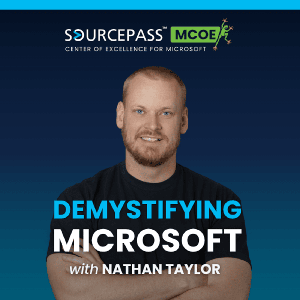
Demystifying Microsoft

Demystifying Microsoft

By Sourcepass Center of Excellence for MicrosoftNewsTechnologyEducationHow ToTech News
Download on the App Store

Demystifying Microsoft episodes

  • The Threats Microsoft Defender Sees Before your EDR with Nick Ross
    Microsoft Defender for Endpoint security and EDR telemetry offer a powerful fail safe for organizations. Nathan Taylor and Nick Ross look at the technical advantages of enabling passive mode to maximize Microsoft 365 licensing. They examine how this configuration allows businesses to retain their preferred third-party EDR while gaining access to Microsoft identity signals and SmartScreen phishing protection. 


    The conversation highlights the value of the Microsoft XDR portal for threat hunting and how additional telemetry improves the accuracy of Security Copilot. By utilizing the built in sensor for Endpoint DLP and web content filtering, IT leaders can simplify their security stack without sacrificing performance.


    What You’ll Learn:
    • How to configure passive mode to prevent antivirus conflicts on Windows devices
    • The specific telemetry benefits for Security Copilot and incident response
    • Ways to implement Endpoint DLP to track data exfiltration to USB or personal email
    • Why the Defender for Business vulnerability management tool outperforms basic checklists
    • The truth about using block mode as a secondary detection engine for known threats
    • Steps for testing this setup with a pilot group using Intune profiles


    About the Guest:

    Nick Ross is the CEO of CloudCapsule and a three-time Microsoft MVP specializing in Microsoft 365 security and automation. As the creator of the T-Minus 365 YouTube channel, he has built a following by breaking down complex Microsoft topics into practical guidance for MSPs, IT professionals, and SMBs.

    Nick's career spans leadership roles at CloudCapsule, Sourcepass, Summit Technology, and Pax8, where he helped shape products and services across the Microsoft ecosystem. Known for his hands-on approach to security assessments, remediation, identity protection, and Microsoft best practices, Nick is dedicated to helping organizations secure and optimize their Microsoft environments.


    Episode Highlights:

    [00:02:45] The Concept of Passive Mode 

    Nick explains that passive mode allows Microsoft security tools to coexist with third-party software like CrowdStrike. This setup ensures you still receive the benefits of threat and vulnerability management included in your current subscription without causing system instability.


    [00:05:12] Connecting Identity to the Endpoint 

    Nathan points out that Microsoft sees both sides of a connection, linking logins to the actual device. This visibility provides better detection for man in the middle phishing attacks that standalone EDR tools might miss.


    [00:08:58] Preparing for the Era of AI
     

    AI tools require a massive amount of data to provide accurate results for security teams. Enabling the Defender sensor ensures Security Copilot has the telemetry needed to assist with complex incident response tasks.


    [00:11:00] Endpoint DLP for Data Governance
     

    Nick describes how the Defender sensor tracks sensitive data movement, such as files being copied to USB drives or personal Gmail accounts. This functionality works natively in the operating system without requiring additional heavy agents.


    [00:15:30] Automating the Configuration
     

    Most modern Windows devices detect an active third-party antivirus and switch to passive mode automatically. However, using specific registry keys is a best practice to ensure servers and workstations remain stable during the process.


    [00:27:14] Consolidating the Security Stack
     

    Moving security signals into a single portal like Microsoft Lighthouse or the XDR dashboard reduces operational overhead. It allows teams to triage alerts from multiple clients or departments from one central location.


    Episode Resources:

    Standard security is a checklist. True resilience is a graph. If you want to understand how to use your security data to create a proactive defense strategy, reach out to the Sourcepass MCOE team: https://sourcepassmcoe.com/demystifying-microsoft-contact?utm_source=podcast&utm_medium=show-notes&utm_campaign=demystifying-microsoft-show

    Nick Ross on LinkedIn

    Nathan Taylor on LinkedIn


    Quotes
    • "I like to think about it in the sense of the funnel. If SentinelOne does its job and it analyzes some event or action on the endpoint and says, 'hey, I don't think this is malicious,' then Microsoft could come in at the end of that and still say, 'this is malicious' and take action and block events."
    • "ASR rules are super powerful and they can actually stop a lot, but they are super disruptive in legacy environments.”
    • “So with modern clients, you can audit it for about forty-five days and probably see that nothing's gonna really break, and then enforce that, which gives you a lot of protections."
    • "AI is always better with more data. And so if you're running security copilot and CrowdStrike, you probably still want passive mode because the data that Security Copilot gets through Sentinel and through collecting all those back end pieces of telemetry is going to help you someday with incident response."
    • "Nothing turns a high-end computer into potato like two antiviruses fighting over a computer.”

    Demystifying Microsoft is handcrafted by our friends over at: fame.so
    29 min
  • The GCC High Trap that Kills DoD Contracts
    Truly understanding government contracting requires more than just good intentions; you must have the right digital environment to really be suitable for it. Nathan Taylor and Lindsay Cowan look at the specific tiers of Microsoft’s government clouds to clarify which organizations actually need them. While GCC serves as an entry point for many civilian agencies, GCC High is the standard for contractors dealing with CUI and ITAR data. They explain that moving to these clouds is a full-scale migration, not a simple license toggle.


    The conversation highlights the strategy of enclaving to manage costs and maintain productivity. By isolating sensitive data for a subset of users, organizations can avoid the restrictive feature sets and high costs of moving an entire workforce into a government-only tenant. Nathan and Lindsay also detail the eligibility process, including the importance of CAGE codes for validation. Using these identifiers fast-tracks approval and ensures that businesses can meet their contractual obligations without unnecessary delays.


    What You’ll Learn:
    • The structural differences between GCC and GCC High infrastructure
    • How to use enclaves to limit compliance costs and user impact
    • The role of CMMC and ITAR in choosing your cloud tier
    • Why government cloud eligibility requires upfront validation
    • The migration reality: Why you can't just flip a switch
    • Procurement nuances for Azure Gov and Microsoft 365 government SKUs


    About the Guest:
     

    Lindsay Cowan is a Senior Manager of Sales and Business Development at Sourcepass MCOE, a company focused on helping organizations simplify, secure, and optimize their Microsoft environments. With over a decade in the Microsoft ecosystem, she specializes in helping organizations maximize their investment in Windows and SQL Server technologies through strategic licensing and cloud adoption.

    About the Host:
    Nathan Taylor is the Senior Vice President and Global Microsoft Practice Leader at Sourcepass, where he leads the Sourcepass Center of Excellence for Microsoft. His work is grounded in a simple idea: Microsoft should not be complicated. By removing complexity, confusion, and frustration from the Microsoft ecosystem, Nathan helps organizations focus on outcomes while getting the most from their Microsoft investment.
    Episode Highlights:

    [00:02:35] Understanding Microsoft 365 GCC 

    Understand the role of GCC as the initial entry point for government entities and how this tier uses logical segregation on commercial infrastructure to meet moderate impact data requirements.

    [00:05:42] The Jump to GCC High and Azure Gov 

    Learn how GCC High serves as a physically separate environment built specifically for the defense industrial base. This tier provides the rigorous data sovereignty and personnel screening required for ITAR and CMMC level two compliance.

    [00:09:32] Managing Feature Delays Through Enclaving 

    Moving to a government cloud often means seeing new features months after the commercial release. Nathan suggests using an enclave strategy to limit these restrictions and higher costs to only the users who handle sensitive data.

    [00:19:14] Eligibility and the Power of Cage Codes 

    Accessing these clouds requires strict validation from Microsoft to ensure the organization is a qualifying entity. Having a CAGE code acts as an identifier that speeds up the approval process significantly.

    [00:32:55] The Reality of the Migration Process 

    Transitioning to GCC or GCC High is a full lift and shift operation rather than a simple license change. Organizations must prepare for a complete data migration using specialized tools that meet high compliance standards.

    [00:35:54] Compliance is Not Just a Security Upgrade 

    A common myth is that government clouds are inherently more secure than commercial ones. These environments focus on compliance guarantees regarding who can touch data and where it resides rather than just adding security features.


    Episode Resources:
     

    Reach out to Sourcepass MCOE to understand your options when it comes to government clouds: https://sourcepassmcoe.com/demystifying-microsoft-contact ?utm_source=podcast&utm_medium=show-notes&utm_campaign=demystifying-microsoft-show;

    Lindsay Cowan on LinkedIn 

    Nathan Taylor on LinkedIn


    Quotes:
    • "Microsoft is vouching for the people accessing it, and the data centers are US only, but all of the configuration, the policies, the procedures, all the things that really make up a compliance program are yours. 
    • Microsoft's providing compliant plumbing. You're the one who's hooking up into the house and building the house."
    • "It's not that it's more secure. What is different is that it is compliance guarantees about data residency, isolations, and who can touch it. 
    • When you start looking into the ITAR and CUI controls, it's all about who's allowed to get to this data, and can you prove that?"
    • "GCC does require eligibility validations. Confirming eligibility early is the best thing that you can do. 
    • There's nothing worse than working with a client who is already envisioning this GCC environment and then perhaps they are not eligible."

    Demystifying Microsoft is handcrafted by our friends over at: fame.so
    42 min
  • The Costly Mistake Companies Make When Rolling Out Agentic AI in Microsoft 365
    Microsoft 365 human success and AI-powered performance take center stage as Nathan Taylor of Sourcepass MCOE welcomes Robin Daniels from Zensai. They analyze how organizations can move away from administrative HR tools toward systems that genuinely motivate people. Robin shares insights from his career at Salesforce and LinkedIn, explaining why investing in human potential leads to better business results. The conversation highlights agentic AI, showing how proactive tools work in the background to provide timely training and performance insights.


    What You’ll Learn:
    • How Zensai integrates human success directly into Microsoft 365 workflows
    • The difference between reactive AI and proactive agentic AI
    • Why traditional HR technology often fails to motivate high performance
    • Strategies for training employees on Copilot and AI basics effectively
    • How to maintain humanity and connection in a remote-first world


    Leaders who want to use technology to augment their teams rather than replace them would find some inspiration in this episode. By removing mind-numbing administrative tasks, AI allows employees to focus on meaningful work that changes how society operates.


    About the Guest:

    Robin Daniels is the Chief Business Officer at Zensai, leading the charge for AI-powered human success platforms. With twenty-five years of experience at companies like Salesforce, LinkedIn, and Box, he focuses on how technology impacts the way we work and live. He co-authored a narrative on leadership that challenges CEOs to prioritize people over cost-cutting. Robin now helps organizations within the Microsoft ecosystem unlock the knowledge and skills their teams need every day.


    Episode Highlights:

    [00:03:00] Moving Beyond Administrative HR Tools 

    Most HR platforms merely handle payroll and vacation requests rather than inspiring growth. Zensai aims to change this by focusing on motivation, skills, and the knowledge required for incredible work.


    [00:06:00] The Power of Native Microsoft Integration
     

    Building tools directly into Teams and SharePoint ensures technology appears where people already spend their time which removes the friction of logging into separate systems to receive feedback or take courses.

    [00:08:49] Combating AI FOMO with Consistent Learning 
    Many leaders feel behind the curve because technology changes so rapidly every single day. The solution lies in taking small chunks of training that fit into the gaps between meetings.

    [00:15:00] The Leadership Choice: Growth vs. Cutting 

    Companies often use efficiency gains to reduce headcount instead of investing in new innovations. True success comes from having the courage to help employees grow into future roles.

    [00:21:00] Restoring Human Connection in Work 

    Remote environments can cause teams to lose the sense of camaraderie found at the water cooler. Technology should act as a bridge that creates community and a sense of belonging for every worker.

    [00:26:42] Defining Agentic AI for Business 

    Proactive technology works twenty-four seven in the background without needing constant user prompts. It identifies team sentiment and suggests training moments before a manager even asks for a report.

    Episode Resources:
    If you are looking to create a high performing culture by leveraging your Microsoft tools, contact us here: https://sourcepassmcoe.com/demystifying-microsoft-contact ?utm_source=podcast&utm_medium=show-notes&utm_campaign=demystifying-microsoft-show;

    Robin Daniels on LinkedIn 
    Nathan Taylor on LinkedIn

    Quotes
    • "We think of these two as being very much as both at the individual level, at the team level, and, of course, at the company level. But do so in a way that's really kinda inspiring and motivational for you. “
    • “I think for the last twenty, thirty years, I think we've been oversold on the promises of HR technology."
    • "The way you optimize human performance is by being there when people need it the most. Not this extra thing you have to go do.”
    • “I've had access to learning platforms before and, hey, go take these great courses, and I never did it because it was always this extra thing that was something I had to remind myself."
    • "The bad guy is really ignorance or trying to think that we wanna replace people with just technology. We don't wanna be on that side of history. We've made that kind of clear from a philosophical perspective."

    Demystifying Microsoft is handcrafted by our friends over at: fame.so
    34 min
  • 10 Conditional Access Mistakes Leaving your Microsoft 365 Tenant Exposed
    Microsoft identity security is no longer just about requiring a password. Nathan Taylor, lead of the Sourcepass Center of Excellence for Microsoft, breaks down the rules for modern access control. You will see how Conditional Access functions as a Zero Trust enforcement layer, evaluating signals before any sensitive data is accessed. 

    The conversation talks about how to properly scope policies, utilize report only mode, and maintain emergency break glass accounts for recovery. Organizations that implement these layers can block over 99% of common account compromise attempts.
    What You’ll Learn:
    • How to configure phishing-resistant MFA using FIDO2 passkeys for your most sensitive administrative roles.
    • Methods for blocking legacy authentication to stop the vast majority of common credential stuffing attacks.
    • The process for requiring managed or compliant devices to neutralize sophisticated token stealing maneuvers.
    • Strategies for limiting administrative session lengths to reduce the window of opportunity for threat actors.
    • Ways to implement active identity protection using risky sign in and risky user policies with Entra ID P2.
    • The importance of separating administrative duties from daily email accounts to harden your organizational posture.


    Episode Highlights:
    [00:04:15] The Identity Firewall Logic Nathan describes why modern security relies on Conditional Access as the primary Zero Trust enforcement tool. These rules act as digital gatekeepers, determining exactly how and when a user connects based on specific risk signals.

    [00:07:30] Avoiding the Admin Lockout Implementing strict security can accidentally lock administrators out of their own systems if not handled carefully. This segment outlines the necessity of break glass accounts and the strategic use of report only mode during deployment.

    [00:16:30] Redundant Layers for Admins While MFA for all users is a baseline, administrative accounts require an additional, dedicated layer of protection. This secondary policy ensures that even if an exclusion is made elsewhere, privileged access remains guarded.

    [00:20:45] Shutting the Legacy Door 
    Legacy authentication remains a massive vulnerability because it bypasses modern multi factor checks. Nathan explains how to identify and block these aging protocols while monitoring logs to ensure business continuity isn't disrupted.

    [00:25:30] Phishing Resistance with FIDO2 Standard MFA is no longer enough to stop advanced attackers using separate cryptographic channels for authentication. The talk highlights why FIDO2 passkeys are the gold standard for protecting executives and high value data.

    [00:31:15] Combating Token Stealing Threat actors are increasingly replaying stolen tokens to bypass identity checks entirely. Managed device policies solve this by requiring a known, trusted hardware signal before granting any access to the tenant.

    About The Host - Nathan TaylorNathan Taylor is the Senior Vice President and Global Microsoft Practice Leader at Sourcepass, where he leads the Sourcepass Center of Excellence for Microsoft. His work is grounded in a simple idea: Microsoft should not be complicated. By removing complexity, confusion, and frustration from the Microsoft ecosystem, Nathan helps organizations focus on outcomes while getting the most from their Microsoft investment.

    Episode Resources:Don’t let a single misconfigured rule become your organization's greatest vulnerability. Connect with our team of Microsoft problem solvers to turn these ten Conditional Access policies into secure outcomes for your environment:
    • Sourcepass MCOE: https://sourcepassmcoe.com/demystifying-microsoft-contact?utm_source=podcast&utm_medium=show-notes&utm_campaign=demystifying-microsoft-show
    • Nathan Taylor on LinkedIn
    • Microsoft Security Defaults article: https://learn.microsoft.com/en-us/entra/fundamentals/security-defaults

    Quotes
    • "Conditional access is Microsoft's zero trust enforcement layer. I like to call it the firewall rules for identity. It's the rules about where and how and when someone can connect to a tenant. This blocks 97% of the credential stuffing hacks, so it can be blocked by turning a blocking legacy off."
    • "If you haven't been playing with FIDO2 passkeys on your tenants, you need to go play with FIDO2 passkeys because they are phishing resistant in ways that none of the other authentication methods are.”
    • “FIDO2 passkeys use a separate cryptographic channel to authenticate you. They're not vulnerable to the same token stealing attacks."
    • "It's worth looking at PIM PAM. It's very easy to add a couple intra ID P2 licenses to a tenant and build out PIM just in time access capability for those admin roles."
    Demystifying Microsoft is handcrafted by our friends over at: fame.so
    41 min
  • Why Microsoft Copilot Keeps Disappointing your Team with Graham Rosenberg
    Nathan Taylor and Graham Rosenberg explore the next evolution of work. They dive deep into the experimental features currently transforming the Microsoft ecosystem. Moving beyond the hype of simple chat interfaces, they discuss the application of AI agents that take action on your behalf, from automating service desk tickets to triaging overloaded email inboxes.
    Graham shares his firsthand experience with Copilot Cowork and WorkIQ, explaining how these tools learn your specific brand voice and organizational context. The conversation highlights why breaking legacy habits, like reflexive Googling, is necessary to build the muscle memory required for an AI-driven future. By focusing on governance and specialized sub-agents, businesses can minimize technical errors while maximizing the speed of their operations.

    What You’ll Learn:
    • How to enable the Copilot Frontier program and scope it for early adopters.
    • The massive productivity gains of using Claude Opus within Microsoft Excel.
    • Strategies for building small, specialized agents to avoid AI hallucinations.
    • The difference between personal Copilots and business-level AI agents.
    • Why quarterly training is more effective than one-off AI workshops.
    • How Microsoft Agent 365 will help organizations govern their digital personas.

    About the Guest:Graham Rosenberg is the Director of Intelligence and Automation at Sourcepass, leading the divisions for Business Intelligence, AI, and Robotic Process Automation. With a background in RPA starting in 2019, he now focuses on integrating agentic AI into internal workflows and client operations to drive scalable, secure outcomes.


    Episode Highlights:
    [00:09:07] Defining the Copilot Frontier Program Graham explains that Frontier provides early access to experimental Microsoft 365 features before they hit the general public. It allows admins to test new capabilities like multi-model choices and advanced agents in a controlled security group.

    [00:11:15] Claude Opus in Excel as a Game Changer Previously, Copilot in Excel often struggled with complex data tasks or large files. Graham describes how enabling the Anthropic model via Frontier transformed Excel into a superpower capable of analyzing half a million rows without crashing the computer.

    [00:22:26] Multi-App Productivity with Copilot Cowork This feature allows AI to move across multiple apps to perform coordinated tasks, such as triaging a cluttered inbox. Nathan and Graham discuss how it can categorize mission-critical emails and even draft responses based on previous meeting transcripts.

    [00:27:57] WorkIQ and Organizational Intelligence Nathan highlights WorkIQ as a favorite feature because it allows Copilot to learn specific brand tones and messaging. This intelligence layer ensures that generated outlines and documents reflect the actual culture and history of the business.

    [00:33:00] Specialized Agents vs. Monolithic Systems Rather than building one giant AI to handle everything, Graham advocates for creating sub-agents with a narrow focus. This strategy minimizes the risk of hallucinations and ensures high-quality output for specific tasks like ticket categorization.

    [00:40:11] The Champion Strategy for AI Success AI technology moves too fast for a single annual training session to be effective. Graham suggests identifying internal champions who test Frontier features and lead recurring monthly or quarterly education sessions for the rest of the team.

    Episode Resources:If you are ready to move your organization beyond basic chatbots and start building a digital workforce of AI agents reach out to our team to discuss your strategy here: https://sourcepassmcoe.com/demystifying-microsoft-contact?utm_source=podcast&utm_medium=show-notes&utm_campaign=demystifying-microsoft-showGraham Rosenberg on LinkedInNathan Taylor on LinkedIn


    Quotes
    • "I look at it as two lanes. One is like personal AI, like Copilots, your ChatGPTs, your Claudes, like individuals interacting with these chatbots to make themselves more efficient. But then there's the other side of the agentic side and agents that do that same thing but for your business, not for individuals."
    • "I always tell friends, coworkers, anyone that AI is not the solution. It's a tool in your tool belt, and you should use it as such. It's like an executive assistant that's way smarter than you."
    • "Keeping the context just as small as possible will get you the best results. You don't realize that you're chatting with a dozen different agents behind the scenes because the framework takes care of all that for you."
    • "You really have to get in there and do it yourself. Figure out what it's good at, what it's not good at, and how to prompt it correctly. Until you play with it, you don't know what it can and can't do."
    • "By 2030, if you are a SaaS vendor and you still require individuals to log in to your platform through a web browser, you're behind. You need to be thinking of how can I build my app for agents to interact with my data."

    Demystifying Microsoft is handcrafted by our friends over at: fame.so
    43 min
  • How Attackers Bypass Microsoft 365 MFA Without Stealing Passwords
    Identity is the primary battleground for security today. As you know, most IT leaders have double locked the front door with MFA and FIDO2 keys, yet a sophisticated threat is hitting Microsoft 365 organizations by exploiting legitimate authentication pathways. Device code flow, typically used for browserless devices like Teams phones or conference room PCs, is being weaponized to trick users into authenticating attacker requests. 
    Because the user provides valid credentials through their own trusted device, the resulting token is vetted as secure. This effectively turns your own high end security controls into a credential laundering service for threat actors.
    In this episode, Nathan Taylor looks at why this side door remains open in most tenants and provides a roadmap for closing it. You will see how to leverage Entra ID sign in logs to audit usage before moving to enforcement. By using smart exclusions within Conditional Access policies, you can maintain simplicity for legitimate devices while completely neutralizing this attack vector. This is not a theoretical risk; it is an active campaign that requires immediate attention to ensure your identity layer remains resilient.
    What You’ll Learn:
    • The mechanics of Device Code Flow and how attackers weaponize legitimate authentication for OAuth abuse.
    • Why your MFA investments can be used against you as a "credential laundering" service.
    • Detailed steps for auditing your sign-in logs to identify legitimate device usage.
    • How to build a "Block Device Code Flow" policy in minutes with the correct exclusions.
    • Methods for report only deployment to avoid disrupting conference rooms.
    • Compensating controls like risk based detection that catch attackers who slip through.

    About The Host - Nathan Taylor
    Nathan Taylor is the Senior Vice President and Global Microsoft Practice Leader at Sourcepass, where he leads the Sourcepass Center of Excellence for Microsoft. His work is grounded in a simple idea: Microsoft should not be complicated. By removing complexity, confusion, and frustration from the Microsoft ecosystem, Nathan helps organizations focus on outcomes while getting the most from their Microsoft investment.


    Episode Highlights:
    [00:01:36] The Side Door Analogy 
    Device code flow works much like authenticating Netflix on your Roku by using a secondary device to enter a code. Attackers exploit this familiar workflow to slide into your Microsoft 365 environment while your team is busy watching the front door.

    [00:03:30] Security as an Accomplice 
    When a user authenticates a malicious device code request, they use their proper methods like FIDO2 keys or compliant devices. This means the attacker receives a token that is already vetted as highly secure, essentially bypassing all your downstream defenses.

    [00:10:20] The Identity Firewall 
    Conditional access policies act as the firewall for your identity, controlling who enters and under what specific circumstances. Nathan highlights why these policies are the most critical piece of security for any modern Microsoft 365 tenant.

    [00:11:30] Auditing Before Acting 
    You do not have to guess if your organization is at risk or if a block will break your office. By filtering Entra ID sign in logs by the device code flow protocol, you can identify exactly which conference rooms or desk phones actually rely on this feature.

    [00:15:00] Building Smart Exclusions A blanket block can cause a Friday afternoon crisis if it disconnects your Teams rooms. The key is building a policy that blocks the flow for the general user base while creating specific exclusions for verified service accounts and devices.

    [00:18:20] The Report Only Strategy 
    Implementation does not have to be disruptive if you follow a staged approach. Running a new policy in report only mode for a week allows you to verify that no legitimate logins are being caught in the net before you flip to full enforcement.


    Episode Resources:
    If you are ready to secure your side door and want to discuss your identity strategy with one of our Microsoft problem solvers, reach out to us here: 
    • Sourcepass MCOE : https://sourcepassmcoe.com/demystifying-microsoft-contact
    • Nathan Taylor on LinkedIn

    Quotes
    • "Device code flow attacks are interesting because it is kind of coming in the side door. The threat actors have figured out: if I can get you to do a device code flow for me as the threat actor, you are gonna go through all your proper authentication methods."
    • "Where it becomes dangerous is the threat actors have figured out, oh, if I can get you to do a device code flow for me as the threat actor, you are gonna go through all your proper authentication methods. You are gonna use your YubiKey or your passkey, and you are gonna authenticate it properly. But now I have a token as you, and that token is vetted as having passed all of our authentication methods."
    • "Conditional access policies, these are the firewall rules around identity. It is how we control who is coming and going and under what circumstances they are allowed to do things, and this is the majority of the security around your Microsoft 365 tenant."

    Demystifying Microsoft is handcrafted by our friends over at: fame.so
    16 min
  • Why Hackers Hate Passkeys: Microsoft FIDO2 Explained with Dom Kirby
    Nathan Taylor from Sourcepass MCOE and Dom Kirby from Pax8 dive into the evolution of identity security, moving from simple passwords to advanced phishing-resistant authentication. As you know, traditional multi-factor authentication like SMS and six-digit codes is increasingly vulnerable to sophisticated token-stealing and adversary-in-the-middle (AITM) attacks. 

    Dom explains how the FIDO2 standard uses public-key cryptography to ensure mutual authentication, effectively neutralizing these common threats by verifying the domain before any exchange occurs.

    The discussion addresses the practicalities of a corporate rollout. They compare the high-security benefits of physical YubiKeys against the emerging ease of use provided by device-bound passkeys in the Microsoft Authenticator app. For IT leaders, the focus is on risk management and staging deployments through user tranches rather than a one-size-fits-all approach. By leveraging existing tools like Windows Hello for Business and Microsoft Entra ID, organizations can significantly harden their security posture against today's most prevalent digital threats.

    What You’ll Learn:
    • Why traditional MFA, like SMS and TOTP, is no longer sufficient against AITM attacks
    • How FIDO2 uses mutual authentication to prevent domain-spoofing and token theft
    • The difference between physical security keys and mobile-based passkeys
    • How to leverage Windows Hello for Business as a phishing-resistant authenticator
    • Strategic ways to stage a FIDO2 rollout using user tranches
    • Solutions for scaling hardware-backed security in MSP and service desk environments

    About the Guest:Dom Kirby is the Senior Director of Professional Services at Pax8, where he leads a team supporting MSP partners worldwide. His work is grounded in a simple belief: technology only matters when it creates meaningful outcomes for people and businesses. By aligning strategy, people, and process, Dom helps partners grow, gain efficiencies, and strengthen cyber resilience.
    About the Host:Nathan Taylor is the Senior Vice President and Global Microsoft Practice Leader at Sourcepass, where he leads the Sourcepass Center of Excellence for Microsoft. His work is grounded in a simple idea: Microsoft should not be complicated. By removing complexity, confusion, and frustration from the Microsoft ecosystem, Nathan helps organizations focus on outcomes while getting the most from their Microsoft investment.
    Episode Highlights:
    [00:03:00] The Vulnerability of Modern MFA 
    SMS and TOTP were major improvements over passwords, but they no longer suffice against modern session-stealing techniques. Dom highlights how actors exploit these mediums, making phishing-resistant methods a necessity rather than an option for modern businesses.

    [00:05:00] Anatomy of an Adversary-in-the-Middle Attack 
    These attacks work by placing a reverse proxy between the user and the legitimate service to steal session tokens. Once an attacker has this token, they can bypass MFA entirely because the service believes the user has already authenticated.
    [00:11:00] The Core Logic of FIDO2
     
    FIDO2 replaces shared secrets with proof of possession and mutual authentication to ensure both parties are who they claim to be. This open standard, backed by industry giants, ensures that authentication only happens with the legitimate domain.

    [00:15:00] Moving Toward Approachable Passkeys 
    Passkeys simplify the FIDO2 experience by using biometrics on mobile devices instead of requiring separate physical hardware. This shift makes a high-level security approachable for the average user while maintaining the same underlying cryptographic protections.

    [00:24:00] Staging Your Security Rollout 
    Deploying phishing-resistant MFA should be phased in, starting with high-privilege administrators and executive teams. This risk-based approach allows IT teams to identify edge cases and legacy applications that might not yet support modern authentication.

    [00:26:00] Scaling FIDO2 for Service Providers Scaling hardware-backed security across multiple client tenants presents unique hurdles for technicians who traditionally used shared accounts. Nathan and Dom discuss using GDAP and PIM/PAM as better alternatives to maintain security without the risk of "golden tickets" leaving with former employees.

    Episode Resources:
    If you are ready to move your organization toward a phishing-resistant future and want to discuss your strategy with one of our Microsoft problem solvers, reach out to us here: https://sourcepassmcoe.com/demystifying-microsoft-contact ?utm_source=podcast&utm_medium=show-notes&utm_campaign=demystifying-microsoft-show;

    Dominic Kirby on LinkedIn Nathan Taylor on LinkedIn

    Quotes
    • "Basically, what we're saying is we no longer need a secret to be told to the recipient or the authorizer. That's not what we do anymore. We're simply saying we need proof of possession in the cryptography world or proof that you know a secret without telling me the secret."
    • "That YubiKey knows that credential for Microsoft is for microsoft.com. If badguy.com asks for that token, it doesn't have a token for that. It has nothing to do. The authentication can never finish because the two parties have an established trust."
    • "Windows Hello for Business has two models. In the cloud model, it's the FIDO key, and they're using the TPM on your computer. It turns the entire laptop or device into a security key. It is two factor authentication because I have physical possession of the device, and I can unlock it with my face or my PIN."
    • "Password, they never will, but passwords have to go. There will always be a password somewhere. Your network router is gonna have a password. But passwords are bad. They are not a good measure anymore."
    • "Go to your Google accounts. Don't have a passkey. Go to your Apple does it. Microsoft personal accounts. Ironically, you can do it everywhere except for your bank. You could probably enroll a passkey, and they'll catch up someday."

    Demystifying Microsoft is handcrafted by our friends over at: fame.so
    40 min
  • Microsoft Entra: The Security Advantage Most Teams Overlook

    Microsoft Entra Suite provides a comprehensive Zero Trust identity solution, including Entra ID Governance, Protection, Private Access, and Internet Access. As organizations face increasingly sophisticated identity-based attacks, the traditional network perimeter is no longer sufficient. Nathan Taylor, lead of the Sourcepass Center of Excellence for Microsoft, details the strategic shift toward identity-centric security. This deep dive covers the recent updates to the Entra portfolio, specifically focusing on how the suite integrates into the upcoming Microsoft 365 E7 bundle. 

    The conversation highlights ways to replace aging VPN infrastructure with more secure, per-app tunneling methods. Nathan addresses the emerging challenge of managing non-human identities through Entra Agent ID. By examining the synergy between AI-driven risk engines and conditional access, this episode provides a roadmap for IT leaders looking to modernize their security posture. 

    Whether you are managing a mid-market enterprise or a large-scale organization, understanding these identity layers is critical for preventing account compromise and ensuring least privilege access. Learn how to leverage verified IDs to combat deepfakes and secure your workforce in an AI-first world.

    What You’ll Learn:
    • The five core pillars that integrate to form the Microsoft Entra Suite for a unified Zero Trust strategy.
    • How conditional access functions as the real-time engine that evaluates signals before every single access request.
    • Strategies for replacing legacy VPNs with private access solutions that provide secure, per-app tunneling.
    • Ways to manage and govern non-human AI agent identities to prevent unchecked access in your infrastructure.
    • Methods for using biometric liveness checks and verified IDs to defend your organization against deepfake spoofing.
    • How to automate identity lifecycles, including onboarding, offboarding, and providing just-in-time administrative access.
    • The role of the Entra Suite within the upcoming Microsoft 365 E7 bundle and how it fits into your existing licensing.

    Episode Highlights:[00:09:15] Conditional Access Logic Nathan describes the mechanisms that function as the digital firewall for your enterprise identities. This section explores how various signals interact to permit or deny access in real time. You might find the discussion on how these rules adapt to specific device platforms particularly relevant to your current security roadmap.

    [00:15:30] The Future of Remote Connectivity There is a significant focus on moving away from traditional methods of connecting to private resources. The episode touches on the inherent vulnerabilities of older hardware-based solutions that many teams still rely on today. Understanding the shift to per-app tunneling could change how you view your network boundary.
    [00:29:29] AI Identity Governance
     As more autonomous entities enter the workspace, the need for distinct permissions becomes paramount. This portion of the talk looks at how to avoid invisible actors within your infrastructure. It raises interesting questions about how we treat non-human users in a standard security framework.

    [00:11:45] Risk Re-evaluation in Real Time Most security checks happen at the front door, but this episode explores what happens after a user is already inside. Nathan explains a method for continuous monitoring that can revoke access the moment a threat is detected. It is a look at a more dynamic way to handle session security during a breach attempt.

    [00:27:10] Combatting AI-Driven Spoofing Identity verification is evolving to handle sophisticated threats like deepfakes. The discussion covers a new way to ensure a person is actually who they claim to be during high-risk workflows. This approach uses biometric checks that are designed to be much harder to bypass than traditional MFA.

    [00:31:45] Strategic Licensing Decisions Choosing between different tiers of security can be complex, given the recent rebranding of legacy products. Nathan breaks down the practical differences between the standard identity tiers and the full integrated suite. This segment clarifies which features are essential for a robust defense strategy versus what might be redundant.

    About The Host - Nathan Taylor
    Nathan Taylor is the Senior Vice President and Global Microsoft Practice Leader at Sourcepass, where he leads the Sourcepass Center of Excellence for Microsoft. His work is grounded in a simple idea: Microsoft should not be complicated. By removing complexity, confusion, and frustration from the Microsoft ecosystem, Nathan helps organizations focus on outcomes while getting the most from their Microsoft investment.

    Episode Resources:Chat with our team about hardening your environment against modern credential-based threats:
    • Sourcepass MCOE : https://sourcepassmcoe.com/demystifying-microsoft-contact
    • Nathan Taylor on LinkedIn
    Demystifying Microsoft is handcrafted by our friends over at: fame.so
    32 min
  • Navigating SQL Server Licensing and Windows Server Strategies
    Navigating the Microsoft licensing landscape often feels like deciphering a secret code, especially the Cloud Service Provider (CSP) program. As Microsoft retires legacy Open License programs, IT leaders must delineate moving toward modern Cloud Service Provider (CSP) subscriptions to unlock significant cost savings for Windows and SQL Server environments via the Azure Hybrid Use Benefit.

    In this episode, Nathan Taylor and Lindsay Cowan from the Sourcepass Center of Excellence for Microsoft break down the transition from legacy OEM and Open License models to modern subscription-based strategies. We dive deep into the nuances of core-based licensing, the "honor system" of CALs, and why the move to CSP offers unprecedented management clarity via the Microsoft Admin Portal. 

    The conversation moves beyond basic compliance into strategic cost-saving opportunities like Azure Hybrid Use Benefit, which can slash cloud costs by up to 50%. We also explore how Azure Local and Azure Arc extend modern management to on-premises workloads while addressing the looming end-of-support deadlines for Server 2012 and Windows 10.

    What You’ll Learn:
    • The fundamental differences between perpetual and subscription CSP models.
    • How to calculate core minimums for Windows and SQL Server environments.
    • Why Azure Hybrid Use Benefit is the most overlooked cost-saving tool in Azure.
    • Strategies for managing legacy server compliance using Azure Arc.
    • The benefits of Azure Local for high-performance, on-premises workloads.
    • How to leverage downgrade rights to support older line-of-business applications.

    About the Hosts:Lindsay Cowan is a Senior Manager of Sales and Business Development at Sourcepass MCOE, a company focused on helping organizations simplify, secure, and optimize their Microsoft environments. With over a decade in the Microsoft ecosystem, she specializes in helping organizations maximize their investment in Windows and SQL Server technologies through strategic licensing and cloud adoption.

    Nathan Taylor is the Senior Vice President and Global Microsoft Practice Leader at Sourcepass, where he leads the Sourcepass Center of Excellence for Microsoft. His work is grounded in a simple idea: Microsoft should not be complicated. By removing complexity, confusion, and frustration from the Microsoft ecosystem, Nathan helps organizations focus on outcomes while getting the most from their Microsoft investment.
    Episode Highlights:
    [00:04:00] The Shift to CSP Subscription Models Microsoft is moving away from legacy "one-time purchase" models toward subscription-based licensing that offers ongoing upgrade rights. This shift provides IT leaders with greater flexibility to adjust core counts as their server infrastructure scales up or down.

    [00:08:30] Decoding the Core Licensing Minimums Understanding physical core requirements is essential to stay in compliance, starting with an eight-core minimum per processor and 16 per server. These rules change slightly in Azure, where an eight-core minimum applies to even the smallest virtual machines.

    [00:14:00] SQL Server: Cores vs. CALs The decision between licensing by user CALs or by physical cores usually hinges on a "tipping point" of around 25 to 30 users. Organizations with public-facing apps or large internal teams often find the per-core model more cost-effective and easier to manage.

    [00:17:00] Unlocking Azure Hybrid Use Benefit By using CSP subscriptions instead of pay-as-you-go licensing in Azure, businesses can reduce their cloud compute costs by 20% to 50%. This financial advantage makes CSP the primary choice for any organization running Windows Server workloads in the cloud.

    [00:20:00] Modernizing On-Prem with Azure Local Azure Local allows companies to run the Azure codebase in their own data centers, providing a secure way to manage legacy applications without open ports. It enables features like AVD on-prem, which combines the security of cloud login with the performance of local hardware.

    [00:23:00] Managing Compliance through Azure Arc For IT leaders who have lost track of legacy keys, Azure Arc acts as a management layer that brings on-premises servers into the Azure portal. It provides a clear path to licensing compliance and facilitates extended security updates for aging systems like Server 2012.

    Episode Resources:If Microsoft licensing is creating friction, let’s talk. We’ll review your environment and help you get clear on what matters, and what doesn’t. Contact us here: https://sourcepassmcoe.com/demystifying-microsoft-contact?utm_source=podcast&utm_medium=show-notes&utm_campaign=demystifying-microsoft-show
    Lindsay Cowan on LinkedIn
    Nathan Taylor on LinkedIn


    Demystifying Microsoft is handcrafted by our friends over at: fame.so
    40 min
  • Mastering Microsoft Migrations in M&A
    Mergers and acquisitions introduce significant complexity in Microsoft ecosystems, especially when it comes to tenant-to-tenant migration and IT integration. This episode dives into the technical realities of Microsoft in the M&A process, focusing on identity and access management (IAM), endpoint device integration, data migration challenges, and Microsoft licensing alignment.
    We unpack why email migrations are often the easiest part and why identity conflicts, unmanaged devices, legacy infrastructure, and licensing gaps create the biggest risks. Discover how to approach Microsoft in the M&A process with a comprehensive integration framework that improves security, reduces downtime, and optimizes licensing costs.

    The episode also highlights how M&A creates an opportunity to modernize. Companies can rethink their data structure, move away from on premise systems, and adopt more cloud-based approaches using tools like Microsoft 365 and Azure.

    However, everything cannot be modernized immediately, this is a gradual process.. Many organizations still rely on legacy systems, and part of the challenge is finding secure and scalable ways to maintain access while planning long term transitions.

    Licensing is another critical area that often gets missed. Without proper planning, companies can end up paying for duplicate licenses and/or getting locked into renewal cycles that increase costs.


    What You’ll Learn:
    • How Microsoft environments shape M&A outcomes
    • Why email migration is not the hardest part of your integration project
    • Where identity and devices create hidden risks
    • How to approach data cleanup during migration
    • What role legacy systems play in transitions
    • Why licensing planning is critical to cost control
    • How early planning reduces disruption

    About the Hosts - Nathan TaylorNathan Taylor is the Senior Vice President and Global Microsoft Practice Leader at Sourcepass, where he leads the Sourcepass Center of Excellence for Microsoft. His work is grounded in a simple idea: Microsoft should not be complicated. By removing complexity, confusion, and frustration from the Microsoft ecosystem, Nathan helps organizations focus on outcomes while getting the most from their Microsoft investment.
    Episode Highlights:
    [00:01:10] How M&A Migration can become a Technology Problem
    Mergers often begin with a strong focus on business outcomes like growth, market expansion, and cost efficiencies. However, technology quickly becomes one of the biggest variables that can either accelerate or slow down progress. Without a clear plan for integrating Microsoft environments, teams can run into compatibility issues and delays early in the process. This segment talks about how addressing technology upfront helps avoid setbacks and keeps the integration aligned with business goals.
    [00:04:30] Email Migration Is the Easy Part
    Most M&A projects start with email migration because it is critical to day-to-day operations and communication. While the technical execution can be complex, it is usually well understood and supported by existing tools. The bigger challenge lies in setting expectations and ensuring clear communication throughout the transition. A smooth migration depends as much on change management as it does on technical execution.

    [00:08:40] The Data Question Most Teams Skip
    Before moving data, organizations need to take a step back and understand where their data resides. Migration is an opportunity to clean up outdated or redundant information and rethink storage, retention, and access policies. Making deliberate decisions here can significantly improve long-term usability and governance.

    [00:12:20] Identity and Devices Are the Real Risk
    Identity has become the foundation of modern security, especially within Microsoft ecosystems. During M&A, overlooking identity and device management can create serious risks around access control and compliance. These elements influence how users authenticate, what they can access, and how securely devices connect to the environment. Getting this right early is critical for both security and long-term architectural stability.
    [00:21:40] Licensing Mistakes That Increase Costs
    Licensing is often treated as a secondary concern, but it can have a significant financial impact if not handled carefully. Overlapping licenses, missed renewal cycles, or incorrect assumptions can quickly drive up costs during integration. Taking a proactive approach to licensing helps control expenses and ensures better alignment with actual usage.

    [00:26:10] Why Early Planning Changes Everything
    Bringing technical planning into the conversation early can dramatically change the outcome of an M&A project. It allows teams to identify potential risks, align systems more effectively, and avoid last-minute surprises. Early involvement also helps create a clearer roadmap for integration, reducing delays.


    Episode Resources:
    Our team would be happy to jump on a call to discuss your migration or Microsoft projects: https://sourcepassmcoe.com/demystifying-microsoft-contact?utm_source=podcast&utm_medium=show-notes&utm_campaign=demystifying-microsoft-showNathan Taylor on LinkedIn

    Demystifying Microsoft is handcrafted by our friends over at: fame.so

    23 min

About Demystifying Microsoft

From the publisher's feed

Demystifying Microsoft is a podcast for IT leaders who need clarity and confidence in the Microsoft ecosystem.