
Sign up to save your podcasts
Or

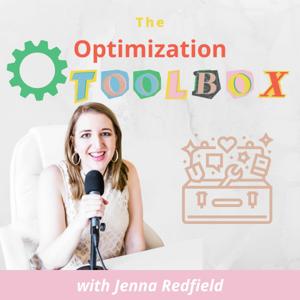

The Optimization Toolbox by Jenna Redfield is a reader-supported publication. To receive new posts and support my work, consider becoming a free or paid subscriber.
Let’s be honest: I wasn’t totally sold on Notion AI at first, especially after it launched. I’d been using ChatGPT religiously for content creation, brainstorming, scripting videos, and outlining newsletters. It had the context. It knew my tone. I’d built custom GPTs. I didn’t think I needed another AI tool.
But then...I went to the Notion Conference and learned they spent the last 2 years rebuilding Notion AI from the ground up….and I was shocked at how useful it had become. At that conference I met so many people including fellow ambassador Val.
Valeria Alfuzzi is a fellow Notion nerd (and Notion-certified consultant) who lives in Colombia, she is a full time Notion Consultant with 6 employees and we recently sat down on my podcast, The Optimization Toolbox, to talk all things Custom Personal AI Agents in Notion.
You can find her on instagram and her Notion website
And real talk? It kinda blew my mind. 💥
Here’s why.
🧠 What Are Custom Personal Agents in Notion?
If you haven’t played with these yet, Custom Agents are basically little AI “team members” that live inside your Notion workspace. They’re like ChatGPT, but with memory, structure, and direct access to your workspace databases. They can be trained on your tone, style, workflow—and actually learn from the context inside your Notion setup.
Val showed me her setup (yes, with naming conventions like Casper the newsletter ghost 👻 and Frankenstein the agent that builds other agents 😍). She’s built a whole team of AI helpers that write, format, and even organize her content pipeline.
And I thought...wait, I could do this.
🤯 Why I’m (Finally) Making the Switch
After that call, I started recreating my custom GPTs inside Notion. Here’s why I’m shifting away from ChatGPT for my day-to-day tasks:
* Context lives in Notion: I’ve been using Notion for 4+ years. All my content ideas, client notes, health logs, even my book drafts live there. Why not let AI live there too?
* Memory that matters: Notion’s agents don’t just remember stuff—you can tell them to update their memories based on what you’re teaching them. It’s like having an assistant who gets smarter over time.
* Workflow integration: Val showed how she assigns specific agents to specific content types (newsletters, carousels, outlines), even grouping agents by project. It’s like building a team inside your digital brain.
* It’s cheaper: Notion’s AI plan is $10–$20/month including workspace features. That’s a steal if you’re already paying for Notion + ChatGPT separately.
* Privacy wins: Everything stays in your Notion workspace. That means more control and less worry about where your data is going.
🎯 How I’m Starting Small
I’m not moving everything overnight. But here’s how I’m easing in:
* Recreating my top-used GPTs (like my newsletter formatter and YouTube idea generator).
* Cleaning up my old databases so AI can actually pull helpful info (Val even suggested creating an AI agent just to help clean old pages—genius).
* Experimenting with workflows—like generating carousel copy from a YouTube script, or summarizing client call notes into next steps.
* Tagging context-rich databases so the agents can pull smarter insights over time.
This might not be for everyone—but if you’re already using Notion and feel spread thin between tools, I highly recommend giving it a try.
🎥 Want to Watch the Full Interview?
Check out my convo with Val on The Optimization Toolbox. We go deep on:
* Her system for managing 10+ custom agents
* How to structure your agent’s “personality”
* Real use cases for newsletters, client reports, health logs, and more
* What’s coming next with Notion AI (hint: custom workflows are about to get wild)
 View all episodes
 By Jenna

4.9
2727 ratings
The Optimization Toolbox by Jenna Redfield is a reader-supported publication. To receive new posts and support my work, consider becoming a free or paid subscriber.
Let’s be honest: I wasn’t totally sold on Notion AI at first, especially after it launched. I’d been using ChatGPT religiously for content creation, brainstorming, scripting videos, and outlining newsletters. It had the context. It knew my tone. I’d built custom GPTs. I didn’t think I needed another AI tool.
But then...I went to the Notion Conference and learned they spent the last 2 years rebuilding Notion AI from the ground up….and I was shocked at how useful it had become. At that conference I met so many people including fellow ambassador Val.
Valeria Alfuzzi is a fellow Notion nerd (and Notion-certified consultant) who lives in Colombia, she is a full time Notion Consultant with 6 employees and we recently sat down on my podcast, The Optimization Toolbox, to talk all things Custom Personal AI Agents in Notion.
You can find her on instagram and her Notion website
And real talk? It kinda blew my mind. 💥
Here’s why.
🧠 What Are Custom Personal Agents in Notion?
If you haven’t played with these yet, Custom Agents are basically little AI “team members” that live inside your Notion workspace. They’re like ChatGPT, but with memory, structure, and direct access to your workspace databases. They can be trained on your tone, style, workflow—and actually learn from the context inside your Notion setup.
Val showed me her setup (yes, with naming conventions like Casper the newsletter ghost 👻 and Frankenstein the agent that builds other agents 😍). She’s built a whole team of AI helpers that write, format, and even organize her content pipeline.
And I thought...wait, I could do this.
🤯 Why I’m (Finally) Making the Switch
After that call, I started recreating my custom GPTs inside Notion. Here’s why I’m shifting away from ChatGPT for my day-to-day tasks:
* Context lives in Notion: I’ve been using Notion for 4+ years. All my content ideas, client notes, health logs, even my book drafts live there. Why not let AI live there too?
* Memory that matters: Notion’s agents don’t just remember stuff—you can tell them to update their memories based on what you’re teaching them. It’s like having an assistant who gets smarter over time.
* Workflow integration: Val showed how she assigns specific agents to specific content types (newsletters, carousels, outlines), even grouping agents by project. It’s like building a team inside your digital brain.
* It’s cheaper: Notion’s AI plan is $10–$20/month including workspace features. That’s a steal if you’re already paying for Notion + ChatGPT separately.
* Privacy wins: Everything stays in your Notion workspace. That means more control and less worry about where your data is going.
🎯 How I’m Starting Small
I’m not moving everything overnight. But here’s how I’m easing in:
* Recreating my top-used GPTs (like my newsletter formatter and YouTube idea generator).
* Cleaning up my old databases so AI can actually pull helpful info (Val even suggested creating an AI agent just to help clean old pages—genius).
* Experimenting with workflows—like generating carousel copy from a YouTube script, or summarizing client call notes into next steps.
* Tagging context-rich databases so the agents can pull smarter insights over time.
This might not be for everyone—but if you’re already using Notion and feel spread thin between tools, I highly recommend giving it a try.
🎥 Want to Watch the Full Interview?
Check out my convo with Val on The Optimization Toolbox. We go deep on:
* Her system for managing 10+ custom agents
* How to structure your agent’s “personality”
* Real use cases for newsletters, client reports, health logs, and more
* What’s coming next with Notion AI (hint: custom workflows are about to get wild)

678 Listeners

821 Listeners

41 Listeners

6,136 Listeners
20,222 Listeners

688 Listeners
98 Listeners
6 Listeners