
Sign up to save your podcasts
Or

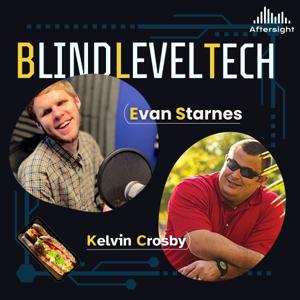


On this episode of Blind Level Tech, Evan Starnes and Jonathan Price explore vibe coding and its potential for blind and low-vision users. Jonathan shares how AI-assisted coding helped him create an accessible production-management platform that brings Aftersight’s programs, volunteers, publications, audio, and production information into one place.
They also discuss screen-reader testing, overly verbose accessibility, API security, sandboxed development, and why AI-generated code still requires thoughtful human direction.
Creators & Guests
There’s a lot to catch up on in the world of tech.
Evan Starnes and David Ward are back for a Blind Level Tech roundup covering everything from NLS BARD on the Orbit Player and new BrailleSense features to NVDA 2026, rising computer hardware prices, accessible smart glasses, Curb2Car, Waymo, Tesla Robotaxi, and more.
Along the way, they discuss what these changes actually mean for blind and low-vision technology users—and why sometimes the smallest accessibility improvements can make the biggest difference.
Creators & Guests
This week, Evan welcomes Aftersight volunteer and Perkins Brailler repair Ralph for a journey through the machine’s history, design, and maintenance.
Before the Perkins Brailler, people primarily wrote braille using a slate and stylus or one of several early mechanical braille writers. Many of those machines were large, loud, fragile, and difficult for children to operate.
The conversation explores why the classic Perkins design has survived with relatively few changes, and how to keep a Perkins Braillerighter running like a rist watch.
After a short staycation break, Evan is back on Blind Level Tech to explore the surprisingly fascinating world of audible pedestrian signals. These are the beeping, chirping, talking, and sometimes very enthusiastic crosswalk buttons that help blind and low vision travelers navigate street crossings.
This episode covers the early history of APS devices, including bells and buzzers from the 1920s and 1930s, the chirp and cuckoo systems used in Japan, and the rise of modern push-button signals with locator tones, spoken street names, countdowns, vibrating buttons, automatic volume adjustment, and Bluetooth programming. Evan also shares his own experiences using and requesting APS installations, while discussing noise concerns, inconsistent programming, orientation and mobility skills, and why these devices are helpful tools rather than a total replacement for good travel judgment.
Creators & Guests
This week on Blind Level Tech, Evan takes a closer look at weather radios: what they do, why they still matter in the age of smartphones, and where accessibility still falls short. From NOAA broadcasts and SAME codes to emergency crank radios, alert radios, pillow shakers, strobe lights, and satellite SOS features, this episode is all about staying informed when it matters most.
Creators & Guests
In this Blind Level Tech monthly Tech Roundup, Evan welcomes David Ward back as a recurring monthly guest for a new, evolving roundup format covering access tech, mainstream tech, and useful listener-focused tools.
The episode begins with a discussion of VAL, a customizable talking clock and chime app from Quentin Williams. Evan shares his love of auditory timekeeping, retro talking clocks, hourly chimes, alarms, and custom clock sounds, while David reflects on older talking clocks and possible uses for older devices.
Evan and David then move into screen reader and accessibility updates, including NVDA 2026.1, security fixes, remote access changes, and TalkBack improvements. They discuss TalkBack’s improved live region announcements, braille display command remapping, selection mode fixes, and the welcome news that Samsung is moving away from its separate Galaxy TalkBack version in favor of unified Google TalkBack.
The conversation also covers HumanWare’s Victor Reader Stratus, Victor Reader history, the origins of the “Victor” name, dedicated blindness technology, and whether devices like the Victor Reader still make sense in a smartphone world. Evan and David compare dedicated players with modern alternatives such as iPhones, Blindshell phones, Bard Mobile, Bookshare apps, Voice Dream Reader, and other accessible tools.
A major portion of the episode focuses on Apple’s newly announced accessibility features expected in iOS 27, including enhanced AI image recognition, Magnifier improvements, possible live descriptions, voice control upgrades, and the potential for more natural language control of devices. Evan and David discuss how these features could especially help blind users, people with multiple disabilities, older adults, and users who need alternatives to touch-based interaction.
They also look at Meta Ray-Ban glasses, including walking directions, Be My Eyes integrations, verbal commands, gesture customization, the Meta SDK, and the possibility of future Seeing AI integration. The episode closes with David sharing his website and Braille Sonar project, Evan inviting listener feedback and future guest co-hosts, and a preview of an upcoming episode on weather radios.
CONTACTS / RESOURCES
Feedback:
[email protected]
Voicemail:
720-712-8856
Website:
Aftersight.org
David Ward:
certdoctor.com
Creators & Guests
David Ward returns to Blind Level Tech for part two of a wonderfully nerdy and practical conversation about accessibility, AI, screen readers, and the tools that make daily life just a little smoother. Evan and David pick up from their previous discussion and dive into Braille Sonar, David’s braille reference app that has been revived as a web app with help from modern AI coding tools.
From there, the conversation moves into real-world AI use cases, including JAWS Picture Smart, Be My AI, PDF workflows, command-line tools, PowerShell scripts, Lisi for JAWS, and the surprisingly powerful role of sound cues in accessibility. David shares how AI has helped him solve problems that once required sighted assistance, while also pointing out where these tools still fall short and why human backup through services like Be My Eyes and Aira still matters.
Evan and David also geek out over screen reader history, Android versus iOS, NVDA add-ons, startup sounds, text-to-speech voices, and why technology becoming “silent” is not always a good thing for blind and low vision users.
In this episode of Blind Level Tech, Evan sits down with David Ward, longtime assistive technology trainer, producer of the Echo Tips Podcast, and all-around smart speaker nerd in the best possible way.
David shares how his early love of computers, IT certification, and training background led him into access technology and eventually into creating Echo Tips. The conversation centers heavily on Amazon Echo devices, the evolution of Alexa, and how smart speakers became a surprisingly powerful accessibility tool—especially for blind and low-vision users, seniors, and people who may not be comfortable with smartphones or computers.
Evan and David also dig into Alexa Plus, including what feels genuinely new, what still feels unfinished, and how natural language AI is changing the way people interact with smart speakers. They discuss shopping by voice, routines, smart home control, legacy Alexa skills, and the challenges of making older skill-based systems work naturally with modern AI assistants.
The episode wraps with a teaser for part two, where Evan and David plan to get more into AI, Braille Sonar, vibe coding, and David’s broader tech background.
Creators & Guests
In this episode of Blind Level Tech, Evan Starnes and Jonathan Price welcome Sriram Ganesh, founder of Luminade, to talk about Lumin, a voice-driven email client designed especially with blind, low vision, aging, neurodivergent, and voice-first users in mind.
Sriram shares his journey from growing up in India, falling in love with video games, building AI products in gaming and education, and eventually founding Luminade after being diagnosed with cone-rod dystrophy. That personal experience shaped the design of Lumin: instead of forcing users to memorize commands, navigate complex screens, or fight inaccessible interfaces, Lumin works more like a patient assistant you can simply talk to.
The conversation covers privacy, AI accuracy, email overwhelm, multi-language support, future integrations with Outlook, Calendar, Google Drive, and how Luminade hopes to partner with organizations, employers, and vocational rehabilitation programs to make the tool more widely available. The episode also features a live Lumin demo and, naturally, a very serious sandwich discussion.
Lumin is not publicly available in the Appstore yet, but you can join the early access beta by visiting https://luminade.ai/.
Creators & Guests
1. Episode Summary
In this episode of Blind Level Tech, Evan Starnes and Jonathan Price talk with Shanell Matos, Community Manager at RightHear, about accessible wayfinding, independence, and the difference between being guided and being empowered. Shanell explains that RightHear is spelled with “hear” — H-E-A-R — and is built to give blind and low-vision users meaningful orientation information without taking away choice or autonomy.
The conversation covers how RightHear uses Bluetooth beacons, smart markers, GPS awareness, and a free mobile app to help users understand what is around them in real time. Shanell also shares how businesses can install RightHear, how users can advocate for accessible locations, and why accessible orientation is especially important in airports, hospitals, libraries, conferences, hotels, emergency situations, and even nature trails.
A major theme of the episode is independence with responsibility. RightHear does not replace a cane, guide dog, or orientation and mobility skills. Instead, it gives users the “lay of the land” so they can move through spaces with more confidence, awareness, and dignity. RightHear’s official site confirms that its system uses Bluetooth beacons, markers, a free app, and audio guidance to support blind and low-vision navigation and orientation.
2. Contact Info
Guest: Shanell Matos
Role: Community Manager, RightHear
Organization: RightHear
Website: RightHear official site — the correct domain is listed in the citation; the transcript’s spoken “write-here” phrasing appears to be a transcription/spelling issue.
Community / Advocacy Resources: RightHear offers advocacy templates, community meetups, and resources for requesting RightHear at preferred locations.
Aftersight
Website: aftersight.org
Phone: (720) 712-8856
Email: [email protected]
Producer Contact
Jonathan Price
Podcast and Program Producer, Aftersight
[email protected]
(720) 712-8856
3. Show Credits
Show: Blind Level Tech
Host: Evan Starnes
Co-host: Jonathan Price
Guest: Shanell Matos
Guest Organization: RightHear
Producer: Jonathan Price
Presented by: Aftersight
From the publisher's feed
1 Listeners
2 Listeners
3 Listeners
1 Listeners
1 Listeners
3 Listeners
1 Listeners

1 Listeners
1 Listeners
1 Listeners
15 Listeners
1 Listeners
1 Listeners
0 Listeners
5 Listeners
0 Listeners
0 Listeners
0 Listeners
0 Listeners