
Sign up to save your podcasts
Or

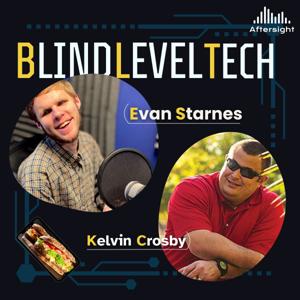


Episode Summary
Shopping for clothes online can be frustrating for anyone, but when you're blind or have low vision, choosing the right size, matching colors, and knowing how an outfit will look can become a guessing game. What if technology could finally change that?
In his first episode as the new host of Blind Level Tech, Liam Erven welcomes Mike Bamonte, co-owner and CEO of Dress Aloud. Inspired by a conversation with a close friend who lost his vision, Mike set out to build an AI-powered tool that gives blind and low-vision shoppers more independence, confidence, and control over their clothing choices.
Dress Aloud combines personal measurements, product information, virtual try-on technology, and detailed audio-friendly descriptions to help users understand how clothing might fit and look before making a purchase. Unlike AI tools that simply tell users what they want to hear, Dress Aloud is designed to acknowledge uncertainty, flag missing sizing information, and recommend a different size or even skipping a purchase when appropriate.
Mike also demonstrates the technology live, discusses privacy and accessibility, and shares how user feedback is shaping its development. The conversation expands into another of his projects, Tape Territory, a free audio-described movie platform featuring accessible watch parties.
From clothing and confidence to accessible entertainment, this episode explores what can happen when developers listen to the people they're trying to serve.
Explore the resources:
Subscribe to Blind Level Tech for conversations about accessible technology, innovation, and the tools helping people who are blind or have low vision live more independently.
Episode Chapters
Approximate timestamps based on the supplied transcript.
00:05 Liam Erven's First Episode
01:26 Introducing Dress Aloud
03:46 The Problem That Inspired the Technology
06:28 Why AI Needs to Tell the Truth
08:53 How Dress Aloud Evaluates Clothes
11:48 Matching Colors and Outfits
14:16 Live Demonstration
18:15 Shopping Independence and Privacy
21:25 Free Trials and Listener Opportunities
23:07 Improving the Technology Through Feedback
25:49 Introducing Tape Territory
29:49 The Personal Impact of Accessible Technology
33:29 What's Next for Dress Aloud
37:24 How Listeners Can Get Involved
Blind Level Tech is entering an exciting new chapter, and we're introducing the voice who will help lead the way! Jonathan Price welcomes Liam Erven as the new host of Blind Level Tech, bringing his passion for accessible technology, education, and a little humor to the Aftersight family.
Liam shares his vision for the future of the podcast, focusing on making complicated technology understandable, approachable, and useful for people who are blind or have low vision. From artificial intelligence and accessibility innovations to everyday smartphone tips, Liam wants to help listeners build their own toolbox of practical technology skills.
Jonathan and Liam also preview what's coming to BLT, including conversations with innovative guests, hands-on technology demonstrations, and quick BLT Byte episodes. Liam shares a few examples of the accessibility features he loves teaching, including customizable iPhone VoiceOver gestures and AI-powered image descriptions that can make digital content more accessible.
Plus, Jonathan announces the upcoming nationwide expansion of Aftersight's free White Cane Project, introduces BLT's updated logo, and shares how listeners can become part of the show's next chapter.
New host. Fresh ideas. The same commitment to making technology accessible to everyone.
Show Credits
Show: Blind Level Tech (BLT)
New Host: Liam Erven
Special Episode Host: Jonathan Price
Producer: Jonathan Price
Production: Aftersight
Featured Guest: Liam Erven
Contact Information
Aftersight
00:05 Welcome to a New Chapter of Blind Level Tech
00:20 Aftersight's Nationwide White Cane Project
00:53 What's Happening Across Aftersight Podcasts
01:25 Introducing New BLT Host Liam Erven
02:05 Liam's Passion for Technology
03:36 Making Accessible Technology Less Intimidating
05:56 The Future of Blind Level Tech
06:46 Learning New Skills and Building Your Tech Toolbox
07:48 Customizing iPhone VoiceOver Gestures
08:21 AI Image Descriptions and BLT Bytes
09:57 A Fresh Look for Blind Level Tech
11:47 Liam's Invitation to Future Guests
12:15 A Little Musical Theater Humor
13:35 Connect with Aftersight and Join the Conversation
Episode Summary
What if one pair of glasses could replace the magnifiers, phone tricks, telescopic lenses, and other tools many people with low vision rely on every day?
On this episode of Blind Level Tech, Jonathan Price sits down with Corrinalyn Guyette, Strategic Growth and Partnerships at Innovega, and Joseph, Innovega’s Chief Marketing Officer, for an in-depth look at the company’s upcoming vision-enhancement technology.
Innovega’s smart glasses are not designed to cure blindness or restore vision. Instead, the company says they are designed to enhance a person’s existing functional vision through features including magnification, zoom, brightness and contrast adjustments, color inversion, and a camera-driven display. The team explains why a person’s diagnosis alone may not determine whether the glasses will be useful, and why the better question is whether tools such as magnification, contrast enhancement, or zoom already provide benefit.
Corrinalyn and Joseph also share stories from early demonstrations, including users being able to read, recognize family members, watch television, play cards, and interact with their surroundings in new ways. Much of the conversation centers on a word that has repeatedly surfaced during Innovega's testing: hope.
The conversation gets into the nuts and bolts as well: Innovega's Founder Series preorder, anticipated early-2027 shipping, phone compatibility, the wired first-generation design, screen mirroring, AI features under development, microphones and speakers, and the company's longer-term work involving smart contact lenses.
Jonathan also asks an important accessibility question: how does a company developing promising technology make sure the people who could benefit from it can actually afford it? Innovega discusses HSA/FSA eligibility, potential sponsorship opportunities, work with low-vision clinics, and other possible pathways intended to broaden access.
This episode is a detailed look at emerging low-vision technology, what it can potentially do, what it cannot do, and why Innovega believes listening directly to the blind and low-vision community is essential to developing it.
Credits
Host: Jonathan Price
Guests: Corrinalyn Guyette and Joseph — Innovega
Producer: Jonathan Price
Podcast: Blind Level Tech
Organization: Aftersight
Contact & Resources
Aftersight
Website: aftersight.org
Email: [email protected]
Innovega
Website: innovega.io
Email: [email protected]
Innovega also directs listeners to its website for information about its Founder Series, consultations, webinars, preorder information, and applications for in-person demonstrations.
Summary
Blind programmer and game developer Liam Erven joins Jonathan Price to explore what accessible technology looks like when inclusion is built into the foundation rather than added at the end.
Liam shares how he created Super Liam, the first audio-based side-scrolling platform game designed for blind players, and how a childhood idea eventually became something meaningful to gamers around the world. He explains how audio positioning can replace visual information, why developers must understand their audience, and how thoughtful testing catches barriers sighted development teams may never notice.
Jonathan and Liam also discuss artificial intelligence, game modification, screen-reader-first design, quality assurance, and what aspiring programmers should learn before asking AI to build an application. The central lesson is simple: technology works best when developers communicate clearly, test with real users, and treat accessibility as a genuine need rather than an optional feature.
Credits
Show: Blind Level Tech
Host: Jonathan Price
Guest: Liam Erven
Produced by: Jonathan Price
Organization: Aftersight
Contact Information
Learn more about Liam’s accessible games and software at LWorks.net.
Interested in auditioning to become the next host of Blind Level Tech? Contact Jonathan Price at [email protected].
For questions, guest suggestions, or feedback:
Chapters
Episode Description
Artificial intelligence is changing how websites are built, searched, and experienced. But is it actually making the internet more accessible?
Evan talks with accessibility specialist Ela Gorla from TetraLogical about the benefits and risks of using AI in web accessibility. They discuss AI-generated image descriptions, automatic captions, accessible coding, and why developers must give AI clear instructions instead of assuming it will produce accessible results automatically.
Ela also explains how poorly trained AI could repeat the accessibility failures already found across the web—and what companies can do to create a more accessible digital future.
Chapter Markers
00:00 – Welcome and Introducing Ela Gorla
02:36 – Ela’s Work in Digital Accessibility
03:50 – How Ela Uses AI in Her Work
06:01 – How Generative AI Is Improving Accessibility
08:00 – Using AI Instead of Navigating Websites
09:23 – Why Website Structure Still Matters
10:24 – AI-Generated Websites and Universal Access
11:44 – The Risk of AI Repeating Accessibility Problems
13:53 – What AI Companies Need to Do Differently
16:50 – Giving AI Clear Accessibility Instructions
17:55 – Building Reusable Prompts and AI Skills
19:28 – Connecting With Ela and TetraLogical
20:32 – Contact Aftersight and Closing
Episode Description
Restaurant menus are supposed to tell you what you can eat. But when the website is inaccessible, the PDF won’t work with a screen reader, or there isn’t a braille menu available, something as simple as ordering dinner can turn into a guessing game.
On this episode of Blind Level Tech, Evan talks with Avital “Avi” Drel, creator of Meet My Menu, a tool designed to give blind and low-vision diners a more independent way to access restaurant menus.
Avi explains how conversations with blind users around the country revealed just how inconsistent menu accessibility can be, from inaccessible restaurant websites to screen readers forcing users through an entire menu from beginning to end. Meet My Menu combines accessible menu formatting with an AI voice agent that can answer natural questions about dishes, prices, ingredients, and other information pulled directly from the restaurant menu.
For users who prefer not to use voice, menus can also be presented in a consistent structure designed to work with screen readers and braille displays, including headings and expandable sections. And restaurants may only be the beginning. Avi talks about expanding the same accessibility concept into conferences, theater programs, events, and other information that can be difficult to access independently.
Guest
Avital “Avi” Drel
Creator of Meet My Menu
Links
Meet My Menu: meetmymenu.com
Web App: app.meetmymenu.com
Getting into music production does not have to begin with an expensive microphone, audio interface, MIDI controller, or professional studio. In this solo episode of Blind Level Tech, Evan Starnes offers a practical introduction to making music and working with audio—especially for blind and low-vision creators.
A phone or computer, paired with decent headphones or earbuds, may be everything you need to begin experimenting. Even built-in microphones can help you explore singing, rapping, or recording an instrument before investing in specialized equipment.
Evan also goes over the pros and cons of several digital audio work stations, including some free options you may already have on your device.
Creators & Guests
Getting into music production does not have to begin with an expensive microphone, audio interface, MIDI controller, or professional studio. In this solo episode of Blind Level Tech, Evan Starnes offers a practical introduction to making music and working with audio—especially for blind and low-vision creators.
Creators & Guests
On this episode of Blind Level Tech, Evan Starnes and Jonathan Price explore vibe coding and its potential for blind and low-vision users. Jonathan shares how AI-assisted coding helped him create an accessible production-management platform that brings Aftersight’s programs, volunteers, publications, audio, and production information into one place.
They also discuss screen-reader testing, overly verbose accessibility, API security, sandboxed development, and why AI-generated code still requires thoughtful human direction.
Creators & Guests
There’s a lot to catch up on in the world of tech.
Evan Starnes and David Ward are back for a Blind Level Tech roundup covering everything from NLS BARD on the Orbit Player and new BrailleSense features to NVDA 2026, rising computer hardware prices, accessible smart glasses, Curb2Car, Waymo, Tesla Robotaxi, and more.
Along the way, they discuss what these changes actually mean for blind and low-vision technology users—and why sometimes the smallest accessibility improvements can make the biggest difference.
Creators & Guests
From the publisher's feed
1 Listeners

2 Listeners

3 Listeners
1 Listeners
1 Listeners
3 Listeners
1 Listeners

1 Listeners

1 Listeners
1 Listeners
15 Listeners

1 Listeners
1 Listeners
0 Listeners
5 Listeners
0 Listeners
0 Listeners
0 Listeners
0 Listeners