
Sign up to save your podcasts
Or

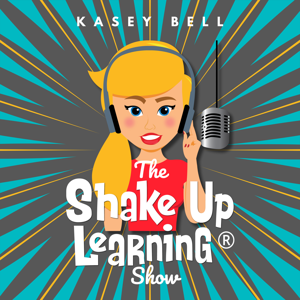


In this episode, Kasey shares a powerful Google Docs feature--voice typing. This speech-to-text feature is great for teachers and students. With voice-typing, you can save valuable time, help students with writing, fluency, and so much more. Let's discover how voice typing can help support the learners in your classroom.
Access the full show notes and blog post here
In this episode, Kasey is sharing her brand new framework for designing meaningful choice boards for the K-12 classroom. She will walk you step-by-step through the process to insure it aligns with your standards and learning outcomes, how to select the choice board style, and share important tips along the way. Choice boards are a game changer! Learn how you can implement this strategy, differentiate for your students, and empower them with voice and choice!
Access the full show notes and blog post here
In this episode, Kasey chats with Shawn Young, a former teacher and CEO of Classcraft. When so many teachers are struggling with behavior management, student engagement is at an all time low, and teachers are burnout, we need tools and strategies to help. Shawn shares the importance of building relationships with students (Ted Lasso style), managing behavior with positive reinforcement through gamification, formative feedback, and tracking actionable data. This episode is full of great ideas to help teachers and schools!
Access the full show notes and blog post here
In this episode, Kasey shares some of the newest collections and updates to Google Arts and Culture. Help your students make connections to current events, historical figures, places, and events, diverse cultures, and amazing art. Any teacher can find relevant resources and connections to your curriculum. Yes, you can help make learning meaningful for your students with Google Arts and Culture. (Not just for social studies!)
Access the full show notes and blog post here
In part 2 of this 2-part episode series, Kasey shares Google Classroom grading and assessment tips, how to create and upload a banner image, the many types of comments you should know about, and amazing mobile features. Whether you are new to Google Classroom or a seasoned user, you will geek out over all the tips, tools, and strategies shared in this 2-part series. Geeks unite!
Access the full show notes and blog post here
In this episode, Kasey shares important Google Classroom updates, features, tips, and organizational strategies. Whether you are new to Google Classroom or a seasoned user, you will geek out over all the tips, tools, and strategies shared in this 2-part series. Let's go!
Access the full show notes and blog post here
In this episode, Kasey is sharing her latest Google Keep tips and time-savers to help educators have a productive school year. Let's talk keyboard shortcuts, google calendar connections, labels and organization, checklists, using Canva to create headers, scanning paper documents, annotation, grading and feedback, and more! BONUS: Get access to Kasey's FREE Canva headers to use in Google Keep. If you don't love Google Keep already, you will after this episode!
Access the full show notes and blog post here
In this episode, Kasey shares valuable time-saving productivity tips using Google Tasks, Calendar, and Keep. Learn shortcuts, hidden features, and awesome tips to help you save time and get things done! Google Productivity Tips to Rock the School Year! (Keep, Tasks, & Calendar!)
Access the full show notes and blog post here
In this episode, Kasey is sharing some hidden treasures from Canva for Education. Let's explore how to create collaborative and interactive assignments, increase engagement, give impactful feedback, and build critical skills. We will also talk about free resources for teachers including live tutorials, how-to videos, a teacher community, and how to bring your lessons to life with Canva! Canva is quickly becoming a must-have teacher tool!
Access the full show notes and blog post here
In this episode, Kasey shares ideas for using Emojis in your informal and formative assessments. This tool can be used for more than emotions and SEL! Use emojis to create a key to check for understanding, reflect, self-assess, peer-assess or give feedback! Use emoji assessments in any classroom!
Access the full show notes and blog post here
From the publisher's feed

38,735 Listeners

103 Listeners
1,305 Listeners

111,875 Listeners
273 Listeners

56,420 Listeners

944 Listeners
6,539 Listeners
640 Listeners

61,778 Listeners

6,437 Listeners
19,146 Listeners

3,944 Listeners

10,565 Listeners

10,163 Listeners