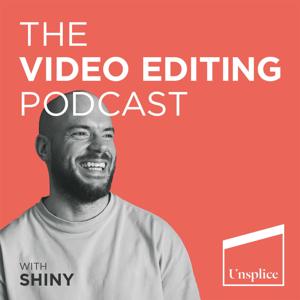
The Video Editing Podcast

The Video Editing Podcast

Download on the App Store

The Video Editing Podcast episodes

  • Professional Video Editing Workflow Pt. 4: The Online/Conform

    In this episode, we delve into the final stages of the editing process with the Online. This is part 4 of a 4 part series on Professional Video Editing Workflow. We'll explore the crucial elements of sound mixing, color correction and grading, VFX, motion graphics, titles, subtitles, and markers. We'll also cover the important topic of rights and clearance. Join us as we discuss the ins and outs of bringing a film to its final, polished form.

    If you ask the internet “How do I get better at editing so that I can work on high end docs, commercials, branded content, and music videos?” then you’ll find the same terrible advice everywhere saying, “all you need to do is practice.”
    But that’s so vague. What are you actually practicing?
    Einstein said the definition of insanity is doing the same thing over and over again and expecting a different result.
    So if you keep practicing the same thing over and over again you’ll find yourself stuck in the Perpetual Practice Loop.
    You’ll find yourself demotivated because after working on an edit for over a week you’ll watch it back and you know it can be better, but you just don’t know how. The industry has an unwanted term for editors that struggle to come up with creative ideas – Button Pushers.
    If you want to break out of the PPL, escape the label of Button Pusher and become an In-demand Editor, then you need to excel in three skills
    - Efficient Workflow
    - Creative Storytelling
    - Client Relations
    Without Efficient Workflow you can be the best editor in the world, but if somebody can do it faster than you the client will choose them.
    Without Creative Storytelling you’ll struggle to come up with creative ideas and you’ll find yourself stuck cutting jobs you find boring.
    Without strong Client Relations, your income will be unpredictable and stressful.
    Once you have those three skills, work comes to you and you can choose the location and hours you work.
    If you’re ready to improve those three skills, head to https://www.unsplice.com/pro to get 7 days free access to Unsplice Pro. Inside Unsplice Pro you’ll find training specific to each skill, so you can start where you need to improve most.
    Limited time only.
    To get your 7 day free trial go to https://www.unsplice.com/pro
    Thank you for listening!
    Shiny
    Music from Uppbeat (free for Creators!)
    https://uppbeat.io/?referral=shiny-m834x

    ---
    Send in a voice message: https://podcasters.spotify.com/pod/show/the-video-editing-podcast/message

    Advertising Inquiries: https://redcircle.com/brands
    29 min
  • Professional Video Editing Workflow Pt3: The Fine Cut

    In this episode of The Video Editing Podcast, you will learn about the process of fine cut editing. This is part 3 of a 4 part series explaining professional video editing workflow. You'll discover how to make final choices, finesse the narrative, find emotional moments, curate breaks, and perfect the rhythm and pacing. You'll also learn how to find the best b-roll and finesse it down to the frame. To complete the edit, you'll discover how to add effects and sound effects.


    Have you been editing for over 6 months but when you watch back your edit, you know it can be better but you’re just not sure how? If so then you are stuck in the Perpetual Practice Loop where you are practicing the same things over and over again and hoping for things to get better. This is slowing your progress as a video editor and holding you back from working with your dream clients.

    Thankfully, in only 35 mins you can learn how to escape the Perpetual Practice Loop so you can become an In-Demand Editor that has clients coming to you for your creative ability, meaning you can sit back and choose the location and the days you work. And best of all, it’s FREE.
    Get unstuck and sign up for your FREE training here.
    https://www.unsplice.com/free/
    Thank you for listening!
    Shiny
    Music from Uppbeat (free for Creators!)
    https://uppbeat.io/?referral=shiny-m834x

    ---
    Send in a voice message: https://podcasters.spotify.com/pod/show/the-video-editing-podcast/message

    Advertising Inquiries: https://redcircle.com/brands
    24 min
  • Professional Video Editing Workflow Pt2: The Rough Cut

    In this episode, you’ll learn valuable insights into the professional workflow process of editing a rough cut. You’ll learn about important elements like feedback, narrative, dialogue, scene selection, music choice, and B-roll footage. You’ll also learn how to consider the bigger picture and ensure that the story thread is clear and logical. Learn tips on using music and B-roll footage to enhance the video's impact, as well as selecting the right shots and incorporating sound effects. This is Part 1 of 4 on professional video editing workflow used by industry experts. By the end of this episode, you will have a better understanding of how to take an assembly edit to rough cut stage.

    Have you been editing for over 6 months but when you watch back your edit, you know it can be better but you’re just not sure how? If so then you are stuck in the Perpetual Practice Loop where you are practicing the same things over and over again and hoping for things to get better. This is slowing your progress as a video editor and holding you back from working with your dream clients.
    Thankfully, in only 35 mins you can learn how to escape the Perpetual Practice Loop so you can become an In-Demand Editor that has clients coming to you for your creative ability, meaning you can sit back and choose the location and the days you work. And best of all, it’s FREE.
    Get unstuck and sign up for your FREE training here.
    https://www.unsplice.com/free/
    Thank you for listening!
    Shiny
    Music from Uppbeat (free for Creators!)

    ---
    Send in a voice message: https://podcasters.spotify.com/pod/show/the-video-editing-podcast/message

    Advertising Inquiries: https://redcircle.com/brands
    36 min
  • Professional Video Editing Workflow Pt. 1: The Assembly

    In this episode, you’ll learn the process of creating an Assembly in video editing. You’ll learn every step of the process and which order to tackle them. By the end of the episode you’ll have a holistic understanding of the first stage of an edit and how to tackle it. This episode is part one of a four part series on the video editing process, and is aimed at educating you on industry standard workflow practices.

    Have you been editing for over 6 months but when you watch back your edit, you know it can be better but you’re just not sure how? If so then you are stuck in the Perpetual Practice Loop where you are practicing the same things over and over again and hoping for things to get better. This is slowing your progress as a video editor and holding you back from working with your dream clients.

    Thankfully, in only 35 mins you can learn how to escape the Perpetual Practice Loop so you can become an In-Demand Editor that has clients coming to you for your creative ability, meaning you can sit back and choose the location and the days you work. And best of all, it’s FREE.


    Get unstuck and sign up for your FREE training here.


    Thank you for listening!


    Shiny


    Resource mentioned:

    Video Editing Terms Glossary


    Music from Uppbeat (free for Creators!)

    https://uppbeat.io/?referral=shiny-m834x

    ---
    Send in a voice message: https://podcasters.spotify.com/pod/show/the-video-editing-podcast/message

    Advertising Inquiries: https://redcircle.com/brands
    38 min
  • Are you a Button Monkey?
    • A button monkey, also known as a button pusher, is an industry term for editors who struggle to come up with creative ideas.
    • The best editors possess five key traits: curiosity, collaboration, humility, brilliance, and compassion.
    • Curiosity can be developed by exploring new techniques, experimenting with different styles, seeking inspiration from other video editors, asking questions, being open to feedback, and continuously learning.
    • Video editors should always be open to learning and trying new things to develop new skills and techniques that can enhance their editing abilities.
    • Experimenting with different styles and editing techniques can spark creativity and curiosity.
    • Seeking inspiration from other video editors can teach new ways to approach editing and expand the knowledge of the craft.
    • Great storytelling skills can help editors avoid being labeled as a button pusher.


    • Unsplice Pro teaches you the exact step-by-step process you need to go from technical Button-Pusher to In-demand Storyteller

      1. Sign up for Unsplice Pro
      2. Schedule your onboarding call
      3. Get a personalised plan for what to learn next
      4. Study and action the material
      5. If you get stuck, a coach is on hand
      Membership gets you:
      - A catalogue of career focused courses
      - Weekly live group Q&As
      - Monthly creative editing workshops
      - Social events
      The longer you delay signing up, the longer it will take you reach your editing goals.
      Sign up here - https://www.unsplice.com/pro
      Thank you for listening!
      Shiny
      Music from Uppbeat (free for Creators!)
      https://uppbeat.io/?referral=shiny-m834x#unsplice #videoeditingtips

      ---
      Send in a voice message: https://podcasters.spotify.com/pod/show/the-video-editing-podcast/message

      Advertising Inquiries: https://redcircle.com/brands
      31 min
    • Why Video Editing Courses are a Waste of Money

      In this episode of The Video Editing Podcast, the hosts discuss the problem with traditional editing courses, which tend to teach you how to use editing software or cut one film, but not much beyond that. You’ll learn about the limitations of these courses, such as not providing usable career advice or helping you identify weak spots. You’ll also hear how editing courses don't necessarily teach you a framework to improve storytelling in your edit.

      Unsplice Pro teaches you the exact step-by-step process you need to go from technical Button-Pusher to In-demand Storyteller
      1. Sign up for Unsplice Pro
      2. Schedule your onboarding call
      3. Get a personalised plan for what to learn next
      4. Study and action the material
      5. If you get stuck, a coach is on hand
      Membership gets you:
      - A catalogue of career focused courses
      - Weekly live group Q&As
      - Monthly creative editing workshops
      - Social events
      The longer you delay signing up, the longer it will take you reach your editing goals.
      Sign up here - https://www.unsplice.com/pro
      Thank you for listening!
      Shiny
      Music from Uppbeat (free for Creators!)
      https://uppbeat.io/?referral=shiny-m834x#unsplice #videoeditingtips

      ---
      Send in a voice message: https://podcasters.spotify.com/pod/show/the-video-editing-podcast/message

      Advertising Inquiries: https://redcircle.com/brands
      27 min
    • Overcoming a lack of creativity

      In this episode of The Video Editing Podcast, you’ll learn the common struggles with creativity and solutions for overcoming creative block.


      Key Points

      • Many people struggle with coming up with creative ideas, especially when there is no clear direction or creative brief.
      • Technical ability can only take you so far. To truly be creative, you need to understand the SHINY framework, think story first, and purposefully choose the types of cuts and effects you use.
      • Embracing constraints can actually help foster creativity.

      • Resources Mentioned

        • SHINY framework
        • Rocks in a Glass principle


        • Unsplice Pro teaches you the exact step-by-step process you need to go from technical Button-Pusher to In-demand Storyteller
          1. Sign up for Unsplice Pro
          2. Schedule your onboarding call
          3. Get a personalised plan for what to learn next
          4. Study and action the material
          5. If you get stuck, a coach is on hand
          Membership gets you:
          - A catalogue of career focused courses
          - Weekly live group Q&As
          - Monthly creative editing workshops
          - Social events
          The longer you delay signing up, the longer it will take you reach your editing goals.
          Sign up here - https://www.unsplice.com/pro
          Thank you for listening!
          Shiny
          Music from Uppbeat (free for Creators!)
          #unsplice #videoeditingtips

          ---
          Send in a voice message: https://podcasters.spotify.com/pod/show/the-video-editing-podcast/message

          Advertising Inquiries: https://redcircle.com/brands
          19 min
        • The Video Editing Guide to Networking

          Are you ready to take your career to the next level? In this episode, we sit down with Zack Arnold, the "Godfather of Cold Outreach" and editor of Cobra Kai, to uncover the most valuable lesson for career progression. Zack shares his secrets to successful networking and building genuine relationships in the industry. He emphasizes the importance of being clear about your goals, leading with value, and telling your story effectively. Don't miss out on Zack's tips for effective cold outreach and debunking the myth that certain individuals are unreachable. Get ready to break free from pigeonholing and embrace new opportunities. Join us as we learn how to be ready to not be ready and take action towards your dreams.


          For help with your networking head to https://www.optimizeyourself.me/emailguide


          For help with your editing head to https://www.unsplice.com/pro


          Thank you so much for listening.


          Shiny


          ---
          Send in a voice message: https://podcasters.spotify.com/pod/show/the-video-editing-podcast/message

          Advertising Inquiries: https://redcircle.com/brands
          38 min
        • Starting a video editing career is hard

          Starting a video editing career can be challenging due to high competition, the need for high-quality equipment and software, and the time-consuming editing process. However, with dedication and hard work, it's possible to overcome these obstacles and build a successful career in the field.

          As a beginner, it's important to focus on one or two areas at a time. Joining online communities or attending workshops and seminars can also help you stay up-to-date with the latest trends and technology.
          Remember to stay motivated and keep learning, and be patient and persistent in your pursuit of a successful career in video editing.
          Unsplice Pro teaches you the exact step-by-step process you need to go from technical Button-Pusher to In-demand Storyteller
          1. Sign up for Unsplice Pro
          2. Schedule your onboarding call
          3. Get a personalised plan for what to learn next
          4. Study and action the material
          5. If you get stuck, a coach is on hand
          Membership gets you:
          - A catalogue of career focused courses
          - Weekly live group Q&As
          - Monthly creative editing workshops
          - Social events
          The longer you delay signing up, the longer it will take you reach your editing goals.
          Sign up here - https://www.unsplice.com/pro
          Thank you for listening!
          Shiny
          Music from Uppbeat (free for Creators!)
          https://uppbeat.io/?referral=shiny-m834x#unsplice #videoeditingtips

          ---
          Send in a voice message: https://podcasters.spotify.com/pod/show/the-video-editing-podcast/message

          Advertising Inquiries: https://redcircle.com/brands
          34 min
        • Editing for flow - Match cut breakdown on Mette ‘Mama’s Eyes’ music video

          THIS IS A VIDEO ONLY EPISODE. In this episode, we break down one type of cut - Match Cut. Vid Price's editing on ‘Mama’s Eyes’ by Mette, uses tons of them to make a seamless energetic edit with shots that are only frames long but you’re never lost or confused. By being incredibly particular and choosing the exact frames that would work perfectly with the shot before it you get a polished result like this.


          Watch the full music video here


          Benefits of mastering Match Cut:

          • Your videos will feel polished and professional
          • Increase audience engagement
          • Know which shots would work perfectly
          • Get compliments
          • Most people will just watch the footage and choose the best bit from that take and then drop them on the timeline wherever feels right. But by mastering Match Cut, you can achieve a polished result that is professional and engaging.

            Learn more about each type of cut and how to use them in the Flow module of the Creative Storyteller program in Unsplice Pro.


            Unsplice Pro teaches you the exact step-by-step process you need to go from technical Button-Pusher to In-demand Storyteller

            1. Sign up for Unsplice Pro
            2. Schedule your onboarding call
            3. Get a personalised plan for what to learn next
            4. Study and action the material
            5. If you get stuck, a coach is on hand
            Membership gets you:
            - A catalogue of career focused courses
            - Weekly live group Q&As
            - Monthly creative editing workshops
            - Social events
            The longer you delay signing up, the longer it will take you reach your editing goals.
            Sign up here - https://www.unsplice.com/pro
            Thank you for listening!
            Shiny
            Music from Uppbeat (free for Creators!)
            https://uppbeat.io/?referral=shiny-m834x
            #unsplice #videoeditingtips

            ---
            Send in a voice message: https://podcasters.spotify.com/pod/show/the-video-editing-podcast/message

            Advertising Inquiries: https://redcircle.com/brands
            23 min

          About The Video Editing Podcast

          From the publisher's feed

          Film editors have film school, video editors have Unsplice.My name is Shiny, I'm the founder of video editing training academy Unsplice, and on The Video Editing Podcast you'll get…
          More shows like The Video Editing Podcast

          The Joe Rogan Experience by Joe Rogan

          The Joe Rogan Experience

          227,519 Listeners

          YouTube Creators Hub by Dusty Porter

          YouTube Creators Hub

          6 Listeners

          The Game with Alex Hormozi by Alex Hormozi

          The Game with Alex Hormozi

          4,458 Listeners

          The Diary Of A CEO with Steven Bartlett by DOAC

          The Diary Of A CEO with Steven Bartlett

          8,502 Listeners

          The Think Media Podcast by Think Media

          The Think Media Podcast

          808 Listeners

          The Mel Robbins Podcast by Mel Robbins

          The Mel Robbins Podcast

          19,271 Listeners