
Sign up to save your podcasts
Or

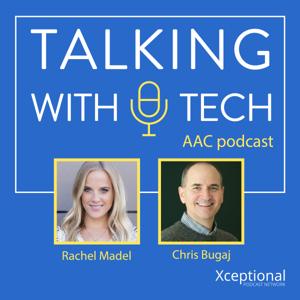


Based on Podcast App listening data
This week, Chris interviews Heidi Hosick Joyce, an SLP and specialist in both AAC and Autism Spectrum Disorders. Heidi and Chris discuss some of the differences between coaching in sports and coaching AAC communication partners, including "reflective coaching" - helping someone to change what they are doing at the level they are capable of. They talk about the importance of building a positive relationship, giving positive reinforcement, and using "I wonder" phrases to encourage self-reflection amongst communication partners. Heiti also discusses PACT, a “low dose” therapy method that includes therapists using video to coach care givers how to support their autistic child’s social communication at home and in the community. Find out more here. Heidi also shares about her survey for SLPs who support AAC users - learn more at redcap.link/AACtraining
Before the interview, Chris discusses his upcoming session for Closing the Gap with Shaun Pearson and Katie Robertson called "Voice and Choice -- Learning Made Fun Through Interactive Choose Your Own Adventure Games". This session will focus on all the ways that generative language and core words can be encouraged playing "choose your own adventure" games. Rachel shares a strategy for logging an AAC user's spontaneous language - you can use a virtual assistant (e.g. Alexa, Google Home) to create a communication log all day long whenever communication occurs.
🔑 Help communication partners to reflect on what they did when working with the student - there is a temptation to focus only on what the student is doing.
🔑 One reason "consulting" doesn't work is because you don't always have the context to totally understand something you witness. Feedback based on incomplete information can cause interpersonal problems and lead to incorrect advice.
🔑 Use videos. When something is going well, you can send to parents. Then your example can act as a training model for them (e.g. longer wait time).
🔑 We can better move the needle towards AAC proficiency if the family and school staff understand where an AAC user's language level is at, meet them there, and push them to improve to the next level.
Help us develop new content and keep the podcast going strong! Support our podcast at patreon.com/talkingwithtech!
Visit talkingwithtech.org to access previous episodes, resources, and CEU credits that you can earn for listening to TWT episodes!
This week, Chris interviews Tonya Williams-Walker and Beth Poss about improving equity for AAC users. Tonya is an Instructional Specialist, AAC Specialist, AAC professor, and SLP. Beth is an author, SLP, AAC Specialist, and Director of Educational Programs for LessonPix. Beth, Toyna, and Chris discuss the meaning of equity, how equity is different from equality, ways that we can improve equity for AAC users, and how they have adjusted their own practices to confront biases surrounding people with complex communication needs.
Before the interview, Rachel and Chris discuss some of Rachel's concerns with the amount of time that some SLPs are prioritizing working on verbal speech when they work with young children with limited speech skills. Rachel is working with 8 and 9 year olds who have only worked on verbal speech for 5 or 6 years. Ethically, its an SLPs responsibility to build the foundation for language development, and if verbal speech isn't working, SLPs need to either introduce AAC or refer out to an AAC specialist who will.
Help us develop new content and keep the podcast going strong! Support our podcast at patreon.com/talkingwithtech!
To listen to this episode, search "Talking with Tech" in your podcast player of choice or go to www.talkingwithtech.org/episodes/poss-and-williams-walker
This week's interview is with Chris's long-time friend and fellow assistive technology specialist, Mike Marotta. Mike is a specialist in inclusive design, and he joins Chris to discuss how accessibility features for common devices like iPhones, iPads, Chromebooks, and Android phones can be used to meet assistive technology needs. They talk about which features they like the most, adding captions, universal logins for accessibility, how to decide on which tools to offer people, and more!
Before the interview, Chris and Rachel discuss ways that accessibility has been improved in the past year despite the pandemic, including Instagram adding automatic closed captioning for videos. Rachel discusses reaching out to technology companies for help with an accessibility issue, such as when she asked makers of the Word Wizard app to add high contrast.
Key ideas this week:
Many "accessibility" features on our devices are not just for people with access problems (e.g. vision problems). Features like text to speech are helpful for many people - it can help everyone proofread their writing, for example.
Captions are a great way to promote literacy and draw learners in. You can even mute the TV audio to require learners to read to follow the story.
We don't want to overwhelm people with too many assistive technology tools. Work with the learner's team to dig into what the real issues are and then decide on one or two tools that will address those issues. You can always add more tools later as they become more proficient.
This week, Chris interviews Karen Janowski! Karen is an inclusive technology and assistive technology specialist who is also co-author of Chris’s new book, Inclusive 365. In the interview, they discuss some of the many ways that we can support literacy for all and make classrooms more accessible to all students (e.g. audio supports, digital texts that can be read aloud, etc).
Before the interview, Chris shares about a former student he has worked with who is moving to a new situation that does not support robust AAC. Chris discusses why this was such a disappointment, and how this experience motivates him to better support the students that he works with now. Rachel talks about the difficulty of supporting students who don’t make progress and/or have AAC taken away from them.
Key ideas this week:
🔑 General education teachers should choose inclusive instructional methods and ways for learners to demonstrate what they know, even if those students are in special ed.
🔑 Student-selected books for reading and self-selected topics for writing are very compelling for learners. Choice can really drive the love of learning. Writing for an authentic purpose (e.g. having learners write a letter asking for support for a cause that is important to them) can be very effective as well.
🔑 Worksheets are a classic example of an instructional output method that is limiting for many students. Worksheets are OK as an option, but we don’t want to require everyone to use them. For example, you could also choose an input option that allows dictation, keyboards, spell check, etc.
🔑 Start your thinking and planning with each learner's strengths in mind. Figure out what learners are best at and what they love to plan activities that are more motivating.
Resources
Book Creator - bookcreator.com
Seesaw - web.seesaw.me
Inclusive 365 book site: inclusive365.com
This week, Rachel has an informative and engaging interview with author, YouTuber, dog trainer, and part time AAC user Brittany Dube! Brittany shares about why she is a part-time AAC user, how parents and others can better support part-time AAC users, and how we can show AAC users the respect they deserve in conversation.
Before the interview, Rachel shares a fascinating story about one of her clients who has improved his verbal speech by watching others model AAC, even when the client doesn’t use AAC himself. Its a great reminder that AAC is an excellent tool for teaching language even when it isn’t used by the client to expressively communicate. Rachel also shares the disappointing decision by the school team not to support AAC for this client because the client is “already verbal.”
Key ideas this week:
🔑 All forms of communication should be given equal respect by parents. Parents understand that one-size-fits-all doesn’t work in education and healthcare, but when it comes to communication some only want to pursue verbal speech.
🔑 We don’t have a right to speak for someone just because they use AAC - we need to remember to give AAC users whatever time it takes to speak for themselves.
🔑 Brittany finds using AAC is most useful when she is in an overwhelming situation, like when a doctor is asking her how she feels. Using a device gives her more time to process than she would get using verbal speech alone.
🔑 It’s always important to remember a lack of verbal speech doesn’t mean that the person doesn’t understand - people who use AAC are often intelligent and aware of their surroundings.
You can learn more more about Brittany on Instagram and YouTube!
This week, Chris interviews Colleen Warn, Director of the Center for Assistive Technology for the NYC Department of Education. Chris and Colleen discuss how we can make assistive technology more equitable, especially for racially/culturally diverse students and students with a lower socio-economic status (SES). They talk about how their Center for Assistive Technology has pushed to teach teachers and staff about AAC, how they have changed the referral process to be more equitable, and how they seek to empower service providers across NYC. Colleen also shares about supporting her child, who has complex communication needs, and how her family has learned more about AAC.
Before the interview, Chris and Rachel talk about their upcoming preconference seminar, “Designing and Delivering Empowering Experiences to Teach Language Using AAC” and their excitement to be able to connect with learners in a more intimate and collaborative environment. Learn more at bit.ly/designaac
Key ideas this week:
🔑 One important consideration when looking at equity in assistive technology is the speed in which a school or district gets an AAC device when they need one. Make sure everyone gets a device at the same speed, regardless of SES.
🔑 If one district or school is sending in many more referrals than other districts, look at the makeup of the students who are not getting referred for AAC and their service providers. Are there cultural or SES barriers to implementing AAC?
🔑 When a related service provider (e.g. SLP) sends a referral to do an AT assessment, consider coaching that person how to do the assessment itself. This will improve their skills and may improve their ability to refer the correct students with AT needs in the future.
Help us develop new content and keep the podcast going strong! Support our podcast at patreon.com/talkingwithtech!
Visit talkingwithtech.org to access previous episodes, resources, and CEU credits that you can earn for listening to TWT episodes!
This week, we present part 2 of Chris’s interview with Amy Fleischer and Corinne Nelson! Amy and Corinne continue with their questions about changing their district to a “specific language system first” model of device selection, and how it can be adapted to best fit the needs of their school district. They also discuss whether PECS should be a prerequisite for getting a device, ideas for rolling out training on modeling, and more!
Before the interview, Rachel discusses a recent conversation she had with a mother of a person with complex communication needs. This person doesn’t have access to a robust AAC system and was initially given only a switch to communicate with - even though she has no access issues. Rachel questions why so many children she hears about with complex communication needs are being given a switch when no access issues are present. Rachel feels many of her clients have been held back due to myths, such as “an AAC user must show cause and effect with a switch before they can use high-tech AAC.”
Key ideas this week:
🔑 If you are concerned with hesitancy with changing how device selection occurs in your district, you can use a collaborative approach to select the device for a few students, then down the road you can look back and have everyone decide what is best.
🔑 To be more collaborative with device selection, you can take a facilitative, coaching approach to the meeting (e.g. teachers, related service providers). Then, in the meeting, try and fill out a grid or chart that looks at the communication needs of the student and the needs of the circle of support. Focus on long term growth, not just what would be easiest to learn in the short term. If you try device selection with a more collaborative approach, then down the road you can look back and have everyone decide on what worked best.
🔑You can pick one strategy or process to teach modeling, like SMORRES, and adopt it across the district. You can implement this modeling strategy more quickly than moving to a specific language system first model that would take a longer amount of time.
Help us develop new content and keep the podcast going strong! Support our podcast at patreon.com/talkingwithtech!
Visit talkingwithtech.org to access previous episodes, resources, and CEU credits that you can earn for listening to TWT episodes!
This week, Amy Fleischer & Corinne Nelson talk with Chris about moving their school district to a Specific Language System First” approach to AAC device selection. There is currently no set standard in Amy and Corinne's district for device selection, and many students go get an outside AAC evaluation before getting a device. There are many different AAC apps being used at different sites for a variety of reasons, and this has led to disagreements about which app to use, confusion about the device selection process, and inconsistent device implementation across their district.
Before the interview, Chris shares some good news he’s heard about his two latest books with ISTE - The New Assistive Tech & Inclusive Learning 365. Rachel talks about adding early intervention content to her AAC Ally course. They both talk about dealing with “imposter syndrome”, especially when charging money for something you have created.
🔑 Under the “system first” approach, most students who need AAC across the district get one robust AAC system. When students have needs that are not met by that particular AAC system, then a different system is selected. You don’t force a particular system on anyone, but you look at it first.
🔑 One benefit of a “system first” approach is better implementation in many cases. If the school team knows one system better, they can usually teach students how to use that system better.
🔑 Trialing multiple AAC systems during device selection, even if you trial for a few weeks, may not be the best way to choose one system over another. Often, implementation of each system isn’t very robust and the student isn’t trained extensively on each device. It is difficult to learn much about how proficient a student will get in one system over another in a couple of weeks.
🔑 You can take a phased approach to implementing a “systems first” device selection process. All the new students get one AAC system (unless there are good reasons to choose another) and every student who has already made progress with a different system keeps the one they are already using.
Help us develop new content and keep the podcast going strong! Support our podcast at patreon.com/talkingwithtech!
Visit talkingwithtech.org to access previous episodes, resources, and CEU credits that you can earn for listening to TWT episodes!
This week, Chris interviews Kim Albrecht, host of the LOMAH podcast and mother of two teenage daughters, one of whom is a minimally-verbal AAC user with autism. Kim shares about how her family came to embrace AAC for her daughter, the importance of siblings and peers modeling AAC, the idea behind the LOMAH podcast, her upcoming podcast series on literacy instruction for people with disabilities, and more!
Before the interview, Chris and Rachel share an excellent idea from TWT listener and Patreon member, Bill Wallace. He suggested using a “sabotage series” -putting desirable items and undesirable items in a bag, then taking them out one by one and talking about them. This can a fun way of reinforcing the concept of both "yes" and “no”. Rachel and Chris also discuss finding the middle ground between following the child’s lead and setting up certain situations (e.g., communication temptations) to practice particular vocabulary words and concepts.
Key ideas this week:
🔑 Treat AAC vocabulary on a well-designed AAC device like a sudoku puzzle - if you get stuck and/or don’t like where a word was placed, consider that you just haven’t figured out why it was placed there and don't jump to the conclusion it was put there randomly or by mistake.
🔑 It took Kim time to embrace using the AAC device all the time at home. If she could do it again, she would have started using the device and modeling AAC at home right away.
🔑 One reason it’s so important to train families about AAC is they are often the most consistent factor in the student’s life over time. Given the many SLPs, teachers, and aides that work with a student during their education (with varying degrees of experience with AAC), training the family will often lead to better and more consistent AAC implementation in the long term.
This week, we hear from Chris's interview with Mary Van Donsel & Anne Kuhlmeier, Speech-Language Pathologists and educators who have put on a successful AAC camp for many years. Mary and Anne talk about how they got started with AAC camps, how they train families and campers, the specialists they get involved, and how they train the counselors to support the campers during the week. Mary and Anne also discuss what keeps everyone focused and moving along, how they avoid camper burn out, and how they have pivoted to a virtual model during the pandemic.
Before the interview, Chris shares how teaching his son to drive reminded him of AAC implementation - you have to learn a motor plan, you have to establish good habits early, and you need coaching from another driver. Rachel discusses how she has moved to providing families with a “package” of services with an emphasis on implementation and ongoing coaching. Her client’s families often need periodic coaching sessions to use the system in a way that is more motivating and will better translate to autonomous communication.
Key ideas this week:
🔑 Educating families during the camp is extremely important - you don’t want it to just be a fun week for campers, you want improvements in AAC use to continue after the camp is over.
🔑 To get started planning a new camp, you need to think about where you are going to hold the camp - a school, university, or a private space. You need someone on the team who is involved with the location (e.g. a university faculty member).
🔑 If you want to start a camp, find benefactors and partners who will help support your dream. You can enlist people from state AT projects, contact AT lending libraries to provide devices, have non-profit organizations to provide funding, etc.
🔑 When planning an AAC camp, consider possible medical issues, feeding difficulties, and similar needs of the campers. You can get someone who is trained to help manage toileting, feeding, medication, etc, such as a nurse practitioner.
Help us develop new content and keep the podcast going strong! Support our podcast at patreon.com/talkingwithtech!
Visit talkingwithtech.org to access previous episodes, resources, and CEU credits that you can earn for listening to TWT episodes!
From the publisher's feed
Ranked by our users in the last 21 days

21,786 Listeners
43,338 Listeners

12,187 Listeners

14,908 Listeners

69,495 Listeners

4,754 Listeners

427 Listeners

4,533 Listeners

3,462 Listeners

5,817 Listeners

12,701 Listeners

17,655 Listeners

10,626 Listeners

13,625 Listeners

3,432 Listeners