
Sign up to save your podcasts
Or

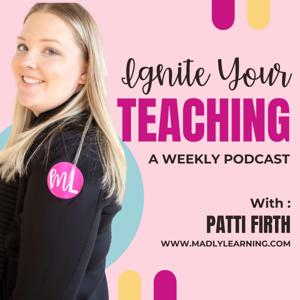


Coping with Digital Teaching - How to adjust your mindset to better cope with the reality of teaching through Covid-19
Do you need a back to basics walkthrough to help you navigate how to get started with Google classroom?
By request, I have created a video walkthrough with all of the tips you will need to get started (or restart) on the right foot with google classroom.
Right now the trend seems to be using a lot of google slides to facilitate remote learning.
However, this is not the only useful format that can be used.
So many people are stressed about using new tools what if I told you that there were tools that can be used that would allow you to use what you have and repurpose them for a remote learning environment.
As teachers, we can use the PDFs that we own and send them out to our families in PDF format.
Once our students have these PDF files there are simple and easy tools and apps that can be used that will allow students to treat these PDFs as simply and easily as a homework book that they work through.
In this video, we will look at 3 tools that can be used across multiple student's devices that will allow students to use PDFs like paper.
These apps and tools allow students to annotate their PDFs by writing on top of the digital pages. Once complete students can then export what they completed back to you in whatever format you would like.
It’s simple. Let me walk you through these three tools.
To make this easy for you I have included the link to this video so that you can easily download this video, share it with your school teams inside and outside of Facebook.
Don’t forget that this video will be up on Youtube as well as reposted in podcast format for you to use again and again.
This is a tough time but learning how to adapt to this new type of teaching doesn’t have to be so overwhelmingly hard. If you need to know how to do something to support your at-home learning needs please reach out and ask. I am happy to share with you what I know to make this time easier.
In this video, I will walk you through how I have used Google slides to plan my lessons for the week.
We will look at how to
- Create a digital week at a glance
- How to create different interactive pages that students can use or print
- How to insert video lessons into your slides
- How to get them from slides to google classroom.
- How to set up your google classroom
- How to modify and accommodate your plans for students on IEPs
If you want to get your hands on these templates and future templates added please find them here. https://www.teacherspayteachers.com/Product/Digital-Planning-Tool-5422898
As we embark on unchartered territory in education. We are all exploring how to use digital tools.
In this video, we will explore how to use
- Google Classroom
- Zoom Learning
- Screencast-o-Matic
Get an introduction on how to use these tools to teach students remotely.
While teaching and education is in a bit of upheaval right now. I debated about posting this or not. I created this before the break and before we were all isolated at home and social distancing.
Ultimately I decided that I am going to post the video tonight simply for no other reason than it is normal for me to do so.
Going forward I will be shifting focus on this video from inquiry in the classroom to homeschooling your own kids and remote learning. I am right there with you. I feel that with this platform you've given me, by continuing to watch, that I will do my best to continue to support you in any way I can. Together we can take on this new challenge and rock it together!!
~ Patti
******************************************************************************
I am so tired of having to justify why I teach math the way I do.
Yes I teach ‘Inquiry Math’
Yes I teach ‘New Math’
And just because you didn’t learn it this way and don’t know how to help doesn’t mean that it isn’t a valuable way to teach it. Or perhaps you were just someone who got it and didn’t struggle with learning new concepts.
Ok rant over...
I teach math to every type of learner in my classroom and I don’t teach them all the same way.
I use a variety of strategies with the knowledge that students need a scaffolded approach to learning different things.
I wish someone had taught me how to do the math this way when I was a student.
In this podcast, I will explain to you why I teach all types of different strategies and I will walk you through why it is important that I do. (And you can steal these ideas the next time someone questions you why you teach this way too)
Are you a teacher who wants to use more inquiry in your classroom?
But have you ever wished there was an easy button for that?!?
Most people think that inquiry is this huge, open-ended task that has students going in a million different directions. It is usually hard to wrap your head around, difficult to guide students through it and more difficult to assess.
But what if I told you that that type of inquiry doesn't work with every kid?Or that Inquiry-based learning doesn't have to be scary.
You can use it in your classroom each and every day simply and easily. You can still do inquiry in your classroom without a huge enormous project.
It's not always perfect but a change to using more inquiry in your classroom has enormous rewards too.
Let me dispell some myths of what inquiry can look like and how it could work in your classroom. All of this with the hope to set you up on a path that will have you using more inquiry in no time.
In this video, we will explore
- the role of the teacher
- the path of the student
- the assessment strategies that work
Let's finally make inquiry easier...don't we all want that!
Wondering what guided reading looks like...let me show you step by step
"They" tell us that we need to be doing guided reading. Easier said than done. This is especially true in Junior grades where most of our students now know how to read and we are focusing on higher-level skills beyond teaching 'how to read' skills.
I'll be honest I struggled for a few years with how to do the guided reading at the junior level. But I've finally nailed down what works for me and a structure that is easily recreated in other classrooms too.
There are three key steps I move through in each of my guided reading sessions. These steps are easy to plan and track each time I meet with my students.
I could tell you what I do, but instead, I wanted to show you exactly the steps I go through. So I enlisted the help of a special little guest to help demonstrate the process I follow in each guided reading session.
Stay tuned to the end where I will share with you how to grab my helpful guided reading planning and tracking tools within the Madly Learning membership.
Sometimes education can be turbulent. There are periods in every educator's journey where chaos and disruption threaten to derail even your best-laid plans.
The positive classroom community that you worked so hard to establish can easily unravel during these times making it harder to get done what needs to be done.
In an inquiry classroom, a positive classroom community is a foundation a teacher relies on to create a space of respect and trust that allows the teacher to implement inquiry-based teaching strategies. Without this classroom culture, students are unable to take risks, become autonomous, or foster independent work skills.
In times of disruption and chaos within our classrooms, it is important that we focus on maintaining this not only for our students but for ourselves.
Taking care of our own and our student's emotional needs during these times is just as important as imparting knowledge and covering the curriculum. We can't do the hard stuff of learning if we are not ready to learn.
In this video, we look at four areas to focus on during these turbulent times to maintain a positive classroom community.
From focusing on the relationships we have with our students, reinforcing and rehearsing class rules and routines, validating concerns or keeping it positive. What we do outside of academics matters.
How are you keeping up your classroom community and culture these days?
What is open learning and how does it work in regular classroom.
Open learning was a solution I discovered that I never knew that I needed. It helped me to solve the problem with what to do with a rigid centers rotation when all of my students were working at different levels and different speeds.
In this video, I am sharing my journey into open learning. We will explore what it is and why it helps me leverage more voice and choice in my classroom to provide more differentiation in my teaching.
From the publisher's feed

26,790 Listeners
12,840 Listeners

87,958 Listeners
8,350 Listeners

3,583 Listeners

59,376 Listeners
245 Listeners
210 Listeners

46,656 Listeners
58 Listeners
643 Listeners

15,398 Listeners
18,937 Listeners

10,772 Listeners

12,501 Listeners