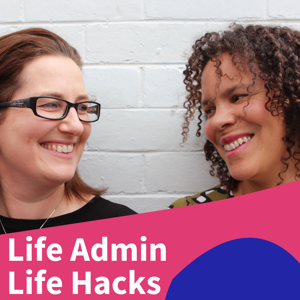
Life Admin Life Hacks

Life Admin Life Hacks

By Life Admin Life HacksSociety & CultureEducation
Download on the App Store

Life Admin Life Hacks episodes

  • 053: Tina Paterson on burnout and sharing the mental load

    In this episode, we interview Tina Paterson, remote working and productivity expert, about burnout and how to avoid the ultimate level of exhaustion. 

    About Tina Paterson

    Tina Paterson has worked across nine industries and 12 countries over the past 20+ years. She has led large departments, governed billions of dollars of assets and her teams have delivered Transformation Programs and Projects worth hundreds of millions of dollars. 

    She has achieved all this while raising two kids with her husband James, running marathons, raising a million dollars for charity and taking 3-month sabbaticals every 5 years with her family.

    Following her own story of burnout (where she ended up in the local Emergency Department due to being at work with pneumonia), she now partners with large organisations to help their leaders embed the strategies she has learned, lives and breathes.

    What we talk about

    During the interview, we chat about:

    • what burnout is - a state of emotional, physical, and mental exhaustion caused by excessive and prolonged stress
    • Tina’s story of burnout and how it slowly crept up on her
    • that people often abandon their self-care right at the time they need it the most
    • how Tina’s burnout was the impetus to do things differently
    • that the mental load of parenting and household management contributed to her burnout 
    • that reducing the number of decisions she has to make is an important contributor to relieving the mental load
    • how she relies on friends to make recommendations about what to buy to save herself the time to do the research
    • that 'being busy' is not a badge of honour
    • that doing a time audit of your 168 hours per week can help you consciously see what you are spending time on and how you can swap your hours to activities more in line with what is important to you
    • that it’s common to get out of touch with what’s actually fun for you
    • setting up your environment to make the things you enjoy easier to do 
    • how Tina shares the load with her husband and kids - by having a regular family meeting and agreeing who owns what and ensuring end to end accountability 
    • how watching Teenage Boss inspired Tina and her husband to put their kids in control of the family budget for a month to provide a real lesson in the value of money
    • how she has a chart to help navigate what fruit and vegetables her kids enjoy to simplify family dinnertime.
    RESOURCES
    • Tina Paterson’s website
    • Tina Paterson on LinkedIn
    • Time to Breathe : Navigating Life and Work for Energy, Success and Happiness, Dr Bill Micthell
    • 168 Hours: You Have More Time Than You Think, Laura Vanderkam
    • Teenage Boss
    • Money Brilliant App
    SHARE

    Please head to the Life Admin Life Hacks Facebook,  Insta or Linked In pages to connect with listeners and share your thoughts, questions or suggestions.

    37 min
  • 052: An Hour of Power and the Monthly Momentum Meeting

    This episode will help you think about how much time you need for life admin, in a whole new way.

    In a survey that Mia and Dinah conducted earlier this year, participants stated that when it came to life admin, finding ways to spend less time on it was of prime importance. Achieving peace of mind came a close second. Time was also identified as the biggest obstacle to getting life admin under control: 40% felt they never had enough time to do it, closely followed by a lack of motivation.

    The survey also identified that most people (60%) do their life admin at random and only 4% have a set time in their schedule to do these tasks.

    Mia concluded that while people say they don’t have time to do it, all the while they treat it like something that can be achieved in ‘magic time’. There is a disconnect in how long people think they need to do it and the fact that they don’t schedule a time to address it. It's time to accept that you will need to schedule some regular time in your calendar to get to some of the important, chunky life admin tasks. And while you may sigh with resignation about putting such a boring recurring meeting into your calendar, you will actually achieve peace of mind knowing there is time set aside to deal with your to-do list.

    When you have a dedicated time slot of life admin, you can stop worrying about how you’re going to get everything done.

    Mia explained the ‘rock, pebbles and sand analogy’ that is often used in time management, where each element represents important, essential and trivial activities in your life::

    • the rocks are the substantial life admin tasks that need dedicated time to get sorted – they call these Hour of Power tasks
    • the pebbles are tasks that can be done in idle time – they call these 10 Minute Time Killers and
    • the sand is small tasks that you should complete as they arise – they call these 2 Minutes Too Easy tasks.

    They discuss each of these categories of tasks:

    • Two Minutes Too Easy – these are the fast, easy tasks that can be done as soon as they appear on your radar. 
    • Ten Minute Time Killers – this category of tasks can be done in idle time. These tasks don’t need to be scheduled but you need to be confident that you know when you will get them done and a system to know what those tasks are. Dinah and Mia both have a dedicated list in their to-do list app to record these tasks.  They also note that people often turn to social media when they have those 10-minute gaps – however, completing something off your to-do list is much more likely to improve your happiness.
    • Hour of Power – this is time committed to substantial to-do list items where you need to concentrate. It may be to change your electricity provider or plan a birthday party or review your superannuation. This deserves a recurring time slot in your calendar.  People give this time a fun name to get them in the right mindset. Dinah calls her time Life Admin Blitz and Mia calls her time –  Set Me Up Sunday.
    LIFE ADMIN RESOURCES

    Episode 5 – Scheduling the Inevitable, the Inspirational and an Hour of Power

    Episode 4 – Mastering To-Do Lists

    Summary of Dave Allen Weekly Review

    SHARE

    Please head to the Life Admin Life Hacks Facebook or Insta pages to connect.


    24 min
  • 051: Michael Grose on upskilling your kids to contribute

    We chatted with parenting expert Michael Grose about how we can get our kids to contribute more, relieve the life admin burden and grow up to be efficient at their own life admin.

    Michael Grose, the founder of Parenting Ideas, is one of Australia’s leading parenting educators, informing and inspiring audiences in Australia and around the world for more than 20 years. Micheal is a former primary school teacher with 15 years of experience. He holds a Master of Educational Studies specialising in parenting education and is the father of three children He is a bestselling author of 12 books for parents including Spoonfed Generation, Thriving!, Anxious Kids and his latest re-release Why First Borns Rule the World and Later Borns Want to Change It. Michael has had parenting segments on The Project, The Today Show, Weekend Sunrise, ABC radio and more. He has contributed to Huff Post, Kidspot and Mamamia, and is a former columnist with both News Ltd and Fairfax newspapers.

    What we talk about

    Our recent survey of over 300 Australians revealed that parents do 33% more life admin than those without kids, and they are twice as likely to struggle for time. During the interview, we chat with Michael about:

    • how parents often underestimate what their kids can do by up to three years
    • that we should never regularly do for our kids what they are capable of doing for themselves
    • that kids want more autonomy and independence
    • that as family sizes have shrunk we know more about each of our children, and so we give them less space to become more independent
    • being aware of developing independence and providing small opportunities for kids to feel and be useful
    • starting where your kids are at and pushing them along over time
    • developing a 'junior version of the game' (eg like Auskick for AFL) for life admin and housework and setting the standards based on their age and stage
    • that we need to not rescue kids so they can learn from their experience
    • accepting what kids do as a reasonable standard if they have tried their best
    • that pocket money is a great way to increase autonomy and independence and you can start from age 5
    • deciding what your benchmark will be in your family for handing over responsibility for a task (eg when they make their own lunch)
    • thinking about sharing the 'jobs and the joy' and wealth within your family
    • using a roster to allocate chores to create the sense that the roster is creating the “ask” rather than the parents
    • when kids start asking for more independence we can look at ways that we can make it happen by giving them the skills they need to do at least part of the task
    • pets are great to teach kids what it is like to have someone else reliant on them
    • thinking less about the amount of time that kids are spending on screens and more on what they are consuming and what the opportunity cost is (what else could they be doing)
    • teenagers need parents who will challenge them
    • that gender and birth order can create different expectations
    • girls are often more organised at a younger age and boys may need more coaching, due to the way the brain develops differently between the genders
    • firstborns tend to be more detail-orientated and introverted
    • there are three aspects to consider when parenting - a child's genetics & temperament, birth order and the family frame that sets the landscape for everything else.
    Resources

    Parenting Ideas website

    52 min
  • 050: State of the administration

    Get up to speed with the good, bad and ugly state of Mia and Dinah's life admin.

    Since Mia and Dinah have been writing their Life Admin Life Hacks book they have optimised their life admin processes even further. In this episode they bring you up to speed on their life admin systems with a focus on the foundational tools: password manager, cloud storage and dedicated email, scheduling, lists and budgeting. 

    A password manager is an essential foundation for life admin. Dinah has continued to use Last Pass Families and Mia uses Keeper. They recommend:

    • if you don’t have a password manager you should start a free trial
    • if you need some help setting up your password manager you can watch YouTube videos to step you through the process. 
    • installing a Chrome browser extension on your computer to make it much easier to access passwords on your PC or Mac and allow auto-filling of login details
    • all important documents (eg copies of passports and Medicare Cards) are uploaded to your password manager, given its high security and encryption 
    • setting up a legacy contact in your password manager so that if you become incapicated or die your passwords can be accessed to manage your digital estate. 

    The second foundational life admin tool is having cloud storage and a dedicated life admin email. Mia and Dinah both continue to use Google Drive. They recommend:

    • a separate dedicated email for life admin to keep life admin in a separate, defined space and to more easily share the load with your partner or coparent
    • if you have had a cloud storage setup for some time it might be time for a digital declutter to get rid of anything no longer required. 
    • trying different mail apps on your phone to make it easier to save things into your cloud storage - Dinah uses the Gmail app to make it seamless to save files into her life admin Google Drive.

    Another foundational life admin element is a shared digital calendar and scheduling. Mia and Dinah both use Google Calendar but Dinah uses the Outlook app on her phone to make it easier to view her work and family calendar together.

    Mia loves lists! She uses:

    • the iPhone Reminder app for her to-do lists 
    • the iPhone Notes app for reference Llsts including her meal plan and shopping list
    • to-do lists that are categorised by the duration of the task: “Ten Minute Time Killer” tasks and “Hour of Power” for more complex tasks

    Dinah also uses the Reminders app as she can easily share the lists with her husband and use Siri to easily add to the lists on the go.

    Budgeting is the final element of the life admin system and is essential given its links to comparison shopping for household bills. Mia uses the Money Brilliant app while Dinah uses defined bank accounts to help live within her targeted savings goals.

    There have been quite a number of changes to other areas of life since the various episodes were recorded. These include:

    • Home loans - lowest interest rates since the 1970s  - make sure you compare the rate you’re paying against the average interest rate on Moneysmart.gov.au. If your rate looks high at a minimum, call your bank and ask whether they can offer you something more competitive.  If you want to invest more time and reap more savings then call a mortgage broker.
    • Energy  - always on comparison services are now possible such as Energy Umpire. Most con
    28 min
  • 049: Maintaining your car

    This episode will give you Mia and Dinah’s top hacks for fuelling the admin for your car maintenance and repair.

    The average two-car household in Australia spends around $17,000 or 13-14% of their income per year on car-related costs, so keeping on top of all your car admin not only saves you money but also gives you peace of mind that your car is in good repair.

    In this episode Mia and Dinah discuss: 

    • Car registration (“rego”)
    • Insurance
    • Service and repairs.

    In recent years, all states of Australia have abolished car registration stickers and so it is important to ensure you have a good system to make sure you receive your registration payment reminder so you don’t inadvertently drive without. You can set up your preferred method of bill notification by logging into your state's vehicle registration organisation, such as Vicroads or Transport for NSW.

    When thinking about car insurance, Mia and Dinah discuss the things you need to consider:

    • if you need comprehensive or third party insurance
    • if you want to insure for agreed value or market value
    • cover for personal property (eg child seats in the car)
    • road assistance to be included
    • how far you will drive as you may be able to get a cheaper premium
    • if choice of repairer and provision of rental car is important to you
    • who will be the primary driver - this does not need to be the owner
    • increasing your excess can be a great way to reduce your premium
    • paying annually in advance is another good way to reduce your premium.

    The comparison sites Mia and Dinah recommend to compare car insurers are Canstar, Choice and Finder.

    When getting your car serviced things to keep in mind are:

    • you don’t need to go to the authorised dealer to get your car serviced - any qualified mechanic can service your car and fill out the log book as long as they're using quality parts
    • it is important to do your regular service to keep your car in good working order and save $ in the long run even if you aren’t regularly using your car
    • add a reminder to you to-do list for 6-8 weeks before the service is due to book your car in so you can get the day/time of your choice and have the best chance of securing a loan vehicle (if available) 
    • capped price servicing often does not include critical service items and may not provide the best value.

    For regular car maintenance:

    • check your car owners manual to see how often and what regular checks you should do on your car (eg checking oil, tyre pressure, tyre tread)
    • establish a system of when you will check, consider pairing it with something else or adding it to a to-do list
    • buy a tyre pressure gauge so you can check you pressure at home and it will be more accurate that the gauges available in petrol stations
    • consider getting your tyres rotated and balanced every 5,000kms to lengthen their life.

    You can also consider if you need to own a car or have two cars in your household. Car share services like GoGet, Flexicar, Popcar and ride share services like Uber may provide a viable alternative for you.

    RESOURCES

    Get Reminded App - App to set reminders for when bills are due

    Choice

    Canstar

    26 min
  • 048: Navigating government benefits
     

    This episode will give you Mia and Dinah’s top hacks for navigating Australia’s government payments and allowances.

    There are over 26 different payments and benefits available from Centrelink. Mia and Dinah talk about the 8 broad categories of payments available:

    • families with children
    • age pensions
    • disability support
    • carer support
    • study-related support
    • unemployment support
    • crisis and special benefits
    • concession cards and bonus payments.

    They discuss the best place to start to assess if you are available for any payments or  benefits is the Centrelink Payment and Service Finder. This service available on the Centrelink website allows you to enter your details and then suggests what payments you should investigate. It also suggests other supports such as help lines, community groups, advocacy networks and associations that may be relevant to your situation. In particular other services which you may be eligible which are relevant to life admin include:

    • Financial counselling 
    • Department of Human Services Financial Information Service
    • Legal aid
    • Microfinance small loans

    Mia and Dinah talk about some of the payments you may be eligible for including:

    • Family Tax Benefit Part A and Part B - tax benefit for single parents or couples with children based on your income level and number of children
    • Paid Parental Pay - pay to help parents spend time at home with a newborn or recently adopted child
    • Child Care Subsidy - assists families with the cost of approved child care 
    • Carer Payment - supplement paid to someone who provides daily care and attention at home to a person with a disability or medical condition 
    • Austudy - payment for those 25+ returning to university to do a degree
    • Jobseeker - financial help if you're between 22 and Age Pension age and looking for work

     Mia and Dinah talk about some of their top hacks for navigation the system including:

    • if you know your circumstances are going to change, plan ahead to assess what you need to do to be eligible for relevant payments or services
    • if you need to call the Centrelink call centre don’t call on Monday - the best times are usually Wednesday and Thursday in the morning
    • if you have a complicated situation do your research, collect all your documentation and then make an appointment to see a Centrelink representative
    • keep all your records accessible in your life admin system to make ongoing management of the payment easier.
    RESOURCES

    Services Australia  - Guide to Government Payments

    Centrelink - Payment and Service Finder

    ATO - Government payments, pensions and allowances that must be declared on your tax return

    SHARE

    Please head to e Life Admin Life Hacks Facebook or Insta pages to connect with listeners and share your thoughts, questions or suggestions.

    20 min
  • 047: Organising home maintenance and repairs
     

    This episode will give you Mia and Dinah’s top hacks for managing maintenance and repairs to your home.

    While completing home maintenance and repairs is not life admin, planning it, scheduling it, organising equipment and supplies and finding and engaging tradespeople are all squarely life admin tasks you have to do.

    Mia and Dinah start the ep by discussing how you can get motivated to tackle this. Strategies they discuss include:

    • reframing home maintenance as a quest for beauty within the sanctuary of your home  to elevate it from the humdrum
    • considering the costs you will save by attending to small maintenance items before they result in a need for major repairs
    • improving household harmony by establishing a system so you can share responsibilities with your partner
    • ensuring the safety of your home
    • considering the environmental impact saving energy can have.

    Mia and Dinah discuss hacks for: 

    • establishing seasonal reference lists for household and garden maintenance
    • having a to-do list for minor repairs so you can batch them
    • scheduling in your important recurring maintenance tasks
    • establishing the minimal acceptable standard for tasks so you can minimise disagreements with your partner and more easily share the load
    • making sure you understand what is included within your home insurance including possible access to home assist services
    • considering subscribing to home assist services like RACV Home Assist to get easier access to tradespeople 24/7
    • learning how to do repairs and maintenance by using Youtube or doing a course 
    • having a list of contacts for tradespeople and other outsourced suppliers so you can readily access an outsourced provider when needed.

    They also discuss the equipment you may need for home repairs and maintenance and that you don’t need to buy to save money and storage space. Other options include:

    • borrowing from neighbours, friends and family
    • community tool libraries
    • peer to peer services like toolmates.com.au 
    • renting from hardware stores.
    RESOURCES
    • The Architecture of Happiness - Alain De Botton
    • Fair Play - guidance on establishing a minimum acceptable standard
    • Home Maintenance schedule example 
    • Ep 4 - Mastering To-Do Lists
    • Ep 022: Outsourcing personal and household tasks
    • Tool Mates

    Note that the Open Shed tool sharing app mentioned in the episode is unforutnately no longer available.

    SHARE

    Please head to e Life Admin Life Hacks Facebook or Insta pages to connect with listeners and share your thoughts, questions or suggestions.

    21 min
  • 046: Reviewing your superannuation

    This episode gives you Mia and Dinah’s top hacks for reviewing your superannuation and related insurances.

    It’s easy to slip into a ‘set and forget’ mode for superannuation. Almost 70% of Australians don’t make an active choice and opt for their employer’s default superannuation fund plus there is more than $17 billion in lost super across 6 million accounts. Given that around 10% of your income is going there, it’s important not to ignore it. If you are a woman, engaging with your superannuation is particularly important: more than 80% of women are currently retiring with insufficient superannuation savings to fund a comfortable lifestyle, with average retirement balances of $80,000 less than the average for men.

    Mia and Dinah talk about using retirement calculators to motivate you to get more engaged with your superannuation.

    Mia and Dinah also discuss good times to review your superannuation and talk through some of the financial fine print and jargon including:

    • types of superannuation funds: accumulation funds, defined benefit funds, self-managed superannuation funds
    • various investment option types: growth, balanced, conservative, ethical –  and the things you should consider when deciding which option might be right for you
    • types of insurance and why insurance through superannuation might be better value for you
    • nominating beneficiaries to ensure your superannuation and insurance benefits would be distributed in accordance with your wishes if you pass away

    They walk through the key steps in reviewing your superannuation and assessing if you may want to switch including:

    • checking for lost super – log into MyGov and look in the ATO section/Super tab – any super accounts in your name will be listed, including those you’ve lost or forgotten – you can then choose to consolidate them into one account to save on fees
    • reviewing your current fund to understand your current balance, investment options, fees and insurance coverage and premiums
    • looking at fund performance over a 5-10 year period
    • comparing your fund’s fees and performance on comparator sites such as canstar.com.au, RateCity.com.au and Morningstar.com.au
    • calling your current fund and possible new funds before switching to ensure you understand the differences in insurance coverage.

    If you decide to switch funds the key step are:

    • setup your new superannuation fund first
    • advise your employer of the new fund details
    • ensure your employer is making contributions to the new fund
    • complete paperwork with your new fund to rollover your old fund into your new fund

    Don’t forget to set up your online access and save all the details into your password manager.

    LIFE ADMIN RESOURCES

    Retirement Tracker

    MyGov.gov.au

    canstar.com.au

    Episode 30: Sorting out Life Insurance

    SHARE

    Please head to the Life Admin Life Hacks Facebook page to connect with listeners and share your thoughts, questions or suggestions.

    21 min
  • 045: Tracey Spicer on upskilling your kids to contribute at home

    We interview Tracey Spicer, longtime broadcaster and recent NSW Premier's Woman of the Year, on how she and her partner organise and share their home life and careers.

    Tracey Spicer AM is a multiple Walkley Award-winning author, journalist and broadcaster who has anchored national programs and in 2018 was chosen as one of the Australian Financial Review’s 100 Women of Influence . In 2019 she was named the NSW Premier’s Woman of the Year, accepted the Sydney Peace Prize alongside Tarana Burke for the Me Too movement, and won the national award for Excellence in Women’s Leadership through Women & Leadership Australia. Her first book, The Good Girl Stripped Bare, became a bestseller within weeks of publication, while her TEDx Talk, The Lady Stripped Bare, has attracted more than six million views worldwide.

    What we talk about

    During the interview, we chat with Tracey about:

    • organising holiday care for children
    • how Tracey enlisted her seven-year-old daughter to help her with tax receipts
    • enlisting the children to assist with life admin, cooking and other household chores
    • how she is determined to teach non-traditional gender roles to her children 
    • how her husband has taken control of house cleaning and comparison shopping in their household
    • how habit, necessity and seeking advice has helped her take control of her taxes
    • her approach to what she is happy to outsource
    • the importance of having a conversation with your partner to reset expectations
    • how her kids take responsibility for planning, shopping and cooking one meal each week
    • investing the effort and time to upskill your children into contributing to your household life admin
    • using a shared digital calendar to coordinate family logistics
    • simplifying life to reduce the number of decisions she needs to make. 
    RESOURCES
    • TEDx - The Lady Stripped Bare
    • Tracey Spicer’s website
    SHARE

    Please head to the Life Admin Life Hacks Facebook page to connect with listeners and share your thoughts, questions or suggestions.

    32 min
  • 044: Planning your digital estate

    In this episode, we interview Anna Hacker, the host of the ‘What Happens When I Die?’ podcast, about digital estate planning. 

    Anna Hacker is the National Manager of Estate Planning in the Trustees Services arm of Australian Unity. She trained as a lawyer and is an accredited specialist in Wills & Estates. 

    She hosts the popular podcast “What Happens When I Die?” which explores the legal outcomes of dying. In each episode, Anna is joined by guests to discuss what happens to your kids, your superannuation, your stuff and even your body after you pass away

    What we talk about

    During the interview, we chat with Anna about:

    • The complexities of your digital footprint including photos, access to banking, digital files in the cloud, email accounts, passwords, social media accounts
    • The rules for different email providers on how to access email accounts after you have died
    • Making sure you don’t put passwords in your will as it becomes a public document
    • Ghosting - identity theft after you die
    • Appointing a digital executor - to ensure they have the skills needed to deal with digital assets
    • Preparing a Digital register to include with your statement of wishes, including the location of digital assets  and making sure it is kept updated
    • Using a password manager to grant access to a loved one in case of death or incapacitation 
    • Understanding the rules of the various social media platforms and setting up a legacy contact on Facebook
    • Sorting out your files and photos and having a conversation/death talk about what is important and where they can be found
    • Making sure you update your will when there are key life events or changes.
    RESOURCES
    • Podcast: What happens when I die
    • Setting up a Facebook Legacy Contact
    • Episode 11: Drafting Wills and Powers of Attorney
    SHARE

    Please head to the Life Admin Life Hacks Facebook page to connect with listeners and share your thoughts, questions or suggestions.

    33 min

About Life Admin Life Hacks

From the publisher's feed

Tools, techniques and tips to tackle your life admin and housework with efficiency. Mia Northrop and Christie Flora  introduce ways to drop your mental load, save you time and money, create…

More shows like Life Admin Life Hacks

Parenting Out Loud by Mamamia Podcasts

Parenting Out Loud

53 Listeners

No Filter by Mamamia Podcasts

No Filter

595 Listeners

Conversations by ABC Australia

Conversations

810 Listeners

All In The Mind by ABC Australia

All In The Mind

757 Listeners

Mamamia Out Loud by Mamamia Podcasts

Mamamia Out Loud

564 Listeners

Ladies, We Need To Talk by ABC Australia

Ladies, We Need To Talk

317 Listeners

Crappy to Happy by Cass Dunn

Crappy to Happy

46 Listeners

Parental As Anything by ABC Australia

Parental As Anything

40 Listeners

The Imperfects by The Imperfects

The Imperfects

392 Listeners

Body Bites With Bec by Bec Miller, Health with Bec

Body Bites With Bec

13 Listeners

The Nutrition Couch by Susie Burrell & Leanne Ward

The Nutrition Couch

58 Listeners

Nothing To Wear by Mamamia Podcasts

Nothing To Wear

99 Listeners

But Are You Happy? by Mamamia Podcasts

But Are You Happy?

26 Listeners

The Aging Project by The Aging Project

The Aging Project

29 Listeners

MID by Mamamia Podcasts

MID

45 Listeners