
Sign up to save your podcasts
Or

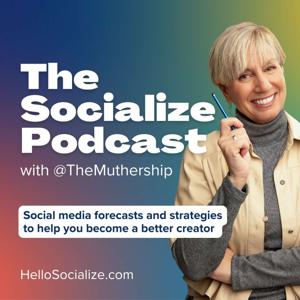


In this episode, I’m sharing a wild personal update (spoiler: it involves 15 stitches and a middle-of-the-night fall), followed by two unsponsored product reviews—one brutally honest take on a trending TikTok bra alternative, and a rave about my favorite organizing pouches. Then we dive into practical, easy-to-understand tips for choosing the right iPhone camera settings for high-quality content creation without overwhelming your storage or workflow.
Here's the outline and if you'd like to try out the Socialize Studio free for 7 days, CLICK HERE!
📱 Camera Settings Breakdown:
Default Recommended:
1080p HD at 30fps — Great balance of quality and manageable file size.
1080p HD at 60fps — Use if you plan to slow down footage; better quality slow-mo.
Avoid:
720p — Lower quality, only if desperate for storage space.
4K — Amazing quality, but huge files; only for pro projects or if exporting to big screens.
🎞️ Slow Motion Settings:
120fps vs. 240fps — Higher number = smoother slow-mo but needs more light.
Shoot in regular video and slow down in CapCut for more flexibility.
Avoid shooting slow-mo under fluorescent lights — causes flicker.
🎬 Cinematic Mode:
Shoots at 24fps in 4K with shallow depth of field — great for storytelling or stylized content.
Note: No zoom in this mode!
💡 Pro Tips:
Light is crucial for slow motion.
Be aware of local lighting systems when traveling (PAL vs NTSC frame rate differences).
Always shoot in the best quality you can afford in terms of data/storage.
You can always downscale, never upscale.
In today's on-the-road episode of The Socialize Strategy, Helen records from a hotel room in Las Vegas—mic in suitcase, content in motion. She kicks things off with her beloved “unsponsored buys,” including Halara jeans, SmallRig tripods, and a shout-out to her licensing show client, Hangry Pets.
The heart of this episode dives into a shared creator struggle: low views. Helen breaks down why they happen, how to stop letting them derail your momentum, and how to use them to your advantage. From reframing your perspective to seeing each post as part of a larger archive and community journey, this episode is full of grounded, no-nonsense advice (plus a few laughs).
She reminds us that even seasoned creators with large followings experience algorithm dips, and that sometimes not going viral is actually better for your business. Helen also shares how collaborating with her daughter, Julie, helped shake things up and free her from perfection paralysis.
Finally, studio members get a sneak peek at this week’s Loop Action Video lesson—and a special bonus session coming up on Friday. If you're craving a mix of strategy, support, and straight-up storytelling, this one’s for you.
In this episode of The Socialize Strategy, Helen kicks off with her "Unsponsored By" segment, spotlighting two favorite products—a sleek, smartly designed water bottle and a game-changing wireless microphone. Then, she dives into making engagement on Instagram (and beyond) easier and more intentional. From clever comment strategies to the secret power of Instagram’s “favorites” feed, Helen shares practical, heart-forward tips to grow real community and connection on social.
📱 Main Content: Engagement Made Easy (Especially on Instagram):
💬 Engagement Do’s & Don’ts:
📌 Making Content Planning Easy
In this episode, we're diving into one of the biggest game-changers for any content creator: getting organized. Whether you're juggling multiple platforms or just trying to post more consistently, having a solid content planning system can save you time, reduce stress, and seriously level up your output.
🧠 Core Tips & Takeaways
🎧 Listener Q&A
📣 Studio Plug + Special Offer
Helen wraps with a reminder that the Socialize Studio gives you weekly blueprints, community support, and a Mother's Day promo is live now. Check the newsletter or show notes for links and tutorials mentioned.
Today’s episode covers how to use SEO strategies to get your social media videos discovered. Make sure you use this powerful tool for increasing visibility on platforms like TikTok, Instagram, YouTube, and Facebook.
💡 Key Takeaways:
1. SEO Works on Social Media
• Helen shares a real-life story: a baton tutorial she posted a year ago was discovered by someone searching for baton lessons on TikTok — proving videos can be surfaced by search if optimized properly.
2. How to Find the Right Keywords
• Ask: “What is this video about, and what would someone type in to find it?”
• Use search bar auto-suggestions (on TikTok, Instagram, YouTube, Google) to see common related queries.
• On TikTok, scroll past the first few videos in a search to find related keywords under “other topics searched.”
3. How to Use Keywords Effectively
• Say them aloud in your video — algorithms do pick up on spoken words.
• Include them in on-screen text (don’t hide them offscreen).
• Use them in your caption — avoid clever wording that misleads the algorithm.
o Example: Saying “Watch this magic trick” for an outfit change video may categorize it as “magic” content.
• Put keywords in your profile display name and bio.
o Ex: Instead of “@latchkeylife,” say “Finance Tips for Gen X.”
4. Profile Optimization = SEO
• Your display name and username are searchable.
• Incorporate what you teach or share into your name (e.g., “Helen | TikTok Tips”).
• Think of your pinned videos as your homepage — pin the content you want to be known for.
5. Other SEO Boosters
• Geotags: Help surface your video in local searches (great for local businesses).
• Engagement: Comments, likes, and shares tell the platform your content is active and valuable.
• Hashtags:
o TikTok: Use a few relevant ones as a safety net.
o Instagram: Not necessary anymore. Meta says they no longer impact reach significantly.
6. The Wild Part: AI Recognizes Your Footage
• Platforms like TikTok and Instagram can visually interpret your video content.
• Helen saw a video categorized as “board games” — despite no mention in audio, text, or captions — because of what was in the footage.
• Bonus tip: TikTok auto-selects music based on the video’s vibe — proof that it understands what’s happening visually.
7. Pro Tip for Desktop Posting
• Rename your video files before uploading.
o Instead of IMG_024.mov, rename to green_screen_editing_tutorial.mov
o Helps with SEO on YouTube and even TikTok desktop uploads.
🧠 Final Thoughts:
• SEO is everywhere now — even in how platforms auto-tag and categorize content.
• Do all the little things: say your keywords, show them, write them, name your files.
• Treat your content like searchable assets, not just scrollable posts.
📢 Resources Mentioned:
• YouTube 101 Lesson in the Socialize Studio!
• 7-day free trial available and our Muther’s Day promo!
LINK TO TRY IT FREE: https://socialize-studio.mn.co
In this episode of The Socialize Strategy, Helen kicks off what she’s calling Part One of the Small Business Series, dropping essential social media tips for small business owners. Whether you're strapped for time, creatively blocked, or just unsure where to start, Helen’s got real talk, relatable examples, and honest advice to help you level up your content game—without burning out.
Plus, don’t miss her hilarious (and painful) “unsponsored by” review of TikTok-famous Crocs. Spoiler: it didn’t end well for her feet.
📌 Topics Covered:
1. Unsponsored Buy: Crocs Edition 👟
2. Free Workshop Announcement 🎓
3. Helen’s Upcoming Trip to Jamaica 🇯🇲
📲 Small Biz Social Strategy Breakdown:
📹 Video is King
🚀 Start Small, Then Scale
🧠 Work With What You’ve Got
🎯 Sell Less, Connect More
🎥 Feel Camera-Shy?
🧩 Stay Consistent, Not Constant
🔧 Tools & Support Mentioned:
✨ Helen’s Content Studio
📚 Additional Links:
🎤 Quote of the Episode:
"You have to do what you're gonna actually be able do. If you're too nervous to talk to the camera, you're never gonna do it. So figure out what you can do consistently—and do that." – Helen
💌 Stay Connected:
🎧 Tune in next week from Jamaica! Helen's bringing the vibes, the tips, and possibly a fresh new unsponsored buy.
👉 Don’t forget to rate, review, and subscribe wherever you listen to podcasts!
This week Helen breaks down why video formatting is essential for engagement across platforms like TikTok, Instagram, and YouTube. She walks through editing basics in CapCut, sharing how to fix common issues like black bars, wrong aspect ratios, and poor layout.
✂️ Key Takeaways:
🧠 This Week's Challenge: Self-assessment!
🎯 Goal: Become a more intentional content creator by understanding the impact of formatting on engagement and viewer comfort.
Let me know if you'd like a version for social media captions or email blasts too!
🎉 Highlights from This Episode:
This week’s episode is full of reflection, celebration, and practical tips for creators at every stage of their journey. Helen shares big updates from her world and drops some major knowledge on growing your presence—and confidence—on social media.
LINK TO VIDEO MENTIONED IN THIS EPISODE: https://www.tiktok.com/t/ZTjeQV7qW/
📰 Big News:
New Sponsor: Morning Brew!
A full-circle moment for Helen as the newsletter she helped build was once inspired by Morning Brew—and now they’re official sponsors. 🙌
Studio Move: Socialize Studio is now on Mighty Networks!
A new platform, a better community experience. The studio now has daily chats, better organization, and more engagement tools for creators.
💡 Main Topic: What I Wish I Knew When I Started on Social Media
Helen reflects on key lessons learned along the way—perfect for anyone just starting or feeling stuck.
1. Start an Email List Early
Whether you have 20 or 2,000 followers, own your audience. Don’t rely solely on platforms like TikTok or Instagram.
Offer a lead magnet (e.g., free PDF, exclusive tips) to encourage signups.
2. Do What You Love Consistently
Create in a way that’s fun for you—whether that’s tutorials, voiceovers, or dancing.
Consistency + enjoyment = sustainability.
3. Stick to Your Niche (But Keep It Fun)
When Helen leaned into tutorials, she saw growth.
Create content in your niche in the format you love most.
4. Always Include a Call to Action
CTA doesn’t have to be annoying—just add it at the end of your videos.
One viral video can change everything, so be ready.
5. Build Your Confidence
Everyone starts somewhere. Helen recalls her “teenage” creator years—soft-spoken and uncertain.
Own your voice and show up authentically. Confidence grows with practice.
📲 Creator Tips of the Week:
CapCut Tip:
You can change the shape of an overlay (e.g., to a circle or heart). Use the mask feature under the overlay settings.
Hashtag Strategy Update:
On Instagram: Hashtags are becoming less essential. SEO and captions are doing the work.
On TikTok: Helen's experimenting with no hashtags. She’ll report back next week with the results. (👀 Stay tuned!)
🌟 Bonus: Studio Free Trial!
Try the Socialize Studio for 7 days free! No commitment—just a chance to learn, connect, and level up your content game.
Join Here: https://socialize-studio.mn.co
💌 Final Words:
Thanks for joining this week. Helen’s goal is always to leave you with something valuable—whether it's a new editing hack, a mindset shift, or a gentle reminder that you’ve got this.
“Channel your inner badass. You’ll never regret showing up as yourself.”
Maximizing Music on Social Media:
Why Use Music on Social Media?
How to Use Music Effectively:
Questions about Using Music on Social Media:
Adding Music to Videos with No Sound:
Questions were answered:
Stay creative and keep socializing! 🎙️💡
Join the Socialize Studio here!
If you landed here by chance, SUBSCRIBE HERE to receive links to everything directly to your inbox twice weekly!
Follow us on social media:
@themuthership on TikTok
@themuthership on Instagram
@julipolise on TikTok
@julipolise on Instagram
@hellosocialize on Instagram
Find our FREE workshops and courses on our website.
For fun mother-daughter chats, check out our personal podcast “Yours Truly with Helen and Juli”
Introduction: "Socialize Strategy"
• Podcasting from the Road: A brief reflection on how content creation can happen anywhere, even from a sparsely decorated Airbnb.
• Main Topic: Understanding the balance between using trends and creating original content.
Section 1: Understanding Social Media Trends
• Defining Trends: What are social media trends and why should you care?
• Two Types of Trends:
1. Audio-Driven Trends:
Example: Lip-syncing trends or specific sounds gaining popularity.
How the algorithm pushes these to a wider audience.
2. Conceptual Trends:
Example: The Roman Empire trend – how it started and evolved.
These trends are based on ideas, not tied to a specific audio.
Section 2: Why Should You Use Trends?
• Reach and Visibility:
o How trends increase your chances of appearing on the For You page.
o The opportunity to get in front of new viewers and grow your audience.
• Connecting the Dots:
o How trends can help lead people back to your business or content.
o Using trends strategically to share what you do and why people should follow you.
Section 3: Using Trends with Purpose
• Example from Helen’s Experience:
o Using a trend to showcase her expertise (e.g., predicting viral success and tying it to teaching content creation).
o Important Lesson: Don’t just jump on a trend for fun—make sure it connects back to what you offer.
• The Bridge Between Trend and Value:
o How trends can help highlight your core message without losing authenticity.
Section 4: Finding Balance – Trends vs. Original Content
• The Risk of Overusing Trends:
o How too many trends without showing expertise can hurt your credibility.
• Balancing Content:
o Why a mix of trends and original content is necessary.
o Example: Posting tutorials alongside fun, trending videos.
• Staying Consistent with Your Brand:
o How to maintain a connection with your audience while using trends effectively.
Section 5: Strategies for Maintaining Content Consistency
• Content Planning:
o Tips for planning content ahead of time to ensure consistency, even during busy or vacation periods.
o Pro Tip: Keep content drafts ready to go, and don’t be afraid to have a backlog.
• Keeping Content Diverse:
o Rotating between tutorial videos, trends, and behind-the-scenes content.
Section 6: The Shift to Mighty Networks
• Exciting Announcement: Helen’s move to a new platform – Mighty Networks.
o Focus on community building and better accessibility for content.
o How this change will enhance the experience for content creators.
Conclusion:
• Recap: The key to success is finding the right balance between trends and original content.
• Final Thoughts: Focus on making every piece of content intentional and aligned with your brand’s mission.
• Call to Action: Stay tuned for next week’s episode and have a great weekend!
Join the Socialize Studio here: https://nas.io/socialize-studio
If you landed here by chance, SUBSCRIBE HERE to receive links to everything directly to your inbox twice weekly!
Follow us on social media:
@themuthership on TikTok
@themuthership on Instagram
@julipolise on TikTok
@julipolise on Instagram
@hellosocialize on Instagram
Find our FREE workshops and courses on our website.
For fun mother-daughter chats, check out our personal podcast “Yours Truly with Helen and Juli”
From the publisher's feed

91,018 Listeners
1,448 Listeners

87,108 Listeners

111,865 Listeners

8,527 Listeners

50,421 Listeners

57,618 Listeners
19,273 Listeners

93 Listeners

28 Listeners