
Sign up to save your podcasts
Or

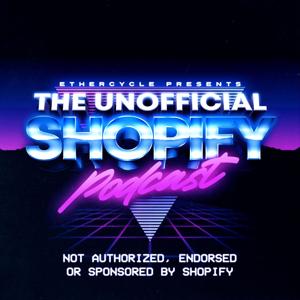

Facebook is giving us more ways than ever to quickly and inexpensively generate custom audiences. As a busy store owner, learning to navigate Facebook's myriad of advertising options effectively can be a time-consuming endeavor.
Kurt Bullock joins us to discuss Facebook's new options, and you can use them to set up a sales funnel that segments and targets customers through their relationship with your brand.
—
Subscribe to The Unofficial Shopify Podcast on iTunes
Subscribe to The Unofficial Shopify Podcast on Stitcher
Subscribe to The Unofficial Shopify Podcast via RSS
Join The Unofficial Shopify Podcast Facebook Group
—
I want to send you a sample chapter of Ecommerce Bootcamp, absolutely free.
Tell me where to send your sample at ecommerce-bootcamp.com
Kurt Elster: Today, I've got none other than Kurt Bullock, slightly confusing we have the same first name. He's a Shopify marketing master who specializes in Facebook ads. I noticed because he's been working with me for the last several months fulfilling a lot of our projects and doing an extraordinary job.
I'm really excited to have him here with us. Anyway, we're going into it. We're recording live from Ethercycle Headquarters outside Chicago. I'm your host, Kurt Elster. Kurt, thank you for joining us.
Kurt Bullock: Good morning, Kurt.
Kurt Elster: How're you doing?
Bullock: I am doing great.
Kurt Elster: Diving right into it, Facebook ads and Shopify, we know Facebook ads are great way to drive new traffic, qualify customers to your store, bring back prospects, people who haven't bought yet but a lot people who implemented themselves do it in a way probably differently than you and I would go about it. Let's start with, what's the wrong way? How are people doing it and screwing it up?
Bullock: I think that a lot of people go at it with the approach of trying to put together a profile. This is the way that before there were all these cool new targeting methods, it was really only way to go. This is what they teach in a lot of courses.
Kurt Elster: Like a customer avatar?
Bullock: There you go. You're putting together a customer avatar, trying to find all the magazines that they read, their customers, their competitions, Facebook pages and try to put together a profile and run ads to that group of interests.
Kurt Elster: Interest targeting not very effective. What works better than interest targeting?
Bullock: When I work with a new client, the first thing I do is get them to upload, let's say, a customer list if it's larger than 100 or 200 customers or their whole newsletter list so that we can create a custom audience.
Kurt Elster: Why do we need the two different lists? Why not just lump them together?
Bullock: It's great if you can segment and find the most, let's say, your best customers. For instance, if you were to rank them just your newsletter members are going to be less targeted, less relevant than your customer list who have all gone through and decided to purchase your product.
Kurt Elster: That's based on if I give them a list of email addresses or a list of phone numbers which is less successful. What's the minimum for to make a lookalike audience?
Bullock: I'm not sure what their hard number is, to be honest. I usually don't upload anything less than 200. I don't have very good luck if I go under 200. They may have a hard limit but I couldn't tell you what it is specifically.
Kurt Elster: It changes. It's hard to keep up because the stuff changes so quickly.
Bullock: Yes it does.
Kurt Elster: It used to be 100. If you upload a list of 100, that assumes 100 percent match rate, right? Not every email address will correspond to a Facebook account.
Bullock: That's right.
Kurt Elster: 200 is a totally safe number to do with. Let's say, I had a bigger list of past customers. I'm not even playing devil's advocate here. I generally wonder about this. Is it better to upload, let's say, I've got a list of 10,000 customers, and just put everybody who's ever given me $1, or more?
Bullock: That's exactly right. I would definitely go ahead and upload the repeat buyers, or the buyers that have exceeded a certain threshold, if you have numbers like 10,000 to work with. A lot of people don't. You put together the best audience that you can and give Facebook the best material to work with.
Kurt Elster: For lookalike audiences, we want quality over quantity for my source material?
Bullock: You've got it. Garbage in, garbage out. That's exactly right. You want to make sure that you give them the best audience possible. They'll give you a new audience to target. Sometimes, you do have to jump up to your newsletter list, if you don't have very many people to do that with.
Kurt Elster: They generate. We give it source material. We want whatever we have, but the highest quality we have, minimum 200 to be safe. It generates a lookalike audience of that.
It's not like there's a person doing it, which if that helps you, make it feel less creepy. It's an algorithm that does it. No one can individually pinpoint people. They're very careful about that. It creates a list of two million people, say, in the US.
Once I've got that list of two million people, here's another one, where again, I'm not playing dumb. I really wonder this. Is it a good idea to run the ads against that entire list of people, or if I have a clear idea of who my best buyer is, to run some segmentation on that list? I say like, "Here's my best buyers. Give me a lookalike audience."
Now I know my best customers are women, 25 to 34. Should we limit the custom audience to just that?
Bullock: That's what I try and go with. Two million is a high number. Facebook is getting much better at being able to handle that. Before, it was a bad idea, in my opinion, to run against two million. I still try and put on some limits. Albeit, when I start a new campaign, I do try and go broad so that I can collect data.
Then go back. Check the results. I can begin to focus that in before I have wasted too much money on, maybe, those outlying age segments.
Kurt Elster: Do you use the Audience Insights tool for this?
Bullock: Yes. I use Audience Insights to research it. I build the ads in the Power Editor. It's got a real similar form that you'll find in the Audience Insights tool, you'll find in the Power Editor for building these.
Kurt Elster: I am addicted to the Audience Insights tool. It is my favorite thing. [laughs] It is the coolest thing to play with because you don't have to spend any money with Facebook to use it. You could just say, "All right. Facebook, you've got all this info. Give me all the demographic data about my Facebook page likes."
Bullock: It is. It's crazy. As you mentioned before, Facebook purchases all these third party, big hunks of data. They try and assimilate that, and match it to their Facebook users. You can find out stuff that's not related. For instance, if they're in a market for a car, their buying purchases, if they have a mortgage, and then stuff that you do indicate on Facebook.
Kurt Elster: Yeah, it's a little disturbing when we were shopping for a house, and suddenly I'm seeing ads for houses. I didn't put anything on Facebook about that. We hadn't announced to anyone that my wife is pregnant, and we're already seeing ads on Facebook. It's a little weird.
Bullock: That's a little much.
Kurt Elster: Facebook is your snoopy aunt who knows too much.
Kurt Elster: The end result though is it creates relevant advertising, it's very personalized, it feels real.
I got cold traffic people who've never seen or heard of me before. Warm traffic people, say, visited the site in the last two, three, four weeks, and purchasers, people like my active customers who bought from me. What do I do now?
Bullock: The goal would be to try and get to warm as quickly as possible. If you're brand new to the Facebook platform, if you don't have a pixel on your site, I don't know if we need to clarify that for any of our listeners but...
Kurt Elster: Yeah, explain it.
For instance, I had a customer, we had put a pixel on their site about six months ago. He forgot about it. They engaged with us and for our first promotion, we had a list of 22,000 people that had visited their site and not taken any action. The owner in this case didn't know how he had collected that information, but it was because we had that pixel on there.
That's key. You really can't do Facebook advertising without a pixel. One last point on the pixel, that's what gets your analytics data. You can see if any of your ads are converting, if sales are coming from those ads, and it can really help you steer your efforts. Without it, you're pretty much going blind.
Kurt Elster: In Shopify, there's two ways to implement the Facebook pixel. I can either just drop it into...under website settings, it will say like, "Google Analytics," and then your Facebook pixel, and you just give it the ID number. Makes it very easy.
Bullock: I do both, depending on the customers' commitment to sending data and also their needs. You're right, it used to be really bad and almost unusable, and then they took major steps to fix that. Now, you can actually get by -- better than get by -- you can do well by just putting the pixel in there, it'll send good data.
You can go custom, but if you guys are getting started, by all means, just get that pixel ID number and you can Google that. I'm sure there will be 100 screenshots that show you how the pixel ID looks like, pop it into your Shopify theme, you just go to the online store, and then preferences, and then it's going to be about halfway down the page.
Kurt Elster: I've got my email lists uploaded, I've generated lookalike audience based on those, I've run through them with Audience Insights to get a clearer picture of who my customers are. I've got my Facebook pixel integrated on my site, which you can also run Audience Insights on the anonymous visitors to your site so it gets the value out of that, which is cool.
Bullock: Facebook's done some really cool things with custom audiences, so my first objective when I'm building a funnel is to take that cold traffic, that really wide audience, could be a few million if you scope it that high, and bring that down to just the people that have a realistic chance of being prospects for my products.
I put together a video like that and then you can have Facebook create a new audience, a new custom audience with people that have watched a certain percentage of your videos. If you sort it by people who have watched 95 percent or more, they will be more relevant, but it will be a smaller audience. That's the trade-off.
If you need a larger audience, then you could go to people that watched 25 percent of your video or 50 percent.
The idea here is that people would only stick around and watch 50 percent or 95 percent of your video if they are interested in what you're talking about. That builds that next custom audience and this audience is going to be more focused and this is where I'm going to begin to really focus my advertising dollars and my retargeting campaigns from here down the funnel.
Kurt Elster: I love product videos, especially to get that initial traffic. They're moving in my timeline, they indicate a higher level of sophistication that if I just had an image ad. What makes a good video? What are the caveats here? How long should they be? What should I go for?
Bullock: There's a lot of testing being done and it depends on your market. That's the thing that, unfortunately, you hear over and over again, is that it's all about testing and experimenting, which is also cool because you can find out the answers for your particular store by running a few tests. Having said that, I have had really great luck with videos that are two minutes or less.
What I normally do for an e-commerce store is a two minute product video. You could feature a bestselling product, a new product.
I've had great luck with behind the scenes footage, customer stories, all this stuff that gives customers a behind the scenes look at who's running the company and about your products. Helps to form that relationship so they can start to trust you, and the next time you speak to them, it's not, "How do you do, sir?" a cold new introduction.
Now you can speak to them as acquaintances. You already know each other and something about each other at this point.
Kurt Elster: The only caveat...Go ahead.
Bullock: One last point on that...Go ahead, Kurt.
Kurt Elster: Videos, if you watch, you can graph in Facebook how long people watch, like what the drop-off is. It looks like a black diamond ski slope the longer it gets. Even a two-minute video, I've seen you'll lose 60 percent of people in the first 30 seconds. Anyone past 30 seconds is like super engaged because they've watch the whole thing.
Bullock: That's exactly right. Another thing that I would like to add is you can include call-to-action link. The three that I use most often for ecommerce, I had to shop now, learn more, or signup. There's little call-to-action there.
Kurt Elster: Do these have to be professionally produced video, or can I just take my iPhone 7 and turn it horizontal and film myself talking?
Bullock: That's exactly right. It's funny. A lot of times, people see a slick production and skip it. It seems marketing material. It's something that at apartment put out, maybe.
Kurt Elster: Because it feels authentic.
Bullock: Polished ones feel really effective. That's exactly right. You get the authenticity, which is what people are looking for when they're engaging and trying to learn about your business.
Kurt Elster: At this point, in theory, the person clicked through the ad or watched most of the video. Now, what do I do with them? I'm assuming they haven't bought yet.
Bullock: If they have bought, then you can eliminate them from the rest of this ad funnel. What I typically do is after I have them sorted by, let's say, people that watch 50 percent or more of your video, then I start making what maybe would be my old cold offer.
It's interesting that further you go down the funnel, the higher your ROI and the lower your cost, your CPM goes down to the cost observe a million impressions to your viewers. That's the next thing I do, is try and get them to the site to take a look at a product.
Kurt Elster: How do we do that?
Bullock: Oftentimes, I use those carousel ads.
Kurt Elster: One of those?
Bullock: Yes, carousel ads with top selling products are awesome for that step. Once they make it to your site, then the efficiency of your ads go ways up. It goes way up because you can see what they looked at, and the next ad that you show. If they didn't convert, then the next ad you show them can be related to whatever they checked out on your site, which is amazing. It's awesome.
Kurt Elster: These are all variations on re-marketing, right?
Bullock: Yes, you got it. Everything is re-marketing below your initial cold traffic campaign. Once you have a custom audience built, then you are re-marketing, which is super effective.
Kurt Elster: I love re-marketing. Essentially, you're only showing ads to people who raised their hand. Suddenly it goes for people who you really like. You're a street vendor at that point just yelling at them in their news-feed like, "Hey, check this out. We're selling Simpson and Son Tonic."
The other thing is you're no longer biding against this huge pool. You're only targeting your own audience now. Suddenly, the cost per click goes way down.
Bullock: Absolutely. There's new features that Facebook has ruled out you. Not everybody will see this in their accounts if they were to look today, but they're ruling them out actively right now.
There's all kinds of cool stuff that you can do now with these new audience. The way that you find those is when you're building custom audiences just like the way that you normally would in Facebook, there's a new button that will appear.
It says, "Advance mode." If you click on Advance Mode, that's where you can really unlock all of this potential. It has modifiers like it will sum numbers for you, do greater than, less than, at least, all kinds of cool stuff.
The goal of this is obviously to find the most relevant audience. Pick up the low-hanging fruit, the people that are ready to take that next step and give them the right offer.
Kurt Elster: If you've got an existing store, you have existing traffic sources, I would focus on editing the re-marketing because that's your low-hanging fruit. You can add this safety net of sorts to bring people back to the site. We know on the average, I don't even need to see the site.
What was I going to say? I lost my train of thought. Versus if you have no traffic, then the re-marketing really is going to be a struggle. It's nice to put it in place early because you only need an audience of 100 people before they'll start showing. You want to focus on that top of funnel, which is so much harder.
With videos, it really makes it much easier because they're engaging. They don't have to be high production or crazy.
Bullock: This could be anywhere, but it can be the top of your funnel cold. Now, Facebook lets you target people that have engaged with your Facebook page. It lets you target people that have opened up a new type of ad. It's not that new anymore, but a lead ad. There's all kinds of ways that you can build these custom audience. It's where it used to just be people that visit your website.
It's a great way to fill the top of your funnel, and of course build those re-marketing audiences.
Kurt Elster: There's lots of great advice here. In 20 minutes, we packed in a ton of info. I'm sure some people's heads are swimming with the stuff. You put together a download that walks us through it. What's that about?
Bullock: I put together a download. It's got 14 different targeting custom audience setups that we run through. With screenshots, that will show you how to create them on your end.
Kurt Elster: I'll include that link in the show notes, of course, for people. You sent me the PDF. I've got it in front of me now. It is literally screenshots of here is the custom audience, here's exactly how to set it up in Facebook. It makes it super easy to start experimenting with stuff right now.
Bullock: You could start using the stuff this afternoon with your ads and see better results, make more sales, target the right audiences.
Kurt Elster: Kurt, we're coming to the end of our time together. Do you have any closing thoughts? What's one thing you wish every shopify store owner would do?
Bullock: The crown jewel of Facebook advertising is getting dynamic product ad setup, that's another episode. You could Google it, but they're amazing. It's something to strive for. It's not very difficult to setup. That's one thing.
Kurt Elster: Where could people go to learn more about you?
Bullock: You can check out our main site, which is producedepartment.co. I've also got another site, kurtbullock.com, which has some of the other things that I work on. I have developed some software ads and that sort of thing.
Kurt Elster: That was incredibly helpful. I hope people start experimenting with these new features in Facebook ads. They're really quite extra ordinary. It was years ago, you had to be some big enterprise to have access to stuff like this, with a huge and minimum advertising budget.
Anyway, Kurt, thank you. I appreciate it. I learned a lot.
Bullock: Thanks a lot, Kurt.
Kurt Elster: I have an announcement. Our first Shopify app went live in the Shopify apps store on Tuesday of this week. This episode comes out Thursday, went live on Tuesday. It is a crowdfunding app.
[background music]
Kurt Elster: Check it out. I would really appreciate it. Go to the App Store, search Crowdfunder. Thanks, everybody, and we'll be back next week.
 View all episodes
 By Kurt Elster, Paul Reda

4.7
258258 ratings
Facebook is giving us more ways than ever to quickly and inexpensively generate custom audiences. As a busy store owner, learning to navigate Facebook's myriad of advertising options effectively can be a time-consuming endeavor.
Kurt Bullock joins us to discuss Facebook's new options, and you can use them to set up a sales funnel that segments and targets customers through their relationship with your brand.
—
Subscribe to The Unofficial Shopify Podcast on iTunes
Subscribe to The Unofficial Shopify Podcast on Stitcher
Subscribe to The Unofficial Shopify Podcast via RSS
Join The Unofficial Shopify Podcast Facebook Group
—
I want to send you a sample chapter of Ecommerce Bootcamp, absolutely free.
Tell me where to send your sample at ecommerce-bootcamp.com
Kurt Elster: Today, I've got none other than Kurt Bullock, slightly confusing we have the same first name. He's a Shopify marketing master who specializes in Facebook ads. I noticed because he's been working with me for the last several months fulfilling a lot of our projects and doing an extraordinary job.
I'm really excited to have him here with us. Anyway, we're going into it. We're recording live from Ethercycle Headquarters outside Chicago. I'm your host, Kurt Elster. Kurt, thank you for joining us.
Kurt Bullock: Good morning, Kurt.
Kurt Elster: How're you doing?
Bullock: I am doing great.
Kurt Elster: Diving right into it, Facebook ads and Shopify, we know Facebook ads are great way to drive new traffic, qualify customers to your store, bring back prospects, people who haven't bought yet but a lot people who implemented themselves do it in a way probably differently than you and I would go about it. Let's start with, what's the wrong way? How are people doing it and screwing it up?
Bullock: I think that a lot of people go at it with the approach of trying to put together a profile. This is the way that before there were all these cool new targeting methods, it was really only way to go. This is what they teach in a lot of courses.
Kurt Elster: Like a customer avatar?
Bullock: There you go. You're putting together a customer avatar, trying to find all the magazines that they read, their customers, their competitions, Facebook pages and try to put together a profile and run ads to that group of interests.
Kurt Elster: Interest targeting not very effective. What works better than interest targeting?
Bullock: When I work with a new client, the first thing I do is get them to upload, let's say, a customer list if it's larger than 100 or 200 customers or their whole newsletter list so that we can create a custom audience.
Kurt Elster: Why do we need the two different lists? Why not just lump them together?
Bullock: It's great if you can segment and find the most, let's say, your best customers. For instance, if you were to rank them just your newsletter members are going to be less targeted, less relevant than your customer list who have all gone through and decided to purchase your product.
Kurt Elster: That's based on if I give them a list of email addresses or a list of phone numbers which is less successful. What's the minimum for to make a lookalike audience?
Bullock: I'm not sure what their hard number is, to be honest. I usually don't upload anything less than 200. I don't have very good luck if I go under 200. They may have a hard limit but I couldn't tell you what it is specifically.
Kurt Elster: It changes. It's hard to keep up because the stuff changes so quickly.
Bullock: Yes it does.
Kurt Elster: It used to be 100. If you upload a list of 100, that assumes 100 percent match rate, right? Not every email address will correspond to a Facebook account.
Bullock: That's right.
Kurt Elster: 200 is a totally safe number to do with. Let's say, I had a bigger list of past customers. I'm not even playing devil's advocate here. I generally wonder about this. Is it better to upload, let's say, I've got a list of 10,000 customers, and just put everybody who's ever given me $1, or more?
Bullock: That's exactly right. I would definitely go ahead and upload the repeat buyers, or the buyers that have exceeded a certain threshold, if you have numbers like 10,000 to work with. A lot of people don't. You put together the best audience that you can and give Facebook the best material to work with.
Kurt Elster: For lookalike audiences, we want quality over quantity for my source material?
Bullock: You've got it. Garbage in, garbage out. That's exactly right. You want to make sure that you give them the best audience possible. They'll give you a new audience to target. Sometimes, you do have to jump up to your newsletter list, if you don't have very many people to do that with.
Kurt Elster: They generate. We give it source material. We want whatever we have, but the highest quality we have, minimum 200 to be safe. It generates a lookalike audience of that.
It's not like there's a person doing it, which if that helps you, make it feel less creepy. It's an algorithm that does it. No one can individually pinpoint people. They're very careful about that. It creates a list of two million people, say, in the US.
Once I've got that list of two million people, here's another one, where again, I'm not playing dumb. I really wonder this. Is it a good idea to run the ads against that entire list of people, or if I have a clear idea of who my best buyer is, to run some segmentation on that list? I say like, "Here's my best buyers. Give me a lookalike audience."
Now I know my best customers are women, 25 to 34. Should we limit the custom audience to just that?
Bullock: That's what I try and go with. Two million is a high number. Facebook is getting much better at being able to handle that. Before, it was a bad idea, in my opinion, to run against two million. I still try and put on some limits. Albeit, when I start a new campaign, I do try and go broad so that I can collect data.
Then go back. Check the results. I can begin to focus that in before I have wasted too much money on, maybe, those outlying age segments.
Kurt Elster: Do you use the Audience Insights tool for this?
Bullock: Yes. I use Audience Insights to research it. I build the ads in the Power Editor. It's got a real similar form that you'll find in the Audience Insights tool, you'll find in the Power Editor for building these.
Kurt Elster: I am addicted to the Audience Insights tool. It is my favorite thing. [laughs] It is the coolest thing to play with because you don't have to spend any money with Facebook to use it. You could just say, "All right. Facebook, you've got all this info. Give me all the demographic data about my Facebook page likes."
Bullock: It is. It's crazy. As you mentioned before, Facebook purchases all these third party, big hunks of data. They try and assimilate that, and match it to their Facebook users. You can find out stuff that's not related. For instance, if they're in a market for a car, their buying purchases, if they have a mortgage, and then stuff that you do indicate on Facebook.
Kurt Elster: Yeah, it's a little disturbing when we were shopping for a house, and suddenly I'm seeing ads for houses. I didn't put anything on Facebook about that. We hadn't announced to anyone that my wife is pregnant, and we're already seeing ads on Facebook. It's a little weird.
Bullock: That's a little much.
Kurt Elster: Facebook is your snoopy aunt who knows too much.
Kurt Elster: The end result though is it creates relevant advertising, it's very personalized, it feels real.
I got cold traffic people who've never seen or heard of me before. Warm traffic people, say, visited the site in the last two, three, four weeks, and purchasers, people like my active customers who bought from me. What do I do now?
Bullock: The goal would be to try and get to warm as quickly as possible. If you're brand new to the Facebook platform, if you don't have a pixel on your site, I don't know if we need to clarify that for any of our listeners but...
Kurt Elster: Yeah, explain it.
For instance, I had a customer, we had put a pixel on their site about six months ago. He forgot about it. They engaged with us and for our first promotion, we had a list of 22,000 people that had visited their site and not taken any action. The owner in this case didn't know how he had collected that information, but it was because we had that pixel on there.
That's key. You really can't do Facebook advertising without a pixel. One last point on the pixel, that's what gets your analytics data. You can see if any of your ads are converting, if sales are coming from those ads, and it can really help you steer your efforts. Without it, you're pretty much going blind.
Kurt Elster: In Shopify, there's two ways to implement the Facebook pixel. I can either just drop it into...under website settings, it will say like, "Google Analytics," and then your Facebook pixel, and you just give it the ID number. Makes it very easy.
Bullock: I do both, depending on the customers' commitment to sending data and also their needs. You're right, it used to be really bad and almost unusable, and then they took major steps to fix that. Now, you can actually get by -- better than get by -- you can do well by just putting the pixel in there, it'll send good data.
You can go custom, but if you guys are getting started, by all means, just get that pixel ID number and you can Google that. I'm sure there will be 100 screenshots that show you how the pixel ID looks like, pop it into your Shopify theme, you just go to the online store, and then preferences, and then it's going to be about halfway down the page.
Kurt Elster: I've got my email lists uploaded, I've generated lookalike audience based on those, I've run through them with Audience Insights to get a clearer picture of who my customers are. I've got my Facebook pixel integrated on my site, which you can also run Audience Insights on the anonymous visitors to your site so it gets the value out of that, which is cool.
Bullock: Facebook's done some really cool things with custom audiences, so my first objective when I'm building a funnel is to take that cold traffic, that really wide audience, could be a few million if you scope it that high, and bring that down to just the people that have a realistic chance of being prospects for my products.
I put together a video like that and then you can have Facebook create a new audience, a new custom audience with people that have watched a certain percentage of your videos. If you sort it by people who have watched 95 percent or more, they will be more relevant, but it will be a smaller audience. That's the trade-off.
If you need a larger audience, then you could go to people that watched 25 percent of your video or 50 percent.
The idea here is that people would only stick around and watch 50 percent or 95 percent of your video if they are interested in what you're talking about. That builds that next custom audience and this audience is going to be more focused and this is where I'm going to begin to really focus my advertising dollars and my retargeting campaigns from here down the funnel.
Kurt Elster: I love product videos, especially to get that initial traffic. They're moving in my timeline, they indicate a higher level of sophistication that if I just had an image ad. What makes a good video? What are the caveats here? How long should they be? What should I go for?
Bullock: There's a lot of testing being done and it depends on your market. That's the thing that, unfortunately, you hear over and over again, is that it's all about testing and experimenting, which is also cool because you can find out the answers for your particular store by running a few tests. Having said that, I have had really great luck with videos that are two minutes or less.
What I normally do for an e-commerce store is a two minute product video. You could feature a bestselling product, a new product.
I've had great luck with behind the scenes footage, customer stories, all this stuff that gives customers a behind the scenes look at who's running the company and about your products. Helps to form that relationship so they can start to trust you, and the next time you speak to them, it's not, "How do you do, sir?" a cold new introduction.
Now you can speak to them as acquaintances. You already know each other and something about each other at this point.
Kurt Elster: The only caveat...Go ahead.
Bullock: One last point on that...Go ahead, Kurt.
Kurt Elster: Videos, if you watch, you can graph in Facebook how long people watch, like what the drop-off is. It looks like a black diamond ski slope the longer it gets. Even a two-minute video, I've seen you'll lose 60 percent of people in the first 30 seconds. Anyone past 30 seconds is like super engaged because they've watch the whole thing.
Bullock: That's exactly right. Another thing that I would like to add is you can include call-to-action link. The three that I use most often for ecommerce, I had to shop now, learn more, or signup. There's little call-to-action there.
Kurt Elster: Do these have to be professionally produced video, or can I just take my iPhone 7 and turn it horizontal and film myself talking?
Bullock: That's exactly right. It's funny. A lot of times, people see a slick production and skip it. It seems marketing material. It's something that at apartment put out, maybe.
Kurt Elster: Because it feels authentic.
Bullock: Polished ones feel really effective. That's exactly right. You get the authenticity, which is what people are looking for when they're engaging and trying to learn about your business.
Kurt Elster: At this point, in theory, the person clicked through the ad or watched most of the video. Now, what do I do with them? I'm assuming they haven't bought yet.
Bullock: If they have bought, then you can eliminate them from the rest of this ad funnel. What I typically do is after I have them sorted by, let's say, people that watch 50 percent or more of your video, then I start making what maybe would be my old cold offer.
It's interesting that further you go down the funnel, the higher your ROI and the lower your cost, your CPM goes down to the cost observe a million impressions to your viewers. That's the next thing I do, is try and get them to the site to take a look at a product.
Kurt Elster: How do we do that?
Bullock: Oftentimes, I use those carousel ads.
Kurt Elster: One of those?
Bullock: Yes, carousel ads with top selling products are awesome for that step. Once they make it to your site, then the efficiency of your ads go ways up. It goes way up because you can see what they looked at, and the next ad that you show. If they didn't convert, then the next ad you show them can be related to whatever they checked out on your site, which is amazing. It's awesome.
Kurt Elster: These are all variations on re-marketing, right?
Bullock: Yes, you got it. Everything is re-marketing below your initial cold traffic campaign. Once you have a custom audience built, then you are re-marketing, which is super effective.
Kurt Elster: I love re-marketing. Essentially, you're only showing ads to people who raised their hand. Suddenly it goes for people who you really like. You're a street vendor at that point just yelling at them in their news-feed like, "Hey, check this out. We're selling Simpson and Son Tonic."
The other thing is you're no longer biding against this huge pool. You're only targeting your own audience now. Suddenly, the cost per click goes way down.
Bullock: Absolutely. There's new features that Facebook has ruled out you. Not everybody will see this in their accounts if they were to look today, but they're ruling them out actively right now.
There's all kinds of cool stuff that you can do now with these new audience. The way that you find those is when you're building custom audiences just like the way that you normally would in Facebook, there's a new button that will appear.
It says, "Advance mode." If you click on Advance Mode, that's where you can really unlock all of this potential. It has modifiers like it will sum numbers for you, do greater than, less than, at least, all kinds of cool stuff.
The goal of this is obviously to find the most relevant audience. Pick up the low-hanging fruit, the people that are ready to take that next step and give them the right offer.
Kurt Elster: If you've got an existing store, you have existing traffic sources, I would focus on editing the re-marketing because that's your low-hanging fruit. You can add this safety net of sorts to bring people back to the site. We know on the average, I don't even need to see the site.
What was I going to say? I lost my train of thought. Versus if you have no traffic, then the re-marketing really is going to be a struggle. It's nice to put it in place early because you only need an audience of 100 people before they'll start showing. You want to focus on that top of funnel, which is so much harder.
With videos, it really makes it much easier because they're engaging. They don't have to be high production or crazy.
Bullock: This could be anywhere, but it can be the top of your funnel cold. Now, Facebook lets you target people that have engaged with your Facebook page. It lets you target people that have opened up a new type of ad. It's not that new anymore, but a lead ad. There's all kinds of ways that you can build these custom audience. It's where it used to just be people that visit your website.
It's a great way to fill the top of your funnel, and of course build those re-marketing audiences.
Kurt Elster: There's lots of great advice here. In 20 minutes, we packed in a ton of info. I'm sure some people's heads are swimming with the stuff. You put together a download that walks us through it. What's that about?
Bullock: I put together a download. It's got 14 different targeting custom audience setups that we run through. With screenshots, that will show you how to create them on your end.
Kurt Elster: I'll include that link in the show notes, of course, for people. You sent me the PDF. I've got it in front of me now. It is literally screenshots of here is the custom audience, here's exactly how to set it up in Facebook. It makes it super easy to start experimenting with stuff right now.
Bullock: You could start using the stuff this afternoon with your ads and see better results, make more sales, target the right audiences.
Kurt Elster: Kurt, we're coming to the end of our time together. Do you have any closing thoughts? What's one thing you wish every shopify store owner would do?
Bullock: The crown jewel of Facebook advertising is getting dynamic product ad setup, that's another episode. You could Google it, but they're amazing. It's something to strive for. It's not very difficult to setup. That's one thing.
Kurt Elster: Where could people go to learn more about you?
Bullock: You can check out our main site, which is producedepartment.co. I've also got another site, kurtbullock.com, which has some of the other things that I work on. I have developed some software ads and that sort of thing.
Kurt Elster: That was incredibly helpful. I hope people start experimenting with these new features in Facebook ads. They're really quite extra ordinary. It was years ago, you had to be some big enterprise to have access to stuff like this, with a huge and minimum advertising budget.
Anyway, Kurt, thank you. I appreciate it. I learned a lot.
Bullock: Thanks a lot, Kurt.
Kurt Elster: I have an announcement. Our first Shopify app went live in the Shopify apps store on Tuesday of this week. This episode comes out Thursday, went live on Tuesday. It is a crowdfunding app.
[background music]
Kurt Elster: Check it out. I would really appreciate it. Go to the App Store, search Crowdfunder. Thanks, everybody, and we'll be back next week.
16,832 Listeners
1,442 Listeners
571 Listeners
378 Listeners
192 Listeners
1,263 Listeners
2,160 Listeners

4,463 Listeners
95 Listeners
887 Listeners
2,656 Listeners
203 Listeners
358 Listeners
50 Listeners
242 Listeners