
Sign up to save your podcasts
Or

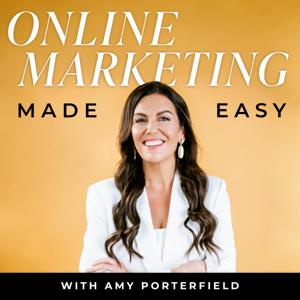

In this Online Marketing Made Easy Podcast episode, the second Ask Amy segment is introduced, where questions about online marketing, Facebook marketing, Facebook ads, webinars, and email marketing are answered. Listeners can submit questions by leaving a recorded message at amyporterfield.com/askamy.
The featured question in this episode is about the new Facebook Page layout and how to leverage it for maximum impact and exposure on Facebook. Here are the key points discussed:
1. **Stats on the Right:** In the new layout, to the right of the cover photo, you'll find weekly stats, including new Page likes, overall post reach, unread messages, and notifications. Amy suggests tracking these numbers weekly to measure your progress.
2. **Tab Management:** Below the cover photo, there are tabs that function like the old layout's boxes. You can reorder them by clicking "More" and selecting "Manage Tabs." Amy emphasizes that tabs may not convert well unless you use Facebook ads to drive traffic to them.
3. **Scheduled Posts:** If you schedule posts on your Facebook Page, the new layout displays a "Scheduled Posts" notification, showing the number of scheduled posts and the next publication time. This feature makes it easier to manage and edit scheduled posts.
4. **About Section:** Amy advises being strategic with the "About" section, using it to promote lead magnets and important links. However, note that linking to your website may not be an option for local business Pages.
5. **Pages to Watch:** The "Pages to Watch" feature in Insights allows you to monitor other Pages that attract your ideal audience. You can manually add Pages to observe. It's located in the Overview tab of Facebook Page Insights.
6. **Top Posts from Pages You Watch:** After selecting Pages to watch, you can view the most engaging posts from the previous week in the Posts tab of Insights. This feature helps you gain insights and model engaging content strategies from similar Pages.
Amy also mentions that when you add a Page to watch, the admin of that Page is notified but won't know who added it.
This episode is part of the Ask Amy series, where online marketing questions from listeners are addressed. You can submit your questions for consideration in future episodes at amyporterfield.com/askamy.
 View all episodes
 By Amy Porterfield

4.9
45614,561 ratings
In this Online Marketing Made Easy Podcast episode, the second Ask Amy segment is introduced, where questions about online marketing, Facebook marketing, Facebook ads, webinars, and email marketing are answered. Listeners can submit questions by leaving a recorded message at amyporterfield.com/askamy.
The featured question in this episode is about the new Facebook Page layout and how to leverage it for maximum impact and exposure on Facebook. Here are the key points discussed:
1. **Stats on the Right:** In the new layout, to the right of the cover photo, you'll find weekly stats, including new Page likes, overall post reach, unread messages, and notifications. Amy suggests tracking these numbers weekly to measure your progress.
2. **Tab Management:** Below the cover photo, there are tabs that function like the old layout's boxes. You can reorder them by clicking "More" and selecting "Manage Tabs." Amy emphasizes that tabs may not convert well unless you use Facebook ads to drive traffic to them.
3. **Scheduled Posts:** If you schedule posts on your Facebook Page, the new layout displays a "Scheduled Posts" notification, showing the number of scheduled posts and the next publication time. This feature makes it easier to manage and edit scheduled posts.
4. **About Section:** Amy advises being strategic with the "About" section, using it to promote lead magnets and important links. However, note that linking to your website may not be an option for local business Pages.
5. **Pages to Watch:** The "Pages to Watch" feature in Insights allows you to monitor other Pages that attract your ideal audience. You can manually add Pages to observe. It's located in the Overview tab of Facebook Page Insights.
6. **Top Posts from Pages You Watch:** After selecting Pages to watch, you can view the most engaging posts from the previous week in the Posts tab of Insights. This feature helps you gain insights and model engaging content strategies from similar Pages.
Amy also mentions that when you add a Page to watch, the admin of that Page is notified but won't know who added it.
This episode is part of the Ask Amy series, where online marketing questions from listeners are addressed. You can submit your questions for consideration in future episodes at amyporterfield.com/askamy.
3,451 Listeners

176 Listeners
8,791 Listeners
3,602 Listeners
2,785 Listeners

674 Listeners

2,620 Listeners
1,451 Listeners
580 Listeners

365 Listeners
7,216 Listeners

5,007 Listeners

141 Listeners
1,936 Listeners

12,084 Listeners

7,730 Listeners

1,647 Listeners

1,345 Listeners

886 Listeners

2,611 Listeners

961 Listeners
151 Listeners